
This page is not an official page of the app or its developer, but an independent editorial publication created for informational and commentary purposes. Unless expressly stated otherwise, neither the app nor its developer is affiliated with, endorsed by, sponsored by, authorized by, or otherwise officially connected with MWM, Apple, Google Play, the app publisher, or the app's developer, and nothing on this page implies that the app was developed using MWM's services. Any trademarks, logos, screenshots, and other content remain the property of their respective owners.


myAir™ by Resmed
Sleep data is often overwhelming; this app transforms it into actionable insights, putting you firmly in control of your therapy.
Downloads
5M+User Rating
Total Ratings
110.5KPublisher
Category
MedicalLocales
3Latest Version
4.6.0Size
176.8 MBFirst Released
Sep 2, 2016An analytical evaluation of core functionalities designed to enhance adherence and user experience for sleep apnea patients.
myAir™ by Resmed: A Comprehensive CPAP Therapy Management Solution
Guided Setup & Adaptation Tools
The app offers interactive voice-guided instructions (Personal Therapy Assistant) and a "Test Drive" feature to help users comfortably set up their CPAP equipment and adapt to therapy pressure levels.
Healthcare Provider Connection
With prior user consent, the app facilitates sharing therapy insights directly with the user's healthcare team, enabling more connected care and informed clinical decisions.
Personalized Therapy Coaching
This tool acts as a personal sleep coach, delivering tailored coaching, tips, and videos based on individual therapy progress, along with proactive notifications and regular check-ins to support ongoing adherence.
Daily Therapy Progress Monitoring
It allows users to easily access daily sleep therapy data, including a nightly myAir score and detailed metrics, to monitor their progress and generate summary reports for personal records or healthcare providers.
Comprehensive Resource Library
The app provides a comprehensive library of helpful videos and guides that cover equipment setup, mask fitting, therapy comfort, and answers to common questions, empowering users with self-help resources.
Integrated Health Data View
The app integrates with popular health applications like Apple Health and Health Connect, enabling users to view their ResMed therapy data alongside other tracked health metrics for a holistic health overview.
Frequently Asked Questions
Everything you need to know about myAir™ by Resmed
What is myAir™ by Resmed?
myAir™ by Resmed is an exclusive app for Resmed AirSense™ and AirCurve™ users. It helps users manage their sleep therapy by providing guided setup, personalized support, and therapy tracking for successful outcomes.
Which Resmed machines are compatible with the myAir™ app?
The myAir™ app is compatible with Resmed AirSense™ and AirCurve™ machines that have built-in wireless connectivity. It is not compatible with the AirMini™ machine, which uses the AirMini by Resmed app.
Does myAir™ by Resmed offer guided setup for sleep therapy equipment?
Yes, myAir™ by Resmed offers guided setup features. These include the Personal Therapy Assistant for voice-guided instructions, Test Drive for acclimating to air pressure levels, and a Library of helpful setup videos.
Can myAir™ by Resmed track my daily sleep therapy progress?
Yes, myAir™ by Resmed allows users to track daily sleep therapy data. It displays a nightly myAir score, detailed metrics like mask seal and usage, and enables downloading a therapy summary report for progress monitoring.
Does the myAir™ app provide personalized coaching and support?
Yes, myAir™ provides personalized coaching and support. It acts as a personal sleep coach, offering tailored tips, videos, and solutions for issues like mask seal problems. The app also sends encouraging notifications and check-ins.
Does myAir™ by Resmed integrate with other health applications?
Yes, myAir™ by Resmed integrates with other health applications. It connects with Apple Health and Health Connect to display health data tracked by these platforms alongside the user's Resmed therapy data.
Are all features of myAir™ available for AirSense 10 and AirCurve 10 machines?
No. Features such as the Personal Therapy Assistant, Test Drive, and regular check-ins are exclusively available with an AirSense 11 machine. They are not accessible for AirSense 10 or AirCurve 10 users.
The following screenshots and description are sourced directly from the app's official store listing and are the property of the app developer.
App Store
Screenshots
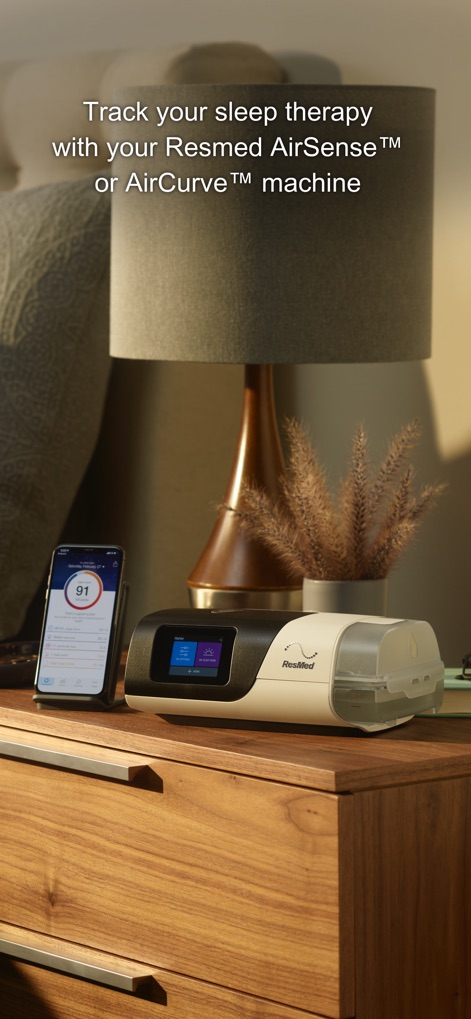
This screenshot highlights the seamless integration between the physical ResMed therapy device and the mobile application, showcasing both the machine itself and the app's interface on a smartphone.
Therapy Tracking Overview

The app's main dashboard presents a quick overview of therapy success, featuring a prominent daily "myAir score" and essential metrics such as "Usage" duration and "Mask seal" quality.
Daily Progress Snapshot
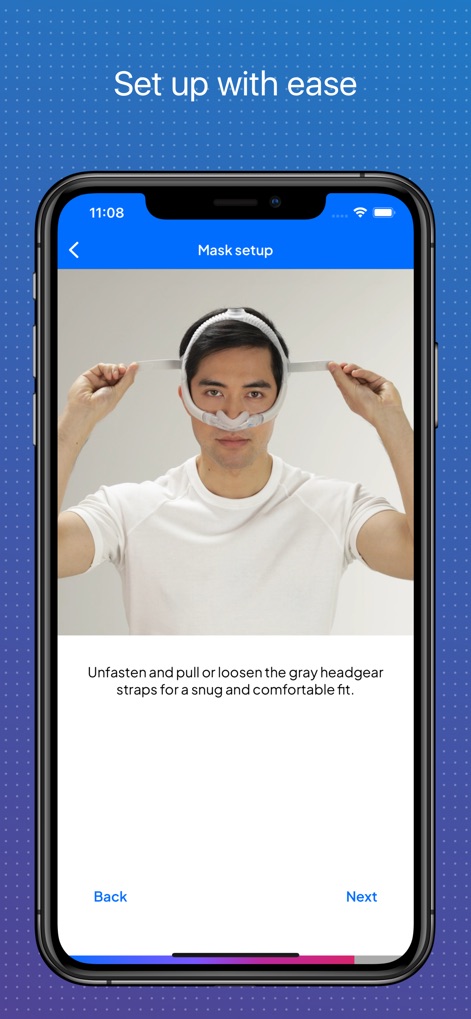
Users benefit from clear, step-by-step instructions for mask fitting, displaying both an illustrative image of a user adjusting straps and interactive navigation buttons for easy progression.
Guided Setup Simplified
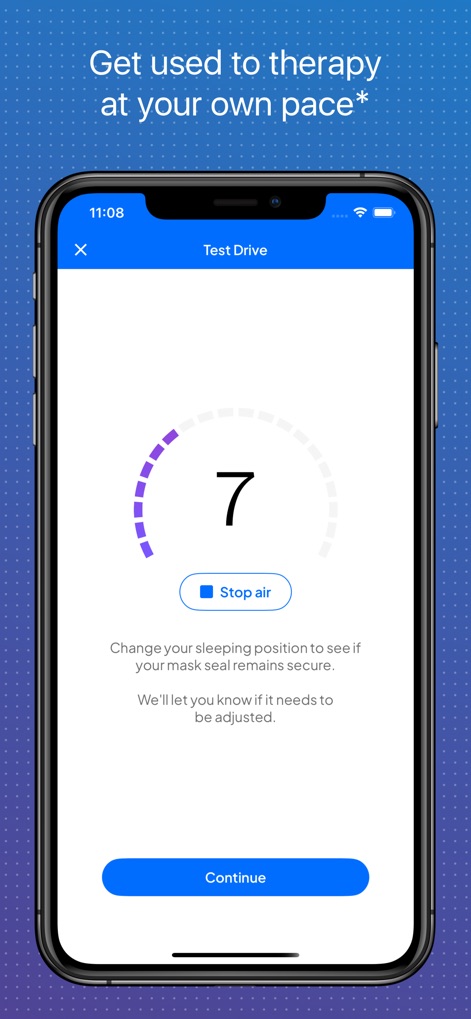
This feature facilitates comfortable therapy initiation, presenting an adjustable air pressure level indicator and a clear "Stop air" button for user control during the "Test Drive".
Therapy Acclimation Tool

The app gathers initial health insights through a user-friendly "My health profile" questionnaire, offering various emoji-based selections to quantify "sleepiness" and a visible "Save" button to record responses.
Personalized Health Baseline
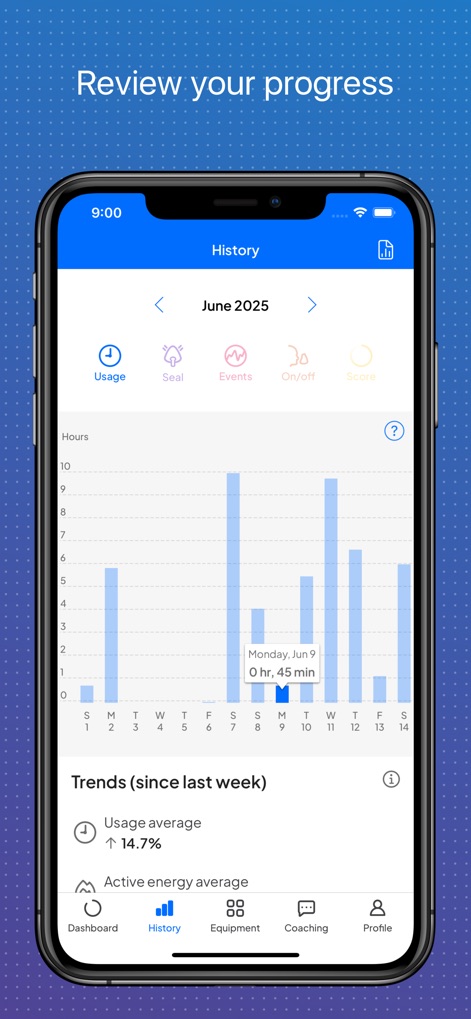
The "History" section provides a comprehensive view of therapy progress, featuring a bar graph detailing daily "Usage" hours and a "Trends (since last week)" summary for long-term insights.
Progress Tracking Visuals
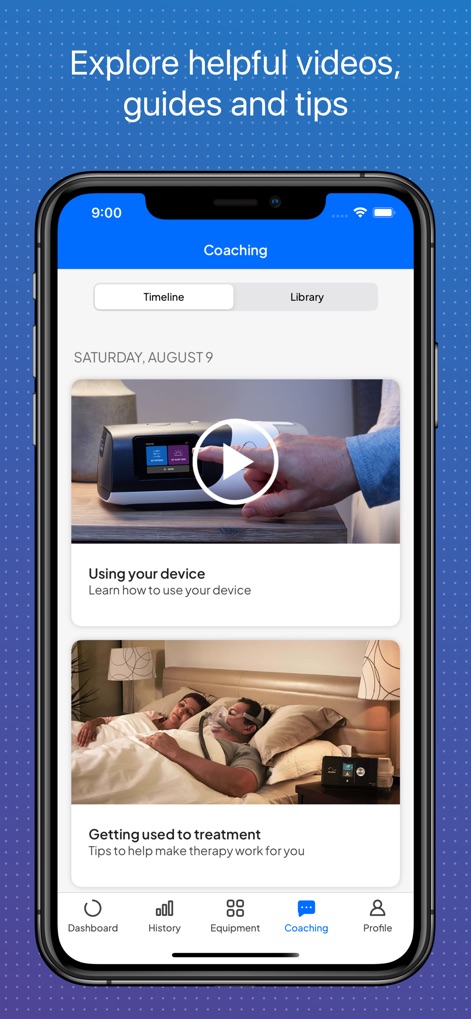
The "Coaching" module offers a rich collection of support, showcasing clear video thumbnails for guidance and organized content accessible via "Timeline" and "Library" tabs.
Supportive Resource Library
Description
Download
More Like This
Apps with similar features and user experience

Accredo
Accredo Health Group, Inc

ASPIRE Galderma Rewards
Galderma Laboratories, L.P.

CenterWell Pharmacy
Humana Inc.

myAPP by Adapthealth
ADAPTHEALTH CORP

SleepCircle
Lincare Holdings Inc.

CVS Specialty
CVS Pharmacy

MARLÖ
Alcon Vision, LLC
MyCareLink Heart™
Medtronic, Inc.

Tricefy - for Patients
Trice Imaging, Inc.
This page is not an official page of the app or its developer, but an independent editorial publication created for informational and commentary purposes. Unless expressly stated otherwise, neither the app nor its developer is affiliated with, endorsed by, sponsored by, authorized by, or otherwise officially connected with MWM, Apple, Google Play, the app publisher, or the app's developer, and nothing on this page implies that the app was developed using MWM's services. Any trademarks, logos, screenshots, and other content remain the property of their respective owners.