
This page is not an official page of the app or its developer, but an independent editorial publication created for informational and commentary purposes. Unless expressly stated otherwise, neither the app nor its developer is affiliated with, endorsed by, sponsored by, authorized by, or otherwise officially connected with MWM, Apple, Google Play, the app publisher, or the app's developer, and nothing on this page implies that the app was developed using MWM's services. Any trademarks, logos, screenshots, and other content remain the property of their respective owners.

myCadillac
Elevate your driving experience with seamless remote commands, real-time vehicle health diagnostics, and premium OnStar connectivity tailored for the modern owner.
Downloads
1M+User Rating
Total Ratings
157K+Publisher
Category
LifestyleLocales
11Latest Version
8.2.0Size
233.0 MBFirst Released
Oct 27, 2010Your World, Connected to Your Cadillac
Experience the ultimate in automotive luxury. Seamlessly manage your vehicle’s performance, comfort, and security directly from your smartphone or Apple Watch.
Intuitive Remote Access
Command your vehicle from a distance. Start your engine and set the perfect cabin temperature before you even step outside.
Real-Time Vehicle Health
Protect your investment with proactive insights. Monitor fuel levels, tire pressure, and oil life at a glance for total peace of mind.
Frequently Asked Questions
Everything you need to know about myCadillac
Can I remote start my Cadillac using the myCadillac app?
Yes, the myCadillac app allows users to remotely start their vehicle. This feature enables convenient vehicle activation and pre-conditioning of the cabin directly from a smartphone.
Does the myCadillac app allow me to control the cabin temperature?
Yes, the myCadillac app enables users to set their ideal cabin temperature. This functionality ensures the vehicle is comfortable before entry, enhancing the driving experience.
How can I locate my Cadillac using the myCadillac app?
Yes, the myCadillac app helps users find their vehicle and provides walking directions to its location. This feature is accessible through the in-app map interface.
What vehicle information can the myCadillac app display?
The myCadillac app displays key vehicle metrics including fuel level, tire pressure, oil life, and odometer readings. It also shows battery percentage and estimated range for electric models.
Can I schedule service for my Cadillac through the myCadillac app?
Yes, the myCadillac app allows users to schedule vehicle service appointments directly. This feature streamlines maintenance planning for Cadillac owners.
Does the myCadillac app provide access to Roadside Assistance?
Yes, the myCadillac app facilitates requesting Roadside Assistance with a tap of a button. This service provides support for unexpected vehicle issues.
What are the technical requirements to use the myCadillac app?
The myCadillac app functionality is available on select devices and requires a data connection. Service availability and features vary by vehicle, device, and the enrolled plan.
Is the myCadillac app connected to OnStar services?
Yes, the myCadillac app is connected by OnStar. This integration provides enhanced vehicle control and connected services for a comprehensive ownership experience.
The following screenshots and description are sourced directly from the app's official store listing and are the property of the app developer.
App Store
Screenshots
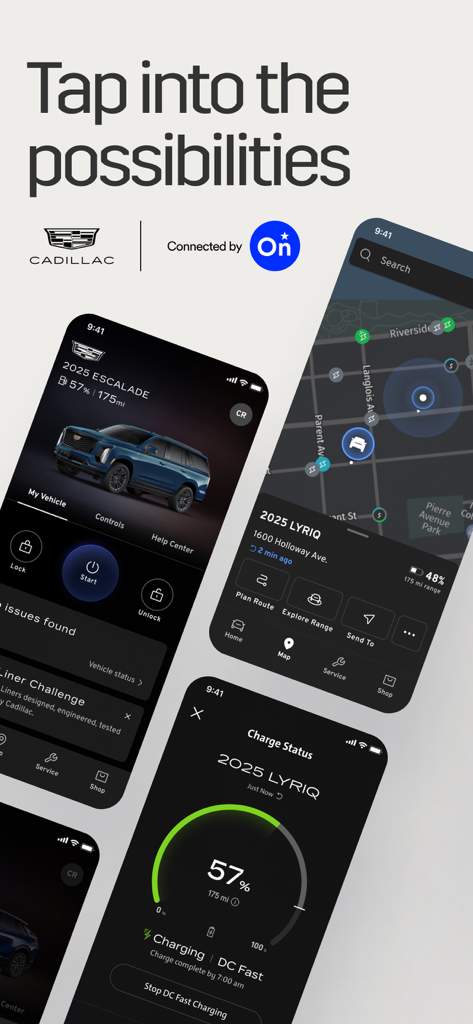
A promotional graphic showing the myCadillac mobile app interface for remote vehicle control navigation and charging status
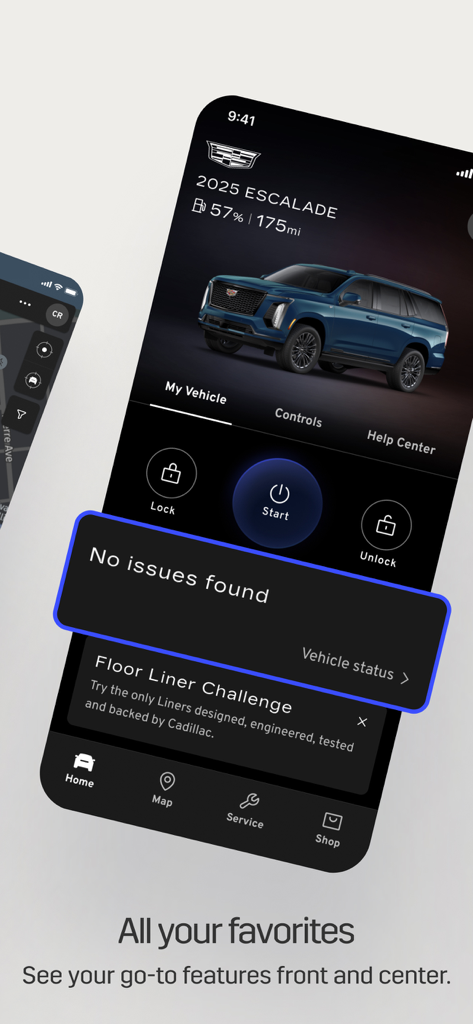
The myCadillac app home screen showing vehicle status and remote controls for a 2025 Escalade
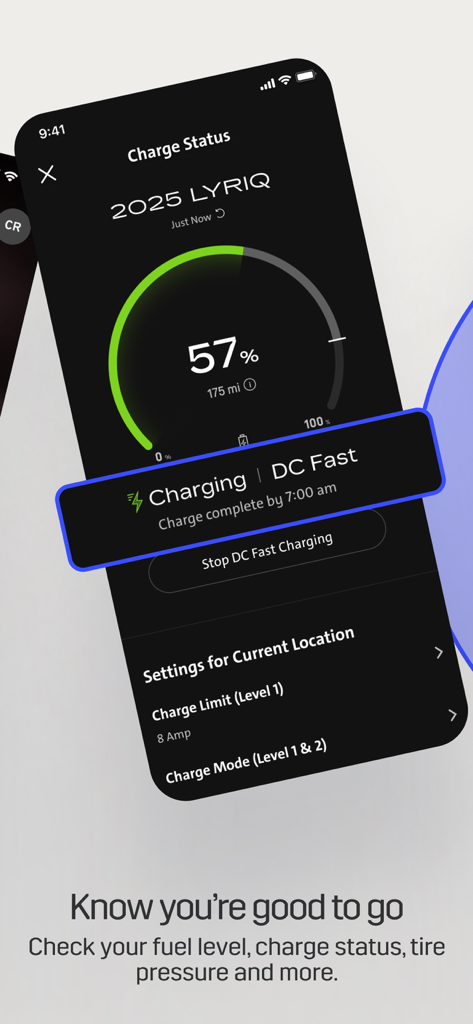
A smartphone screen displaying the myCadillac app with the EV charge status for a 2025 LYRIQ vehicle at 57 percent
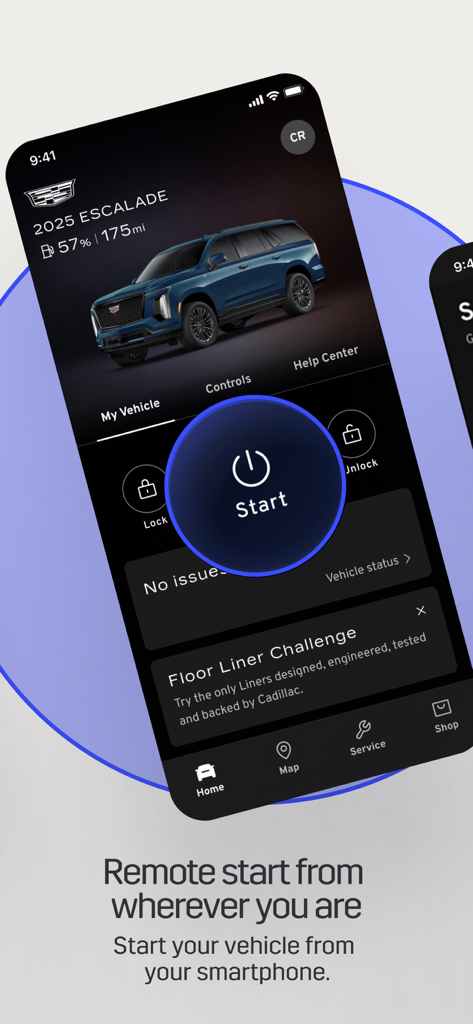
The myCadillac app interface showing remote start and vehicle status for a 2025 Cadillac Escalade on a smartphone
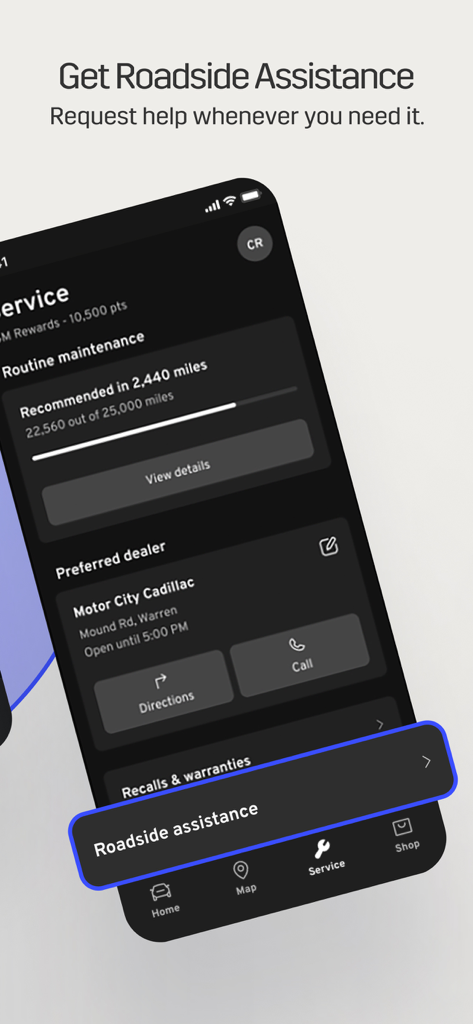
myCadillac app interface showing roadside assistance and vehicle service options
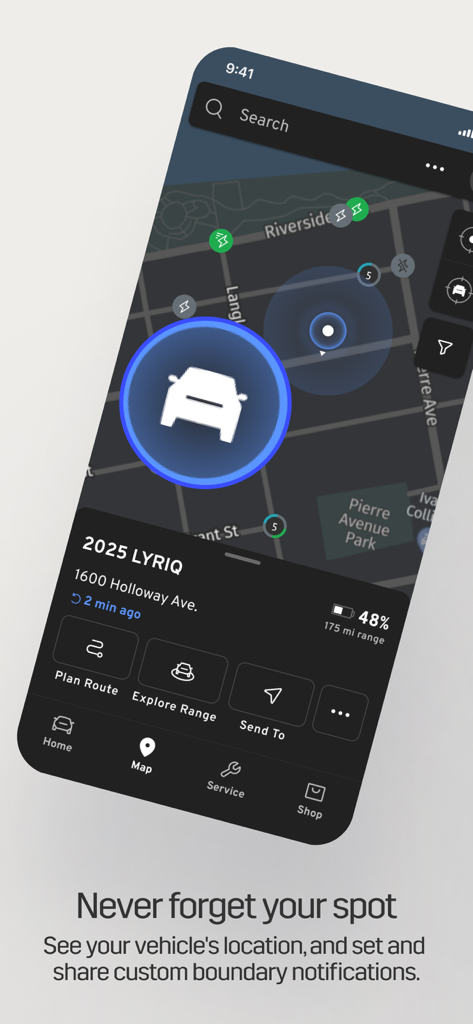
Screenshot of the myCadillac app showing the location of a 2025 LYRIQ on a map with navigation options
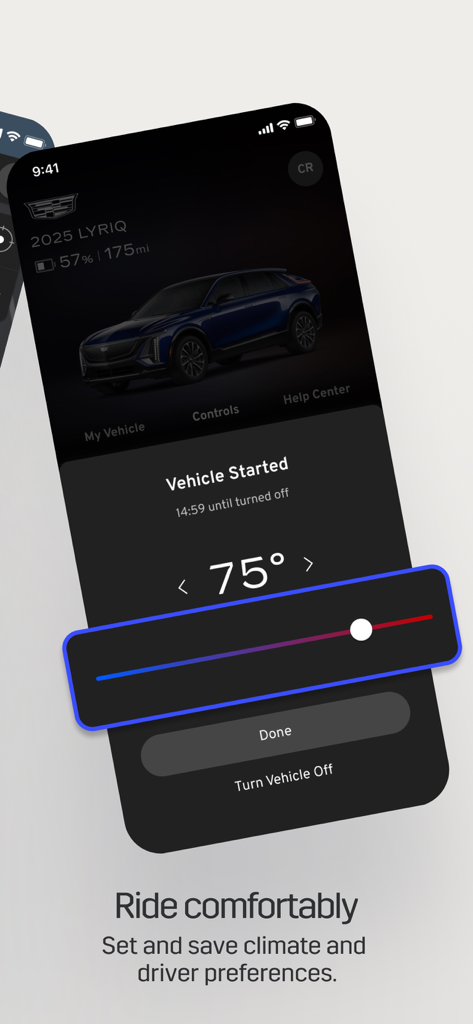
Interface of the myCadillac app showing remote temperature and climate control settings

A man and a woman standing near a Cadillac vehicle with the text Discover better drives
Description
Download
More Like This
Apps with similar features and user experience

myGMC
General Motors

MyNISSAN®
Nissan North America Inc.

Jeep®
FCA US LLC

Lexus
Lexus, a Division of Toyota Motor Sales, U.S.A., Inc.

MySubaru
Subaru of America, Inc
RAM®
FCA US LLC
myBuick
General Motors

Volvo Cars
Volvo Car Corporation

myVW
Volkswagen of America Inc.
This page is not an official page of the app or its developer, but an independent editorial publication created for informational and commentary purposes. Unless expressly stated otherwise, neither the app nor its developer is affiliated with, endorsed by, sponsored by, authorized by, or otherwise officially connected with MWM, Apple, Google Play, the app publisher, or the app's developer, and nothing on this page implies that the app was developed using MWM's services. Any trademarks, logos, screenshots, and other content remain the property of their respective owners.