
This page is not an official page of the app or its developer, but an independent editorial publication created for informational and commentary purposes. Unless expressly stated otherwise, neither the app nor its developer is affiliated with, endorsed by, sponsored by, authorized by, or otherwise officially connected with MWM, Apple, Google Play, the app publisher, or the app's developer, and nothing on this page implies that the app was developed using MWM's services. Any trademarks, logos, screenshots, and other content remain the property of their respective owners.


MyJCB
Take back control. The app gives users direct command over their JCB finances, ensuring security and clarity.
Downloads
5M+User Rating
Total Ratings
112.6KPublisher
Category
FinanceLocales
1Latest Version
3.9.1Size
161.0 MBFirst Released
Jun 10, 2016Evaluating key features for secure and efficient credit card management.
MyJCB App: A Comprehensive Analysis
Real-time Account Overview
The app provides an instant overview of recent payment amounts, due dates, and reward points directly on its homepage, enabling immediate financial monitoring.
Real-time Usage Notifications
It features real-time notifications for every card transaction, empowering users to monitor their spending and quickly identify any suspicious activity.
Security Status Monitoring
The app informs users about the status of their recommended security settings, offering an immediate overview of their protection against potential fraudulent activities.
Easy & Secure Login
It allows users to log in effortlessly using biometric authentication (fingerprint/facial recognition) or an app-specific passcode, streamlining access to their account.
Advanced Transaction Search
This tool features robust sorting and filtering capabilities for transaction statements, making it easier for users to locate specific expenditures quickly.
Consolidated Multi-Card Access
It enables users with multiple JCB cards to manage all their accounts seamlessly through a consolidated login setting, facilitating smooth card switching.
Frequently Asked Questions
Everything you need to know about MyJCB
How does the MyJCB app ensure easy login?
The MyJCB app allows for easy login using biometric authentication such as fingerprint and facial recognition, or an app-specific passcode.
Who can use the MyJCB app?
The MyJCB app is available to individuals who possess a MyJCB ID and a JCB Group card. Certain specific cards are not compatible with the app.
How can users check their spending status in the MyJCB app?
Users can immediately check recent payment amounts, payment dates, and accumulated points on the top page. The app also offers sorting and filtering functions for transaction details.
What security features does the MyJCB app offer?
The MyJCB app supports secure card usage with a 'Security Settings Status' feature, usage notifications, and an alert function to prevent overspending.
Does the MyJCB app support managing multiple JCB cards?
Yes, the MyJCB app supports managing multiple JCB cards. Users can smoothly switch between cards by enabling the 'bundled login' setting.
What is required for first-time login to the MyJCB app?
For the first-time login after downloading the MyJCB app, users require their MyJCB ID, password, and an additional one-time password authentication.
Has the MyJCB app received any design awards?
Yes, the MyJCB app has received multiple design awards, including the iF DESIGN AWARD 2025, A'DESIGN AWARD WINNER 2025 GOLD, and GERMAN DESIGN AWARD 2026.
The following screenshots and description are sourced directly from the app's official store listing and are the property of the app developer.
App Store
Screenshots

This introductory screen highlights the app's official branding and showcases its recognition with prestigious design awards, including the iF Design Award and A' Design Award.
Award-Winning Design
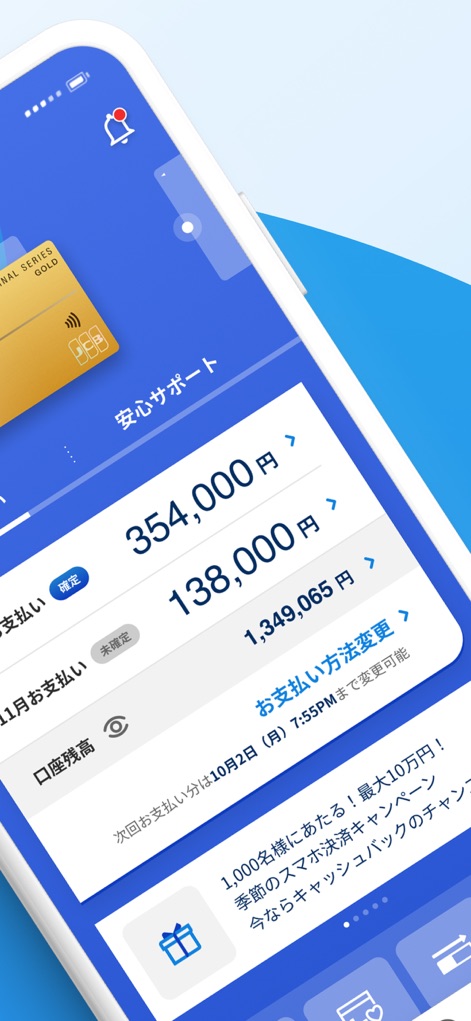
The app's dashboard offers an immediate view of current financial standings, displaying both the total payment amount and the user's available points balance.
Account Overview

Users can experience streamlined and secure access to their accounts through biometric authentication, such as facial recognition or fingerprint scanning.
Secure Access
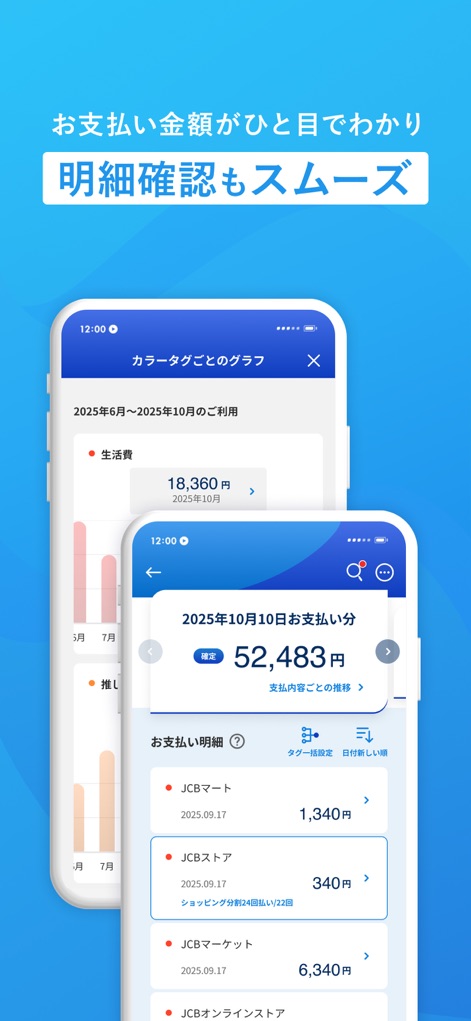
The app provides comprehensive transaction details with options to sort and filter, complemented by an intuitive color-coded expenditure graph for clear financial tracking.
Transaction Insights
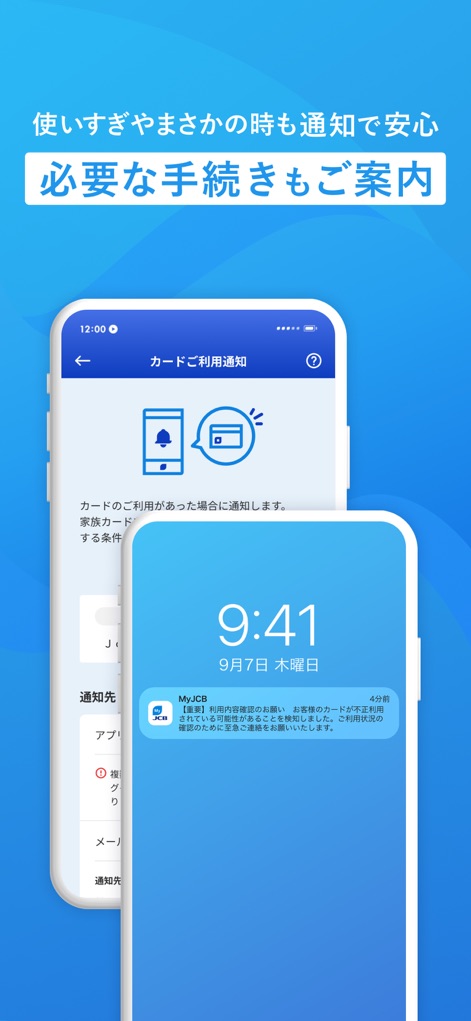
This feature ensures users are always informed about their card activity through real-time push notifications and offers settings to customize alerts for secure usage.
Real-time Alerts
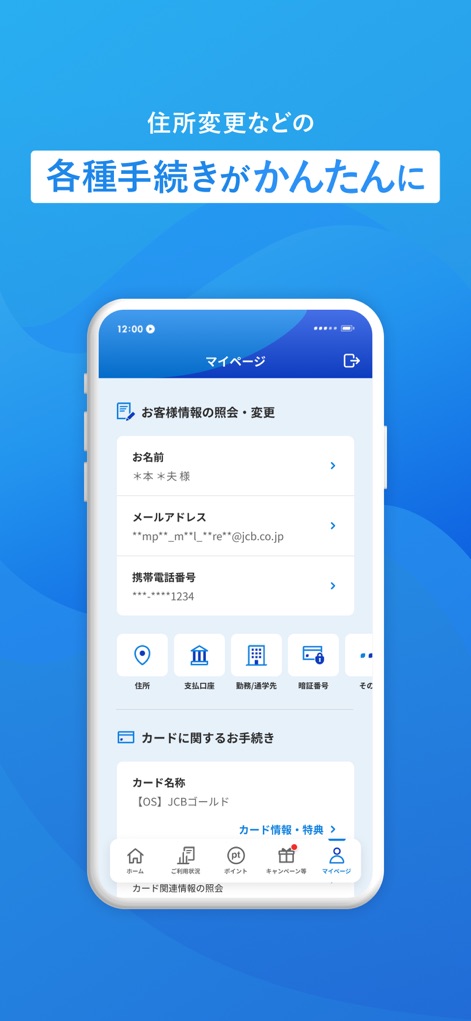
The 'My Page' section empowers users to easily update personal details and manage various account settings directly within the app's clear and organized interface.
Personal Management
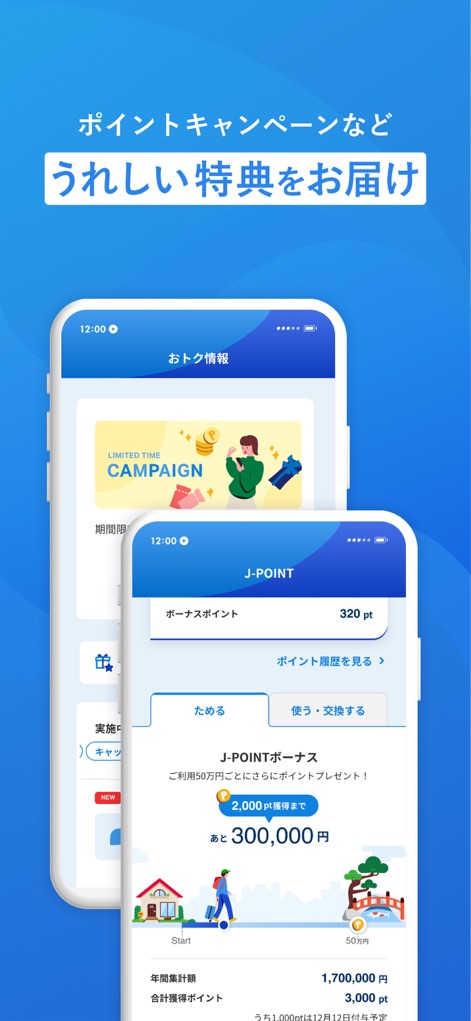
Explore exclusive campaigns and track J-POINT rewards progress, allowing users to maximize benefits and redeem points effortlessly.
Rewards & Benefits
Description
Download
More Like This
Apps with similar features and user experience

掌上生活-招商银行信用卡
CHINA MERCHANTS BANK CO.,LTD.

平安口袋银行-更懂您的智能银行
PingAn Bank

Credit One Bank Mobile
Credit One Bank, National Association

MySynchrony
Synchrony Financial

买单吧-交通银行信用卡
Bank of Communications

浦大喜奔-浦发银行信用卡
Shanghai Pudong Development Bank Co.Ltd

Bread Financial
Bread Financial Holdings, Inc.

丰收互联
Zhejiang Rural Commercial United Bank

CareCredit Mobile
Synchrony Financial
This page is not an official page of the app or its developer, but an independent editorial publication created for informational and commentary purposes. Unless expressly stated otherwise, neither the app nor its developer is affiliated with, endorsed by, sponsored by, authorized by, or otherwise officially connected with MWM, Apple, Google Play, the app publisher, or the app's developer, and nothing on this page implies that the app was developed using MWM's services. Any trademarks, logos, screenshots, and other content remain the property of their respective owners.