Nearpod

Nearpod

Download on App Store
Logo of Nearpod

Nearpod: Unlock 100% Student Engagement in Every Lesson

Empower your classroom with interactive slides, real-time insights, and 22,000+ standards-aligned resources. From VR field trips to gamified assessments, give every student a voice while saving hours on lesson planning.

Publisher

NEARPOD INC

Category

Education

Downloads

3M+

User Rating

3.6/5

Total Ratings

5K+

Locales

1

Classroom Magic in Action

Discover the interface used by 3M+ users.
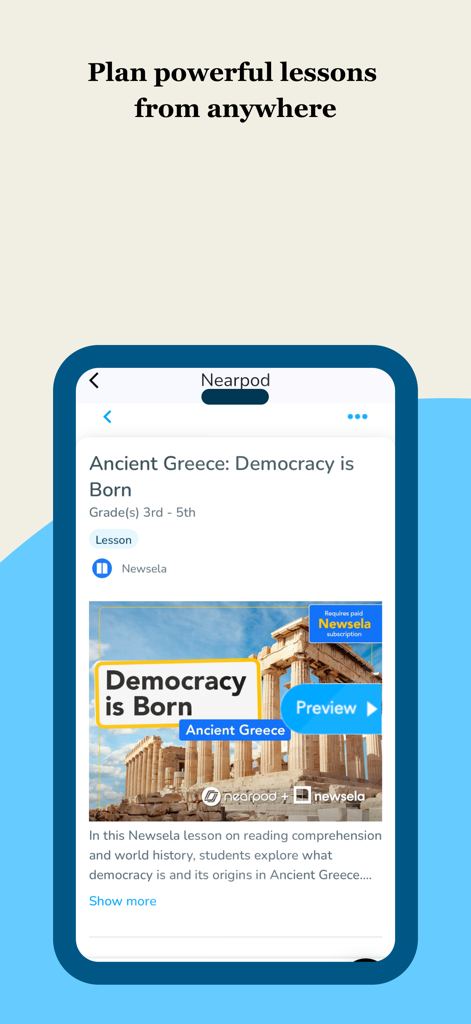
Nearpod app interface showing an interactive lesson plan about Ancient Greece for grades 3 to 5

Nearpod app interface showing an interactive lesson plan about Ancient Greece for grades 3 to 5

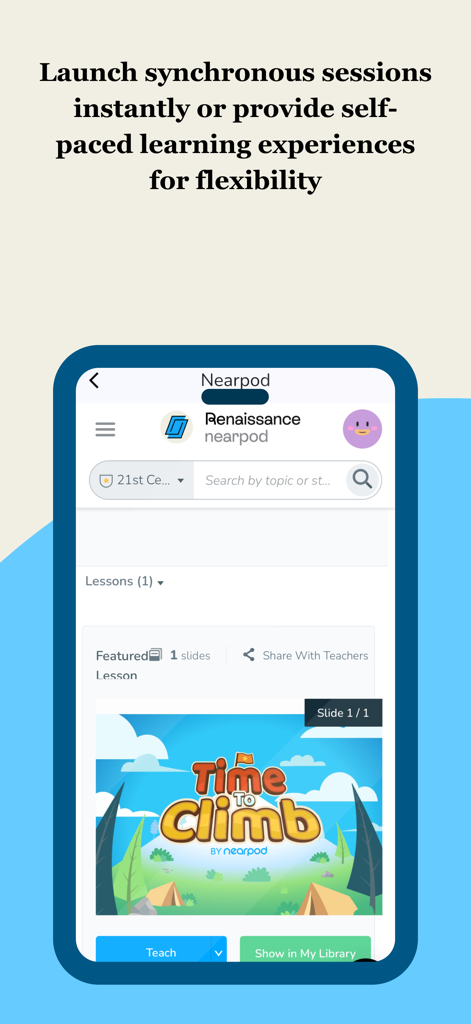
Nearpod mobile app interface showing options to launch synchronous or self-paced lessons featuring Time to Climb gamified activity

Nearpod mobile app interface showing options to launch synchronous or self-paced lessons featuring Time to Climb gamified activity

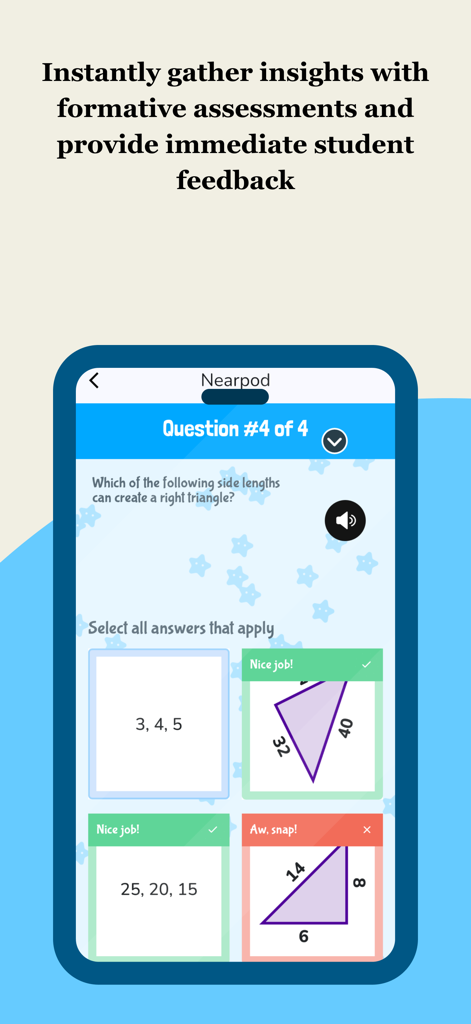
Nearpod mobile app interface showing a math formative assessment with student feedback

Nearpod mobile app interface showing a math formative assessment with student feedback

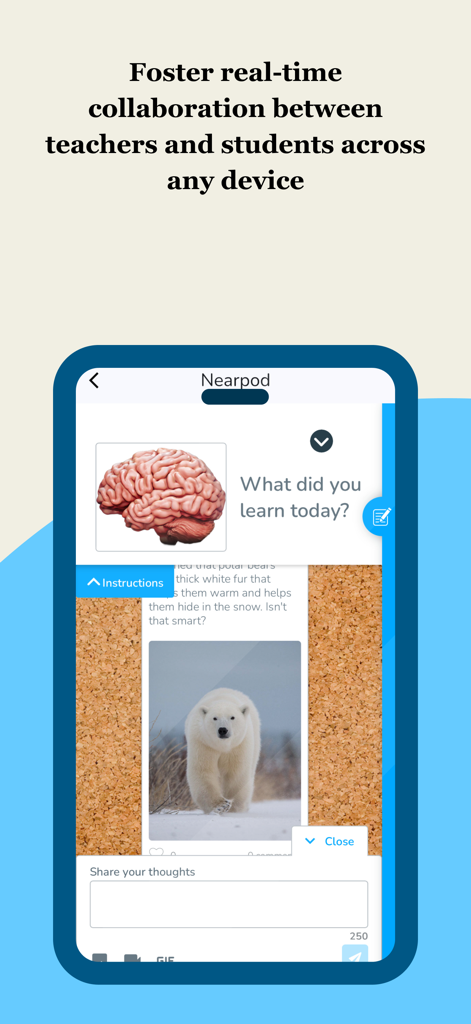
Nearpod app interface showing an interactive collaboration board for student feedback and real time engagement

Nearpod app interface showing an interactive collaboration board for student feedback and real time engagement

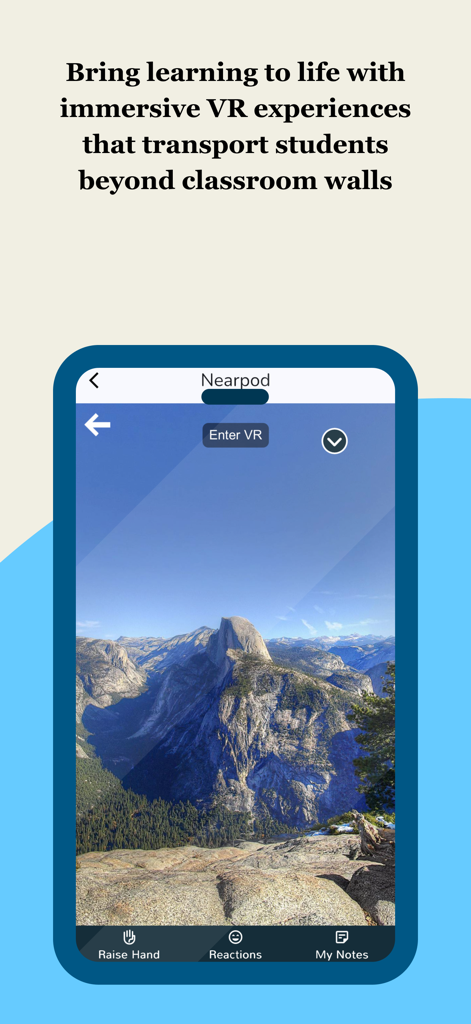
Nearpod app screen showing an immersive VR field trip of mountain peaks with an Enter VR button.

Nearpod app screen showing an immersive VR field trip of mountain peaks with an Enter VR button.

Transform Every Lesson Into an Active Experience

The tools that make this app stand out, trusted by 3M+ users.

🚀

100% Student Participation

Eliminate the 'black hole' of disengagement. Use interactive slides, VR field trips, and gamified activities to ensure every student—even the shy ones—has a voice.

📊

Instant Insights, Zero Grading

Get a 'superpower' view of every student’s understanding as it happens. Use real-time formative assessment data to adjust your instruction without the manual grading headache.

⏱️

22,000+ Standards-Aligned Lessons

Reclaim your weekends with our library of ready-to-use resources or seamlessly import your existing Google Slides to go from planning to teaching in minutes.

About the app

Everything you need to know about Nearpod.

Description

Nearpod: Interactive Lessons That Engage Every Student 

 Nearpod helps K–12 teachers create engaging, student-centered learning experiences that drive participation and deepen understanding. Whether you're teaching math, science, ELA, or any other subject, Nearpod gives you the tools to bring your lessons to life. 
Use interactive features like polls, quizzes, and virtual reality to spark curiosity and keep students involved. Monitor progress with real-time formative assessments and adjust instruction based on instant feedback. With flexible teaching modes, you can lead live lessons or assign student-paced activities that fit your classroom flow. Why Teachers Love Nearpod: 

 Interactive slides, videos, and activities that promote active learning 
 Real-time insights to support data-informed instruction 

 Seamless integration with Google Slides, YouTube, and your LMS 
 Access to 22,000+ standards-aligned lessons and resources 

 Tools for differentiation and student voice 

 
 Nearpod works with the platforms you already use and adapts to your teaching style. Whether you're enhancing your curriculum or building lessons from scratch, Nearpod helps you deliver instruction that sticks. How Nearpod works: 1. Learning experiences are created by teachers from scratch, uploading slides, with AI (on tablet or web), or selected from a catalogue of over 22,000 experiences found in the Nearpod Library.

 2. Students join synchronous learning experiences led by their teachers or learn at their own pace.
 3. Students actively engage in interactive media, formative assessments, and activities such as videos, quizzes, polls, 3D objects, virtual reality, drawing tools, and more. 4. Teachers receive immediate insights into student learning, allowing them to provide feedback, correct misconceptions, and adjust instruction.

5. Students are introduced to content through dynamic multimedia that includes VR Field trips, 3D objects, PhET simulations, BBC videos and more.
 
 
To make your technology integration as seamless as possible, Nearpod has partnered with: Apple Google Microsoft Canvas Schoology Brightspace by D2L Blackboard Moodle Clever ClassLink 
What teachers are saying: 
"Nearpod provides me and my teachers with an excellent tool for engaging students. Activities and the different functions offer opportunities for differentiation and collection of assessment data. Nearpod is a game changer for teachers and students." - Matthew M., Assistant Principal 
"Nearpod gives teachers a wonderful superpower. It allows us to see the answer every students would give to every question we ask in class and allows students to feel more comfortable taking risks with their learning and growth." - Ann K., Instructional Coach 

Nearpod consistently gets me 90-100% engagement by keeping students active in their learning while helping build a stronger learning environment. - Amanda D., High school teacher

 SUBSCRIBING IN-APP: - Subscribe to Nearpod Gold Edition annually ($159.99). You will be charged in your local currency at the prevailing exchange rate as defined by the App Store. - Payment will be charged to your Apple ID account at confirmation of purchase. - Subscription automatically renews unless auto-renew is turned off at least 24-hours before the end of the current period. - Account will be charged for renewal within 24-hours prior to the end of the current period, and identify the cost of the renewal. - Subscriptions may be managed by the user and auto-renewal may be turned off by going to the user’s Account Settings after purchase. - No cancellation of the current subscription is allowed during the active subscription period. - Privacy policy: nearpod.com/privacy-policy - Terms of use: nearpod.com/terms-conditions - Any unused portion of a free trial period, if offered, will be forfeited when the user purchases a subscription. 
 Download Nearpod now and sign up for a FREE account or log in to start experiencing the magic of Nearpod!

Latest Version

14.1.2

Size

23.1 MB

First Released

May 10, 2012

Unlock Your Teaching Superpower Today

Join 3M+ educators and start creating interactive lessons that students love. Download Nearpod to turn every slide into a moment of discovery.

Download on App Store
FAQ

Frequently Asked Questions

Everything you need to know about Nearpod

What is Nearpod and what does it do?

Nearpod is an interactive learning platform that helps K–12 teachers create engaging lessons using features like polls, quizzes, and virtual reality. It provides tools for real-time assessments and flexible teaching modes.

Does Nearpod offer virtual reality experiences for students?

Yes, Nearpod offers immersive virtual reality experiences, including VR Field trips and 3D objects, to transport students beyond classroom walls and bring learning to life.

Can teachers use their own materials with Nearpod?

Yes, teachers can create learning experiences from scratch by uploading their own slides. They can also use AI to assist in lesson creation or select from the Nearpod Library.

How does Nearpod help teachers monitor student progress?

Nearpod provides real-time formative assessments and immediate insights into student learning. This allows teachers to give feedback, correct misconceptions, and adjust instruction effectively.

What integrations does Nearpod support?

Nearpod seamlessly integrates with popular platforms like Google Slides, YouTube, and various Learning Management Systems (LMS) such as Canvas, Schoology, and Moodle.

How much does a Nearpod Gold Edition subscription cost?

A Nearpod Gold Edition subscription costs $159.99 annually. Payment is charged to the Apple ID account and renews automatically unless auto-renew is turned off.

Can I use Nearpod for free?

Yes, users can download Nearpod and sign up for a FREE account to start experiencing its features and capabilities without immediate cost.

Does Nearpod support student-paced learning activities?

Yes, Nearpod offers flexible teaching modes that allow teachers to assign student-paced activities, enabling students to learn at their own speed and convenience.

How do students interact with Nearpod lessons and features?

Students actively engage in Nearpod lessons through interactive media, formative assessments, and activities. These include videos, quizzes, polls, 3D objects, virtual reality, and drawing tools.

Are Nearpod lessons aligned with educational standards?

Yes, Nearpod provides access to over 22,000 standards-aligned lessons and resources within its library. Teachers can select these pre-made experiences for their curriculum.

App information, icons, screenshots, and descriptions displayed on this page are sourced from the Apple App Store and are the property of their respective developers. Download estimates and rankings are based on MWM's proprietary models and may not reflect actual figures. This page is provided for informational and analytical purposes only.

Believe this page infringes your intellectual property? File a dispute