
This page is not an official page of the app or its developer, but an independent editorial publication created for informational and commentary purposes. Unless expressly stated otherwise, neither the app nor its developer is affiliated with, endorsed by, sponsored by, authorized by, or otherwise officially connected with MWM, Apple, Google Play, the app publisher, or the app's developer, and nothing on this page implies that the app was developed using MWM's services. Any trademarks, logos, screenshots, and other content remain the property of their respective owners.


Kahoot! Play & Create Quizzes
Passive learning is dead. This app weaponizes quizzes, transforming any subject into an explosive, interactive battle for knowledge. Users command the action.
Downloads
75M+User Rating
Total Ratings
132.3KPublisher
Category
EducationLocales
21Latest Version
6.6.3Size
269.8 MBFirst Released
Sep 20, 2016Key Features Analysis: Kahoot! Play & Create Quizzes
An evaluation of the application's core functionalities designed to foster interactive learning and engagement across diverse user segments.
Interactive Quiz Participation
The app provides an engaging and gamified platform for users to participate in quizzes (kahoots) across various settings, making learning and entertainment interactive.
Content Creation & Customization
It allows users to design and personalize their own interactive quizzes, presentations, and learning games with various question types, images, and videos.
Live Hosting & Virtual Engagement
This tool features capabilities for hosting live kahoots, both in physical classrooms/meetings and virtually, facilitating real-time interaction and engagement for groups.
Extensive Content Library Access
The app offers access to a vast library of millions of pre-made kahoots on diverse topics, enabling users to quickly find and utilize existing content without extensive preparation.
Flexible Asynchronous Assignments
It allows users to assign self-paced kahoots, providing flexibility for learners to complete activities and review content independently at their own convenience.
Performance Analytics & Reporting
This tool provides educators and professionals with reports to assess learning outcomes, track progress, and analyze results from kahoot sessions.
Advanced Study Modes & Flashcards
The app provides dedicated study modes, including unlimited free flashcards, to support students in exam preparation and reinforcing learning on various subjects.
Multi-language Accessibility
The app supports multiple languages, significantly broadening its reach and making it accessible to a global audience across diverse linguistic backgrounds.
Frequently Asked Questions
Everything you need to know about Kahoot! Play & Create Quizzes
What is Kahoot! Play & Create Quizzes?
Kahoot! is an app for playing, creating, and hosting quiz-based games (kahoots) for learning, presentations, or fun. It supports students, teachers, professionals, and families.
Is Kahoot! free for teachers and students?
Yes, Kahoot! is free for teachers and their students. Optional upgrades are available for advanced features, but the core educational offering remains free.
What premium features does Kahoot! offer?
A Kahoot! paid subscription unlocks advanced features like an image library and diverse question types such as puzzles, polls, and open-ended questions. Business users require a subscription for work-context creation.
Can Kahoot! be used by professionals for work and presentations?
Yes, professionals use Kahoot! for e-learning, presentations, and events. They can create custom kahoots, utilize polls and word clouds, host live meetings, and assess progress with reports.
How do I manage my Kahoot! subscription or turn off auto-renewal?
Users manage Kahoot! subscriptions and auto-renewal through their device's Account Settings after purchase. Auto-renewal must be turned off at least 24 hours before the current period ends.
What languages does the Kahoot! app support?
The Kahoot! app supports numerous languages, including English, Spanish, French, German, Italian, Japanese, Dutch, Polish, Arabic, Simplified Chinese, Traditional Chinese, Norwegian, Swedish, Danish, Ukrainian, and Korean.
Can I create my own quizzes with the Kahoot! app?
Yes, Kahoot! allows users to create their own quizzes. You can add images, videos, and choose from various question types like quizzes, polls, open-ended questions, and puzzles.
Does Kahoot! offer study modes like flashcards?
Yes, Kahoot! offers study modes. Students can access unlimited free flashcards and other smart study modes to prepare for exams and enhance their learning experience effectively.
Can families and friends play Kahoot! together using SharePlay?
Yes, families and friends can play live kahoots together using SharePlay. Simply start a FaceTime call and select the kahoot to play, with no dedicated host needed.
Does Kahoot! help with learning math skills?
Yes, Kahoot! helps with math learning through interactive games. It offers activities for young students to improve skills in algebra, multiplications, and fractions.
The following screenshots and description are sourced directly from the app's official store listing and are the property of the app developer.
App Store
Screenshots
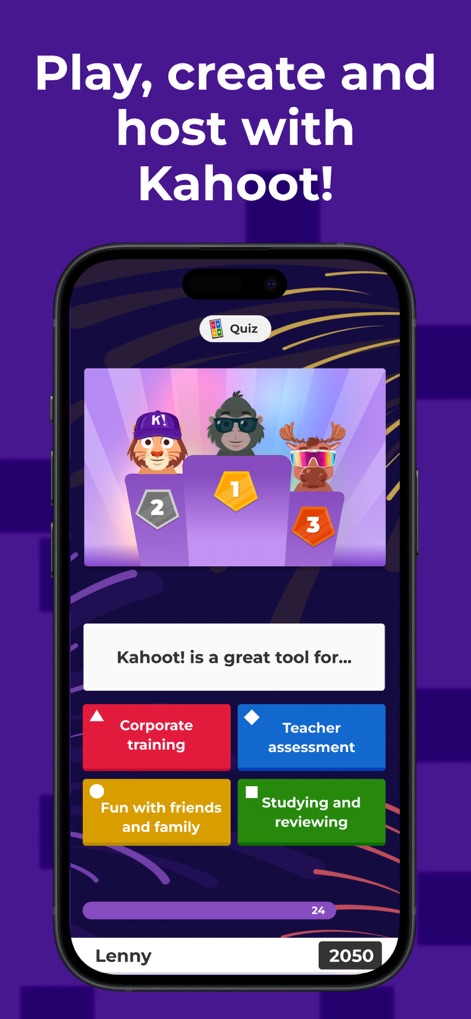
Game Modes Explored
This tool showcases its versatile game application across different environments, illustrating a vibrant leaderboard interface and practical use-case selections.
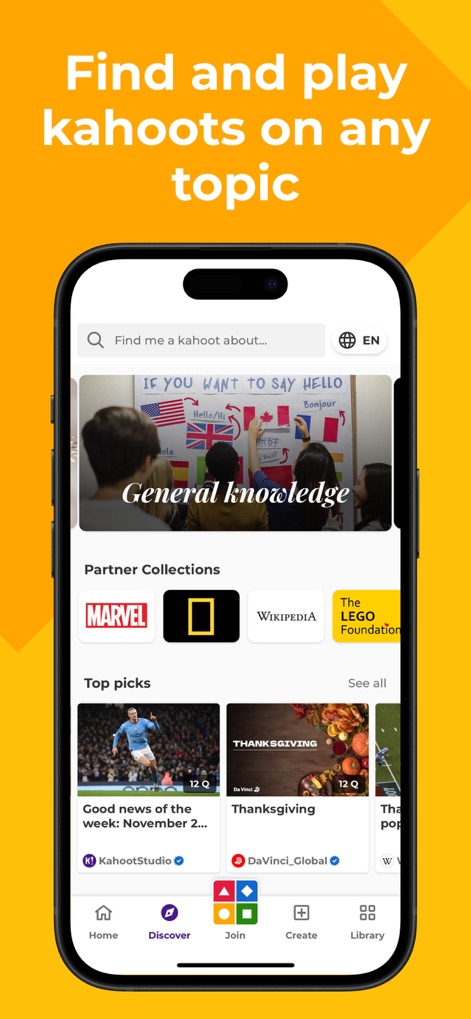
Content Discovery Hub
Users can effortlessly navigate the extensive library of ready-made quizzes, featuring a prominent search bar and curated partner collections.
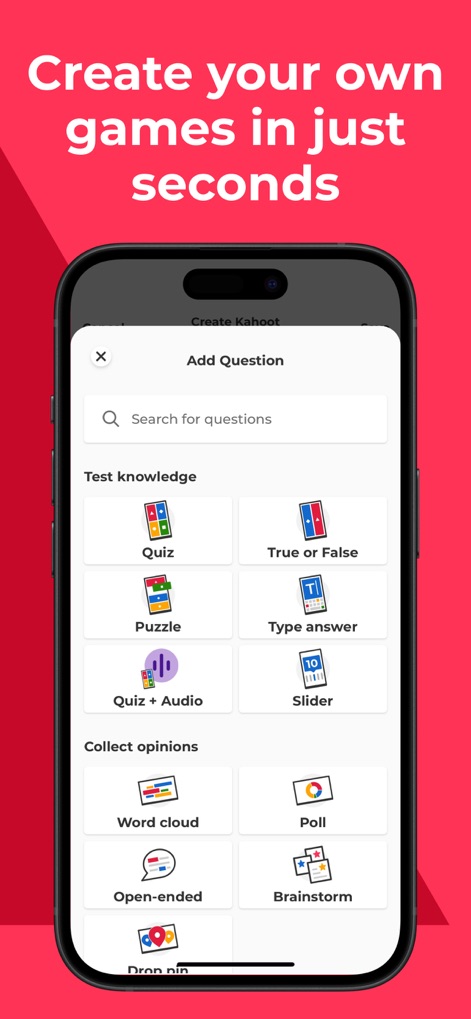
Creation Tools Unleashed
The app provides a comprehensive suite of question types for quiz creation, including engaging puzzle formats and interactive poll options.
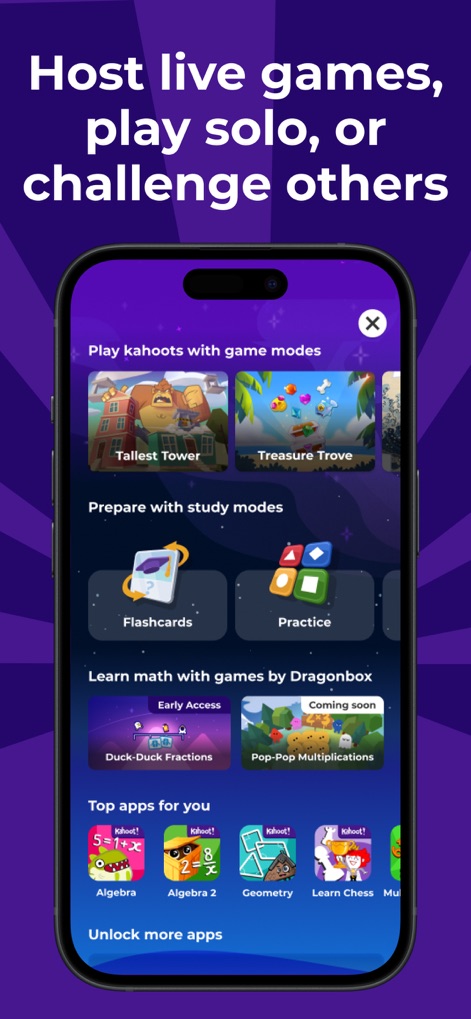
Diverse Learning Paths
This tool expands interactive learning through various game modes like "Tallest Tower" and specialized study options such as "Flashcards".
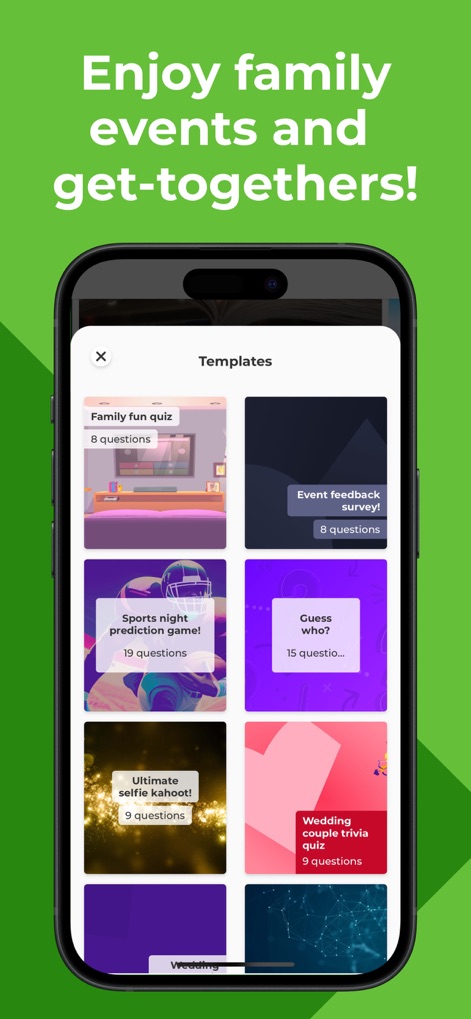
Event Template Gallery
Users can quickly launch interactive experiences with a rich selection of pre-made templates, perfect for a "Family fun quiz" or a "Wedding couple trivia quiz".
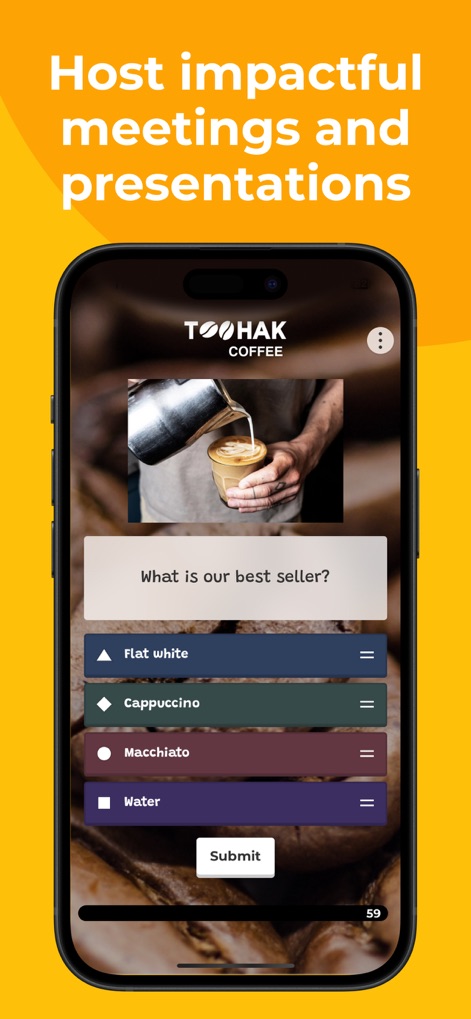
Professional Engagement
The app facilitates professional interactions through customized quizzes, exemplified by a coffee-themed question and multiple-choice answer format.
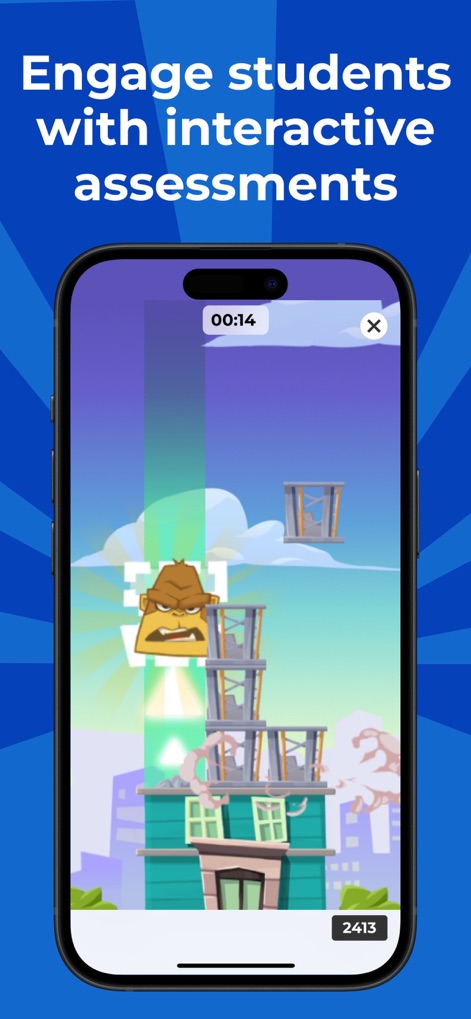
Gamified Assessments
This tool transforms learning into an engaging game, evident in the dynamic monster character interaction and real-time score display.
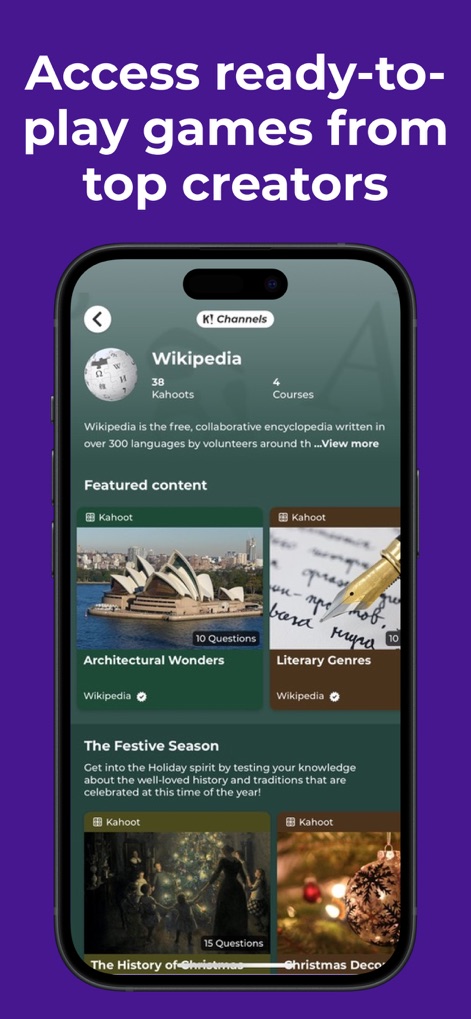
Curated Content Access
The app offers direct access to educational channels like "Wikipedia", featuring organized kahoots such as "Architectural Wonders" and "Literary Genres".
Description
Download
More Like This
Apps with similar features and user experience

eduki: Teaching materials
Lehrerkolleg LK GmbH
幼师贝壳(备课)-专业幼教资源平台
XUE HAI SHI BEI EDUCATION TECHNOLOGY CO., LTD.

Wayground
Quizizz Inc

Loquiz
Loquiz OU

Explain Everything Whiteboard
Promethean Ltd.

클래스카드
CLASSCARD, Inc.

希沃白板
Guangzhou Shirui Electronics Co., Ltd.

Puppet Pals 2: School Edition
Polished Play LLC

Make It: Create learning games
Learny Land S.L.
This page is not an official page of the app or its developer, but an independent editorial publication created for informational and commentary purposes. Unless expressly stated otherwise, neither the app nor its developer is affiliated with, endorsed by, sponsored by, authorized by, or otherwise officially connected with MWM, Apple, Google Play, the app publisher, or the app's developer, and nothing on this page implies that the app was developed using MWM's services. Any trademarks, logos, screenshots, and other content remain the property of their respective owners.