Nex Terminal-SSH & SFTP client

Nex Terminal-SSH & SFTP client


Download on App Store
Logo of Nex Terminal-SSH & SFTP client

Nex Terminal: Your Pro-Grade SSH & SFTP Command Center

Securely manage servers, automate workflows, and transfer files with desktop-class power. Experience seamless iCloud sync and 300+ themes across iPhone, iPad, and Mac.

Download on App Store

Publisher

贝贝 尚

Category

Developer Tools

Downloads

4K+

User Rating

4.9/5

Total Ratings

0

Locales

2

Your Mobile Command Center

Discover the interface used by 4K+ users.
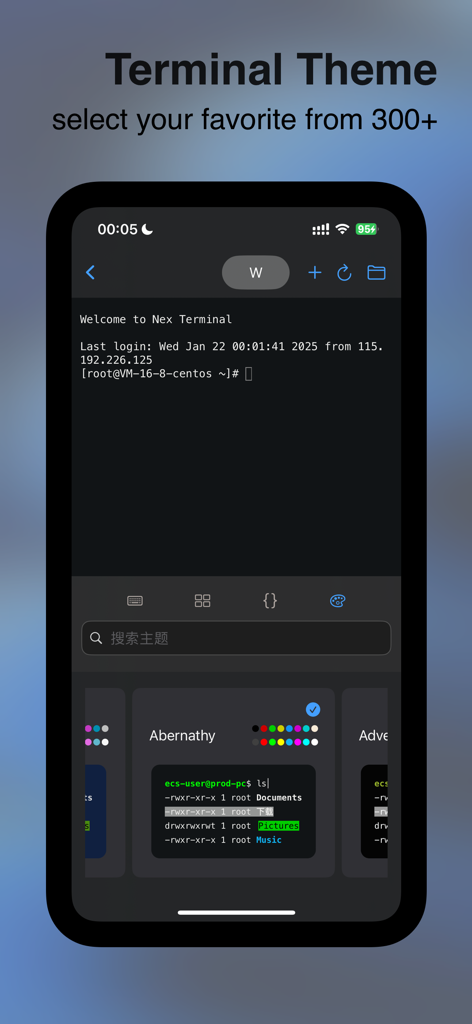
Nex Terminal app interface displaying terminal theme selection with various color palettes

Nex Terminal app interface displaying terminal theme selection with various color palettes

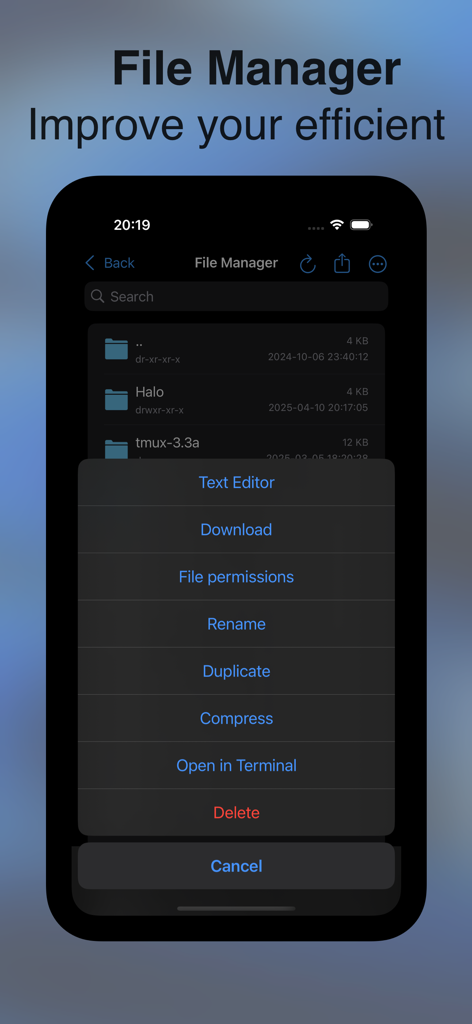
Nex Terminal mobile app file manager showing SFTP options and context menu

Nex Terminal mobile app file manager showing SFTP options and context menu

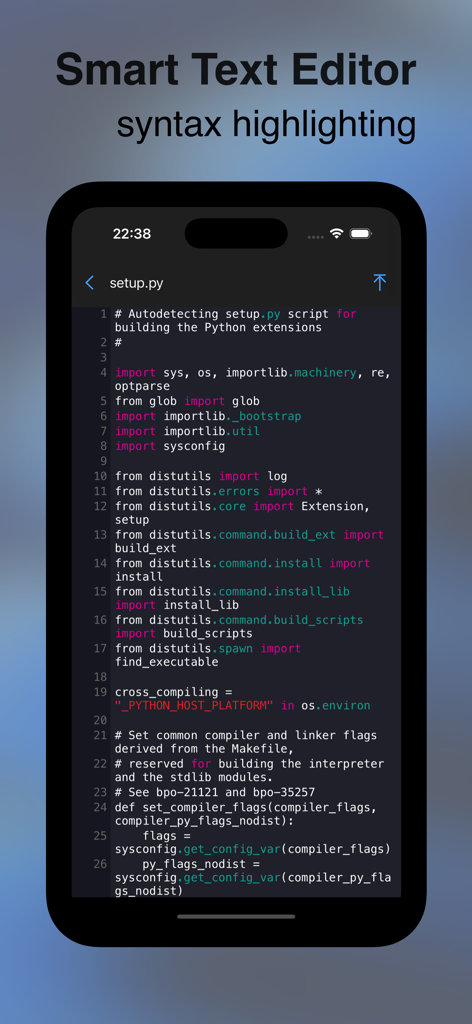
A smart text editor with syntax highlighting for Python code on a mobile device

A smart text editor with syntax highlighting for Python code on a mobile device

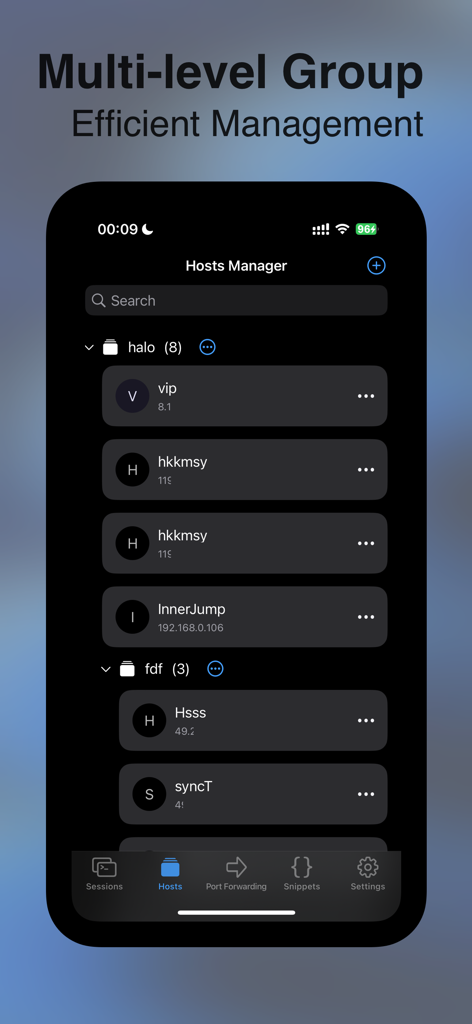
Nex Terminal hosts manager interface showing organized server groups on iPhone

Nex Terminal hosts manager interface showing organized server groups on iPhone

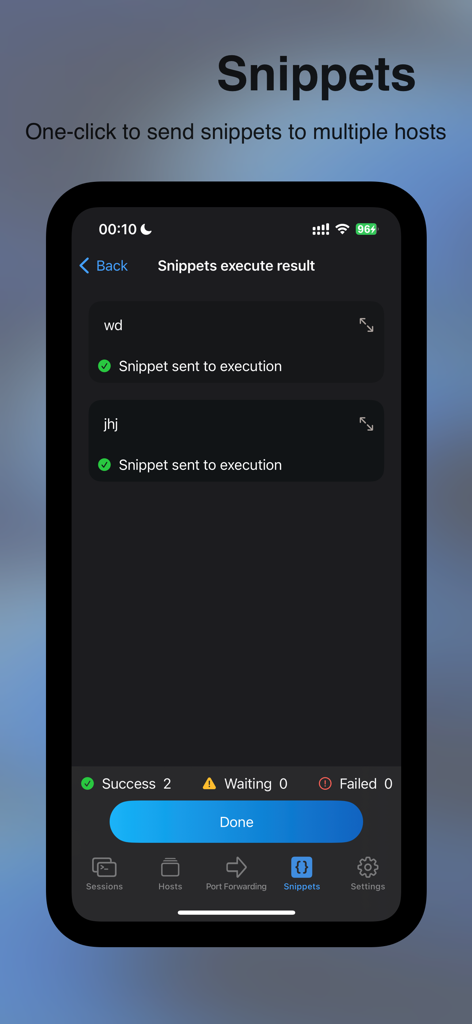
Nex Terminal SSH client showing snippet execution results for multiple hosts

Nex Terminal SSH client showing snippet execution results for multiple hosts

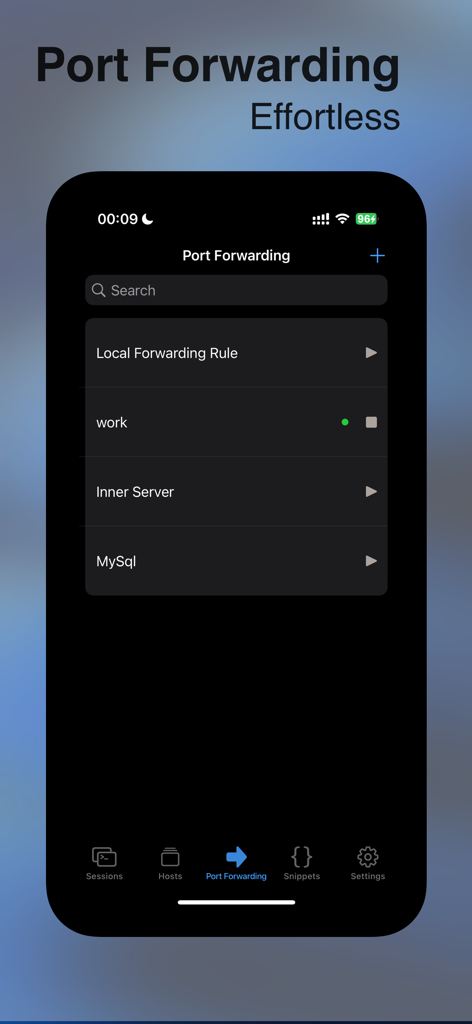
Nex Terminal mobile interface showing port forwarding rules for work and database servers

Nex Terminal mobile interface showing port forwarding rules for work and database servers

Master Your Infrastructure Anywhere

The tools that make this app stand out, trusted by 4K+ users.

⌨️

Desktop-Class Mobile Workflow

Transform your iPad into a portable command center with full external keyboard support and a robust terminal optimized for high-stakes server management.

☁️

Seamless iCloud Continuity

Your server groups, snippets, and credentials sync automatically across your Apple ecosystem. Start a session on your Mac and pick it up instantly on your iPhone.

Pro Automation & Security

Execute complex workflows with one-click snippets, manage multi-hop jump hosts, and secure your connections with advanced port forwarding and SSH key management.

About the app

Everything you need to know about Nex Terminal-SSH & SFTP client.

Description

Nex Terminal Free Version - Unlimited server management, group management - Basic terminal functions - iPad with external Keyboard support - iCloud data sync on multiple devices - Snippets - One click quick copying of terminal sessions - 20 terminal themes - 2 port forwarding rules - 500MB file size transfer limit - File management (upload, download, compress, decompress, copy, delete, rename, image view, file permissions, copy path, search, follow ssh path) - cursor style setting - Keep alive setting - Scrollback setting - Switch between dark and light appearance Nex Terminal Pro Version - All functions of the free version - 300+beautiful terminal themes - Multi-hop jump hosts - Unlimited number of port forwarding rules - Snippets automation on multiple targets - Unlimited file transfer size - Resume from breakpoint - Text editor, support syntax highlighting - Membership Badge Identification - Unlock all Pro features on Mac, iPhone and iPad

Latest Version

3.0.8

Size

24.3 MB

First Released

Mar 28, 2024

Ready to Command Your Servers from Anywhere?

Join thousands of DevOps pros and engineers. Download Nex Terminal today and experience seamless SSH, SFTP, and automation across your iPhone, iPad, and Mac.

Download on App Store

App information, icons, screenshots, and descriptions displayed on this page are sourced from the Apple App Store and are the property of their respective developers. Download estimates and rankings are based on MWM's proprietary models and may not reflect actual figures. This page is provided for informational and analytical purposes only.

Believe this page infringes your intellectual property? File a dispute