Next Deck

Next Deck

Download on App Store
Logo of Next Deck

Next Deck: The Lightning-Fast Native Client for Nextcloud Kanban

Take command of your projects with a snappy, privacy-first interface. Manage boards with intuitive drag-and-drop, Markdown support, and the security of your own self-hosted server.

Publisher

Holger Heidkamp

Category

Productivity

Downloads

2K+

User Rating

4.2/5

Total Ratings

0

Locales

1

A Glimpse of Pure Flow

Discover the interface used by 2K+ users.
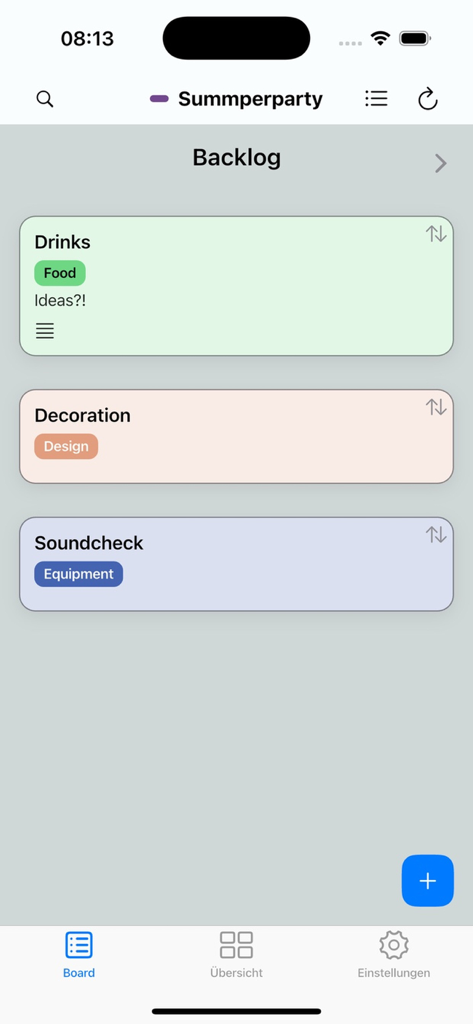
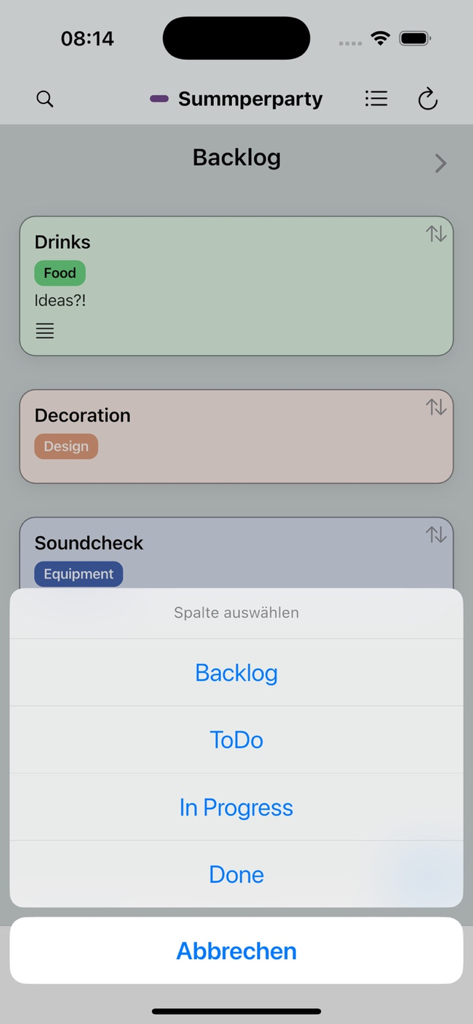
A screenshot of the Next Deck app showing a backlog column with task cards for drinks, decoration, and soundcheck.

A screenshot of the Next Deck app showing a backlog column with task cards for drinks, decoration, and soundcheck.

Next Deck app interface showing a Kanban board with task cards and a column selection menu.

Next Deck app interface showing a Kanban board with task cards and a column selection menu.

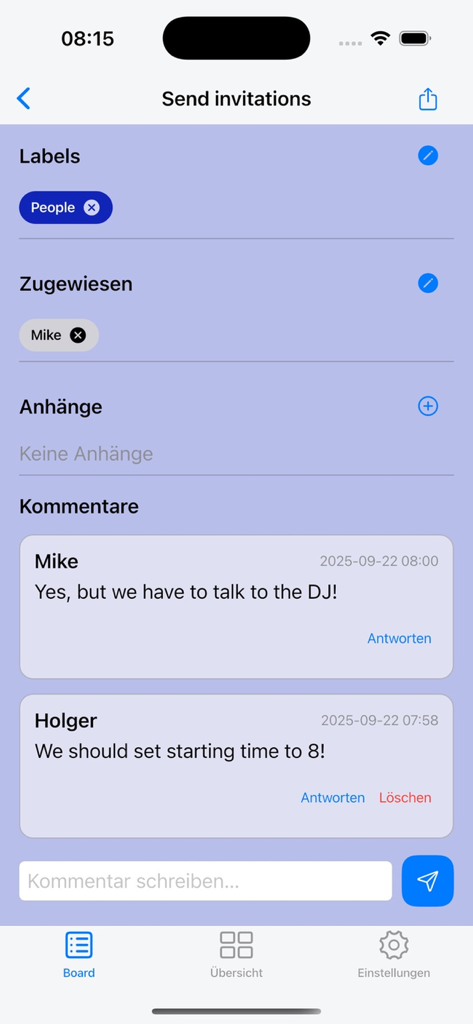
Next Deck app interface showing task details with labels assigned users and project comments

Next Deck app interface showing task details with labels assigned users and project comments

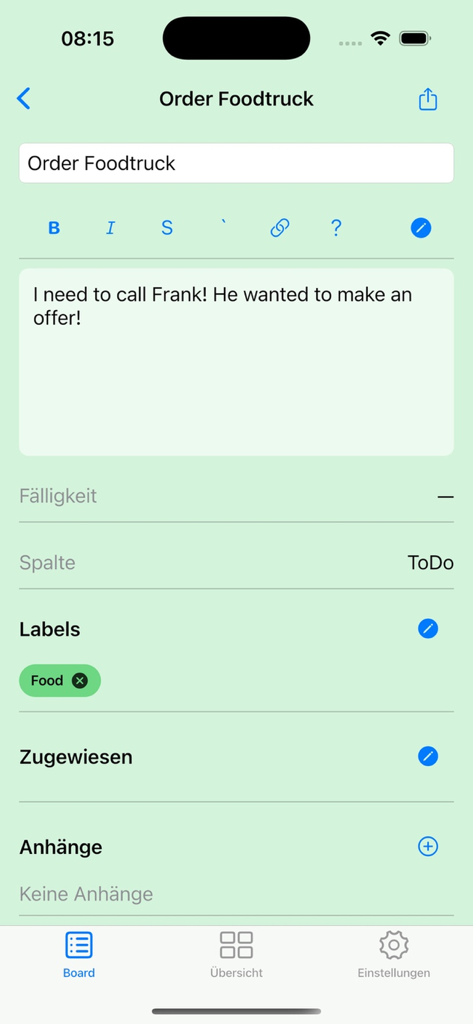
A mobile screen showing the task details and markdown description editor in the Next Deck app

A mobile screen showing the task details and markdown description editor in the Next Deck app

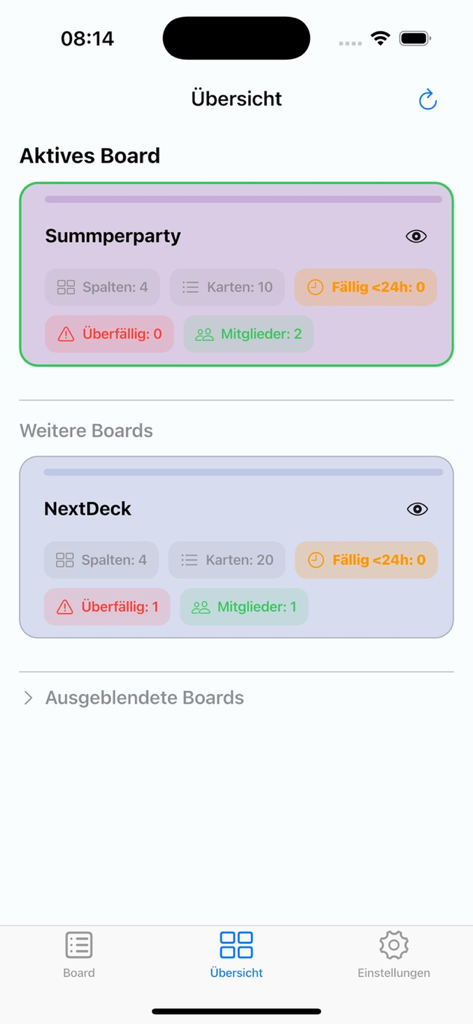
A mobile interface of the Next Deck app showing a summary of active and other Kanban boards with task and member statistics.

A mobile interface of the Next Deck app showing a summary of active and other Kanban boards with task and member statistics.

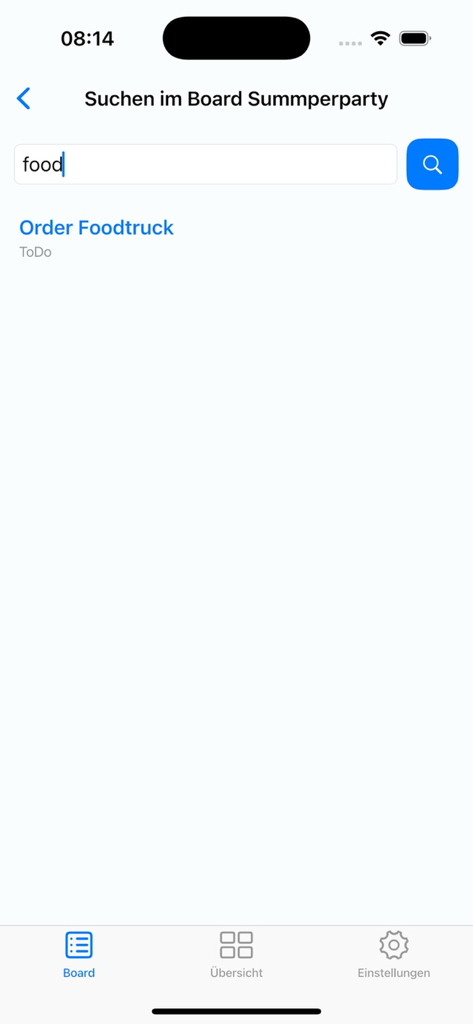
Search interface in the Next Deck app showing task results on an iPhone screen.

Search interface in the Next Deck app showing task results on an iPhone screen.

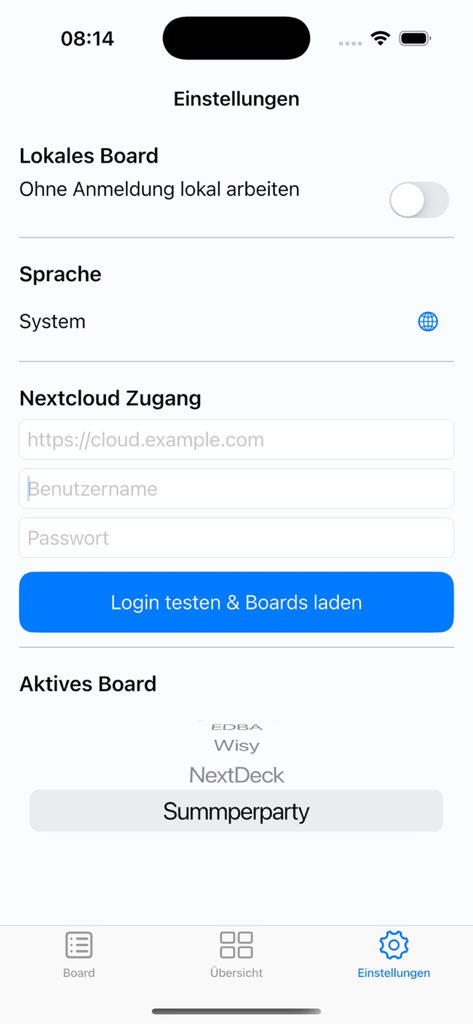
Next Deck settings screen showing Nextcloud server login fields and local board configuration.

Next Deck settings screen showing Nextcloud server login fields and local board configuration.

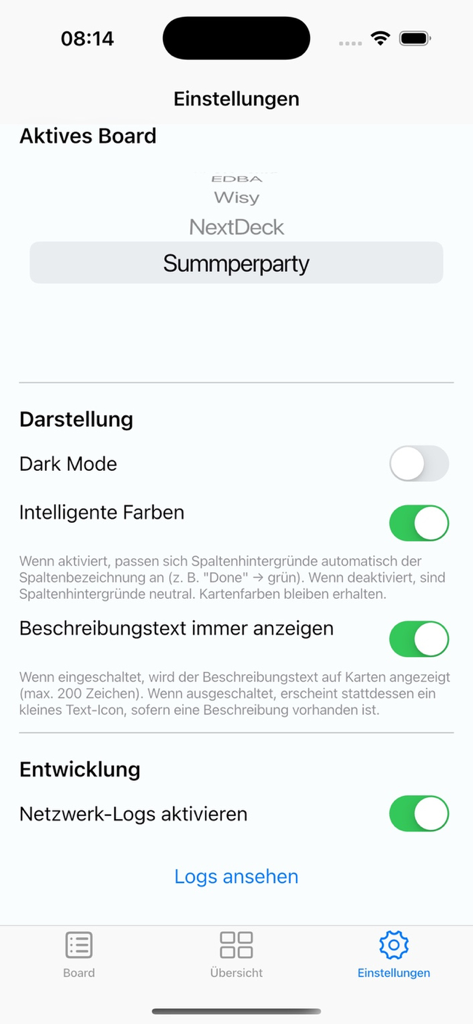
Settings screen of the Next Deck app showing appearance and board configuration options.

Settings screen of the Next Deck app showing appearance and board configuration options.

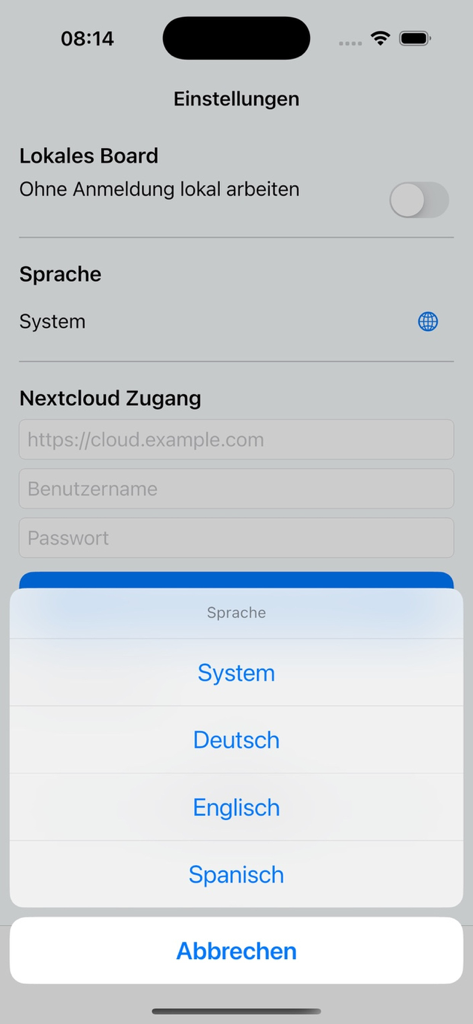
Next Deck app settings screen on iPhone featuring a language selection menu with options for System, German, English, and Spanish.

Next Deck app settings screen on iPhone featuring a language selection menu with options for System, German, English, and Spanish.

Master Your Tasks with Native Speed

The tools that make this app stand out, trusted by 2K+ users.

Lightning-Fast Native UI

Say goodbye to laggy web wrappers. Enjoy smooth scrolling and snappy drag-and-drop interactions designed for peak productivity on your Apple devices.

🛡️

Your Data, Your Control

Maintain complete sovereignty. Next Deck connects directly to your private Nextcloud instance with zero third-party tracking or data mining.

📝

Pro-Level Organization

Manage complex projects with ease using full Markdown support, color-coded labels, and precise deadline tracking for total board control.

About the app

Everything you need to know about Next Deck.

Description

Nextdeck is the modern, lightning‑fast client for Nextcloud Deck — perfect for Kanban, tasks, and projects. Keep boards, columns, and cards under control at all times: move cards via drag and drop, edit details, and keep your overview — on iPhone and iPad, in light and dark mode. Highlights - Drag & drop: move cards within a column or across columns — precise and intuitive. - Reorder & positions: insert cards exactly before another card or move up/down. - Labels & colors: instant orientation with color coding. - Due dates: clear urgency colors for upcoming deadlines. - Assignees: assign teammates and make responsibility visible. - Markdown description: jot down details, neatly previewed on the card tile. - Comments & attachments: compact counters right on the card. - Search: find cards quickly without endless scrolling. - Optimized for iPhone & iPad: compact lists on iPhone, wide columns on iPad. - Dark mode & smart colors: pleasant contrast and great readability. - Privacy‑friendly: your data stays on your own Nextcloud server. Why Nextdeck? - Speed focus: smooth scrolling, snappy interactions, minimal waiting. - Clean, native UI: feels right from the first tap. - Reliable sync: changes persist cleanly with Nextcloud Deck. Requirement: a running Nextcloud instance with the Deck app enabled. Sign in with server URL, username, and app password — done.

Latest Version

1.6

Size

26.5 MB

First Released

Sep 23, 2025

The Native Nextcloud Experience You’ve Been Waiting For

Take control of your tasks with lightning-fast performance and total data privacy. Experience the power of your own server on iPhone and iPad.

Download on App Store
FAQ

Frequently Asked Questions

Everything you need to know about Next Deck

What is Nextdeck?

Nextdeck is a modern, lightning-fast client for Nextcloud Deck, designed for Kanban, tasks, and projects on iPhone and iPad. It helps users manage boards, columns, and cards efficiently.

What are the requirements to use Nextdeck?

Nextdeck requires a running Nextcloud instance with the Deck app enabled. Users sign in using their server URL, username, and an app password.

Can I assign tasks to teammates in Nextdeck?

Yes, Nextdeck allows users to assign tasks to teammates. This feature ensures responsibility is visible directly on the cards, improving team coordination.

Is Nextdeck privacy-friendly?

Yes, Nextdeck is privacy-friendly. User data remains on their own Nextcloud server, ensuring personal information is not stored or accessed by the app externally.

Does Nextdeck support dark mode?

Yes, Nextdeck supports dark mode. It features smart colors for pleasant contrast and enhanced readability across both iPhone and iPad interfaces.

How does Nextdeck help organize tasks and projects?

Nextdeck helps organize tasks through Kanban boards, columns, and cards. It includes drag & drop functionality, labels, due dates, and markdown descriptions for detailed planning.

Does Nextdeck offer search functionality for cards?

Yes, Nextdeck provides a search function. Users can quickly locate specific cards without extensive scrolling by utilizing the integrated search capability.

Can I view upcoming tasks in Nextdeck?

Yes, Nextdeck offers a dedicated 'Upcoming' view. This section displays overdue tasks, tasks due today, tomorrow, and within the next seven days, providing a clear overview.

App information, icons, screenshots, and descriptions displayed on this page are sourced from the Apple App Store and are the property of their respective developers. Download estimates and rankings are based on MWM's proprietary models and may not reflect actual figures. This page is provided for informational and analytical purposes only.

Believe this page infringes your intellectual property? File a dispute