
Obsidian - Connected Notes


Own your ideas with local Markdown files. Build a connected knowledge graph and customize your perfect workspace with community plugins and themes.
Publisher
Category
ProductivityDownloads
3M+User Rating
Total Ratings
6K+Locales
1Discover the interface used by 3M+ users.
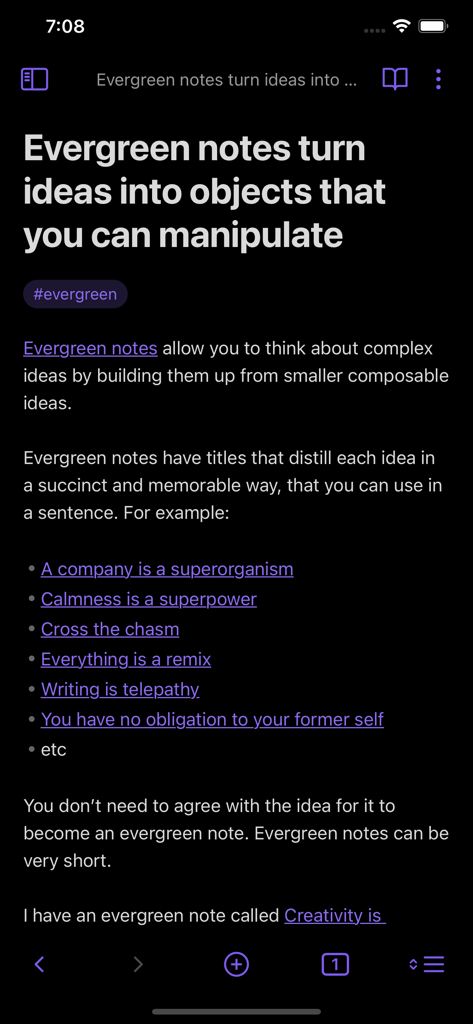
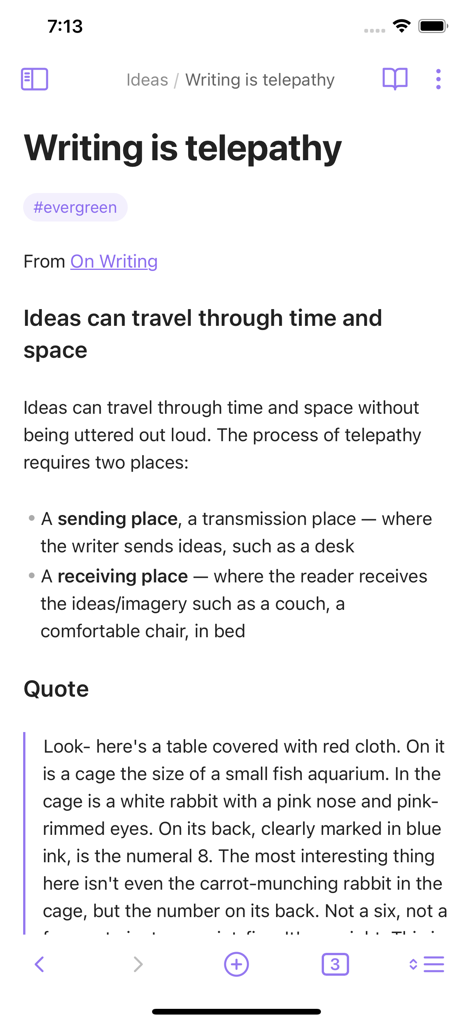
The tools that make this app stand out, trusted by 3M+ users.
Use the Graph View to see how your notes connect and discover hidden patterns across your entire knowledge base.
Your thoughts belong to you. Store everything locally in open-format files, ensuring your data is private and future-proof.
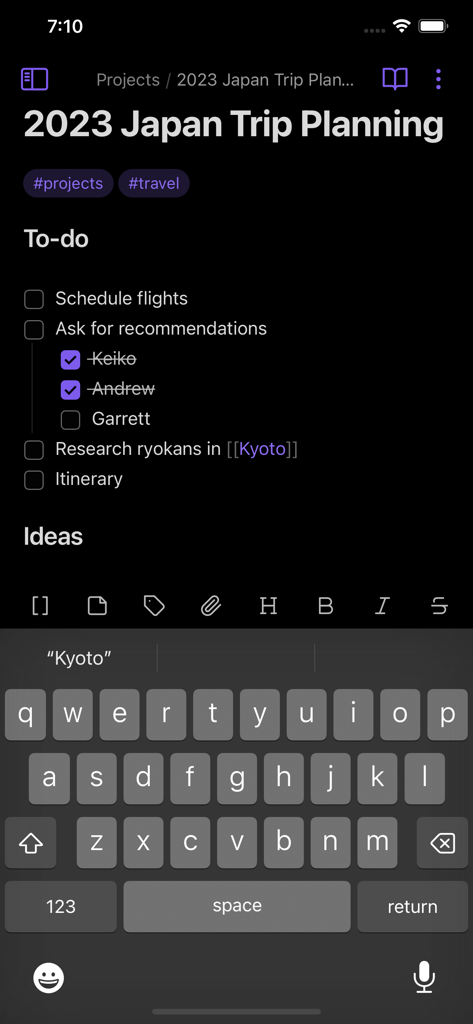
Personalize your workspace with a customizable toolbar and hundreds of community plugins to match your unique professional workflow.
Everything you need to know about Obsidian - Connected Notes.
Description
Latest Version
1.11.4
Size
32.2 MB
First Released
Jul 10, 2021
Join over 3 million thinkers who own their data. Download Obsidian today to start connecting your ideas on the go with the power of private, local-first Markdown.
Everything you need to know about Obsidian - Connected Notes
Obsidian - Connected Notes is a powerful knowledge base application. It operates on a local folder of plain text Markdown files, functioning as a second brain available on iOS.
Yes, Obsidian - Connected Notes works on top of a local folder of plain text Markdown files. This allows users to manage their knowledge base using a widely compatible format.
Yes, Obsidian - Connected Notes is available on iOS. This allows users to access and manage their knowledge base on the go from their Apple devices.
Yes, Obsidian - Connected Notes offers customization options including a customizable toolbar and themes. These features allow users to personalize their note-taking environment.
Obsidian - Connected Notes includes a graph view. This feature visually represents the connections and relationships between different notes within a user's knowledge base.
Yes, Obsidian - Connected Notes supports community plugins. These extensions allow users to enhance the application's functionality with features developed by the user community.
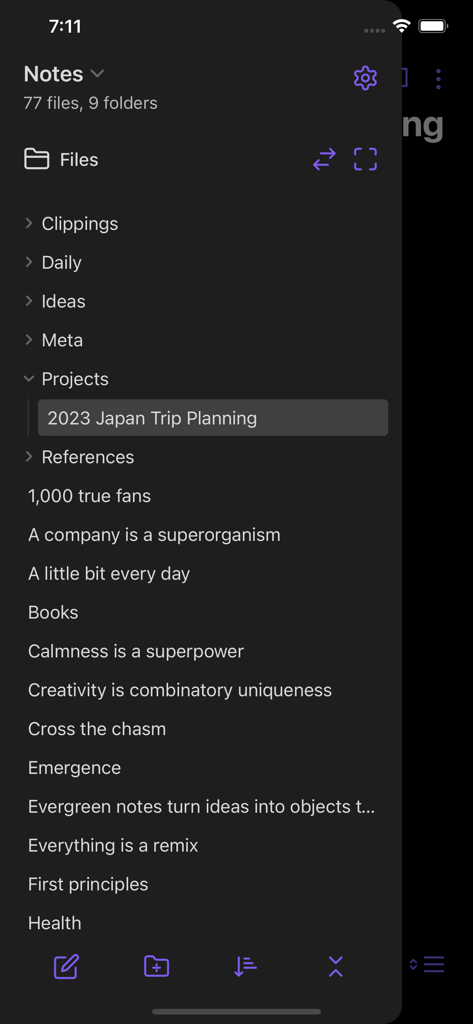
Yes, users can organize notes into folders within Obsidian - Connected Notes. The app displays files and folders, enabling structured organization of the knowledge base.
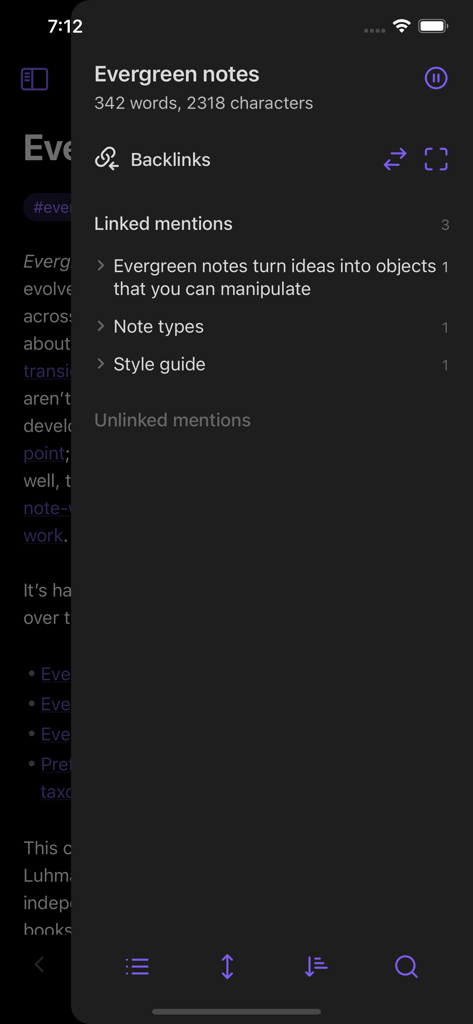
Obsidian - Connected Notes handles note linking through features like backlinks. It shows linked mentions and unlinked mentions, connecting ideas within the knowledge base.
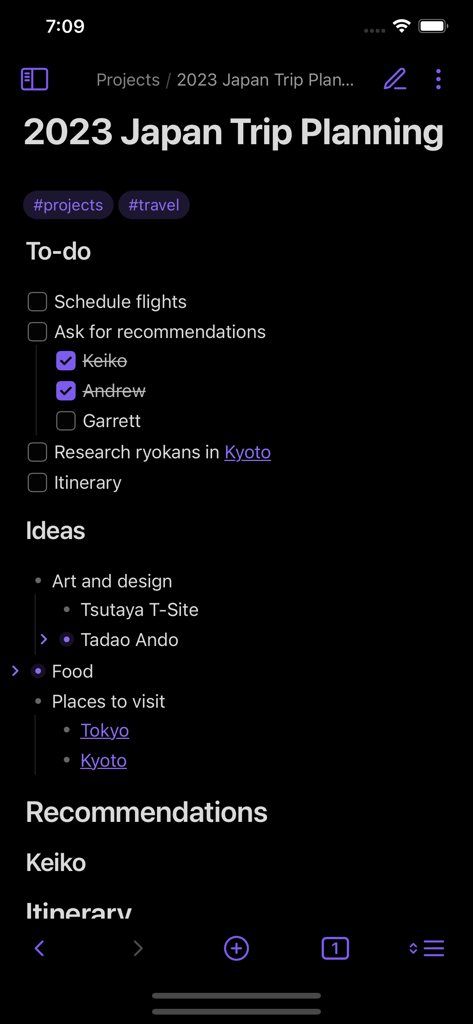
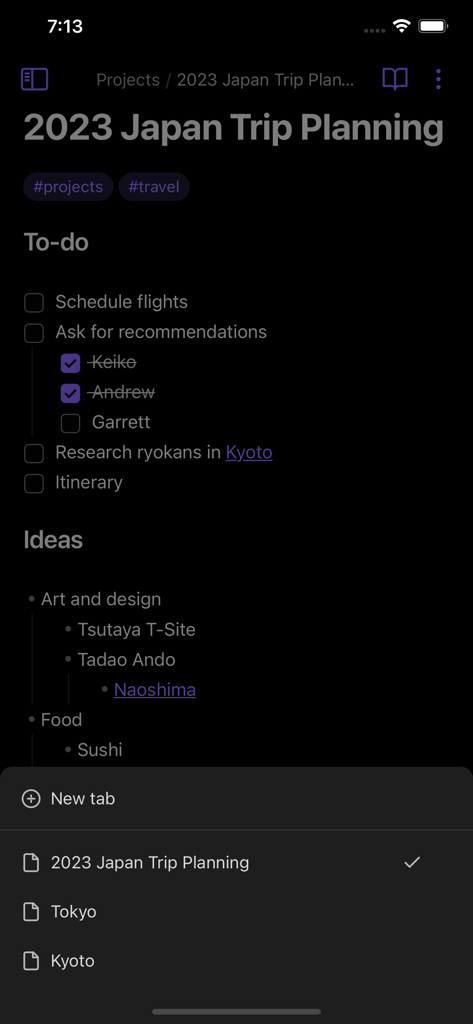
Yes, Obsidian - Connected Notes can be used for project planning. Users can create notes with to-do lists, ideas, and recommendations, as shown in a 'Japan Trip Planning' example.
Yes, Obsidian - Connected Notes offers multiple tabs for notes. Users can open several notes concurrently, displayed as tabs at the bottom of the screen.
Top-ranked apps in the same category

OpenAI OpCo, LLC

Google LLC

X.AI Corporation

Google LLC

Shanghai Zhixin Puhui Technology Co., Ltd.

Google LLC

Microsoft Corporation

Google LLC

Google LLC
App information, icons, screenshots, and descriptions displayed on this page are sourced from the Apple App Store and are the property of their respective developers. Download estimates and rankings are based on MWM's proprietary models and may not reflect actual figures. This page is provided for informational and analytical purposes only.
Believe this page infringes your intellectual property? File a dispute