Off Remote Pro
Off Remote Pro
Download on App Store

This page is not an official page of the app or its developer, but an independent editorial publication created for informational and commentary purposes. Unless expressly stated otherwise, neither the app nor its developer is affiliated with, endorsed by, sponsored by, authorized by, or otherwise officially connected with MWM, Apple, Google Play, the app publisher, or the app's developer, and nothing on this page implies that the app was developed using MWM's services. Any trademarks, logos, screenshots, and other content remain the property of their respective owners.

Logo of Off Remote Pro
Download on App Store

Off Remote Pro

Shutdown, lock, or restart your computers directly from your iPhone or iPad. Save energy, manage screen time, and enjoy ultimate convenience without ever leaving the sofa.

Key Figures

Downloads

328K+

User Rating

4.0/5

Total Ratings

1K+

Publisher

Hobbyist Software Limited

Category

Lifestyle

Locales

32

Latest Version

5.07

Size

28.6 MB

First Released

Apr 22, 2009
Features

Complete Command from Your Fingertips

Manage your PC and Mac power settings from anywhere in your house. Save energy, set digital boundaries, and enjoy ultimate convenience with a single tap.

Smart Parental Boundaries

Remotely lock computers or send custom 'Time for bed' messages to manage your children's screen time without the nightly confrontation.

Seamless Sofa Control

Finished watching a movie? Shut down your media center or office Mac from the comfort of your bed without ever moving a muscle.

The following screenshots and description are sourced directly from the app's official store listing and are the property of the app developer.

App Store

Screenshots
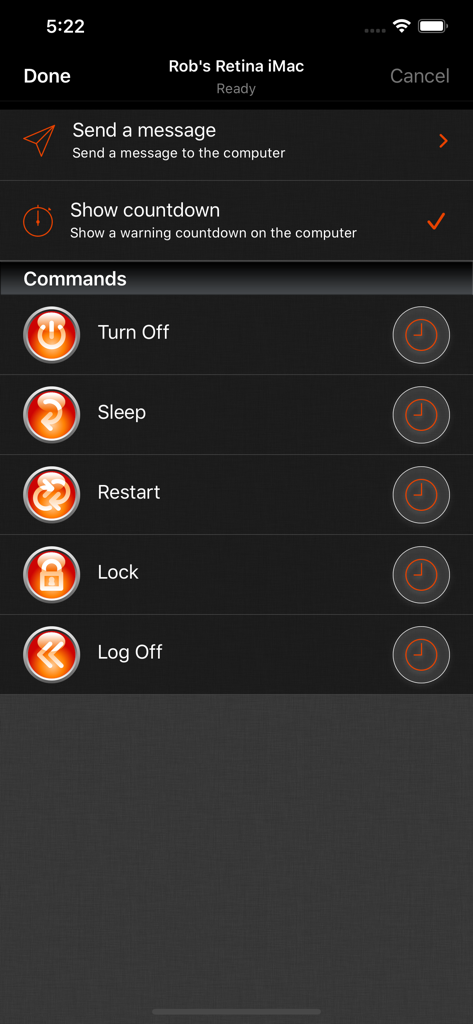
Off Remote Pro - Off Remote Pro mobile app screen showing remote computer control options like Turn Off, Sleep, and Restart
Off Remote Pro mobile app screen showing remote computer control options like Turn Off, Sleep, and Restart

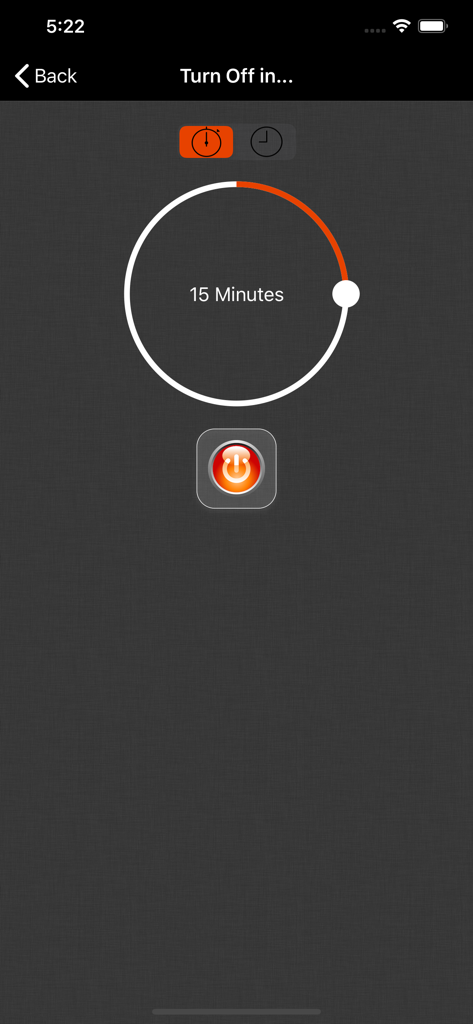
Off Remote Pro - Off Remote Pro app interface showing a 15-minute shutdown timer with a power button
Off Remote Pro app interface showing a 15-minute shutdown timer with a power button

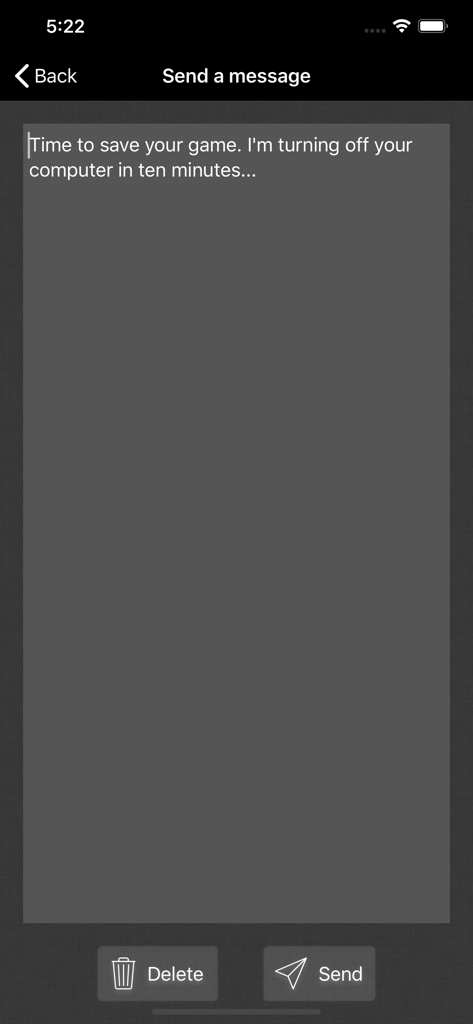
Off Remote Pro - Interface for sending remote messages to a computer via Off Remote Pro
Interface for sending remote messages to a computer via Off Remote Pro

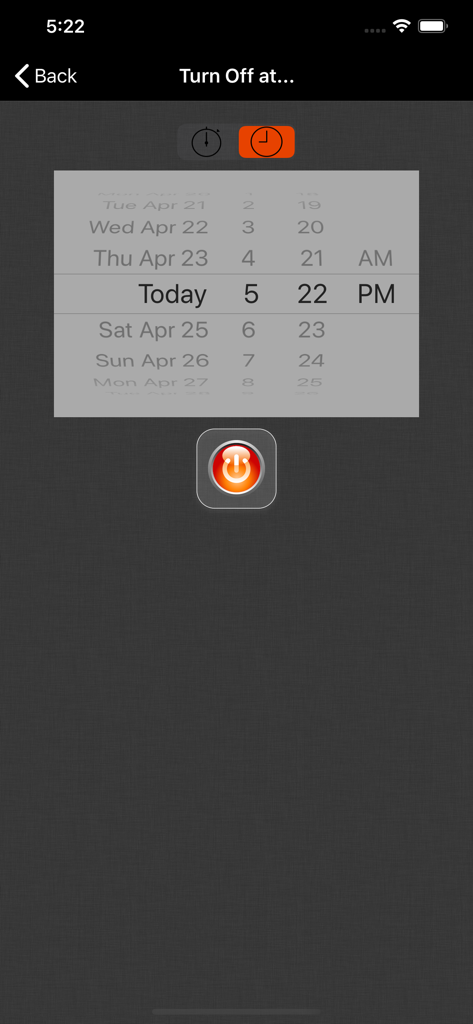
Off Remote Pro - The Off Remote Pro interface for scheduling a computer shutdown with a date and time picker
The Off Remote Pro interface for scheduling a computer shutdown with a date and time picker

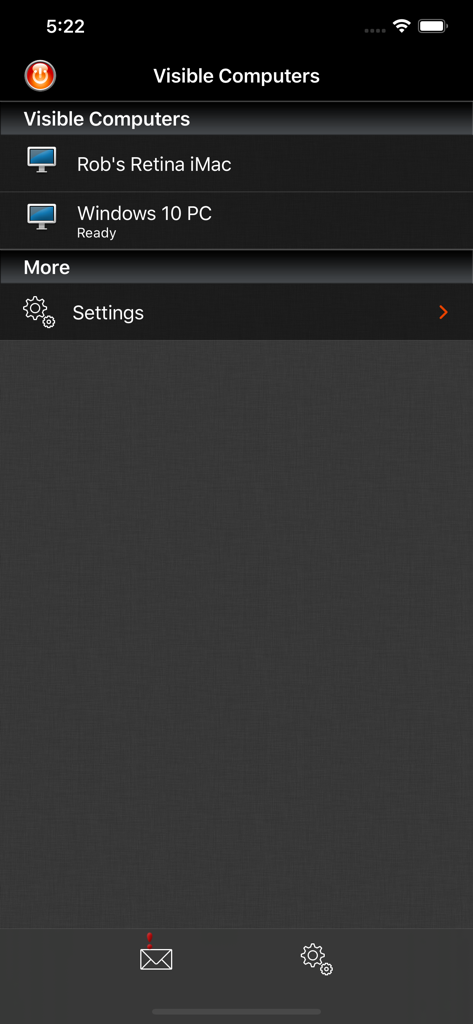
Off Remote Pro - Screenshot of Off Remote Pro app displaying a list of connected computers ready for remote management

Screenshot of Off Remote Pro app displaying a list of connected computers ready for remote management

Description

Off Remote lets you turn off, lock, sleep, log off and restart a PC or Mac directly from your iDevice. Forgot to turn off the office computer? No need to get up. Want to stop the kid's marathon computer sessions? Do it remotely. The timer function lets you set Off to trigger up to 24 hours in the future so you can set a computer to automatically turn off after a task such as completing a download or upload or to automatically lock at a certain time to limit a child's screen time. If you want to know whether the computers in your house are turned off - you can check from your iDevice. If you use a computer to stream videos or audio to your living room, then you can turn it off when you are finished without getting out of the sofa. If you forget to turn things off at night then you can turn them off from wherever you are in the house. It's simple to use. It's very handy. It saves you the effort of walking to your computer! • Features • - Turn Off, Lock, Restart, Log off, Sleep and Hibernate (not all computers can hibernate). - Easily turn off your computer from anywhere in your house. - Send a message before you turn the computer off 'Go to bed - it's past your bedtime!' - Control any number of computers on your home network. - Simple set up - Off Remote uses the same technology as the iTunes remote to connect over your local network to the helper on your computer. - Automatically discovers your computers in your local network. - Password protection makes sure that only you can turn off your computers! • Reviews • “Off is a brilliant yet simple app that allows me to easily control the power state of all the PCs in my house. It also lets me check to make sure that when my daughter assures me she turned her computer off, that she really did.” “Very simple and easy to setup. When I say simple I didn't have to set anything up. Just install the server and the app picked up my laptop straight away. All the buttons worked, it's amazing. No more having to get out if bed to turn the laptop off for the night.” '..it's the least you can do for the environment.' App Of My Eye. “such a simple program yet it's so handy at work and home I use It every day! and it's cool to be able to turn ur pc/mac off from your iPhone or iPod :D” “We often end up PC's being left on overnight and this app has helped us manage this ... We have several wireless music senders dotted around the house also which feed off the desktop PC in the dining room. I've added iTunes to the startup menu on that PC and can restart the PC using this app ... once restarted I can then switch to my iTunes remote and start listening to my music without having to tramp downstairs.” • System Requirements • - Supports Windows 7 to 10 - Supports Mac OS 10.7 and above • Response to feedback • -If you do have any problems using Off, then please just check the help instructions in the app. Feel free to drop me an email (my personal mail is in the app) if you need help. Enjoy! • Languages • Off Remote is currently translated to 8 languages. If you are willing to translate it to your language, or would like to improve the translations, please head over to hobbyistsoftware.com and follow the links

Download

Download on App Store

This page is not an official page of the app or its developer, but an independent editorial publication created for informational and commentary purposes. Unless expressly stated otherwise, neither the app nor its developer is affiliated with, endorsed by, sponsored by, authorized by, or otherwise officially connected with MWM, Apple, Google Play, the app publisher, or the app's developer, and nothing on this page implies that the app was developed using MWM's services. Any trademarks, logos, screenshots, and other content remain the property of their respective owners.








