Offcuts

Offcuts

Download on App Store
Logo of Offcuts

Offcuts: Optimize Your Materials and Eliminate Waste

The professional cutting diagram generator for the modern maker. Save time and money with precise, automated cut lists for lumber, plywood, and more, right on your iPad.

Download on App Store

Publisher

HoopSoup Inc

Category

Productivity

Downloads

0

User Rating

4.7/5

Total Ratings

0

Locales

-

Master Your Materials

Discover the interface used by 0 users.
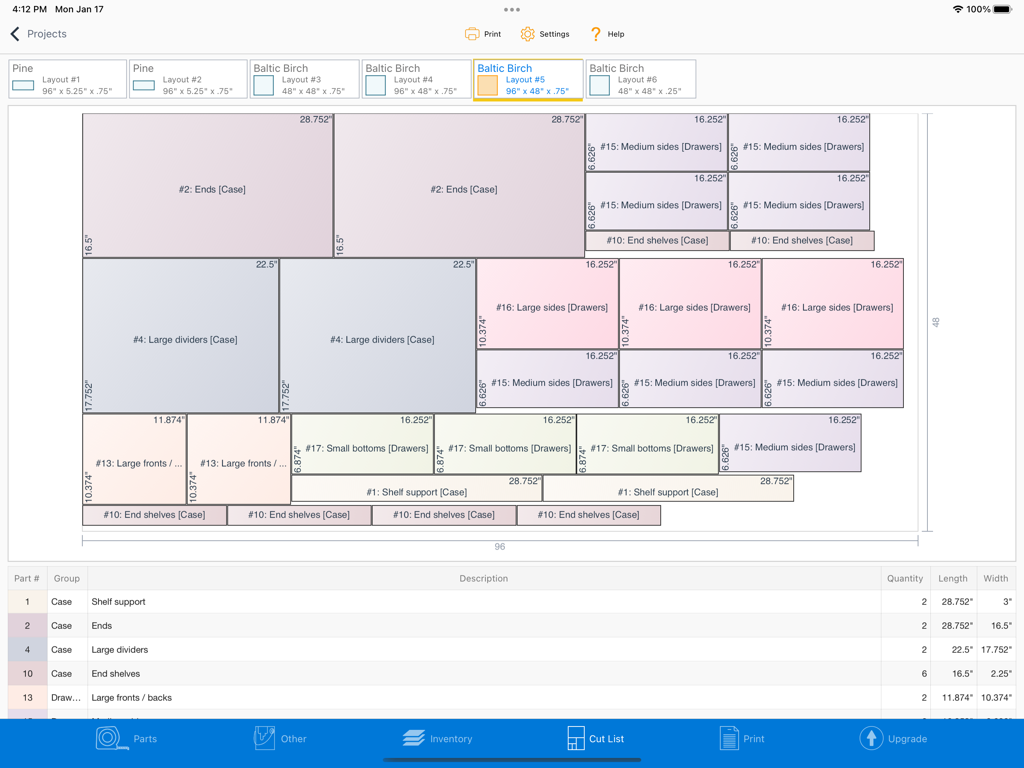
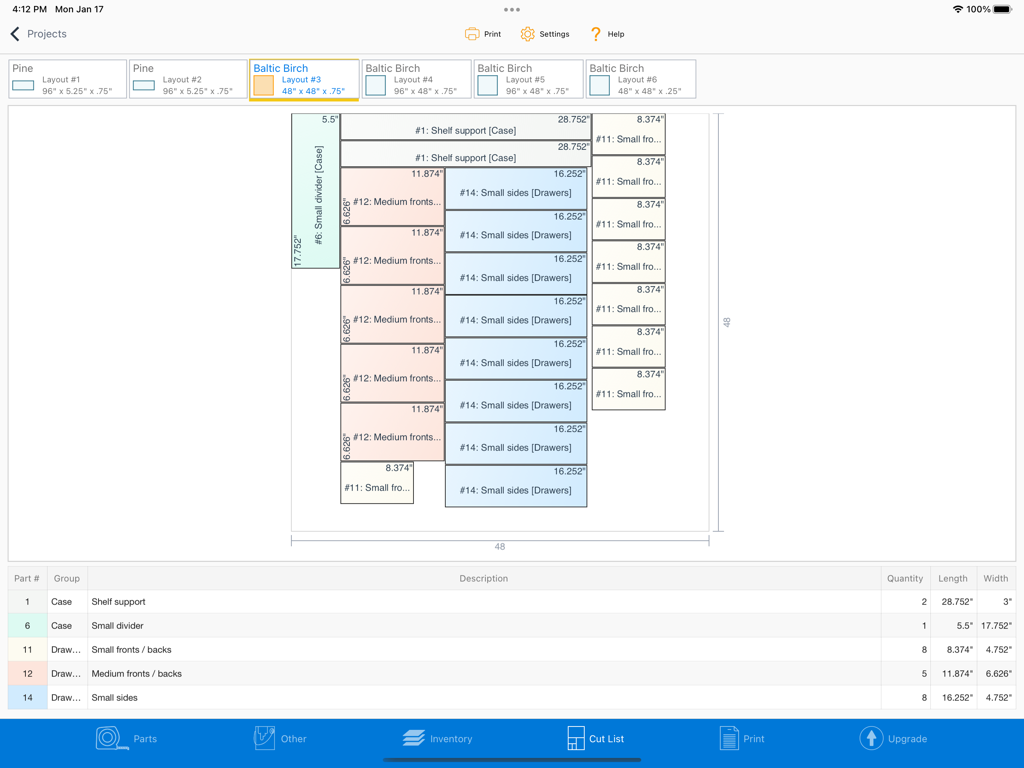
iPad screen showing an optimized cutting diagram for a Baltic Birch sheet with various part dimensions and quantities.

iPad screen showing an optimized cutting diagram for a Baltic Birch sheet with various part dimensions and quantities.

Optimized cutting diagram for Baltic Birch plywood in the Offcuts iPad app

Optimized cutting diagram for Baltic Birch plywood in the Offcuts iPad app

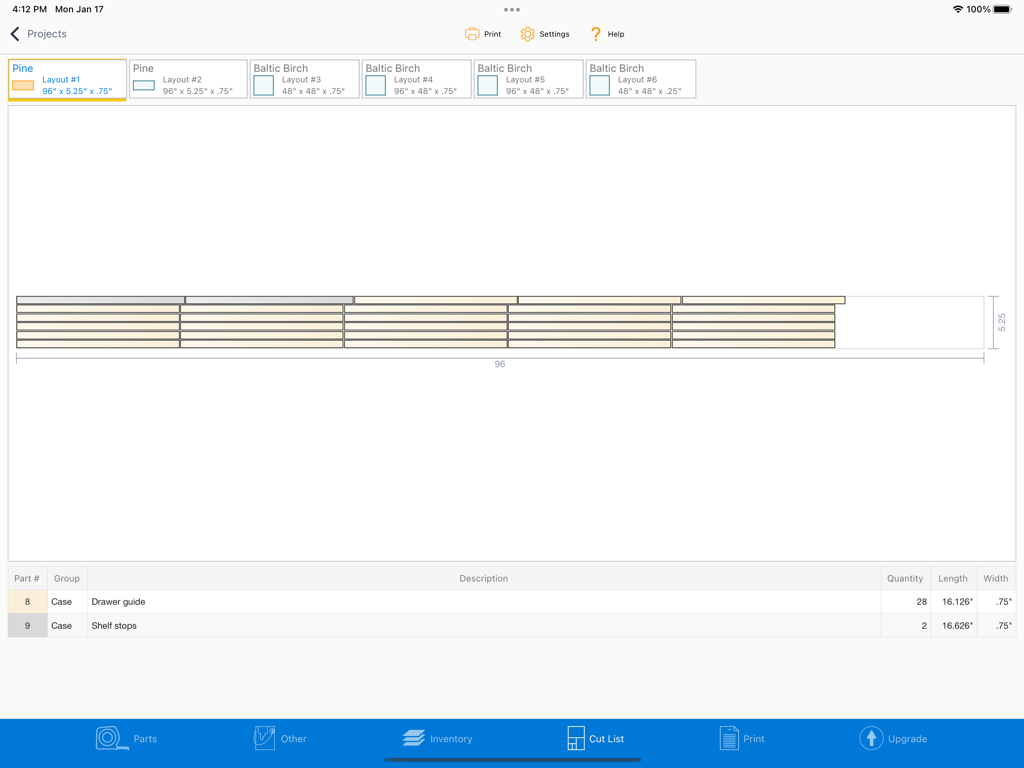
Offcuts app on iPad showing an optimized cutting diagram and parts list for a pine wood project.

Offcuts app on iPad showing an optimized cutting diagram and parts list for a pine wood project.

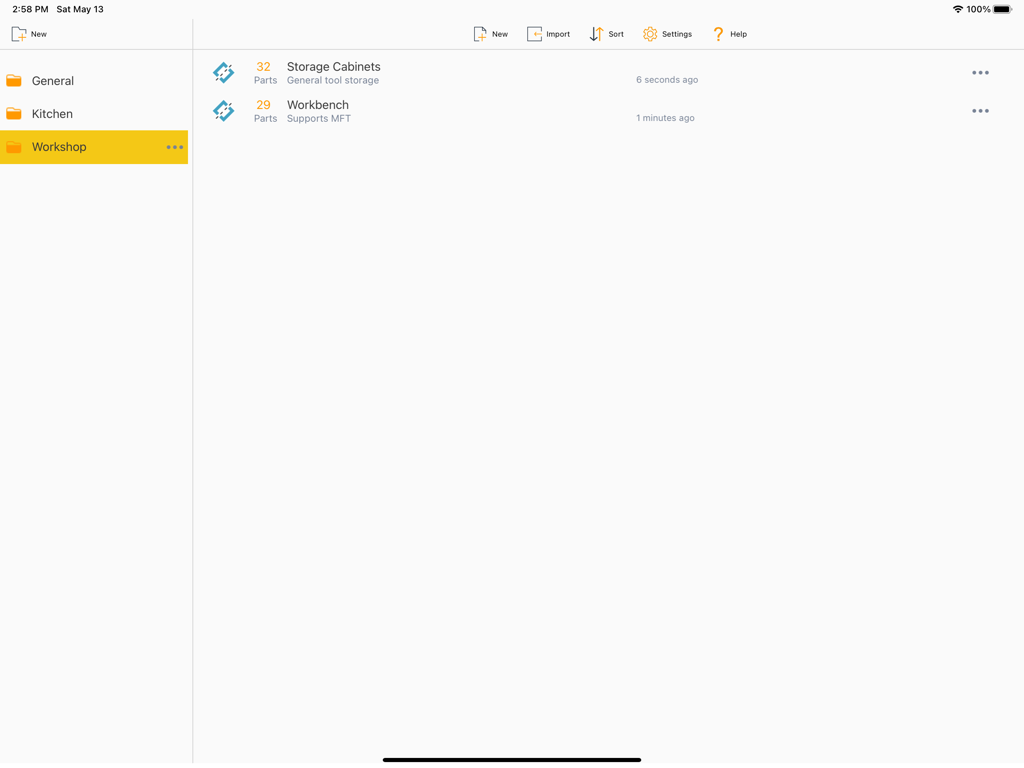
The Offcuts app dashboard on an iPad showing woodworking projects like storage cabinets and a workbench organized into folders

The Offcuts app dashboard on an iPad showing woodworking projects like storage cabinets and a workbench organized into folders

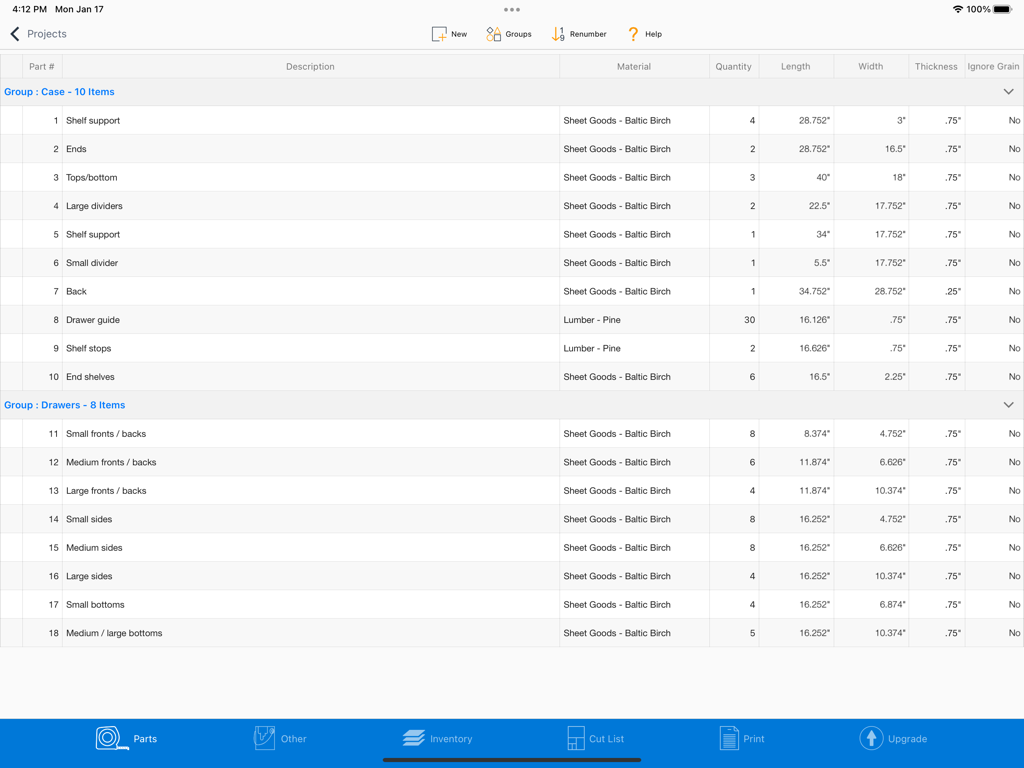
Detailed project parts list in the Offcuts app showing dimensions and materials for a woodworking project.

Detailed project parts list in the Offcuts app showing dimensions and materials for a woodworking project.

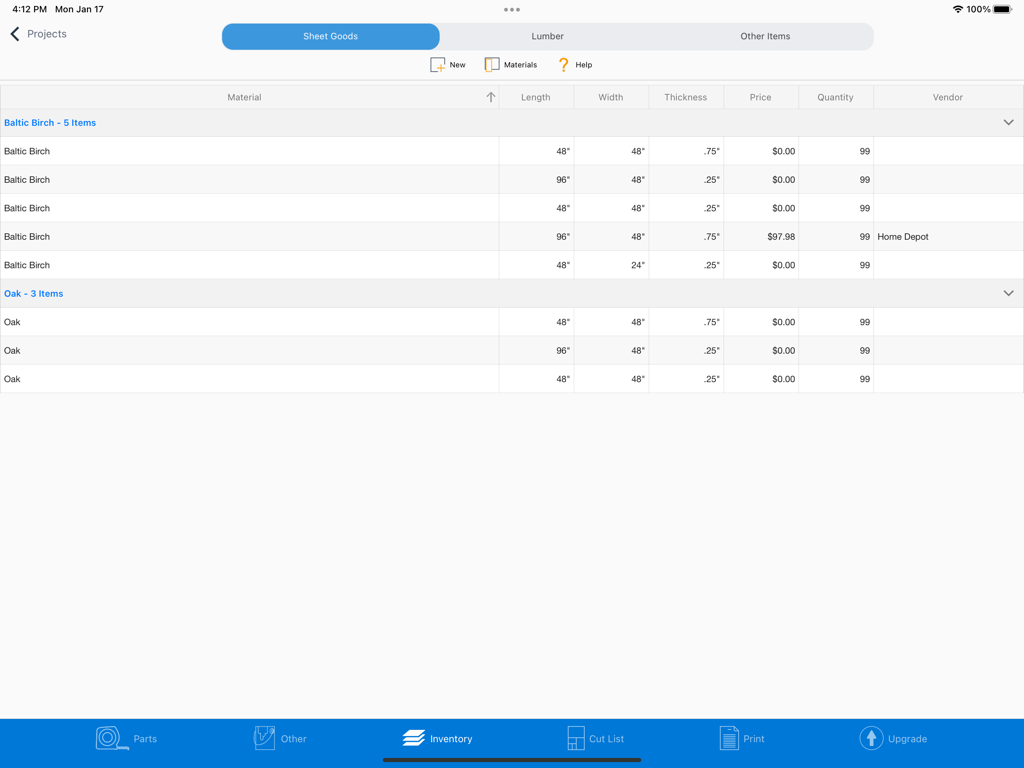
Inventory screen in the Offcuts iPad app showing a table of sheet goods including Baltic Birch and Oak with dimensions and prices

Inventory screen in the Offcuts iPad app showing a table of sheet goods including Baltic Birch and Oak with dimensions and prices

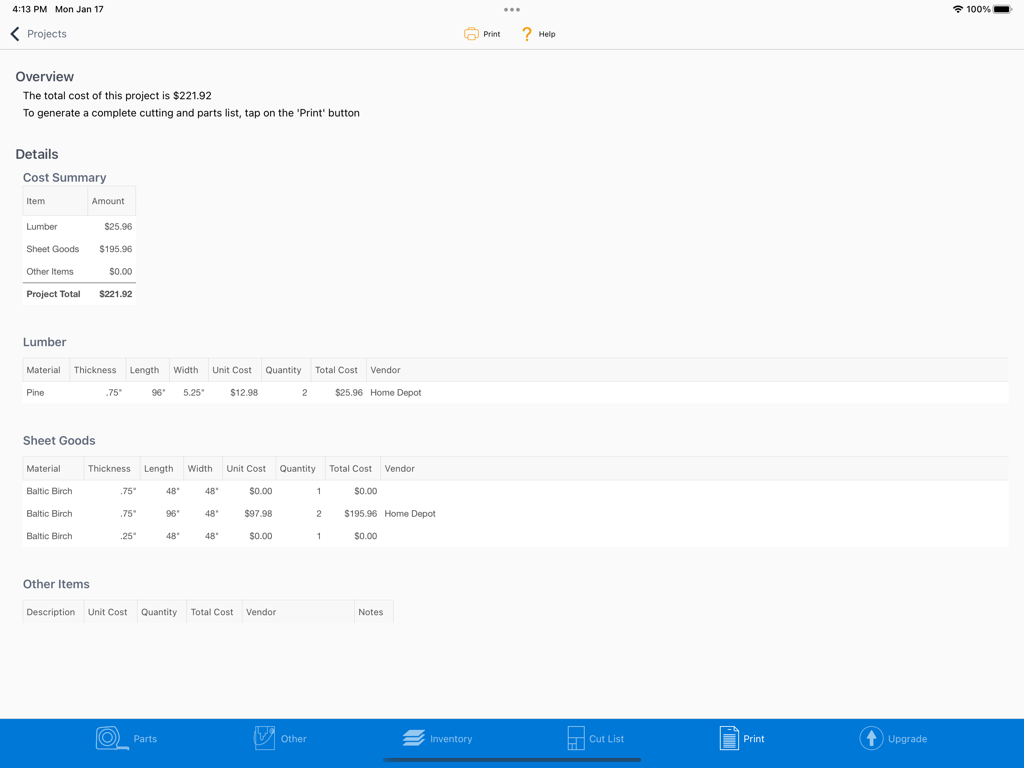
A detailed project cost summary on the Offcuts iPad app showing lumber and sheet goods materials with total costs and vendor details.

A detailed project cost summary on the Offcuts iPad app showing lumber and sheet goods materials with total costs and vendor details.

Build Smarter, Waste Less

The tools that make this app stand out, trusted by 0 users.

💰

Maximize Every Sheet

Stop overspending at the lumber yard. Our algorithm optimizes your layouts to minimize waste and save you money on expensive materials.

🛠️

Made for the Workbench

Ditch the scrap-paper math. View high-resolution, interactive cutting diagrams directly on your iPad as you operate your table saw.

🪵

Professional Grain Control

Maintain perfect aesthetics for fine furniture by respecting wood grain, or rotate parts automatically to squeeze the most out of every board.

About the app

Everything you need to know about Offcuts.

Description

Quickly Generate Optimized Cutting Diagrams. You’ve designed the project. How much material are you going to need? How much will it cost? You could spend hours trying to figure out the best way to cut out the parts – or just let Offcuts do it for you. Offcuts is your lumber and plywood sheet calculator helping you minimize waste and maximize productivity. Offcuts will analyze each part of your project, and create a detailed cut list, optimizing for minimal waste. Offcut features: • Create multiple projects • Manage inventory of sheet goods (like plywood) and lumber • Organize parts into logical groups like cabinet and drawers • Parts can ignore grain, letting Offcuts rotate the components on the cut list • Generates detailed cutting lists • Metric and Imperial units supported • A summary report detailing all material required including cost summary • Not just for wooden projects. It can be used with metal, glass, fabric, or any other rectangular materials. Note: The free trial allows you to use Offcuts for 24 hours unrestricted. Once the trial period is over, functionality will be restricted.

Latest Version

4.5.1

Size

124.6 MB

First Released

Jan 22, 2020

Stop Wasting Material, Start Building Smarter

Join thousands of makers who save time and money on every project. Download Offcuts for iPad today and get your first optimized cut list in seconds.

Download on App Store

App information, icons, screenshots, and descriptions displayed on this page are sourced from the Apple App Store and are the property of their respective developers. Download estimates and rankings are based on MWM's proprietary models and may not reflect actual figures. This page is provided for informational and analytical purposes only.

Believe this page infringes your intellectual property? File a dispute