ON1 Photo RAW for Mobile

ON1 Photo RAW for Mobile


Download on App Store
Logo of ON1 Photo RAW for Mobile

ON1 Photo RAW for Mobile: Desktop-Grade RAW Power in Your Pocket

Take full creative control with professional masking, retouching, and cloud sync. Capture, edit, and organize your shots on the go using the same powerful engine trusted by photography pros.

Publisher

onOne Software

Category

Photo & Video

Downloads

24K+

User Rating

4.5/5

Total Ratings

1K+

Locales

6

Your Mobile Darkroom

Discover the interface used by 24K+ users.
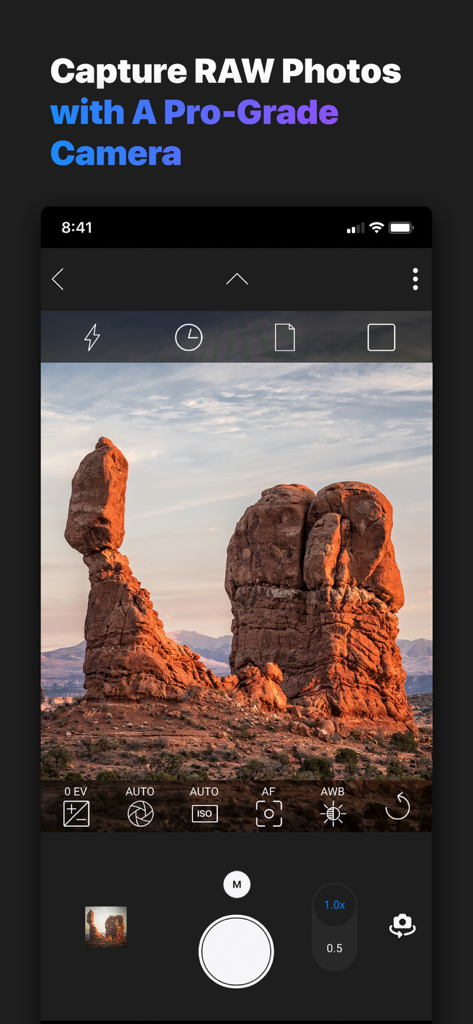
Pro-grade manual camera interface on ON1 Photo RAW mobile app showing landscape capture

Pro-grade manual camera interface on ON1 Photo RAW mobile app showing landscape capture

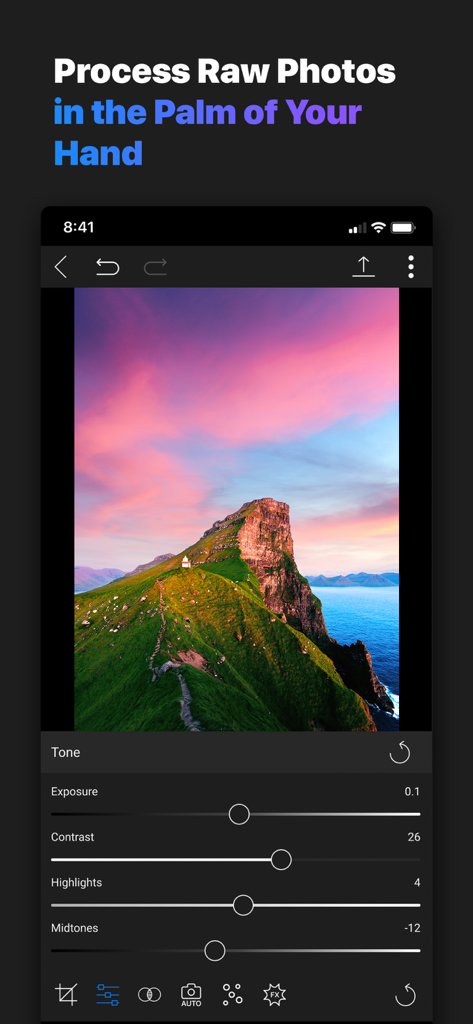
ON1 Photo RAW mobile app interface for processing RAW photos with tone adjustment sliders

ON1 Photo RAW mobile app interface for processing RAW photos with tone adjustment sliders

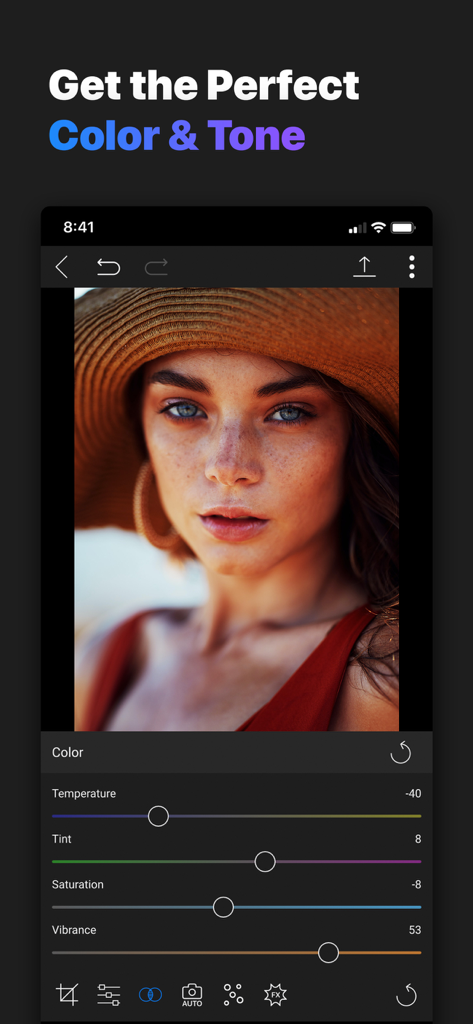
Professional color and tone editing interface in ON1 Photo RAW mobile app

Professional color and tone editing interface in ON1 Photo RAW mobile app

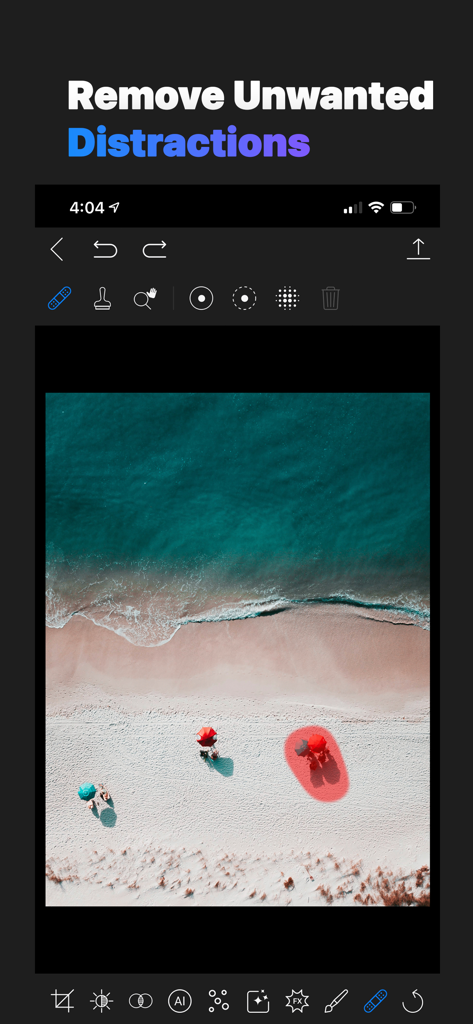
A photo editing interface showing the retouch tool being used to select and remove an umbrella from a beach landscape photo.

A photo editing interface showing the retouch tool being used to select and remove an umbrella from a beach landscape photo.

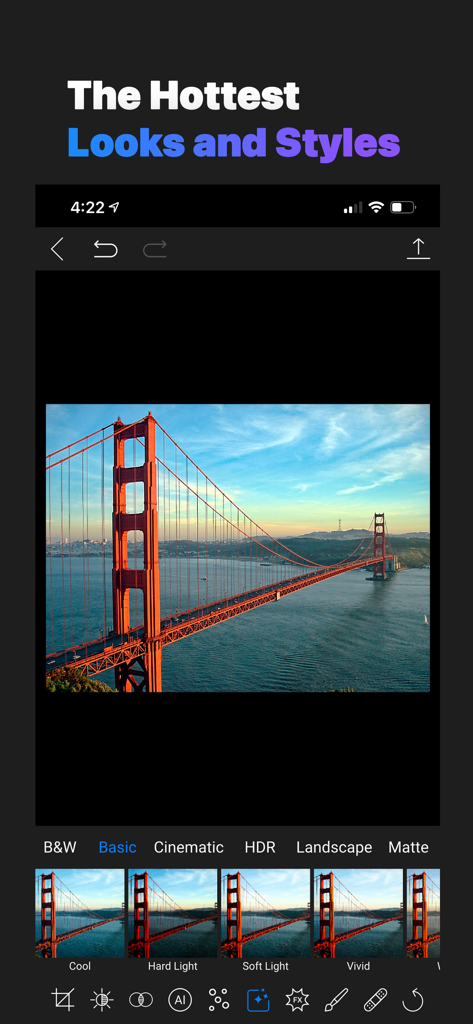
Photo editing interface of ON1 Photo RAW for Mobile showing various presets like Cool and Vivid applied to a landscape photo of the Golden Gate Bridge.

Photo editing interface of ON1 Photo RAW for Mobile showing various presets like Cool and Vivid applied to a landscape photo of the Golden Gate Bridge.

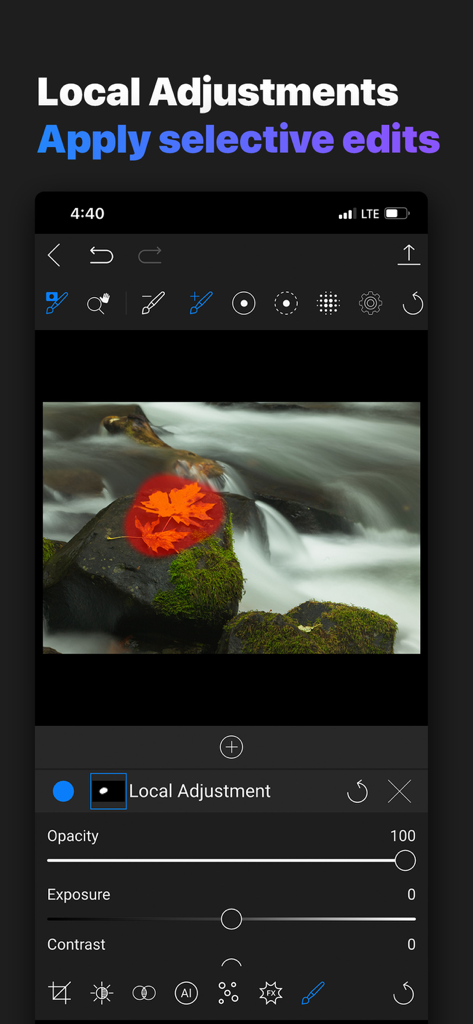
Applying selective edits with local adjustment tools in ON1 Photo RAW

Applying selective edits with local adjustment tools in ON1 Photo RAW

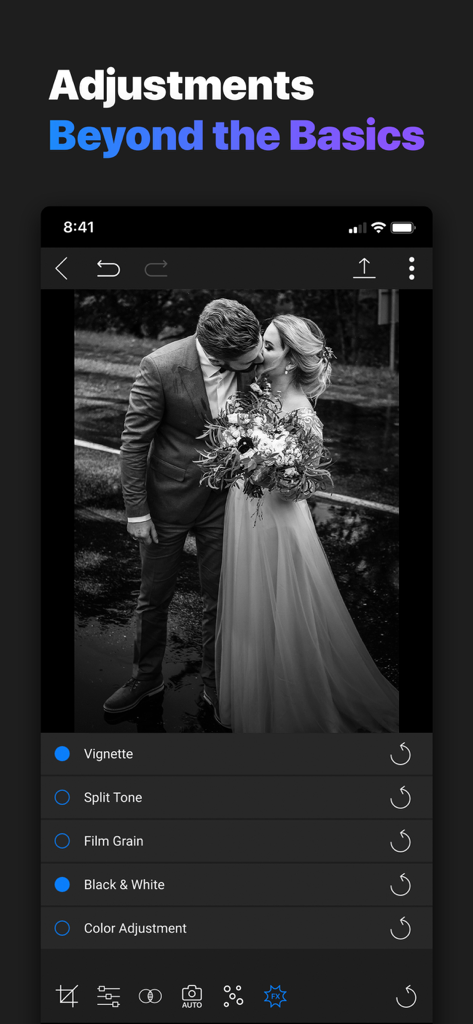
Professional black and white photo editing adjustments in ON1 Photo RAW for Mobile

Professional black and white photo editing adjustments in ON1 Photo RAW for Mobile

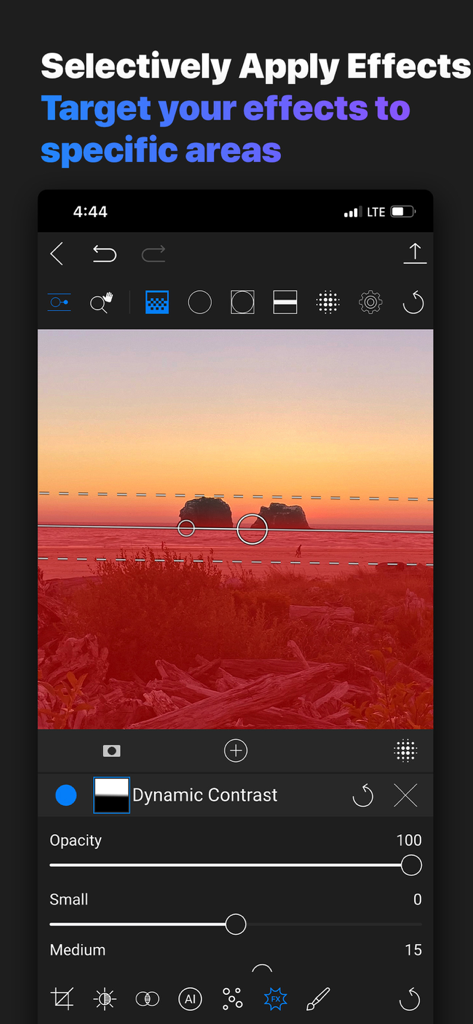
Selective masking and local photo editing interface in ON1 Photo RAW for Mobile

Selective masking and local photo editing interface in ON1 Photo RAW for Mobile

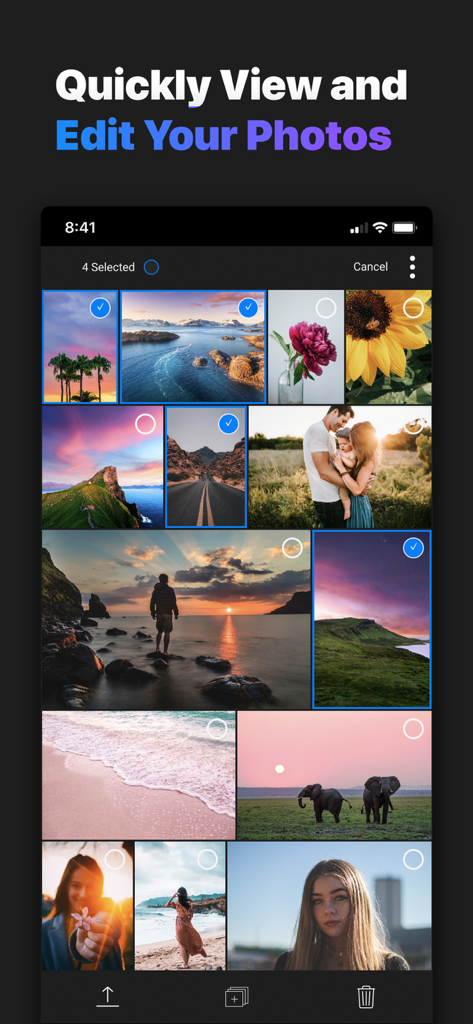
Gallery view of the ON1 Photo RAW mobile app showing a collection of professional landscape and portrait photos.

Gallery view of the ON1 Photo RAW mobile app showing a collection of professional landscape and portrait photos.

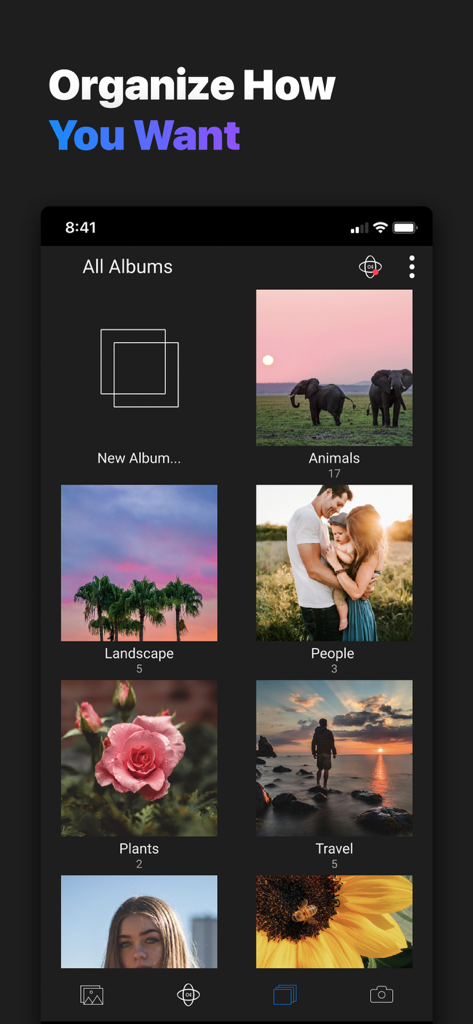
Screenshot of the ON1 Photo RAW for Mobile app showing organized photo albums including animals landscape people and travel

Screenshot of the ON1 Photo RAW for Mobile app showing organized photo albums including animals landscape people and travel

Desktop Power in Your Pocket

The tools that make this app stand out, trusted by 24K+ users.

๐Ÿ“ธ

Uncompromising RAW Processing

Process high-resolution RAW files from your device or external camera with the same industry-leading engine used in our desktop software.

๐Ÿ–Œ๏ธ

Precision Masking & Retouching

Take total control with powerful brushes and masking bugs. Apply targeted adjustments and remove distractions with professional-grade accuracy.

๐Ÿ”„

Seamless Cloud Synchronization

Edit anywhere and finish everywhere. Your photos, star ratings, and non-destructive edits stay perfectly synced between your mobile devices and desktop.

About the app

Everything you need to know about ON1 Photo RAW for Mobile.

Description

Great photos are everywhere you look, and inspiration can come at any time. With ON1 RAW for Mobile you can capture, edit, and organize on the go. The camera captures pro-grade raw format photos with all the manual controls you need. You can edit anywhere too; adjust color and tone using the same raw processing engine as ON1 Photo RAW. RAW PROCESSOR You can process your RAW photos you capture on your device as well as ones you import from an attached interchangeable lens camera, hard drive or memory card. LOCAL EDITING Make targeted edits to your photos with powerful masking tools. Apply changes to a portion of your image, and adjust those areas with a full range of tone, color, and sharpening sliders. You can apply these adjustments using either the Adjustment Brush or Masking Bug shapes. RETOUCH Use the Retouch Brush to remove small imperfections or distractions. The tool looks at the neighboring areas in your image and fills in the brushed area with an area of similar color and texture. PROFESSIONAL EFFECTS & PRESETS Pro-grade filters and powerful masking tools. Apply filters like Dynamic Contrast, Black and White, Vignette, an interactive Curves pane and more. Stack multiple filters to build your signature look and masking tools for targeted editing. A curated collection of the best factory presets to speed up your workflow and get professional results with the hottest looks and styles. ON1 CLOUD SYNC Access your photos seamlessly between your computers and mobile devices. ON1 Cloud Sync gives you access to your photos to view, organize, edit, and share them between your computers using Photo RAW and your mobile devices using ON1 Photo RAW for Mobile. With ON1 Cloud Sync you unlock all the powerful tools the mobile app offers. ORGANIZE Add star ratings, likes, dislikes, or rejects. Designed to help you find photos in your photo library, based on a variety of criteria specific to photos and the metadata embedded in them. Search and filter your library with text, as well as likes and star ratings. Adjust the grid sort order in a number of different ways

Latest Version

20.0.17639

Size

104.1 MB

First Released

Jun 29, 2020

Carry Your Professional Darkroom Everywhere

Join the community of serious photographers who demand desktop-level precision on the go. Download ON1 Photo RAW for Mobile and experience a seamless, high-integrity RAW workflow on your iPhone and iPad.

Download on App Store

App information, icons, screenshots, and descriptions displayed on this page are sourced from the Apple App Store and are the property of their respective developers. Download estimates and rankings are based on MWM's proprietary models and may not reflect actual figures. This page is provided for informational and analytical purposes only.

Believe this page infringes your intellectual property? File a dispute