ONE Pocket

ONE Pocket

Download on App Store
Logo of ONE Pocket

ONE Pocket: Stay Connected to Your School Community Anytime, Anywhere

The essential mobile companion for parents and teachers to track homework, exchange secure messages, and receive real-time updates from the classroom directly to your smartphone.

Publisher

Edifice

Category

Education

Downloads

654K+

User Rating

3.7/5

Total Ratings

1K+

Locales

3

A Window into the Classroom

Discover the interface used by 654K+ users.
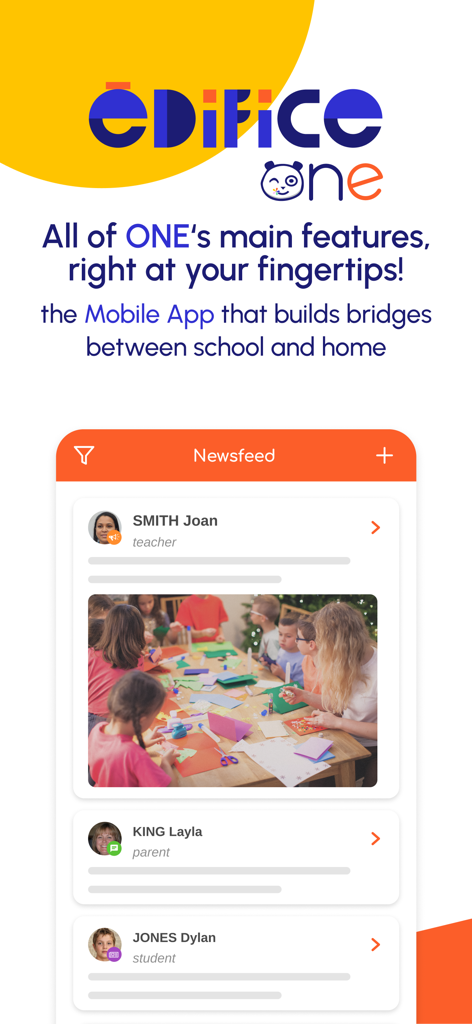
ONE Pocket app newsfeed showing school updates from teachers and parents

ONE Pocket app newsfeed showing school updates from teachers and parents

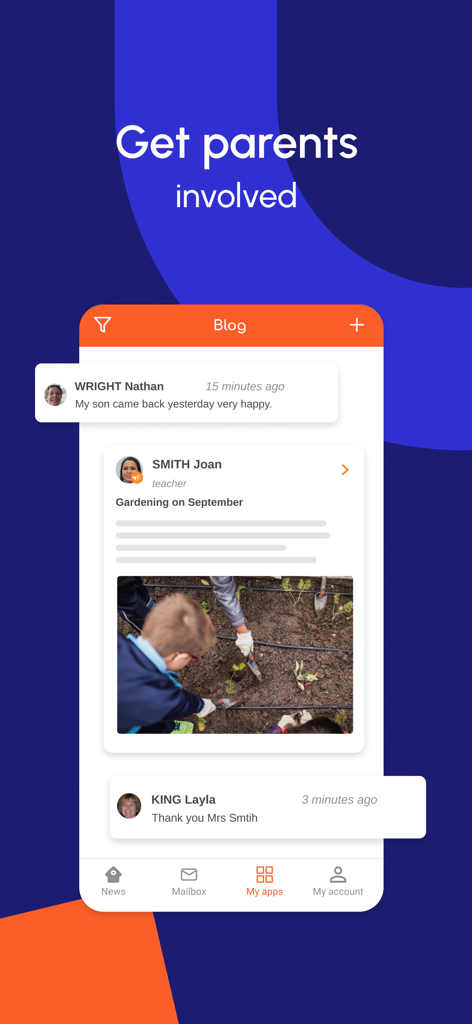
ONE Pocket app interface showing a school blog with teacher posts and parent comments to encourage involvement

ONE Pocket app interface showing a school blog with teacher posts and parent comments to encourage involvement

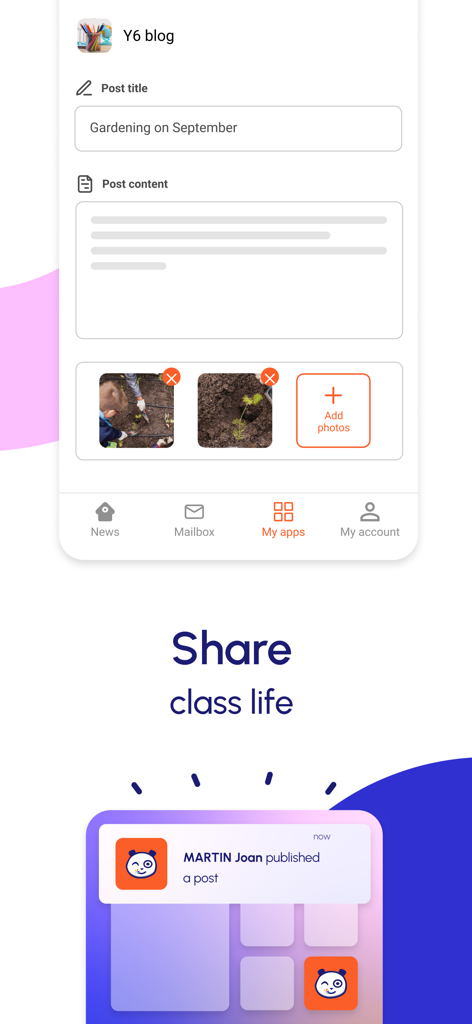
ONE Pocket app interface showing a blog post creation screen for school activities and a notification of a new post.

ONE Pocket app interface showing a blog post creation screen for school activities and a notification of a new post.

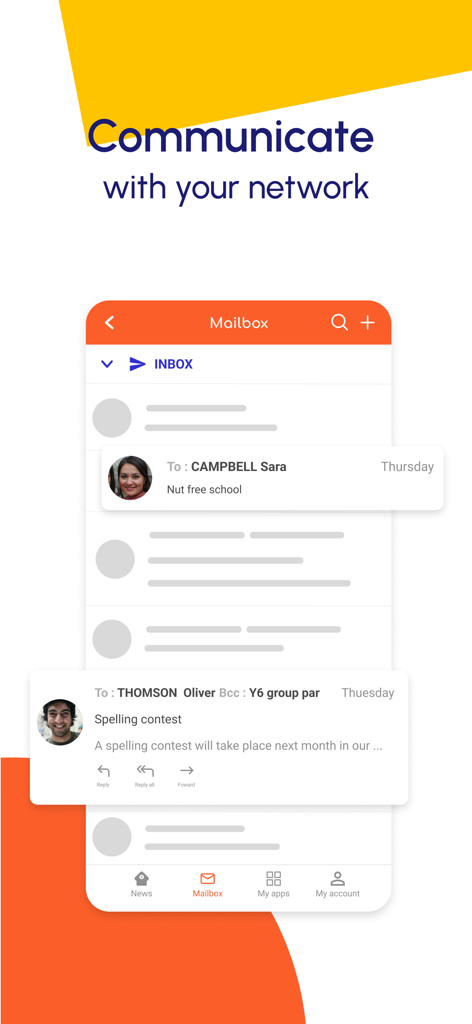
ONE Pocket app mailbox interface displaying school messages and teacher communications

ONE Pocket app mailbox interface displaying school messages and teacher communications

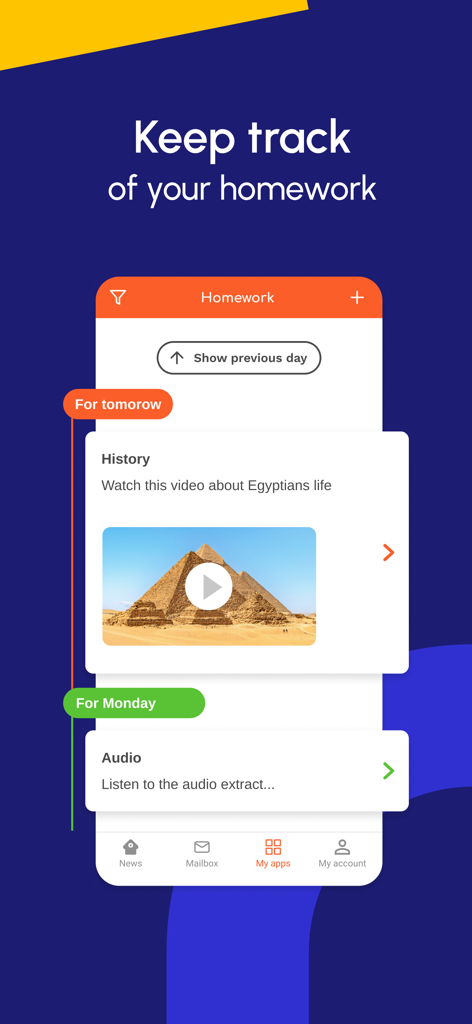
ONE Pocket app interface showing a homework tracker with history and audio assignments for elementary students

ONE Pocket app interface showing a homework tracker with history and audio assignments for elementary students

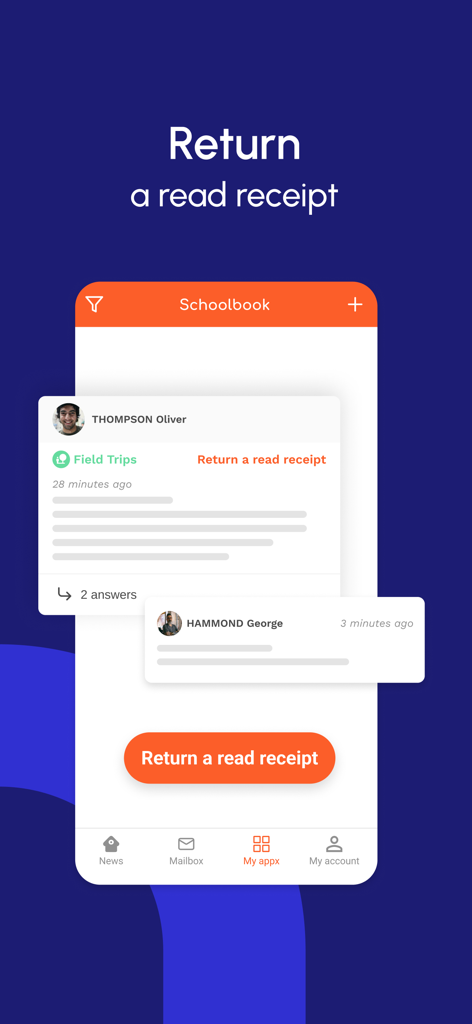
ONE Pocket app interface showing a school message with a prominent button to return a read receipt.

ONE Pocket app interface showing a school message with a prominent button to return a read receipt.

Smartphone screen displaying a push notification from the ONE Pocket app for a new school post

Smartphone screen displaying a push notification from the ONE Pocket app for a new school post

The Essential School Companion for Busy Families

The tools that make this app stand out, trusted by 654K+ users.

🔔

Real-Time School Updates

Stay in the loop with instant notifications for news, blog posts, and school journals the moment they are published.

📅

Seamless Homework Tracking

View the Text Notebook anytime to monitor upcoming lessons and assignments, helping your child stay organized from anywhere.

📬

Effortless Mobile Mailbox

Read, draft, and send secure messages to teachers or parents directly from your phone without needing a desktop.

About the app

Everything you need to know about ONE Pocket.

Description

ONE, the leading educational social network for elementary schools, is now available as a mobile app. ONE Pocket is a lighter version of your virtual learning environment that can be accessed directly from your smartphone or tablet and is designed to make communication between school and home even easier! Teachers and parents can sign in with the same username and password they use for their educational network and get access to all of ONE's main features. The ONE Pocket mobile app lets you: – Receive real-time notifications on your smartphone about the latest publications from your network – Browse your Newsfeed so you can keep up to date with your Blog, School Journal, and News apps – Browse an overview of the content on your Newsfeed and see content in greater detail with a simple tap on the screen – Access your Mailbox simply so you don’t miss out on any messages – Draft emails on your phone and select recipients in your network – Easily keep up with lessons and homework via the Text Notebook tab – View your workspace

Latest Version

1.16.2

Size

59.0 MB

First Released

Feb 9, 2019

Never Miss a Moment of Your Child’s Education

Join over 650,000 parents and teachers today. Download ONE Pocket for instant access to homework, school news, and secure messaging—designed for your busy life on the go.

Download on App Store
FAQ

Frequently Asked Questions

Everything you need to know about ONE Pocket

What is the purpose of the ONE Pocket mobile app?

The ONE Pocket mobile app provides a lighter version of the ONE virtual learning environment. It enhances communication between school and home for elementary school networks.

How do teachers and parents log into ONE Pocket?

Teachers and parents log into ONE Pocket using the same username and password they utilize for their main educational network. This provides access to all core features.

Does ONE Pocket support real-time notifications?

Yes, ONE Pocket supports real-time notifications. The app sends alerts directly to smartphones, informing users about the latest publications and activities from their network.

What information is visible in the ONE Pocket Newsfeed?

The ONE Pocket Newsfeed displays content from Blog, School Journal, and News apps. Users can browse content overviews and tap to view details within the app.

Can users send messages with the ONE Pocket app?

Yes, users can draft emails on their phone using ONE Pocket. They can select recipients directly from their network via the Mailbox feature, ensuring communication.

How does ONE Pocket help manage homework and lessons?

ONE Pocket helps manage homework and lessons through its Text Notebook tab. This feature allows users to easily keep track of assigned tasks and educational content.

App information, icons, screenshots, and descriptions displayed on this page are sourced from the Apple App Store and are the property of their respective developers. Download estimates and rankings are based on MWM's proprietary models and may not reflect actual figures. This page is provided for informational and analytical purposes only.

Believe this page infringes your intellectual property? File a dispute