OneCam 2 (with Effects)

OneCam 2 (with Effects)

Download on App Store
Logo of OneCam 2 (with Effects)

OneCam 2 (with Effects): Pro-Level Control for iPhone Photography

Unlock the full power of your lenses with manual focus, high-resolution stabilization, and customizable retro timestamps—all in a lightning-fast, gesture-driven interface.

Download on App Store

Publisher

masahiro seto

Category

Photo & Video

Downloads

17K+

User Rating

4.5/5

Total Ratings

300

Locales

2

Your Vision, Refined

Discover the interface used by 17K+ users.
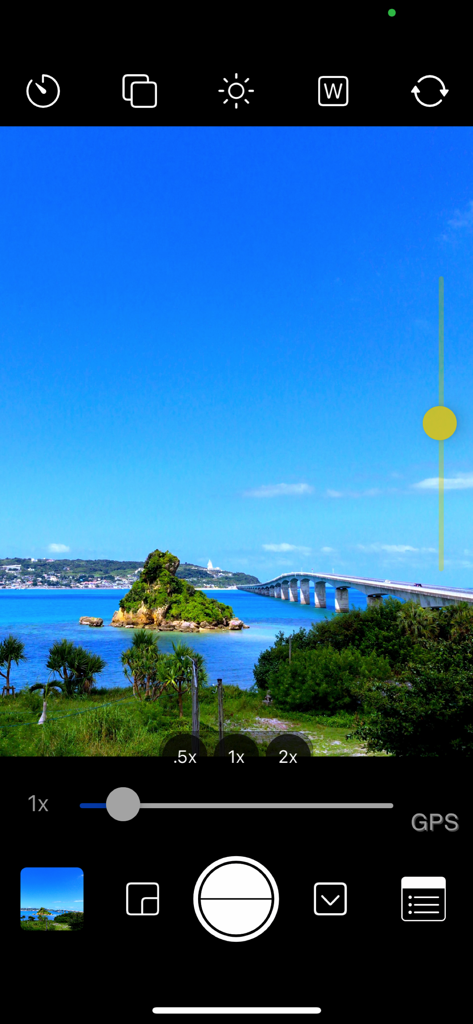
Screenshot of OneCam 2 mobile app interface showing manual exposure and zoom controls while capturing a landscape photo

Screenshot of OneCam 2 mobile app interface showing manual exposure and zoom controls while capturing a landscape photo

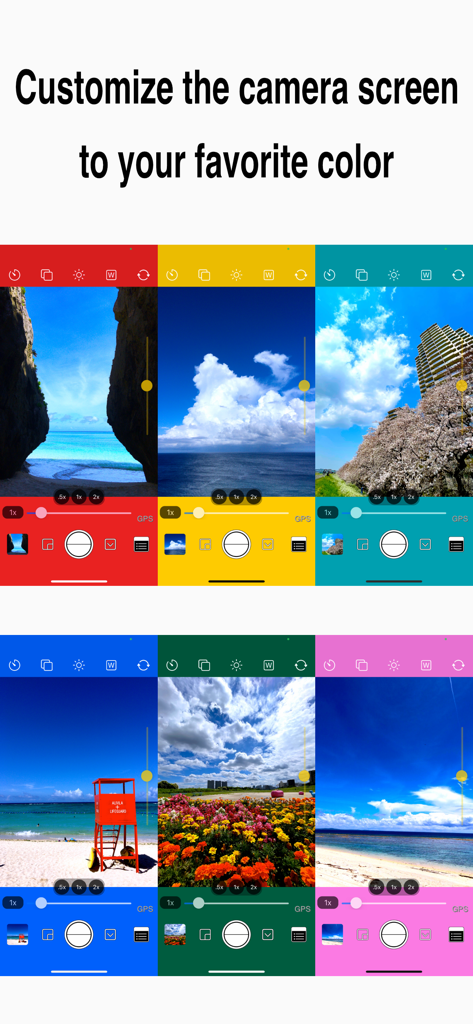
Six camera interface mockups in different vibrant colors illustrating UI customization options

Six camera interface mockups in different vibrant colors illustrating UI customization options

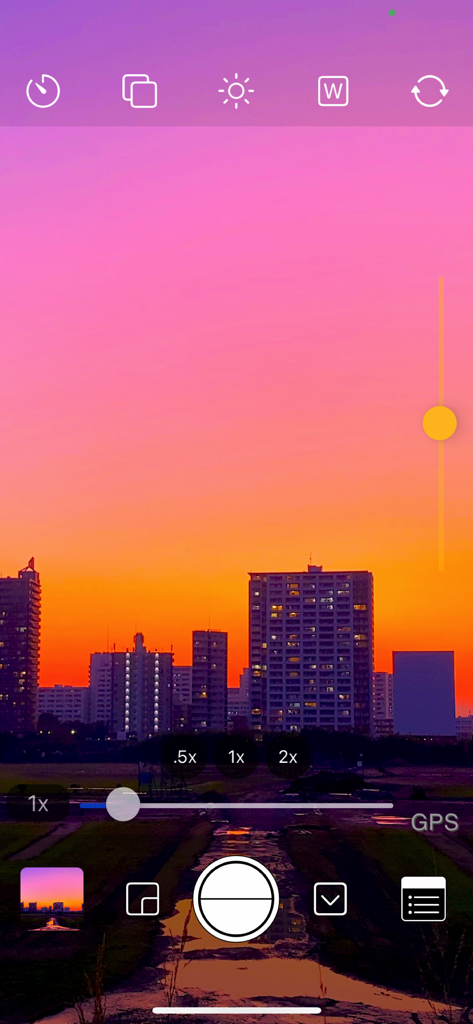
OneCam 2 manual camera interface with exposure controls and a sunset city skyline view

OneCam 2 manual camera interface with exposure controls and a sunset city skyline view

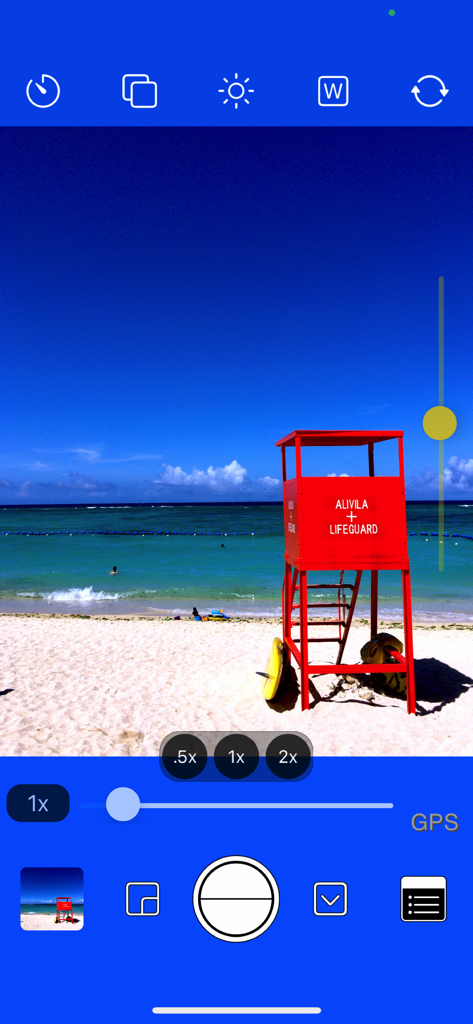
OneCam 2 camera app interface featuring manual exposure controls and lens magnification settings over a beach photo

OneCam 2 camera app interface featuring manual exposure controls and lens magnification settings over a beach photo

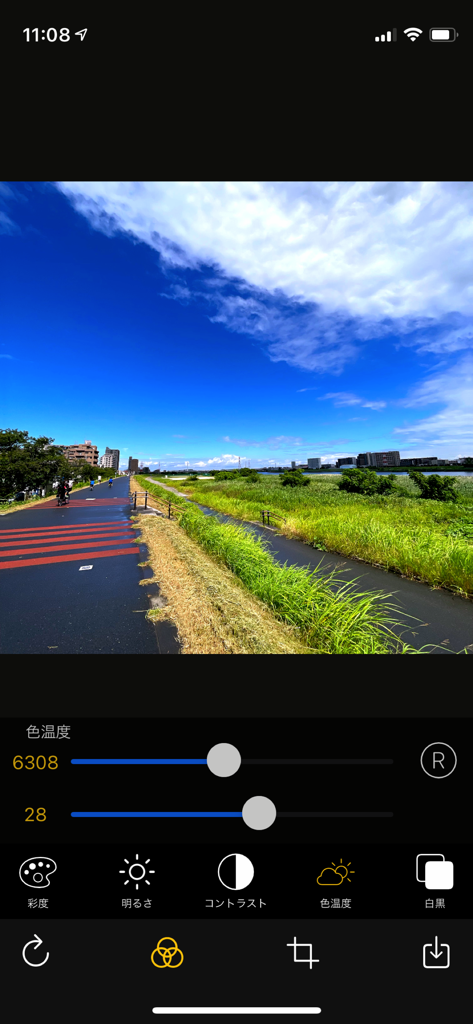
OneCam 2 app interface showing color temperature and manual photo editing adjustments on a landscape photo

OneCam 2 app interface showing color temperature and manual photo editing adjustments on a landscape photo

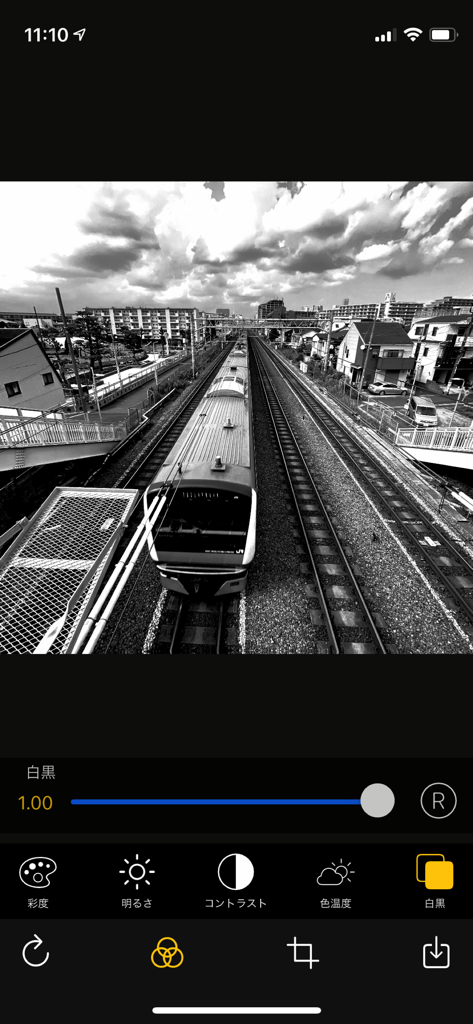
OneCam 2 mobile app interface showing a black and white photo of a train with editing sliders and effects

OneCam 2 mobile app interface showing a black and white photo of a train with editing sliders and effects

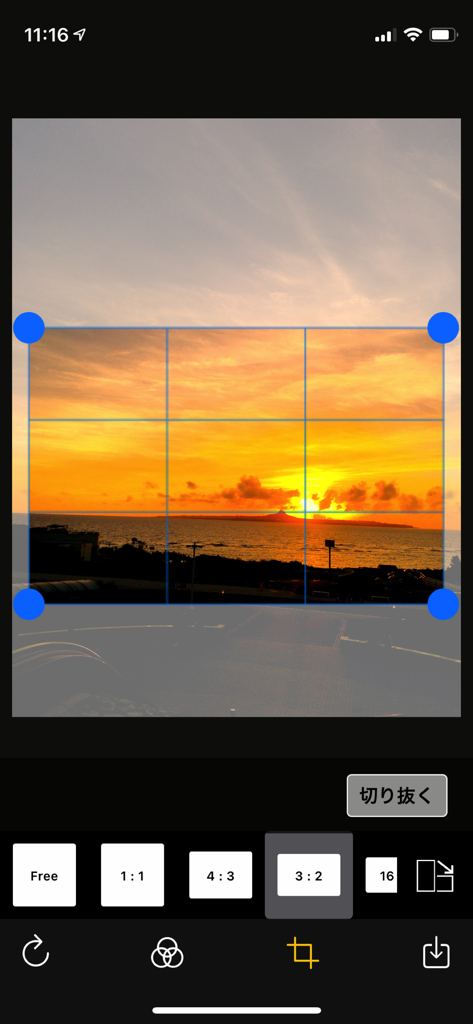
Photo cropping and aspect ratio selection screen in the OneCam 2 app featuring a sunset image

Photo cropping and aspect ratio selection screen in the OneCam 2 app featuring a sunset image

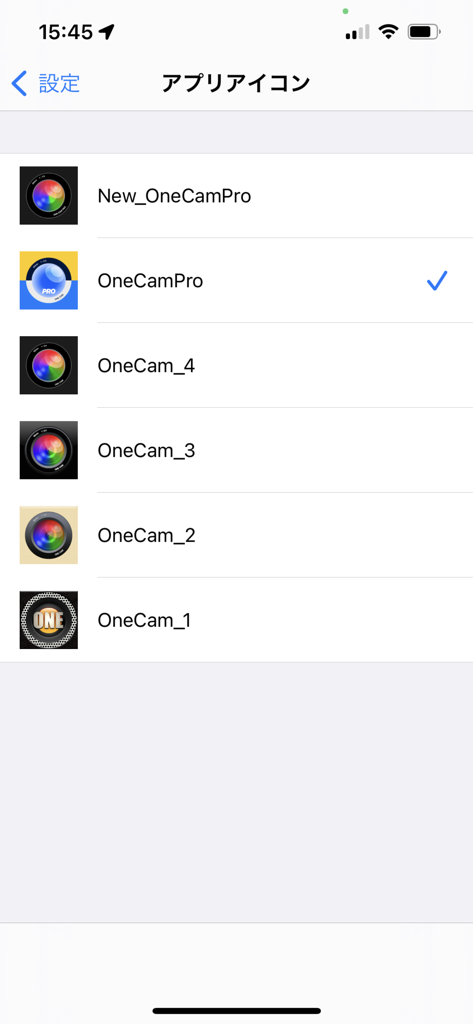
Selection screen for customizable OneCam 2 app icons with various lens designs.

Selection screen for customizable OneCam 2 app icons with various lens designs.

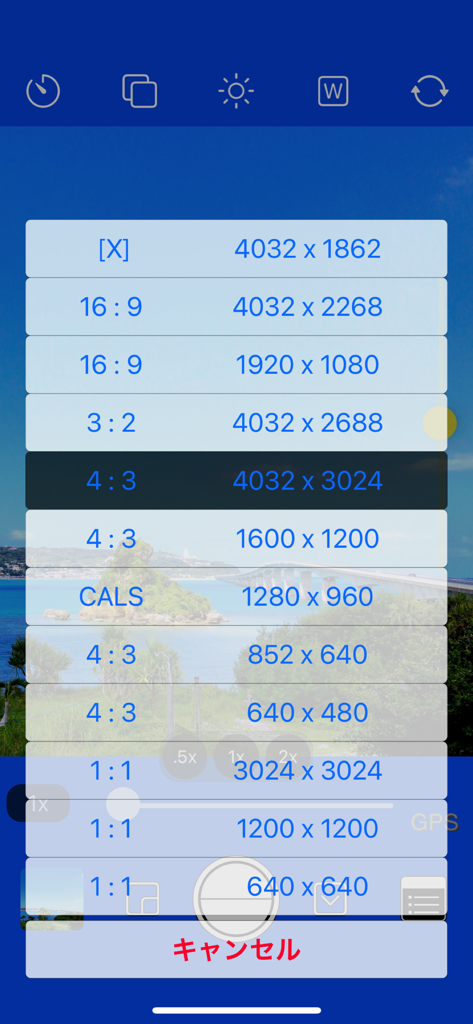
A menu in OneCam 2 showing various photo resolution and aspect ratio settings like 16:9, 4:3, and 1:1.

A menu in OneCam 2 showing various photo resolution and aspect ratio settings like 16:9, 4:3, and 1:1.

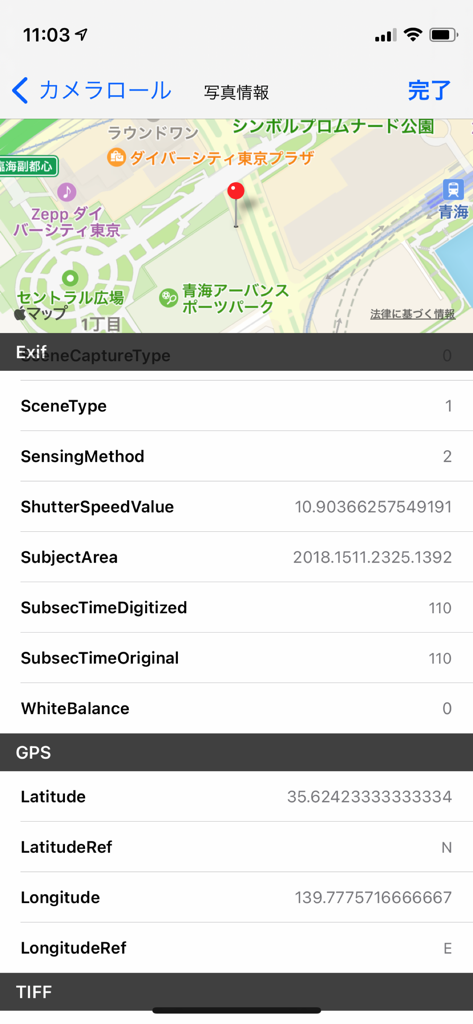
Screenshot of OneCam 2 displaying detailed photo EXIF data and GPS location on a map

Screenshot of OneCam 2 displaying detailed photo EXIF data and GPS location on a map

Capture Perfection in Every Frame

The tools that make this app stand out, trusted by 17K+ users.

🎛️

Pro-Level Manual Controls

Take full command of your shots with manual focus, exposure locks, and white balance to avoid over-processed AI looks.

Gesture-Driven Workflow

Review shots instantly with intuitive swipe gestures. Swipe up to preview and down to return to shooting—never miss a moment.

📸

Hardware Optimization

Unlock the full potential of your Ultra-Wide, Telephoto, and Macro lenses with high-res stabilization and HEIC support.

About the app

Everything you need to know about OneCam 2 (with Effects).

Description

OneCam Pro is the highest quality iPhone and can shoot in high resolution with the help of image stabilization. It supports fixing ultra-wide-angle lenses and telephoto lenses, and you can easily switch lenses with the magnification button. It also supports macro photography of iPhone13 Pro and ProMax and 3x of telephoto lens. You can easily adjust the brightness with the exposure (brightness) slider on the left side of the camera screen. You can customize the color of the camera screen to your liking, so you can enjoy the atmosphere of the camera different from humans. You can freely edit the photo such as simple effect adjustment, cropping, rotating and flipping. After taking a photo with the quick preview function, swipe the camera screen upward to display the photo view directly. (Double-tap to enlarge and check) Swipe down on the photo view to return to the camera screen as if you pressed the cancel button. You can also view and delete the previous and next photos by swiping left and right, including the album. 【 function 】 - Effects (Saturation, Brightness, Contrast, Temperature, Black and white) (Press and hold the edit screen to check the original image) - Photo editing (crop, rotate, flip) - HEIC format compatible. (Only compatible models) - Customize the camera screen to your favorite color by setting - You can now select the icon - Manual mode (for lock) - Focus, exposure, and white balance - Reception desk camera, digital zoom, and light - View Exif meta data such as in the photo view - Geotag (location information) and grid - The brightness of iPhone can be changed now. - date+time stamp (white, black, orange, and custom color) - Self-timer - Burst mode You can shoot continuously.)(iPhone8 and later) - iPhoneX and later new size added (4032x1862) - photo size(4032x3024 , 3024x3024, 4032x2688, 4032x2268, 1600x1200 , 1200x1200 , 1280 x960) - The resolution is 1920x1080 and 640x480 size of 852x640 and square size of 640x640 =========================== - Corresponding model iPhone corresponding to iOS version. - iPad, iPod touch are not supported. ===========================

Latest Version

2.1.0

Size

2.2 MB

First Released

Aug 29, 2021

Ready to Unlock Your iPhone’s True Potential?

Join thousands of creators who demand more than just 'Auto'. Get the precision of a professional camera with the speed of OneCam 2.

Download on App Store

App information, icons, screenshots, and descriptions displayed on this page are sourced from the Apple App Store and are the property of their respective developers. Download estimates and rankings are based on MWM's proprietary models and may not reflect actual figures. This page is provided for informational and analytical purposes only.

Believe this page infringes your intellectual property? File a dispute