
This page is not an official page of the app or its developer, but an independent editorial publication created for informational and commentary purposes. Unless expressly stated otherwise, neither the app nor its developer is affiliated with, endorsed by, sponsored by, authorized by, or otherwise officially connected with MWM, Apple, Google Play, the app publisher, or the app's developer, and nothing on this page implies that the app was developed using MWM's services. Any trademarks, logos, screenshots, and other content remain the property of their respective owners.

OneUp: Social Media Scheduler
Schedule content to TikTok, Instagram, Threads, and more. Manage your inbox and grow your brand everywhere without the platform fatigue.
Downloads
2K+User Rating
Total Ratings
0Publisher
Category
Social NetworkingLocales
1Latest Version
5.1.5Size
32.2 MBFirst Released
Oct 25, 2020Take Full Control of Your Digital Presence
The all-in-one command center for solopreneurs to schedule content, reply to messages, and grow across every major social platform effortlessly.
Post Everywhere at Once
Reach your audience across TikTok, Instagram, Threads, and even Google Business Profiles from a single, intuitive dashboard.
Unified Social Inbox
Stop app-switching and never miss a lead. Manage all your DMs in one place to maintain high responsiveness and close more deals.
Frequently Asked Questions
Everything you need to know about OneUp: Social Media Scheduler
What is the OneUp mobile app used for?
The OneUp mobile app is a social media scheduling tool. It allows users to create, schedule, and manage posts across various social media platforms and reply to direct messages.
Which social media platforms does OneUp support for scheduling posts?
OneUp supports scheduling posts to Facebook, Instagram, X, Pinterest, LinkedIn, TikTok, YouTube, Snapchat, Bluesky, Reddit, Threads, and Google Business Profiles.
Can I create posts directly within the OneUp mobile app?
Yes, the OneUp mobile app enables users to create and schedule posts. It offers fields for descriptions, media uploads, and an "Auto-generate caption" feature.
How does OneUp publish posts to Threads or personal Instagram accounts?
For Threads, personal Instagram, or Facebook Profiles, OneUp sends reminders when a post is ready. Users then click "Share this post" to open the app and paste the automatically copied caption.
Does the OneUp app allow managing scheduled content?
Yes, the OneUp app features a "Queue" section where users can view and manage all their scheduled posts. This includes editing and monitoring content.
Can I reply to reviews using the OneUp mobile app?
Yes, the OneUp mobile app allows users to reply directly to reviews, including Google reviews. It also provides a "Suggest a reply" option to assist with responses.
Does OneUp include a social inbox for direct messages?
Yes, the OneUp mobile app includes a "Social Inbox" feature. This allows users to directly reply to DMs received across their integrated social media platforms.
The following screenshots and description are sourced directly from the app's official store listing and are the property of the app developer.
App Store
Screenshots
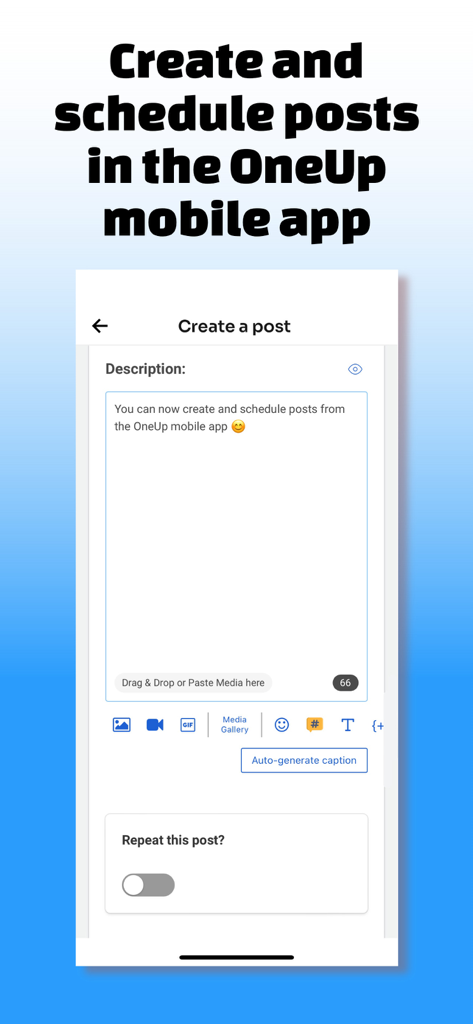
Interface of the OneUp mobile app showing the post creation and scheduling screen.
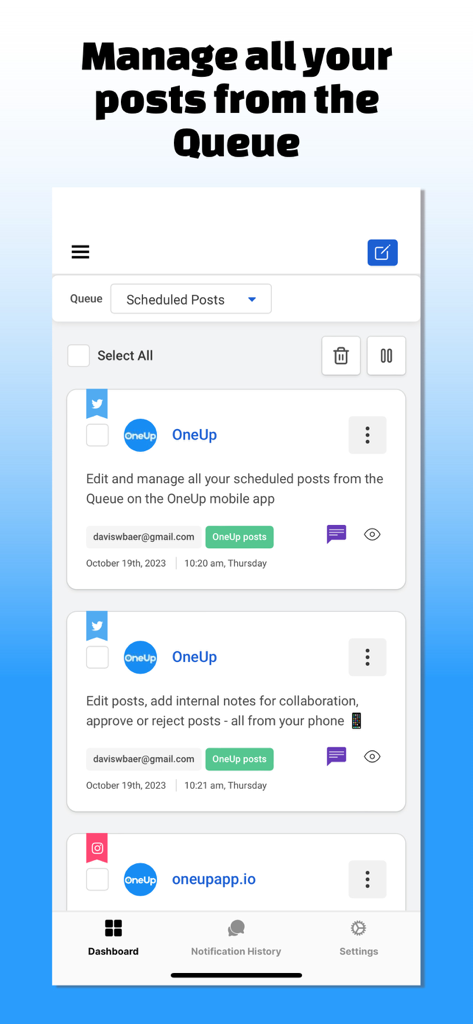
A mobile view of the OneUp app showing scheduled social media posts in a queue.
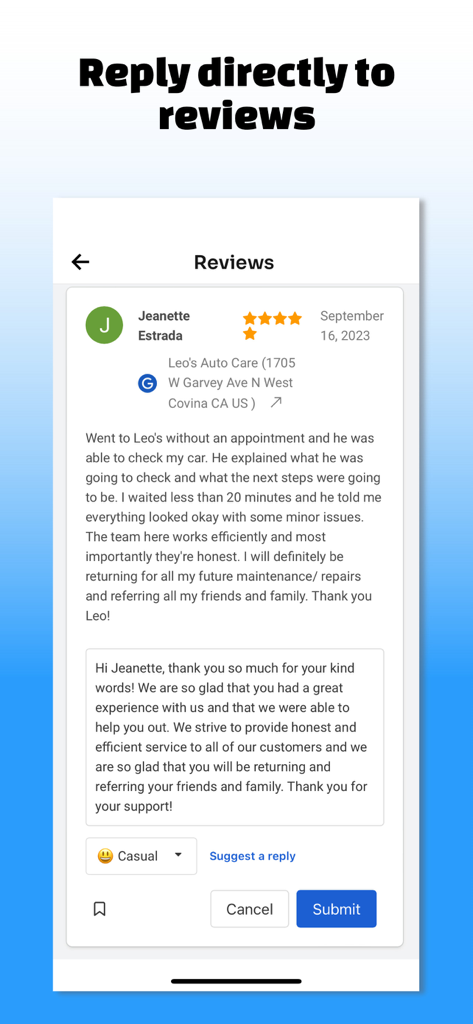
Screenshot of OneUp app showing a direct reply to a Google Business review with a suggested response option
Description
Download
More Like This
Top-ranked apps in the same category

Threads
Instagram, Inc.

Telegram Messenger
Telegram FZ-LLC

WhatsApp Messenger
WhatsApp Inc.

Meta Platforms, Inc.

Discord - Talk, Play, Hang Out
Discord Inc.

Messenger
Meta Platforms, Inc.

Google Meet
Google LLC

rednote
Xingin Information Technology (Shanghai) Co., Ltd

Tencent Technology (Shenzhen) Company Limited
This page is not an official page of the app or its developer, but an independent editorial publication created for informational and commentary purposes. Unless expressly stated otherwise, neither the app nor its developer is affiliated with, endorsed by, sponsored by, authorized by, or otherwise officially connected with MWM, Apple, Google Play, the app publisher, or the app's developer, and nothing on this page implies that the app was developed using MWM's services. Any trademarks, logos, screenshots, and other content remain the property of their respective owners.