OnlineNow

OnlineNow

Logo of OnlineNow

OnlineNow: Professional Network Intelligence

Master your connectivity with real-time monitoring, speed tests, and historical logs. A sleek, privacy-first dashboard built for power users who never want to drop a call.

Publisher

Guillaume Demay

Category

Developer Tools

Downloads

100+

User Rating

1.0/5

Total Ratings

0

Locales

1

Precision in Every Pixel

Discover the interface used by 100+ users.
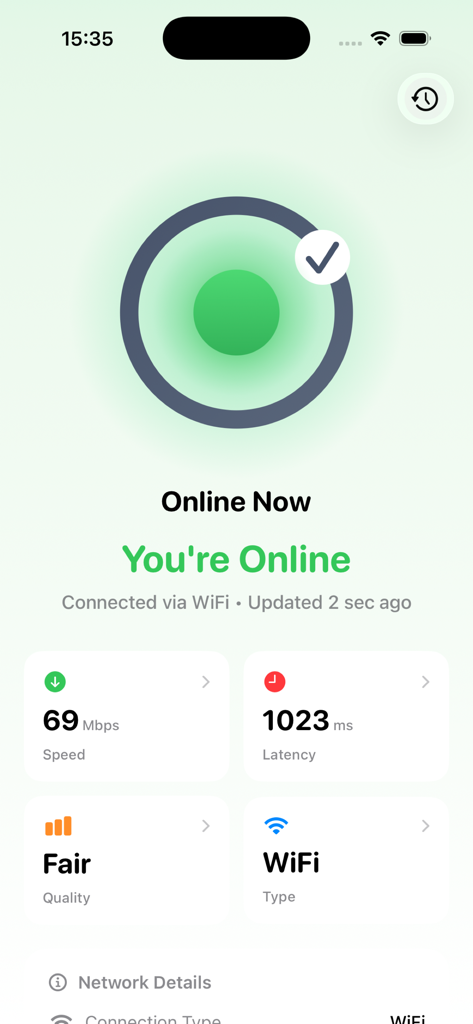
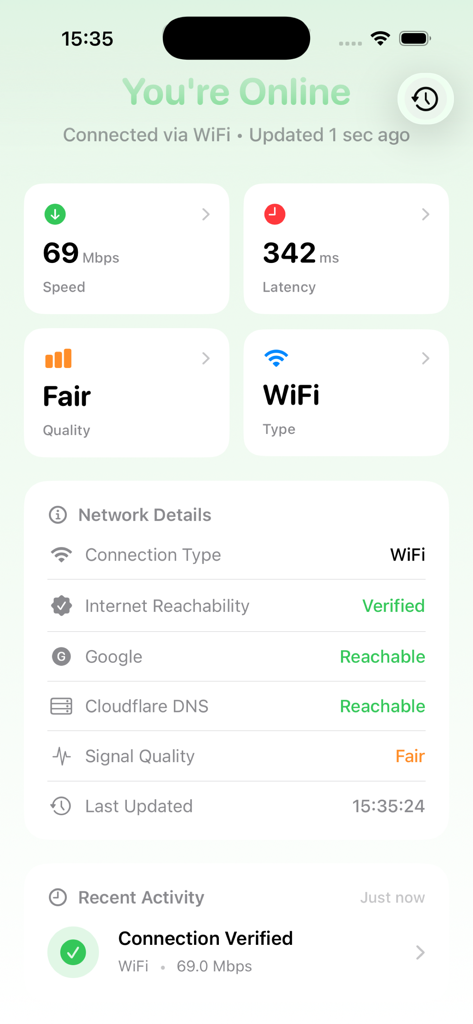
OnlineNow dashboard displaying internet connectivity status speed and latency

OnlineNow dashboard displaying internet connectivity status speed and latency

Dashboard of OnlineNow app displaying real-time WiFi connectivity status speed and latency

Dashboard of OnlineNow app displaying real-time WiFi connectivity status speed and latency

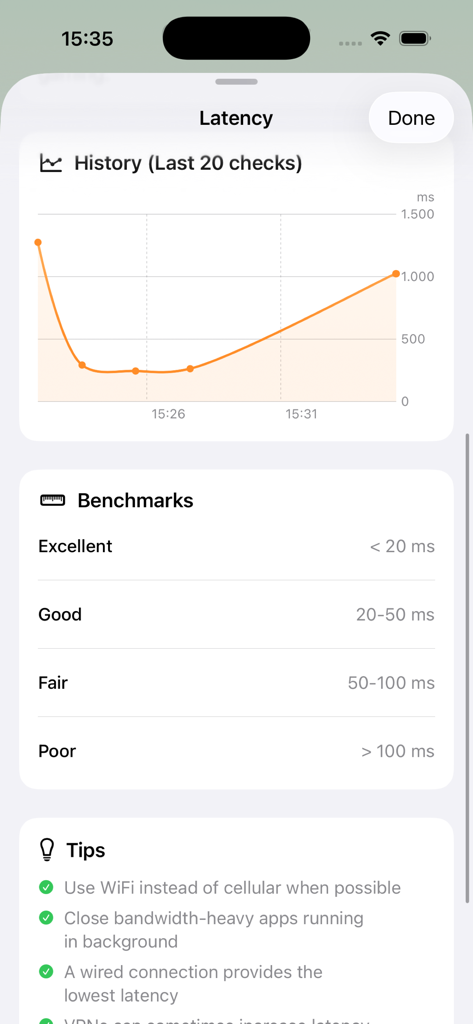
OnlineNow app interface displaying a latency history graph, network performance benchmarks, and connection tips.

OnlineNow app interface displaying a latency history graph, network performance benchmarks, and connection tips.

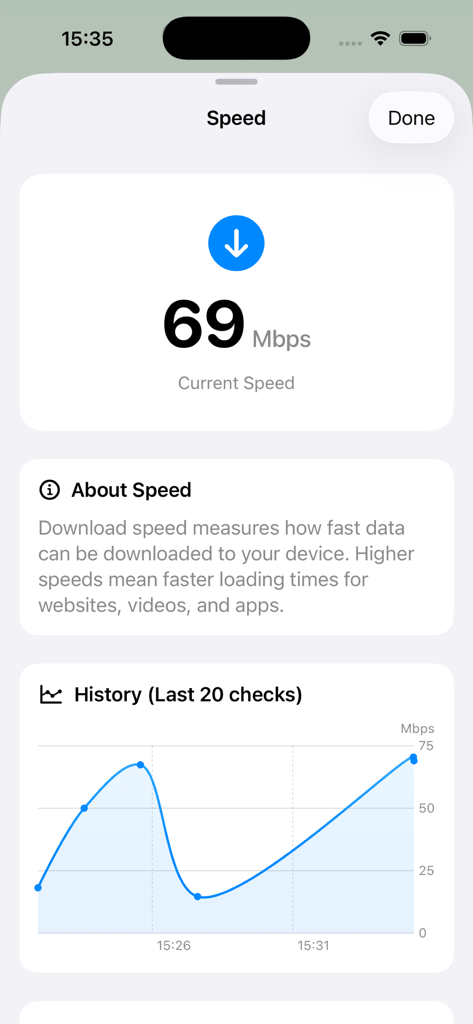
OnlineNow app interface showing a download speed of 69 Mbps and a performance history graph

OnlineNow app interface showing a download speed of 69 Mbps and a performance history graph

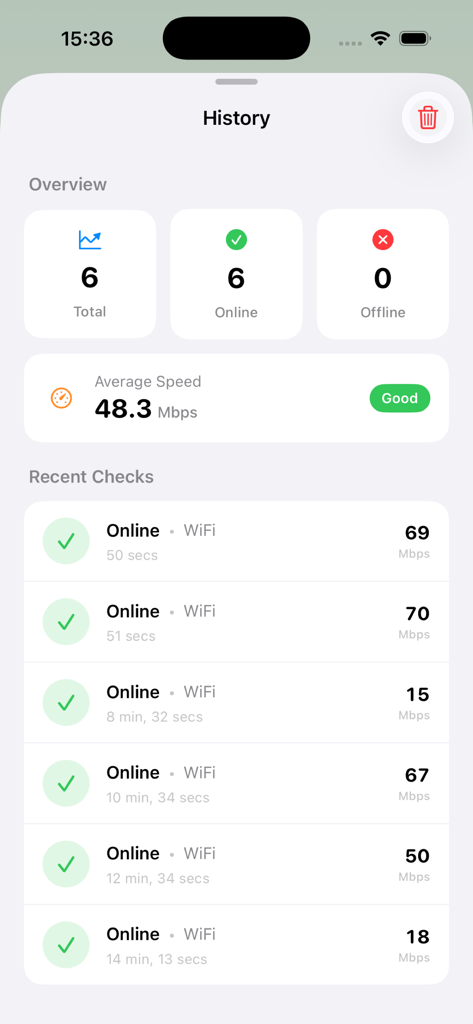
OnlineNow app interface showing connection history and average internet speed statistics

OnlineNow app interface showing connection history and average internet speed statistics

Command Your Connectivity

The tools that make this app stand out, trusted by 100+ users.

Instant Reliability Monitoring

Never guess your status again. Color-coded indicators provide real-time visibility into your connection quality before your next high-stakes video call.

📈

Diagnostic Connection History

Track drops and performance patterns over time. Use historical logs to troubleshoot ISP instability or verify your network's long-term reliability.

🛡️

Privacy-First Intelligence

No accounts, no tracking, and zero data collection. Securely monitor your VPN status and network details knowing your data stays strictly on your device.

About the app

Everything you need to know about OnlineNow.

Description

Monitor your internet connection in real-time with Online Now - the beautiful, intuitive network monitoring tool for iOS. KEY FEATURES • Real-Time Connectivity Status See at a glance if you're online, offline, or experiencing limited connectivity with color-coded indicators. • Network Speed Testing Measure your download speed and latency with accurate, built-in speed tests. • Connection History Track your connectivity patterns over time with automatic history logging. • Network Details View connection type (WiFi, Cellular, Ethernet), VPN status, and signal quality metrics. • Beautiful Design Modern, native iOS design that follows Apple's design guidelines with smooth animations and intuitive controls. • Privacy Focused All data stays on your device. No accounts, no tracking, no data collection. PERFECT FOR • Troubleshooting network issues • Monitoring unstable connections • Testing WiFi performance • Verifying VPN connections • Tracking connectivity patterns TECHNICAL DETAILS Online Now uses advanced network monitoring to provide accurate, real-time information about your internet connection. The app runs efficiently in the background and provides instant updates when your connectivity status changes. Whether you're at home, work, or traveling, Online Now helps you stay informed about your network connection quality.

Latest Version

1.1

Size

3.7 MB

First Released

Jan 26, 2026

Take Command of Your Connectivity

Join thousands of iOS power users who demand real-time network insights and total privacy. Get the professional monitoring tool built for your workflow.

App information, icons, screenshots, and descriptions displayed on this page are sourced from the Apple App Store and are the property of their respective developers. Download estimates and rankings are based on MWM's proprietary models and may not reflect actual figures. This page is provided for informational and analytical purposes only.

Believe this page infringes your intellectual property? File a dispute