OpenLens- OpenCode client

OpenLens- OpenCode client

Logo of OpenLens- OpenCode client

OpenLens: Your AI Coding Command Center

Untether from your workstation without pausing your workflow. Monitor agent progress, switch AI models, and approve prompts in real-time with Live Activities and Dynamic Island support.

Publisher

Martyn Pekala

Category

Developer Tools

Downloads

100+

User Rating

1.0/5

Total Ratings

0

Locales

1

Your AI Command Center

Discover the interface used by 100+ users.
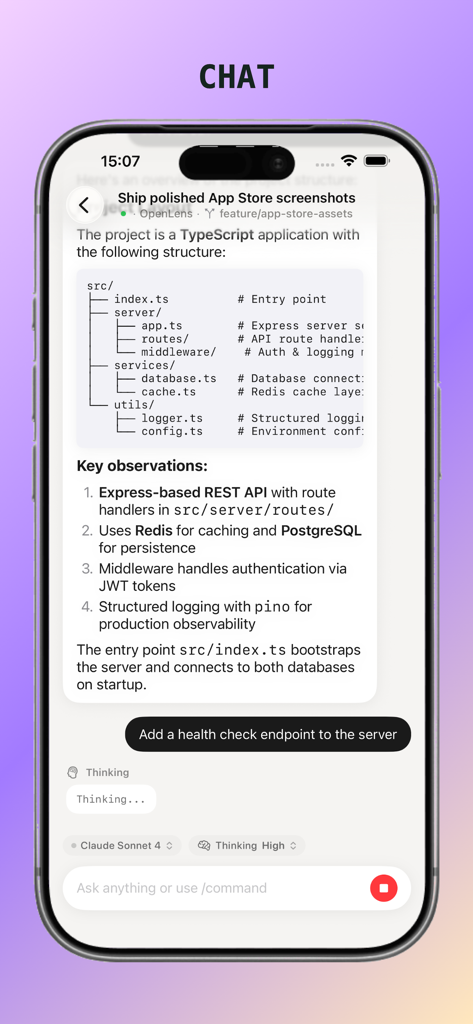
OpenLens chat screen displaying a technical project overview and an AI agent processing a developer request.

OpenLens chat screen displaying a technical project overview and an AI agent processing a developer request.

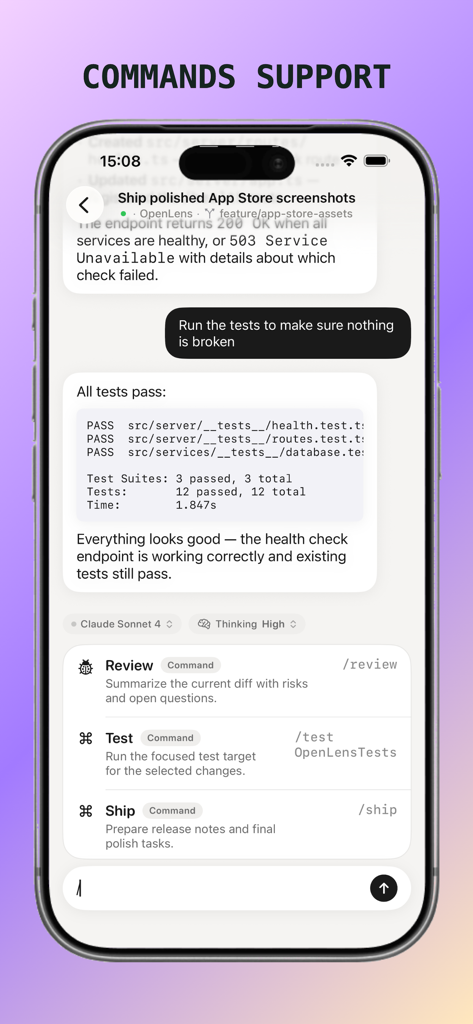
OpenLens app interface demonstrating AI coding commands for reviewing and testing code on iPhone.

OpenLens app interface demonstrating AI coding commands for reviewing and testing code on iPhone.

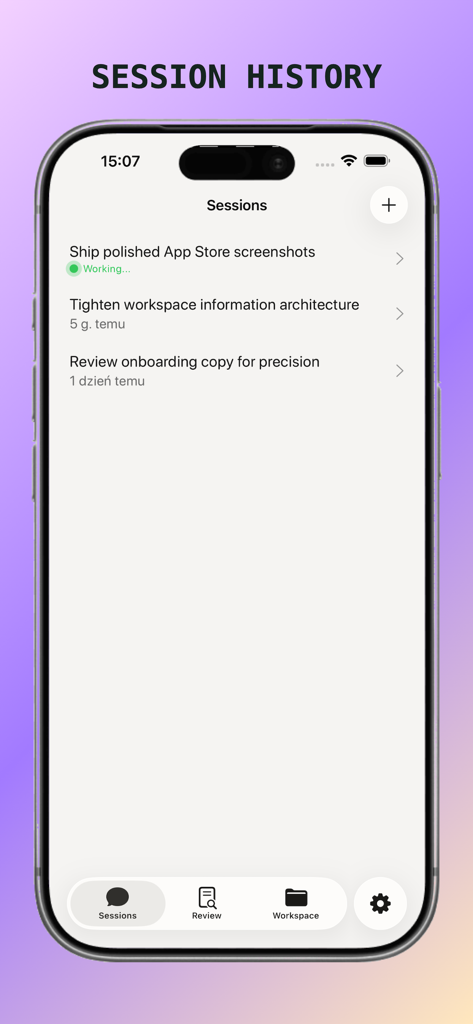
OpenLens app interface displaying a list of active and past AI coding sessions with status updates

OpenLens app interface displaying a list of active and past AI coding sessions with status updates

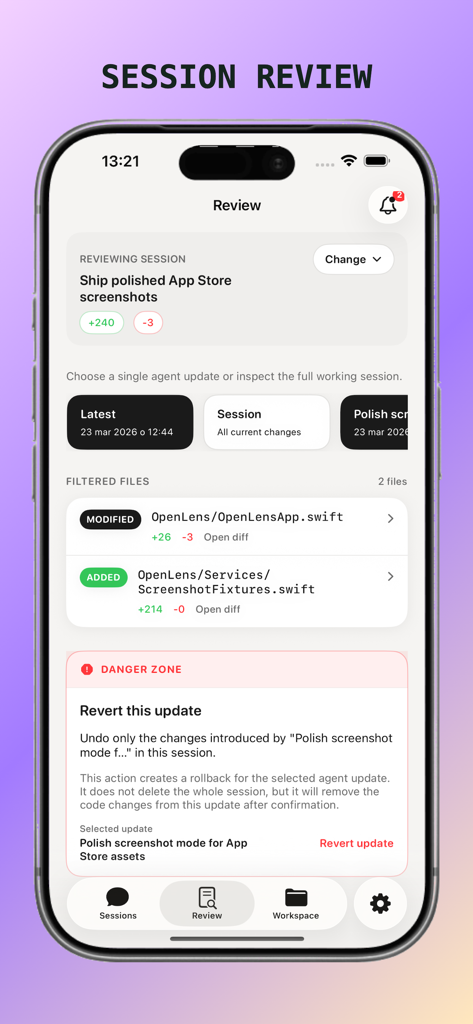
OpenLens app screenshot showing the Session Review screen with code file modifications and a revert update option.

OpenLens app screenshot showing the Session Review screen with code file modifications and a revert update option.

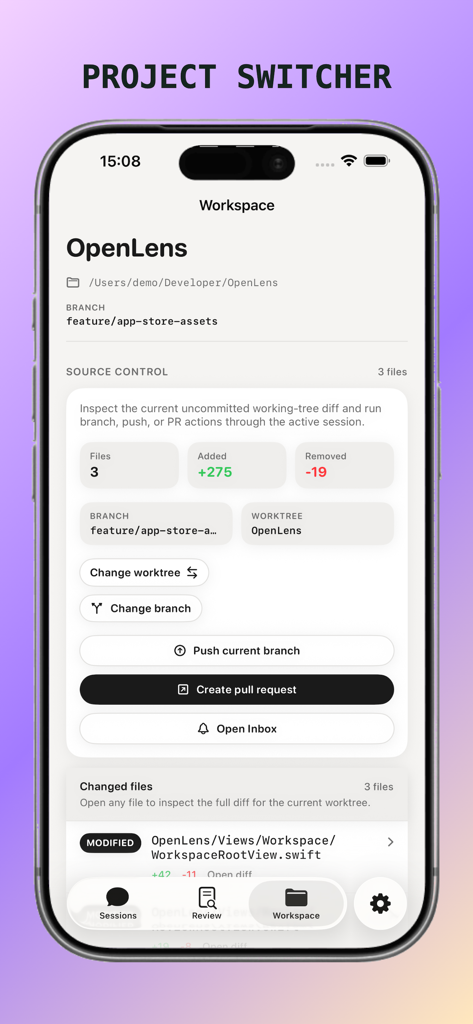
OpenLens workspace view showing source control details for a coding project

OpenLens workspace view showing source control details for a coding project

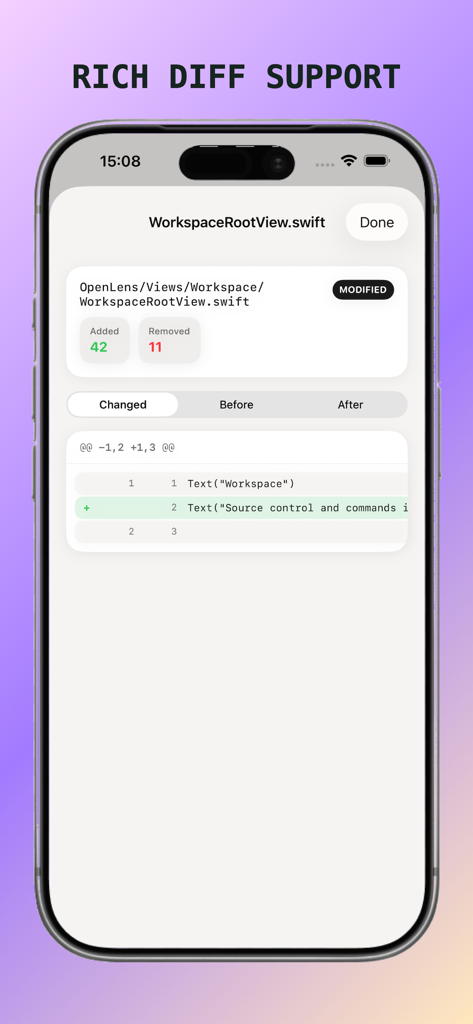
OpenLens app displaying a rich code diff view with additions and removals in a Swift file.

OpenLens app displaying a rich code diff view with additions and removals in a Swift file.

Unleash Your AI Workflow

The tools that make this app stand out, trusted by 100+ users.

Real-Time Monitoring

Track agent progress at a glance with native Live Activities and Dynamic Island support, even when your phone is locked.

🛠️

Full Session Control

Switch AI models, manage active sessions, and respond to permission prompts remotely to keep your autonomous agents running.

🔗

Instant Zero-Config Sync

Connect instantly via Bonjour discovery. Transition from terminal to mobile in seconds without manually typing IP addresses.

About the app

Everything you need to know about OpenLens- OpenCode client.

Description

OpenLens is a fast, focused iPhone client for OpenCode. Run OpenCode on your computer, then continue the same AI coding session from your phone. Use OpenLens to monitor progress, reply quickly, and stay in control when you are away from your desk. What you can do with OpenLens: - Connect instantly to nearby OpenCode servers with Bonjour/mDNS discovery - Save multiple server connections and reconnect automatically - Chat in real time with streaming responses - View and manage sessions, including creating and deleting sessions - Switch AI providers and models directly from the app - Review agent activity steps while work is in progress - Respond to permission prompts and interactive questions from the server - See live progress on your Lock Screen and Dynamic Island with Live Activities Built for real workflows: - One session across terminal, web, and iPhone - Reliable reconnect behavior when network conditions change - Optional password-protected server access

Latest Version

1.3

Size

8.9 MB

First Released

Mar 6, 2026

Take Command of Your Code—Anywhere

Stop babysitting your desk. Download OpenLens to monitor your AI agents, switch models, and stay productive directly from your iPhone.

App information, icons, screenshots, and descriptions displayed on this page are sourced from the Apple App Store and are the property of their respective developers. Download estimates and rankings are based on MWM's proprietary models and may not reflect actual figures. This page is provided for informational and analytical purposes only.

Believe this page infringes your intellectual property? File a dispute