OpenTerm

OpenTerm

Download on App Store
Logo of OpenTerm

OpenTerm: Professional-Grade Command Line Power for iOS

Empowering developers and sysadmins with a robust terminal emulator. Execute Linux commands, manage remote servers via SSH/SFTP, and run Python scripts directly from your iPhone or iPad.

Publisher

CHENGDU MIAOZHI TECHNOLOGY CO., LTD.

Category

Developer Tools

Downloads

48K+

User Rating

4.3/5

Total Ratings

600

Locales

1

Command Your Workflow

Discover the interface used by 48K+ users.
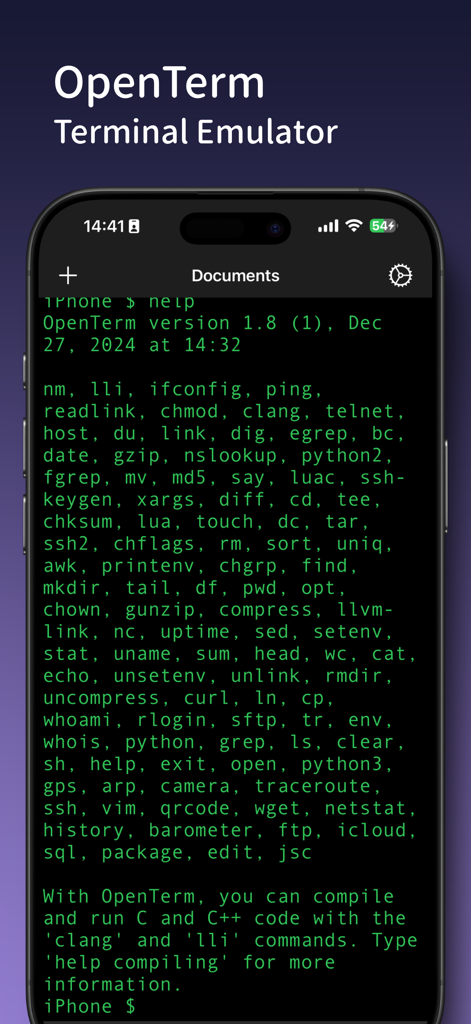
Smartphone screen displaying OpenTerm terminal emulator with a comprehensive list of available command line tools and utilities

Smartphone screen displaying OpenTerm terminal emulator with a comprehensive list of available command line tools and utilities

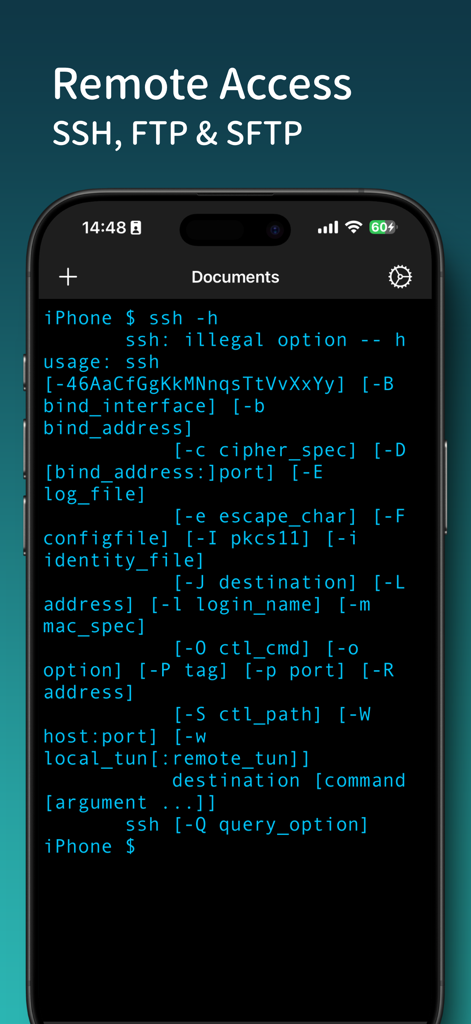
OpenTerm mobile terminal interface showing SSH help command for remote server access

OpenTerm mobile terminal interface showing SSH help command for remote server access

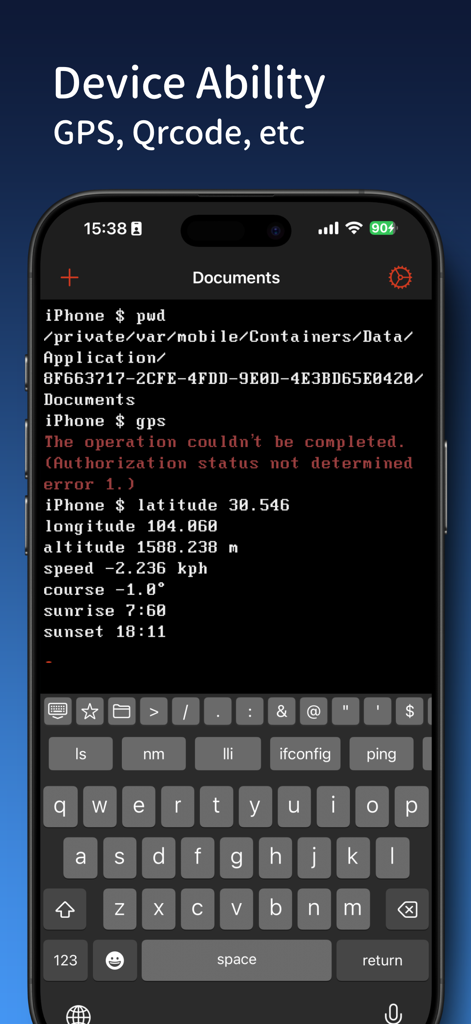
OpenTerm command line interface showing GPS location data on iPhone

OpenTerm command line interface showing GPS location data on iPhone

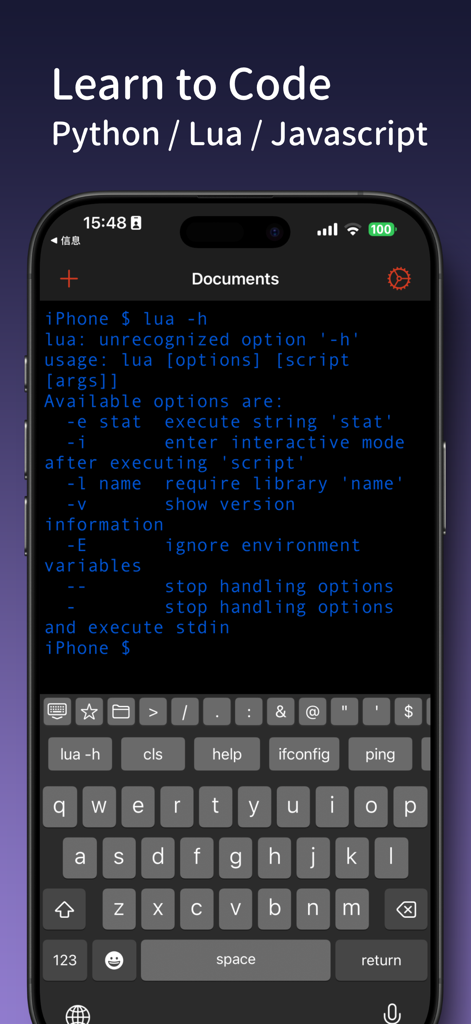
OpenTerm mobile terminal interface showing Lua command output and coding keyboard

OpenTerm mobile terminal interface showing Lua command output and coding keyboard

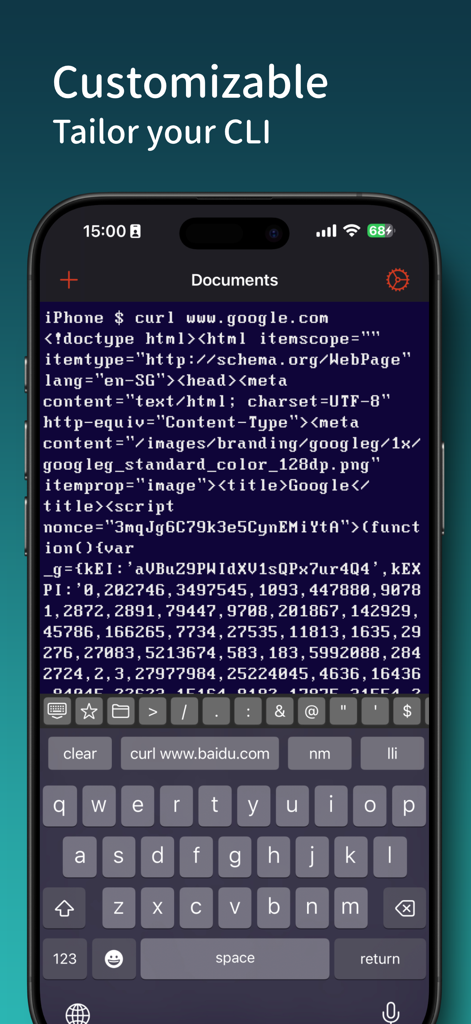
OpenTerm app on iPhone showing a customizable command line interface with curl command output

OpenTerm app on iPhone showing a customizable command line interface with curl command output

Unleash Desktop Power on Your iPhone and iPad

The tools that make this app stand out, trusted by 48K+ users.

🛡️

Secure Remote Access

Manage your servers from anywhere with full SSH and SFTP support, allowing you to fix production issues without ever opening your laptop.

🐍

Mobile Code Execution

Run Python and Lua scripts directly on iOS. Test snippets, automate file management, and utilize powerful utilities like awk, sed, and grep.

🌐

Advanced Network Suite

Turn your device into a portable diagnostic kit with ping, nslookup, and curl to troubleshoot network connectivity and API endpoints on the go.

About the app

Everything you need to know about OpenTerm.

Description

OpenTerm brings the power of a command line interface to iOS, making it the go-to terminal emulator for developers, tech enthusiasts, and professionals on the go. This advanced CLI tool is designed to function seamlessly within iOS’s sandboxed environment, supporting an extensive range of Linux-based commands and providing SSH/FTP client capabilities for secure remote connections. Key Features: • Comprehensive Command Library: Execute popular commands like `ls`, `cat`, `grep`, `curl`, `echo`, `scp`, `ssh`, and many more. New commands are added regularly to enhance functionality. • File Management: Seamlessly create, delete, move, and copy files within your iOS filesystem. • Network Tools: Utilize commands like `ping`, `nslookup`, `nc`, and `curl` to diagnose network issues and connect with remote systems. • Remote Access: Securely access and manage servers with SSH and FTP/SFTP, directly from your device. • Built-in Utilities: Includes useful scripting and automation tools (`awk`, `sed`, `grep`), and utilities like `gzip` for file compression. • Programming Language Support: Run and experiment with interpreters like **Python** and **Lua**, making it easy to test code snippets or automate tasks on the go. • Customizable: Tailor your CLI experience with customizable settings, such as enabling command aliases or configuring network connection preferences. Whether you’re troubleshooting remotely, managing files, running quick scripts, or testing Python/Lua code, OpenTerm empowers you to bring the full power of a command line wherever you are. More commands and enhancements are coming soon! If you have any feedback or questions, please feel free to contact us at miaozhi.ai@gmail.com.

Latest Version

2.1

Size

85.5 MB

First Released

Dec 15, 2019

Take the Full Power of the Command Line Everywhere

Join over 48,000 developers and power users who turn their iPad and iPhone into a professional workstation. Get OpenTerm today.

Download on App Store

App information, icons, screenshots, and descriptions displayed on this page are sourced from the Apple App Store and are the property of their respective developers. Download estimates and rankings are based on MWM's proprietary models and may not reflect actual figures. This page is provided for informational and analytical purposes only.

Believe this page infringes your intellectual property? File a dispute