
Oscilyzer

Transform your iOS device into a high-performance laboratory with a real-time oscilloscope, spectrum analyzer, and AM/FM synthesizer powered by Apple Metal graphics acceleration.
Publisher
Category
ProductivityDownloads
9K+User Rating
Total Ratings
0Locales
2Discover the interface used by 9K+ users.
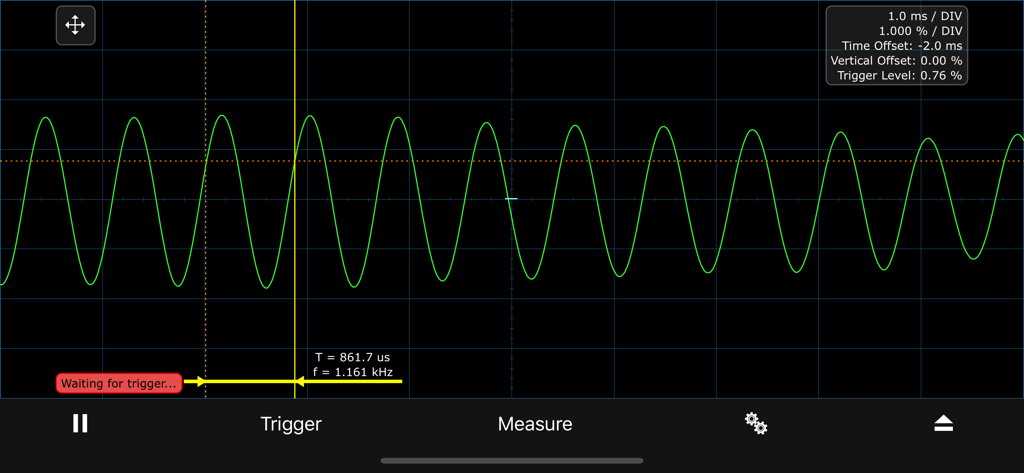
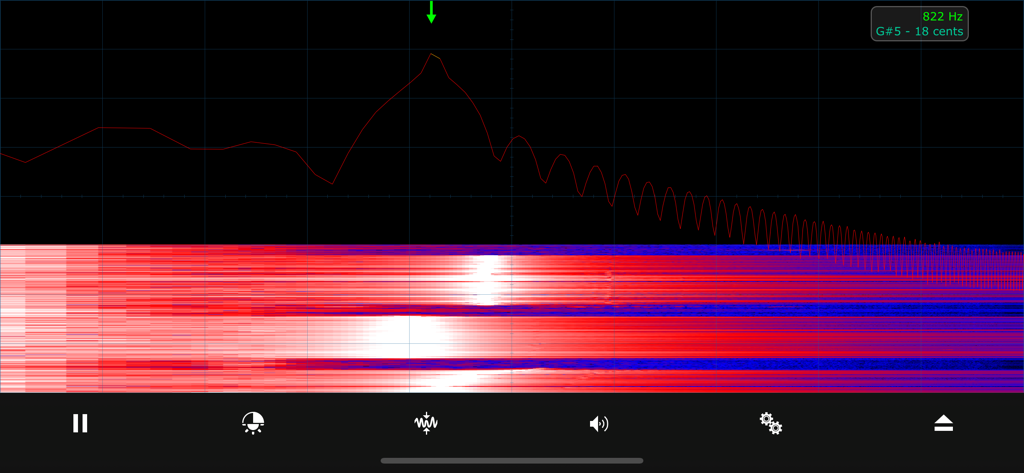
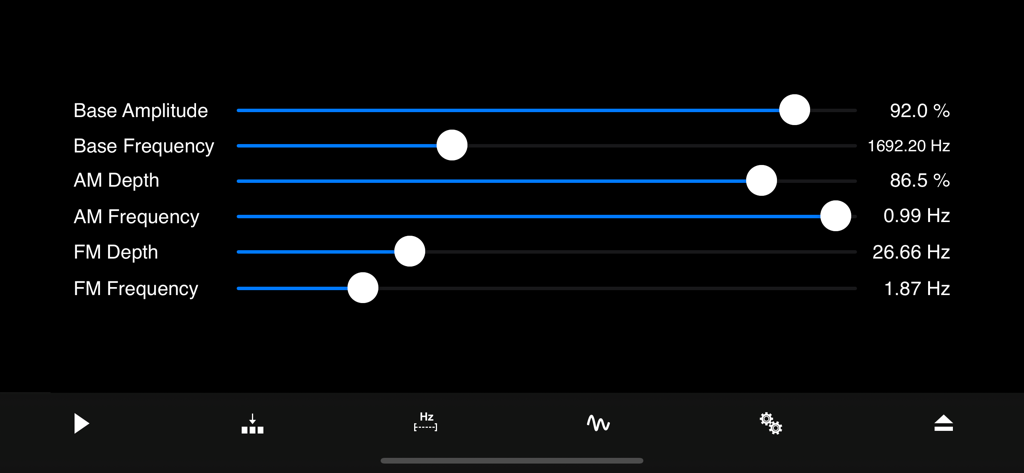
The tools that make this app stand out, trusted by 9K+ users.
Leverage Apple Metal graphics acceleration for ultra-fast, lag-free oscilloscope and spectrum visualization up to 22 kHz.
Identify dominant frequencies with precision using waterfall displays, music note calculation, and adjustable FFT windowing.
Design complex AM/FM modulations in real-time and instantly transfer captured frequencies for immediate workflow integration.
Everything you need to know about Oscilyzer.
Description
Latest Version
1.0.0
Size
2.4 MB
First Released
Feb 9, 2020
Experience the performance of professional benchtop equipment with the speed of Apple Metal graphics. Download Oscilyzer to start analyzing, visualizing, and synthesizing sound in real time.
Everything you need to know about Oscilyzer
Oscilyzer is an app combining an oscilloscope, spectrum analyzer, and AM/FM synthesizer. It operates in audio ranges from 0 to 22 kHz using integrated audio interfaces.
Oscilyzer supports audio frequency ranges from 0 to 22 kHz. It uses the integrated audio interfaces of the device for its oscilloscope, spectrum analyzer, and synthesizer functions.
The Oscilyzer oscilloscope offers automatic, normal, and single-shot trigger modes. It also supports rising, falling, and both trigger edges for precise signal analysis.
Yes, Oscilyzer's oscilloscope automatically measures frequency, period, and amplitude. Users can also perform manual measurements of these parameters with variable zoom and offset.
Oscilyzer's Spectrum Analyzer provides spectrum, waterfall, and combined display modes. It also offers logarithmic or linear frequency axis display and Apple Metal graphics acceleration.
Yes, Oscilyzer's Spectrum Analyzer automatically determines the dominant frequency. It also calculates the corresponding music note and can transfer this frequency to the generator/synthesizer.
Yes, Oscilyzer's Spectrum Analyzer uses Apple Metal graphics acceleration for very fast image display. This enhances performance for logarithmic or linear frequency axis displays.
Oscilyzer's synthesizer supports both AM (Amplitude Modulation) and FM (Frequency Modulation) modulation. It allows real-time waveform synthesis with different waveforms for base signals and modulators.
Yes, Oscilyzer's synthesizer includes multiple memory locations for quick switching between different settings. Users can also directly input all numerical parameters.
Top-ranked apps in the same category

OpenAI OpCo, LLC

Google LLC

X.AI Corporation

Google LLC

Shanghai Zhixin Puhui Technology Co., Ltd.

Google LLC

Microsoft Corporation

Google LLC

Google LLC
App information, icons, screenshots, and descriptions displayed on this page are sourced from the Apple App Store and are the property of their respective developers. Download estimates and rankings are based on MWM's proprietary models and may not reflect actual figures. This page is provided for informational and analytical purposes only.
Believe this page infringes your intellectual property? File a dispute