
This page is not an official page of the app or its developer, but an independent editorial publication created for informational and commentary purposes. Unless expressly stated otherwise, neither the app nor its developer is affiliated with, endorsed by, sponsored by, authorized by, or otherwise officially connected with MWM, Apple, Google Play, the app publisher, or the app's developer, and nothing on this page implies that the app was developed using MWM's services. Any trademarks, logos, screenshots, and other content remain the property of their respective owners.

Packages - Track Your Parcels
Stop searching through emails and switching between apps. Automatically import and track all your orders from Amazon, Temu, eBay, and Aliexpress in one organized timeline with real-time delivery countdowns.
Downloads
2M+User Rating
Total Ratings
47K+Publisher
Category
ShoppingLocales
16Latest Version
2.0.10Size
45.2 MBFirst Released
Apr 23, 2017Master Your Deliveries in One Simple View
Stop digging through emails and multiple apps. Consolidate shipments from Amazon, Temu, eBay, and over 700 global carriers into a single, real-time dashboard.
Effortless Auto-Import
Save time and skip the typing. Directly sync your orders from Amazon, eBay, Temu, and Aliexpress with just a few taps.
Global Logistics Coverage
From local USPS and FedEx routes to complex international hand-offs like China Post and Yanwen, we bridge the gap for you.
Frequently Asked Questions
Everything you need to know about Packages - Track Your Parcels
Can the "Packages" app track orders from multiple online retailers?
Yes, the "Packages" app tracks orders from multiple online retailers such as Aliexpress, Temu, Amazon, Wish, eBay, Joom, Lazada, and ASOS. All shipments are managed within a single app.
How do users add new tracking numbers to the "Packages" app?
Users add tracking numbers by manual input, direct import from retailers like Aliexpress, Temu, or Amazon, or by pasting from the clipboard. This minimizes the taps needed to track a new package.
Does the "Packages" app automatically detect the shipping carrier?
Yes, the "Packages" app automatically detects the delivery service or carrier once a tracking number is entered. Users do not need to know who the shipper is for the app to function.
Can "Packages" app users track parcels on official courier websites?
Yes, the "Packages" app allows users to track parcels directly on official courier websites. A dedicated button next to the tracking number in parcel details facilitates this action.
Does "Packages - Track Your Parcels" show estimated delivery dates?
Yes, the "Packages" app displays the Estimated Date of Delivery for registered parcels. This information is available directly within the app's interface for user convenience.
Is a user account or registration required for the "Packages" app?
No, registration is not required to use the "Packages - Track Your Parcels" app. Users can begin tracking packages immediately after installation without creating an account.
What features does "Packages Premium" offer?
"Packages Premium" offers ad removal, unlimited parcel tracking, and supports app development. It is available as a 1-month or 1-year auto-renewing subscription through iTunes.
Is the "Packages - Track Your Parcels" app free?
Yes, the "Packages - Track Your Parcels" app is free to download and use. It is ad-supported and has a tracking limit in the free version. Premium removes these restrictions.
How can I manage my "Packages Premium" subscription?
Users manage their "Packages Premium" subscription or turn off auto-renewal via their iTunes Account Settings. This option becomes accessible after the initial purchase of the subscription.
Does the "Packages" app support scanning barcodes for tracking?
Yes, the "Packages" app supports scanning barcodes to add tracking numbers. The "New Parcel" interface includes a "Scan barcode" option for quick and efficient input.
Which national postal services does the "Packages" app track?
The "Packages" app tracks many national postal services, including USPS, China Post, EMS China Post, Royal Mail, Canada Post, Australia Post, Russian Post, India Post, and Poste Italiane.
What courier and logistics companies does the "Packages" app track?
The "Packages" app tracks numerous courier and logistics companies globally. Examples include UPS, FedEx, DHL, Chronopost, Yanwen, SF Express, DPD, Hermes, GLS, and Aramex.
What is "Packages - Track Your Parcels"?
"Packages - Track Your Parcels" is an app enabling users to track shipments from various online retailers like Aliexpress, Amazon, and eBay. It centralizes package management from multiple sources into one application.
The following screenshots and description are sourced directly from the app's official store listing and are the property of the app developer.
App Store
Screenshots
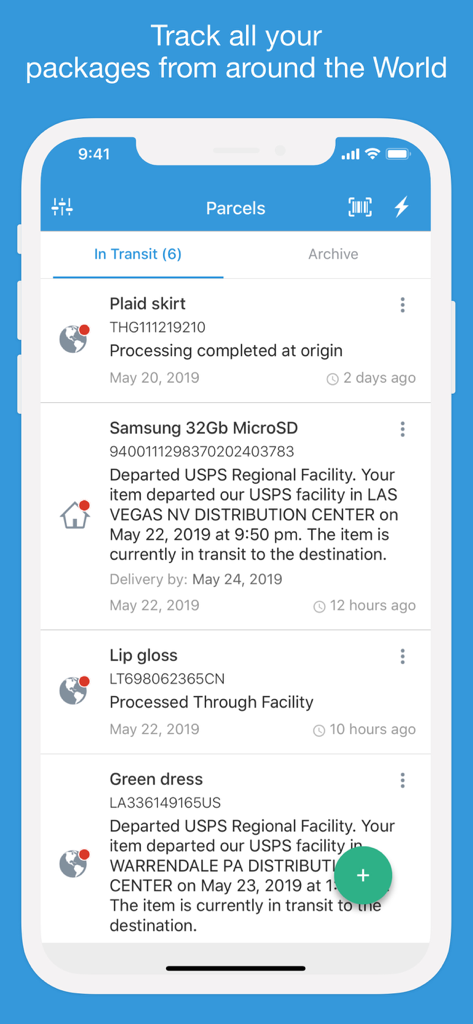
Interface of the Packages app showing a list of tracked parcels with status updates and estimated delivery dates
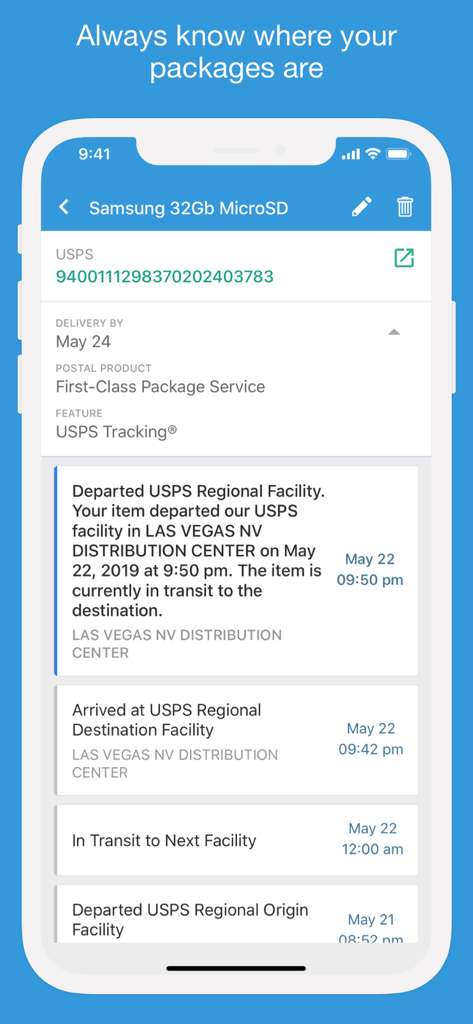
Mobile interface of Packages app displaying a detailed USPS tracking timeline and estimated delivery date.
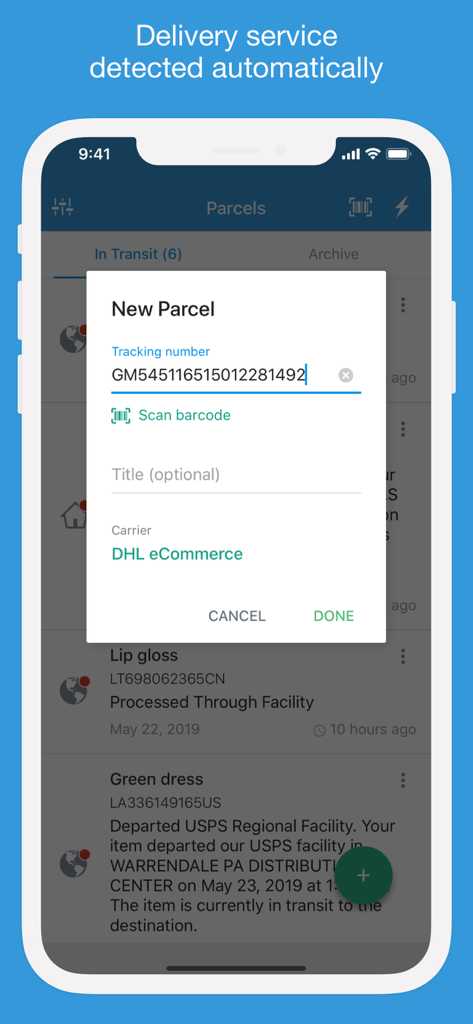
A smartphone showing the Packages app interface with a new parcel entry window that automatically identifies DHL eCommerce from a tracking number.
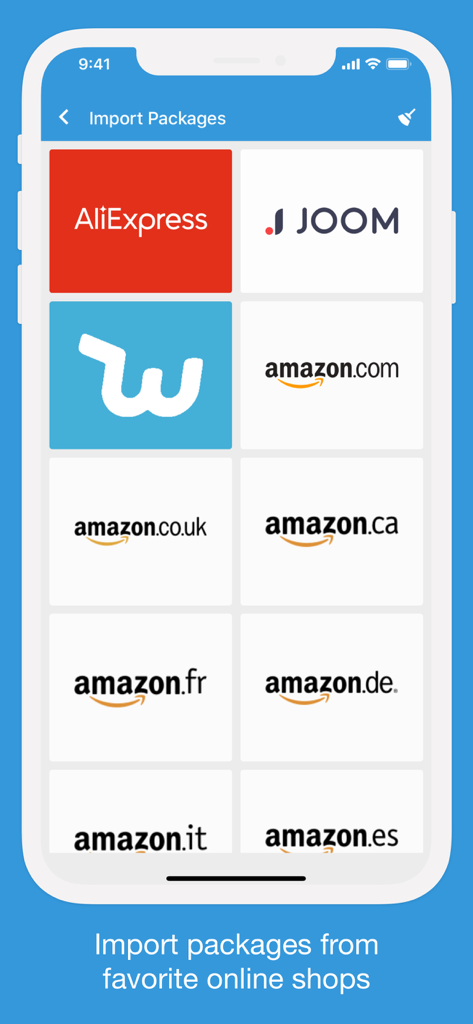
Mobile app screen showing options to import packages from AliExpress, Joom, Wish, and various Amazon regional websites.
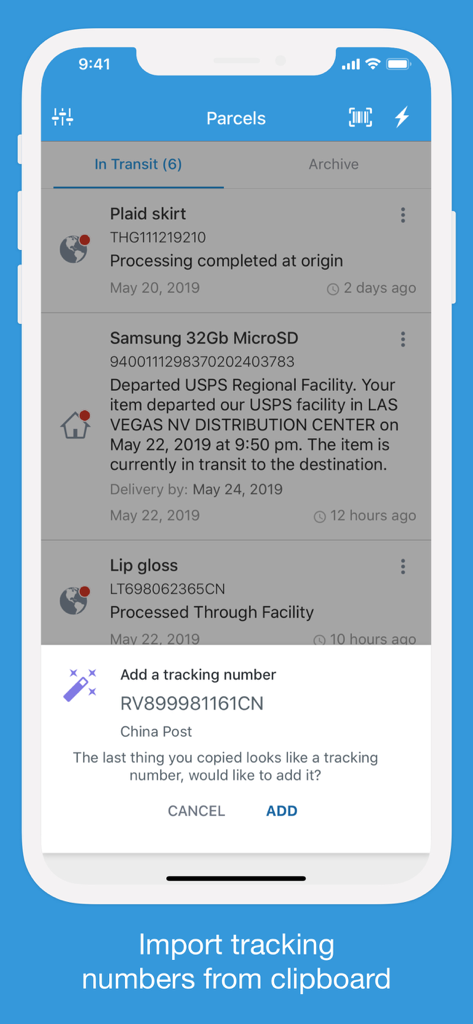
A mobile interface for the Packages app showing a prompt to automatically import a tracking number from the clipboard.
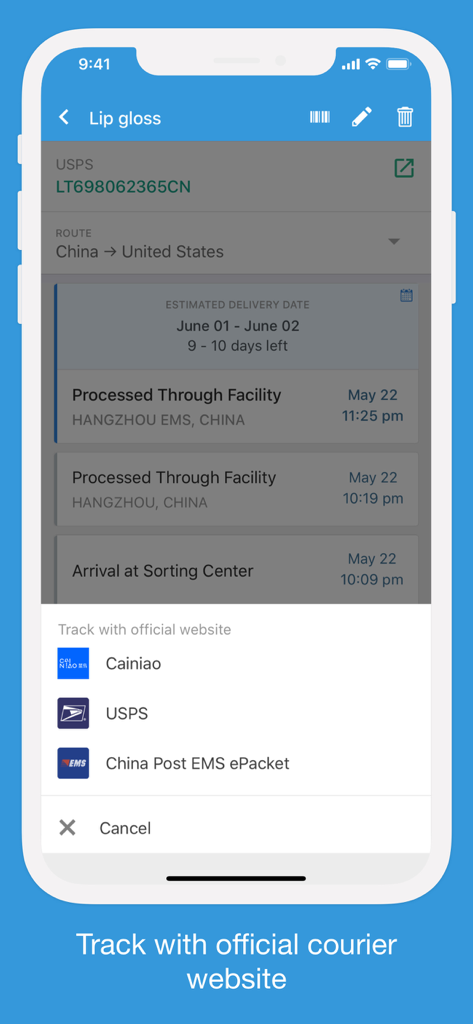
A screenshot of the Packages app displaying tracking details for an international shipment with a menu to track via official courier websites like USPS and China Post.
Description
Download
More Like This
Apps with similar features and user experience

Shop: All your favorite brands
Shopify Inc.

17TRACK Package Tracker
Demon Network Tech Co., Ltd.

Route: Package Tracker
Route App LLC

Parcel - Delivery Tracking
Ivan Pavlov Pty Ltd
Rastreio Fácil
Decio Junior
Deliveries Package Tracker
Carlos Silva
Package Tracker - pkge Mobile
DARADDO APPS LTD

AfterShip Package Tracker
AfterShip Limited

Jańa Post
Aitan Qamet
This page is not an official page of the app or its developer, but an independent editorial publication created for informational and commentary purposes. Unless expressly stated otherwise, neither the app nor its developer is affiliated with, endorsed by, sponsored by, authorized by, or otherwise officially connected with MWM, Apple, Google Play, the app publisher, or the app's developer, and nothing on this page implies that the app was developed using MWM's services. Any trademarks, logos, screenshots, and other content remain the property of their respective owners.