
This page is not an official page of the app or its developer, but an independent editorial publication created for informational and commentary purposes. Unless expressly stated otherwise, neither the app nor its developer is affiliated with, endorsed by, sponsored by, authorized by, or otherwise officially connected with MWM, Apple, Google Play, the app publisher, or the app's developer, and nothing on this page implies that the app was developed using MWM's services. Any trademarks, logos, screenshots, and other content remain the property of their respective owners.

Parcel - Delivery Tracking
Join over 3 million users tracking orders from 300+ carriers. Experience seamless, privacy-first automation across your iPhone, Mac, and Apple Watch with automatic Amazon integration and smart notifications.
Downloads
3M+User Rating
Total Ratings
73K+Publisher
Category
ShoppingLocales
15Latest Version
8.2.7Size
30.6 MBFirst Released
Jun 11, 2010Take Control of Every Delivery
Parcel consolidates all your tracking numbers into one powerful, privacy-focused dashboard across your iPhone, Mac, and Apple Watch.
Zero-Effort Amazon Sync
Connect your Amazon account securely to have orders added automatically the moment they ship.
Native Ecosystem Power
Experience seamless tracking with custom widgets and native apps for iPhone, Mac, and Apple Watch.
Frequently Asked Questions
Everything you need to know about Parcel - Delivery Tracking
What is Parcel - Delivery Tracking?
Parcel - Delivery Tracking is an application designed for iPhone, iPad, Mac, and Apple Watch. It allows users to track deliveries from over 300 services, providing real-time updates and package location.
Which delivery services does the Parcel app support?
The Parcel app supports over 300 delivery services, including UPS, USPS, FedEx, DHL, and Amazon Logistics. A comprehensive list is available on the Parcel app website.
How do I add a new delivery to Parcel - Delivery Tracking?
Users can add new deliveries to Parcel using the unique carrier recognition feature, a barcode scanner, or manually entering the tracking number. Amazon orders automatically appear via secure integration.
Can I track Amazon packages automatically with the Parcel app?
Yes, the Parcel app offers Amazon integration to automatically add packages from your Amazon account. This process is secure, ensuring your credentials remain on your device.
Is there a macOS application for Parcel - Delivery Tracking?
Yes, Parcel has a native macOS application available for free. Users can download it directly from the Mac App Store to track deliveries on their Mac devices.
Does Parcel - Delivery Tracking provide push notifications?
Yes, the Parcel app provides push notifications for delivery updates. These notifications are sent between 8 am and 10 pm according to your timezone and can be disabled in settings.
What features require a premium subscription in Parcel - Delivery Tracking?
A premium subscription for Parcel - Delivery Tracking is required for push notifications and tracking more than three deliveries. These features are unlocked with the subscription.
How much does a premium subscription for Parcel - Delivery Tracking cost?
The current price for a premium subscription to Parcel - Delivery Tracking is $4.99 per year. This price may vary depending on the user's country.
Can I see my deliveries on a map using Parcel - Delivery Tracking?
Yes, the Parcel app allows users to locate their deliveries on a map. This feature provides a visual representation of the package's current journey and status.
Does Parcel - Delivery Tracking offer widgets for iOS?
Yes, Parcel utilizes iOS power to provide widgets. These widgets allow users to see their upcoming deliveries directly from their home screen or widget view.
How does Parcel - Delivery Tracking handle user privacy?
Parcel handles user privacy securely, particularly with Amazon integration where credentials never leave the device. The privacy policy and subscription terms are available on its website.
The following screenshots and description are sourced directly from the app's official store listing and are the property of the app developer.
App Store
Screenshots
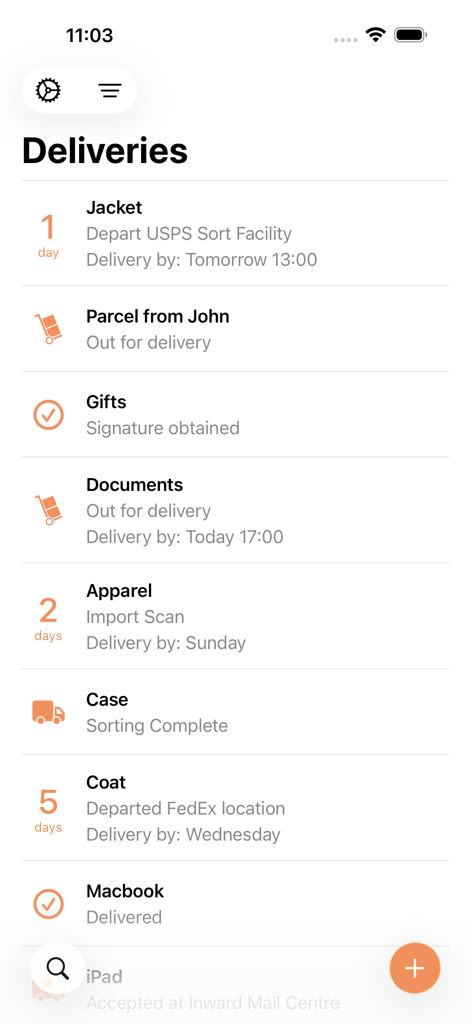
Interface of the Parcel delivery tracking app showing a list of packages with their current status and estimated delivery dates
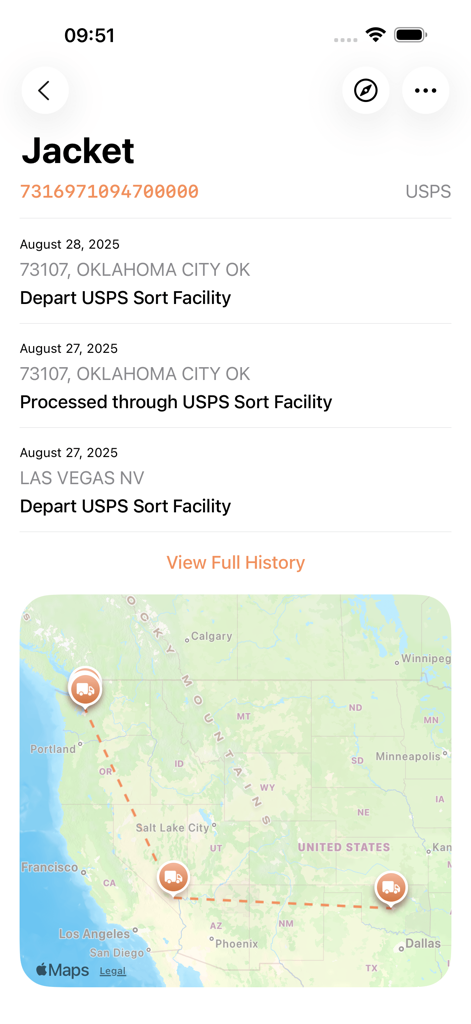
Parcel app interface showing USPS delivery status updates and a map of the shipment route across the United States
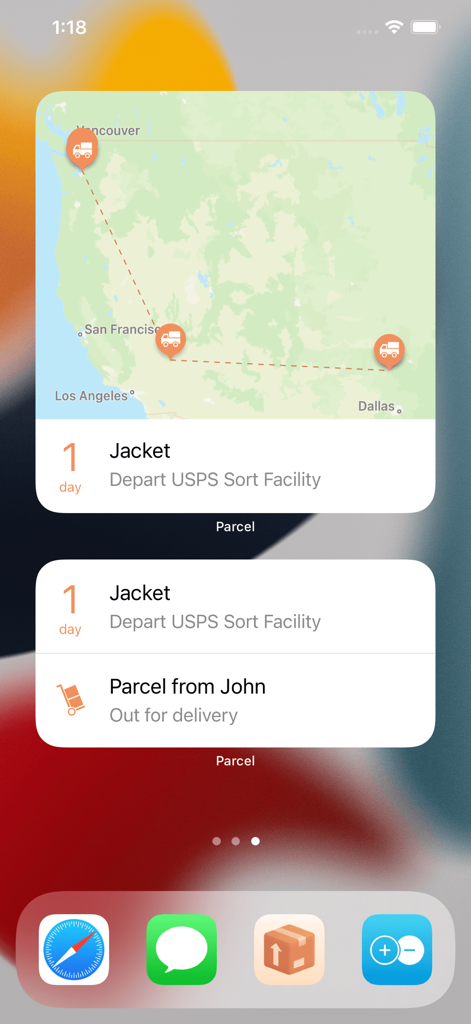
iOS home screen featuring Parcel app widgets displaying a shipment map and real-time delivery status
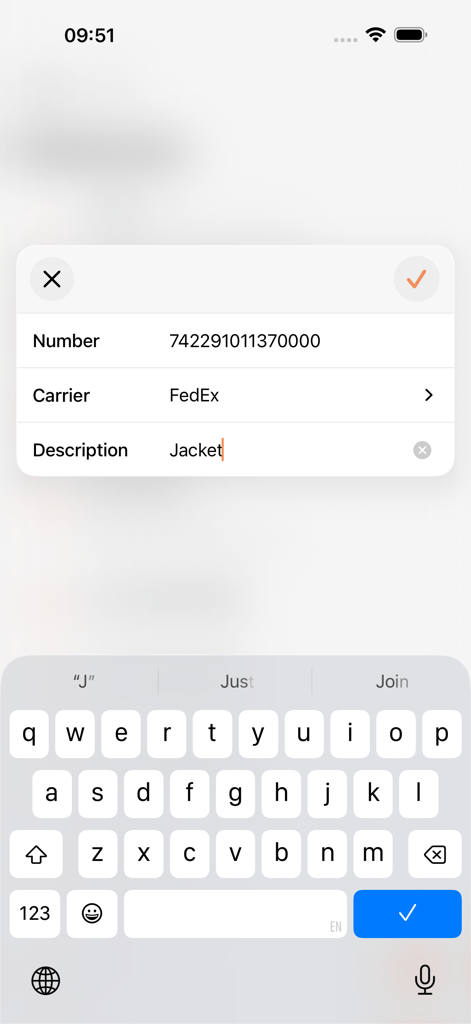
Interface to add a new delivery tracking number for FedEx in the Parcel app
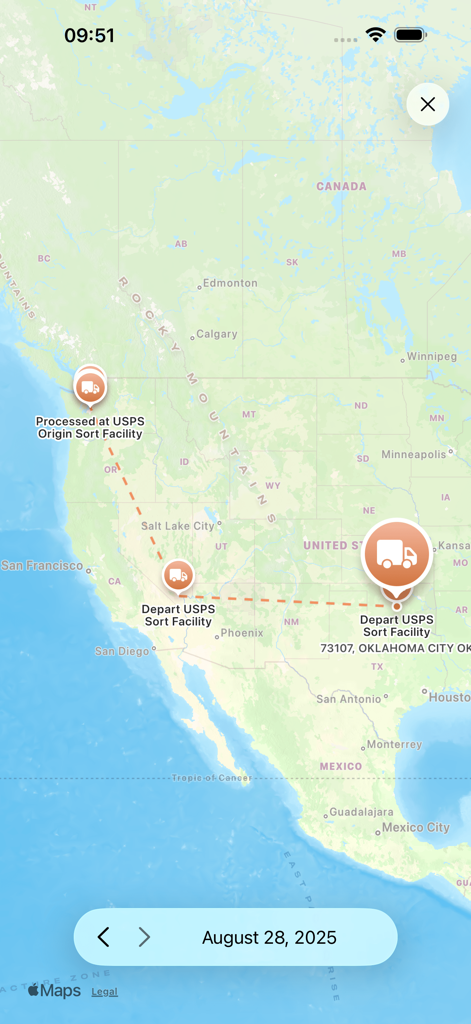
A map view in the Parcel app showing the delivery route and tracking milestones for a package across the United States.
Description
Download
More Like This
Apps with similar features and user experience

Shop: All your favorite brands
Shopify Inc.

17TRACK Package Tracker
Demon Network Tech Co., Ltd.

Route: Package Tracker
Route App LLC
Rastreio Fácil
Decio Junior
Deliveries Package Tracker
Carlos Silva
Package Tracker - pkge Mobile
DARADDO APPS LTD

AfterShip Package Tracker
AfterShip Limited

Jańa Post
Aitan Qamet
Packages - Track Your Parcels
BRIGHT STRIPE COMPUTER SYSTEMS & COMMUNICATION EQUIPMENT SOFTWARE DESIGN L.L.C
This page is not an official page of the app or its developer, but an independent editorial publication created for informational and commentary purposes. Unless expressly stated otherwise, neither the app nor its developer is affiliated with, endorsed by, sponsored by, authorized by, or otherwise officially connected with MWM, Apple, Google Play, the app publisher, or the app's developer, and nothing on this page implies that the app was developed using MWM's services. Any trademarks, logos, screenshots, and other content remain the property of their respective owners.