
This page is not an official page of the app or its developer, but an independent editorial publication created for informational and commentary purposes. Unless expressly stated otherwise, neither the app nor its developer is affiliated with, endorsed by, sponsored by, authorized by, or otherwise officially connected with MWM, Apple, Google Play, the app publisher, or the app's developer, and nothing on this page implies that the app was developed using MWM's services. Any trademarks, logos, screenshots, and other content remain the property of their respective owners.


ParentOrbit
Simplify your daily routine by managing calendars, notices, and school payments in one secure place. From permission slips to medical info, stay effortlessly organized across all your children's schools with one powerful app.
Downloads
84K+User Rating
Total Ratings
0Publisher
Category
EducationLocales
1Latest Version
3.12.101Size
68.6 MBFirst Released
Jan 29, 2024Simplify Your School Management
ParentOrbit brings your child’s school world to your fingertips, eliminating the stress of paper forms and scattered emails.
Smart School Calendar
Stay synchronized with every event, notice, and deadline through a personalized daily dashboard tailored to your child.
One-Tap Payments & Forms
Action invitations and pay school fees instantly. No more searching for lost paperwork or hunting for login portals.
Frequently Asked Questions
Everything you need to know about ParentOrbit
What is the ParentOrbit app used for?
The ParentOrbit app allows parents at schools to access important information, accept invitations, action tasks, and pay for school items. It connects directly to your school system.
Can parents pay school fees using the ParentOrbit app?
Yes, the ParentOrbit app allows parents to view outstanding balances and pay for their school fees directly through the 'Accounts' feature.
Does ParentOrbit provide access to a student's medical information?
Yes, parents can access their child’s medical information through the ParentOrbit app. This includes details like general medical records and illness logs.
Can I receive school notifications with the ParentOrbit app?
Yes, the ParentOrbit app provides targeted notifications from your school. You can view current notifications, acknowledge them, and access a history with search capabilities.
Does the ParentOrbit app support multiple children in different schools?
Yes, the ParentOrbit app offers Multi-School Access. Parents with children at more than one school can easily toggle between different school accounts within the app.
How can I view school events and calendars in ParentOrbit?
The ParentOrbit app provides a School Calendar and Student eDiary to keep you updated on all school events, appointments, parent-teacher interviews, and curricular activities.
Can I sign up for extracurricular activities using the ParentOrbit app?
Yes, parents can sign up for school events and curricular activities through the ParentOrbit app's 'Invitations' feature or the 'Extra Curricular Sign-up' module.
How do parents book parent-teacher interviews using ParentOrbit?
Parents can book parent-teacher interviews directly through the ParentOrbit app. The app allows you to view available slots and confirm appointments for your children.
Can I check my child's attendance and academic reports on ParentOrbit?
Yes, the ParentOrbit app provides access to a child's information including attendance details and academic reports through the 'Student' section.
Is the ParentOrbit app customized for my school?
Yes, the ParentOrbit app is branded to match your school's identity, ensuring a familiar and integrated experience for parents.
The following screenshots and description are sourced directly from the app's official store listing and are the property of the app developer.
App Store
Screenshots
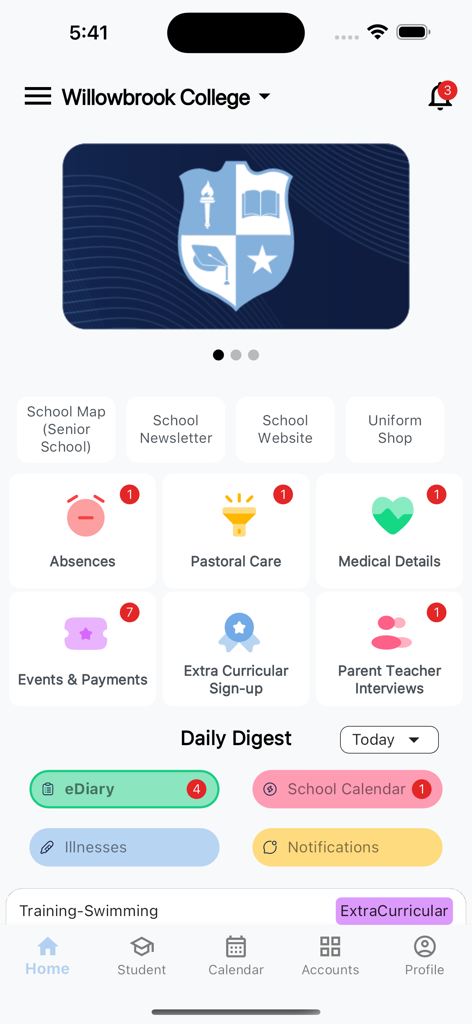
ParentOrbit app home screen showing a school dashboard with icons for absences, medical details, and school events
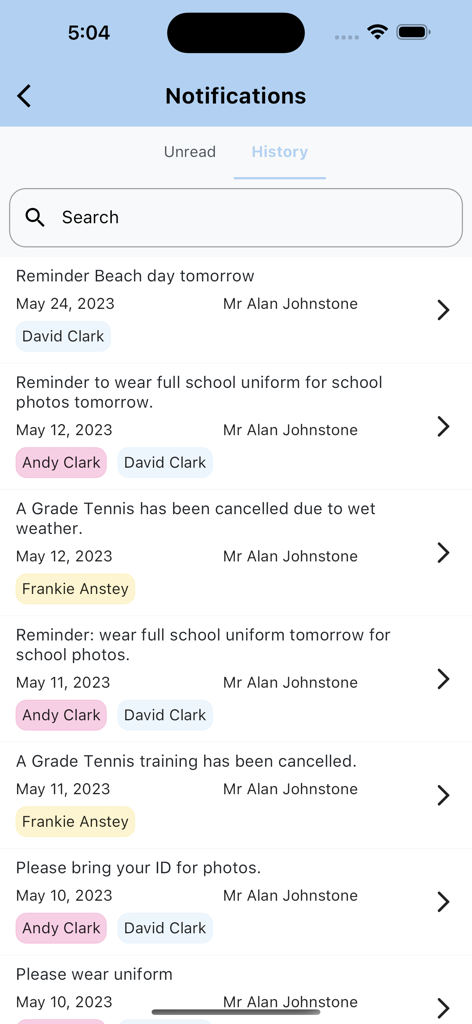
A smartphone screen showing the history of school notifications for multiple children in the ParentOrbit app.
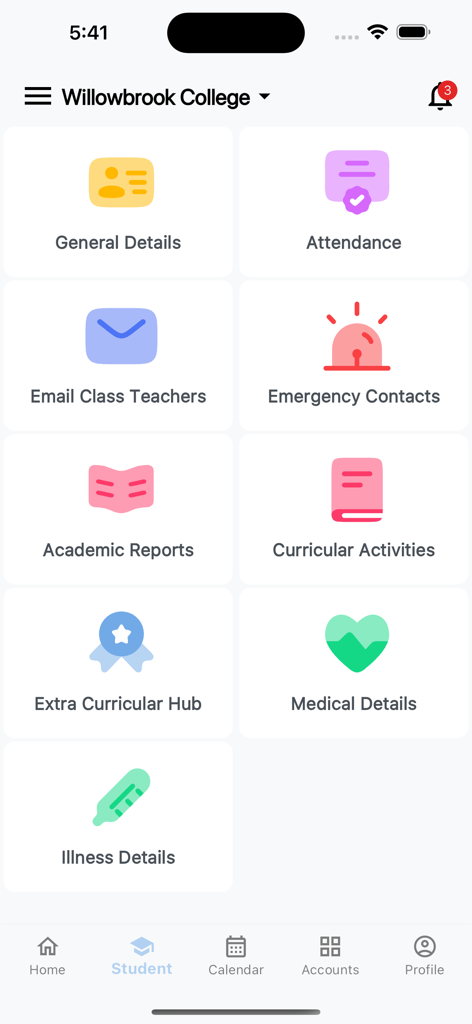
ParentOrbit app student dashboard showing options for school attendance academic reports and medical details
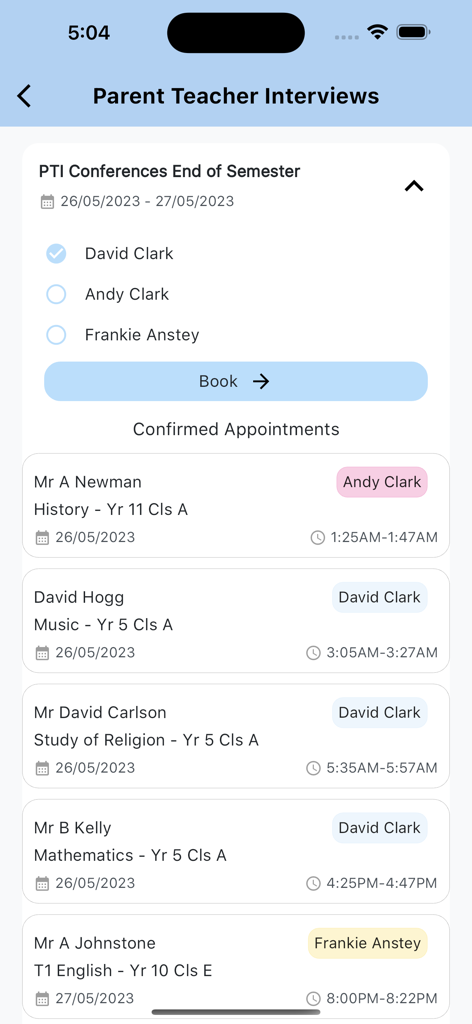
ParentOrbit mobile app screen showing scheduled parent teacher interview appointments and booking options for multiple children.
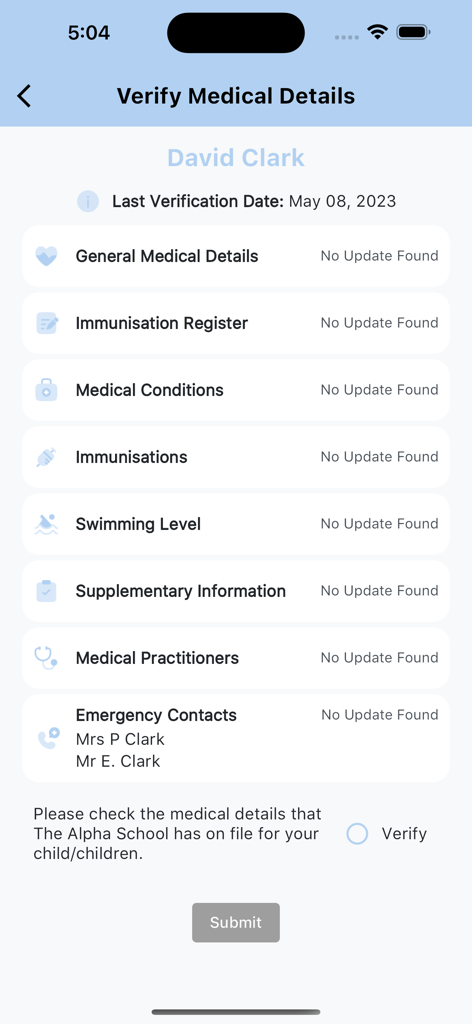
ParentOrbit app screen for verifying student medical details and emergency contacts
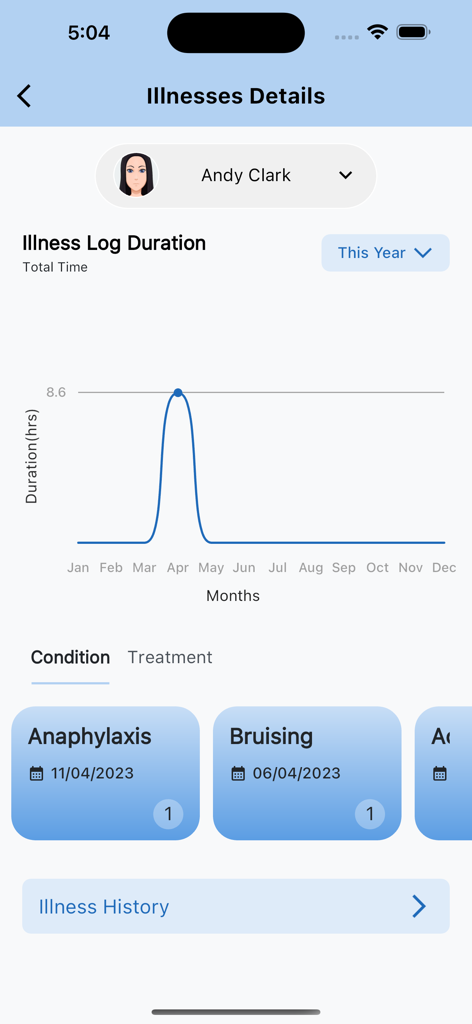
A screen in the ParentOrbit app showing a student illness log graph and medical condition cards for anaphylaxis and bruising.
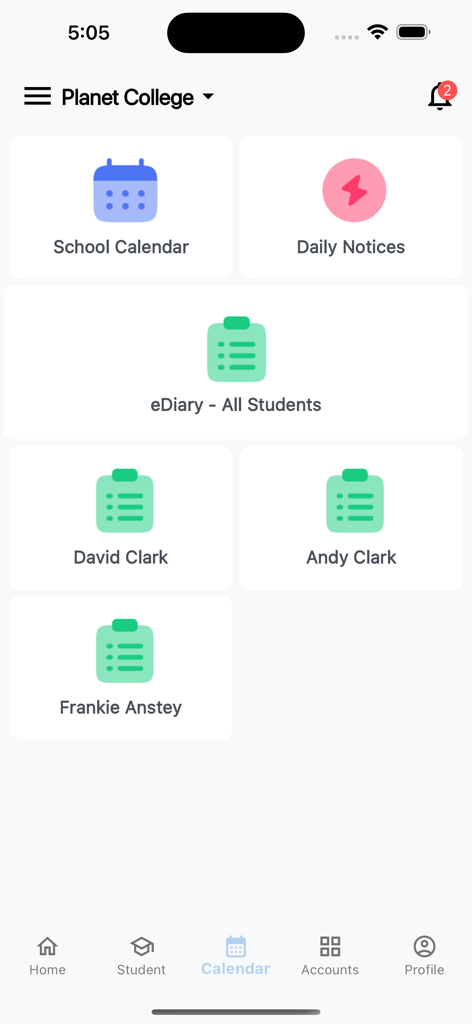
ParentOrbit app dashboard showing school calendar daily notices and student diaries
Description
Download
More Like This
Apps with similar features and user experience

하이클래스: 똑똑한 학급소통앱
i-Scream Media CO.,LTD.

Parents Gateway
Ministry of Education (Singapore)

ولـي الأمر
The Ministry of Education

MasterCom Famiglie 2.0
Master Training s.r.l.

Parro
Topicus Education B.V.

QParents
Department of Education Queensland

Sentral for Parents
Sentral Pty Ltd
This page is not an official page of the app or its developer, but an independent editorial publication created for informational and commentary purposes. Unless expressly stated otherwise, neither the app nor its developer is affiliated with, endorsed by, sponsored by, authorized by, or otherwise officially connected with MWM, Apple, Google Play, the app publisher, or the app's developer, and nothing on this page implies that the app was developed using MWM's services. Any trademarks, logos, screenshots, and other content remain the property of their respective owners.