
This page is not an official page of the app or its developer, but an independent editorial publication created for informational and commentary purposes. Unless expressly stated otherwise, neither the app nor its developer is affiliated with, endorsed by, sponsored by, authorized by, or otherwise officially connected with MWM, Apple, Google Play, the app publisher, or the app's developer, and nothing on this page implies that the app was developed using MWM's services. Any trademarks, logos, screenshots, and other content remain the property of their respective owners.


QParents
Securely manage attendance, track academic progress, and handle school payments in seconds. Your all-in-one dashboard for a smarter, stress-free school experience.
Downloads
100k+User Rating
Total Ratings
193Publisher
Category
EducationLocales
1Latest Version
2.20260305.1Size
23.4 MBFirst Released
Oct 17, 2014Everything Your Child Needs, All in One Place
Ditch the paperwork and stay connected with real-time access to reports, schedules, and school payments directly from your smartphone.
Live Academic Insights
Stay ahead of every deadline with instant access to student timetables, exam dates, and digital report cards.
Streamlined Attendance
Notify the school of future absences or provide reasons for past ones in seconds, giving you time back in your busy day.
Frequently Asked Questions
Everything you need to know about QParents
What is the QParents app used for?
The QParents app provides parents of Queensland State School students with secure 24-hour access to their student's information and allows communication with the school easily and efficiently.
Who is eligible to use the QParents app?
Parents can use the QParents app if their student attends a Queensland State School that has joined the QParents program. School administration invites parents to register.
What student information can parents access through the QParents app?
Parents can access student timetables, assessment and exam dates, attendance, behaviour records, upcoming events, invoices, report cards, enrolment history, and student photos.
Can I manage multiple children using one QParents account?
Yes, you can add all school students in your family to one QParents account to manage their school needs from one convenient location.
Does the QParents app allow parents to update student details?
Yes, parents can request updates or changes to student details through QParents, including reasons for absences, advising future absences, and notifying changes to address or medical conditions.
Can parents view and pay outstanding invoices using the QParents app?
Yes, the QParents app allows parents to view, select, and pay outstanding invoices directly. This feature streamlines payment for school-related expenses.
Does QParents provide access to a student's timetable?
Yes, the QParents app provides direct access to your student's timetable, including daily schedules and full timetable views.
Can I view upcoming school excursions and events in QParents?
Yes, QParents displays upcoming school excursions and events, allowing parents to stay informed. It also lists assessment and exam dates.
How do parents register for the QParents program?
Parents will receive an invitation to register for QParents from their school administration once the program has been rolled out at their specific school.
The following screenshots and description are sourced directly from the app's official store listing and are the property of the app developer.
App Store
Screenshots
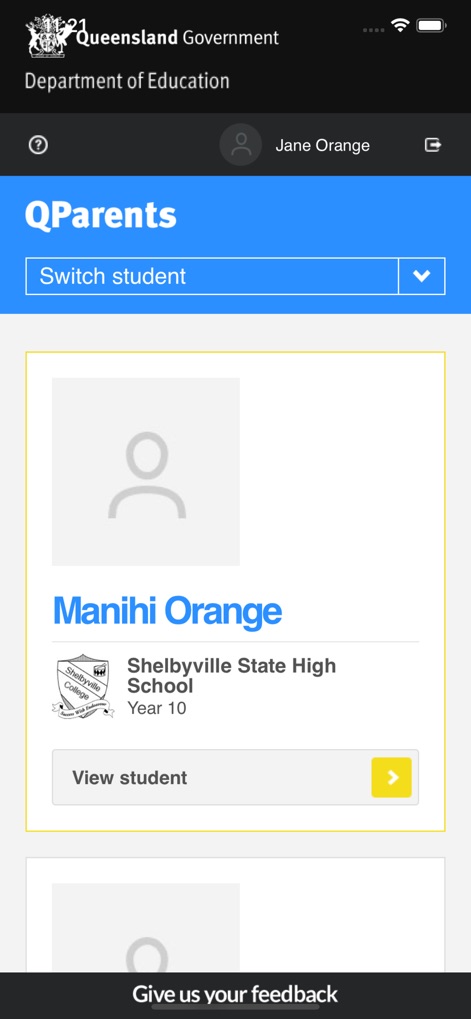
qparents-mobile-app-dashboard
Dashboard view of the QParents app showing a student profile and school details
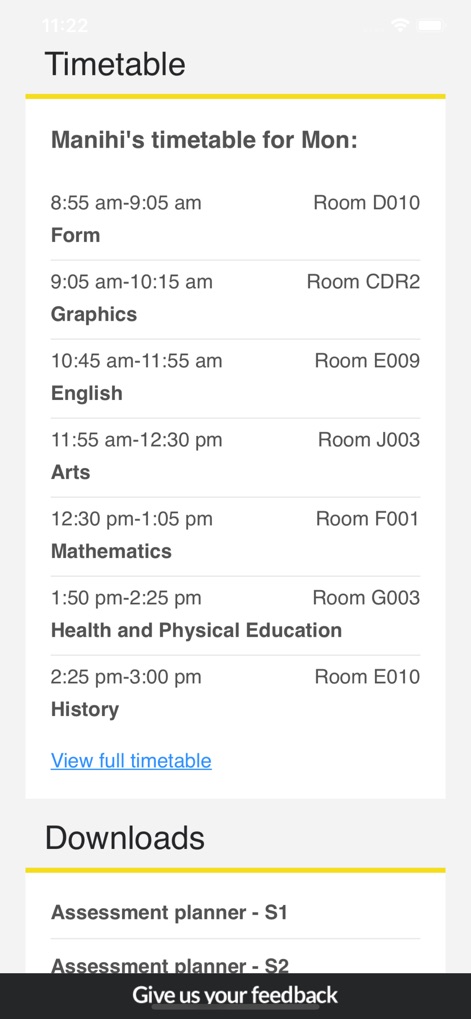
qparents-student-timetable
Screenshot of the QParents app showing a student daily class timetable and assessment planner downloads
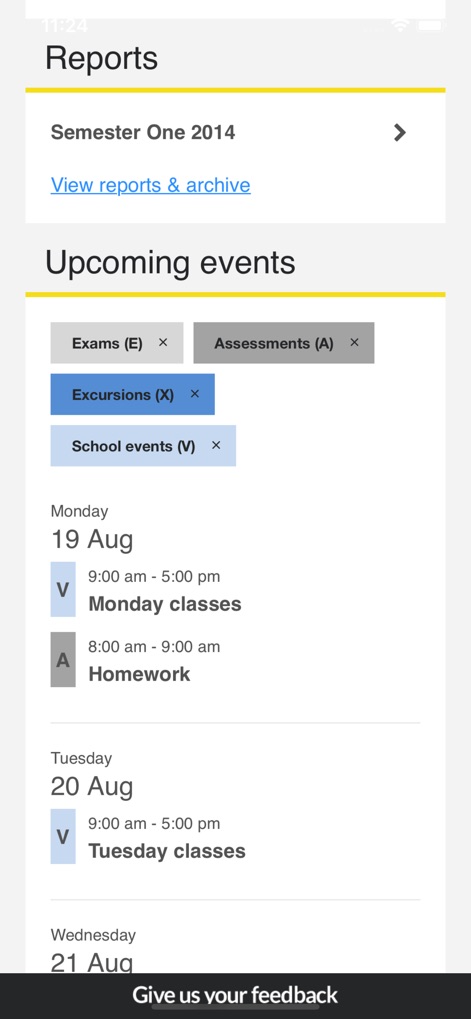
qparents-reports-events-dashboard
QParents app dashboard showing school reports and upcoming events
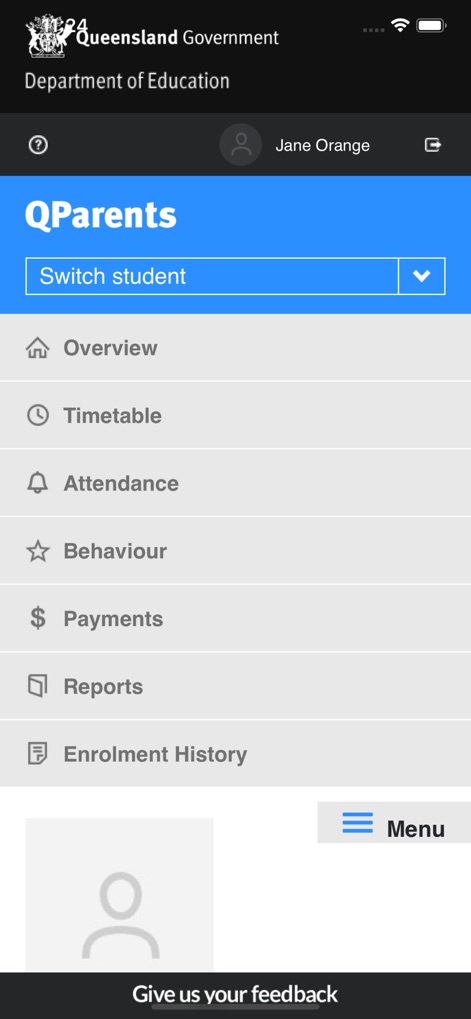
qparents-app-student-dashboard-menu
Main menu of the QParents mobile app showing options for student timetable attendance and behavior
Description
Download
More Like This
Apps with similar features and user experience

하이클래스: 똑똑한 학급소통앱
i-Scream Media CO.,LTD.

Parents Gateway
Ministry of Education (Singapore)

ولـي الأمر
The Ministry of Education

ParentOrbit
The Alpha School System Pty Ltd

MasterCom Famiglie 2.0
Master Training s.r.l.

Parro
Topicus Education B.V.

Sentral for Parents
Sentral Pty Ltd
This page is not an official page of the app or its developer, but an independent editorial publication created for informational and commentary purposes. Unless expressly stated otherwise, neither the app nor its developer is affiliated with, endorsed by, sponsored by, authorized by, or otherwise officially connected with MWM, Apple, Google Play, the app publisher, or the app's developer, and nothing on this page implies that the app was developed using MWM's services. Any trademarks, logos, screenshots, and other content remain the property of their respective owners.