PassVault: Passwords Manager

PassVault: Passwords Manager


Download on App Store
Logo of PassVault: Passwords Manager

PassVault: Secure Offline Password Management for Life

No subscriptions. No cloud risks. No compromises. Protect your sensitive data with military-grade encryption stored exclusively on your device for total digital ownership.

Download on App Store

Publisher

Harshad Jadav

Category

Productivity

Downloads

100

User Rating

1.0/5

Total Ratings

0

Locales

1

Security in Sight

Discover the interface used by 100 users.
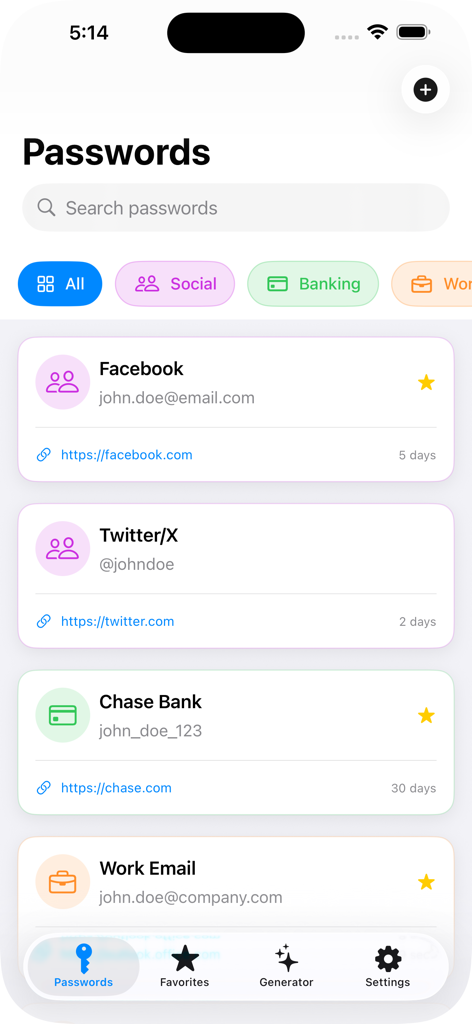
Main dashboard of PassVault showing categorized password entries for Facebook, Twitter, and Chase Bank with search and navigation bar.

Main dashboard of PassVault showing categorized password entries for Facebook, Twitter, and Chase Bank with search and navigation bar.

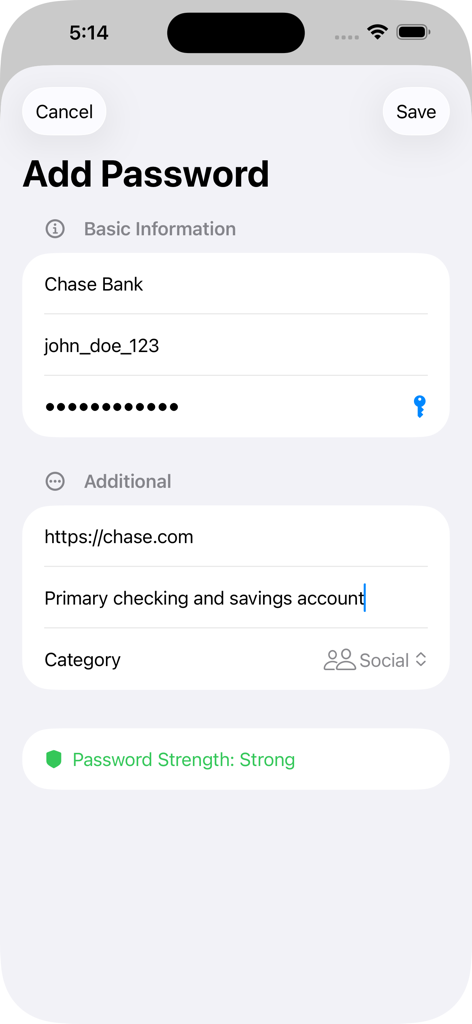
The Add Password interface in PassVault showing fields for account details and a strong password indicator

The Add Password interface in PassVault showing fields for account details and a strong password indicator

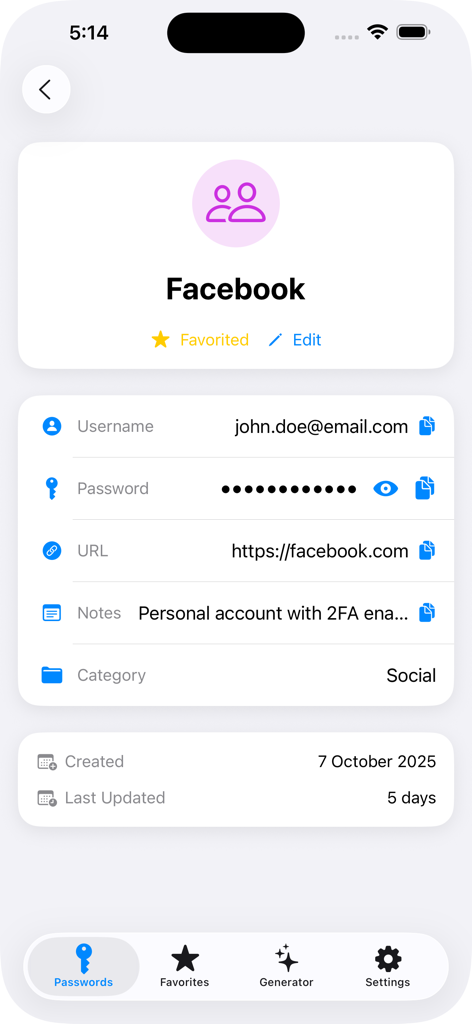
Detailed view of a social media login entry in the PassVault app showing username and encrypted password fields

Detailed view of a social media login entry in the PassVault app showing username and encrypted password fields

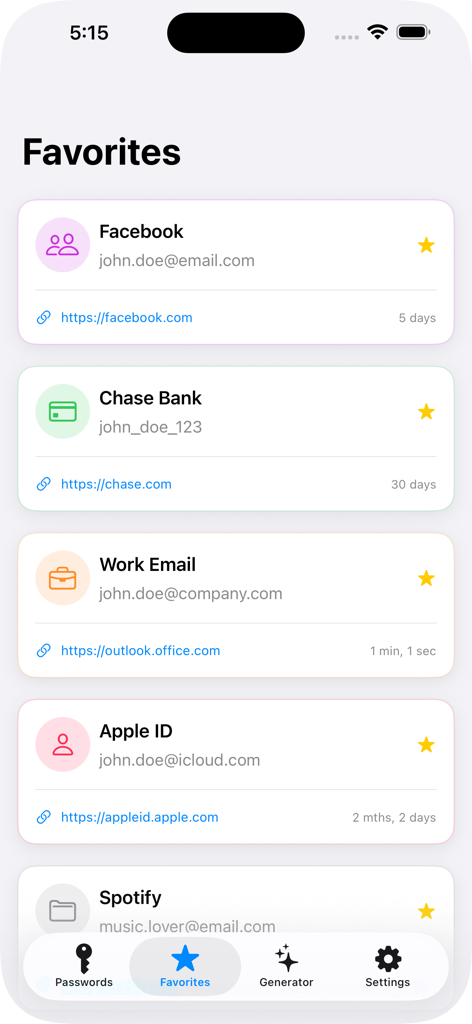
The Favorites screen of the PassVault app showing a list of starred login credentials for services like Facebook and Chase Bank.

The Favorites screen of the PassVault app showing a list of starred login credentials for services like Facebook and Chase Bank.

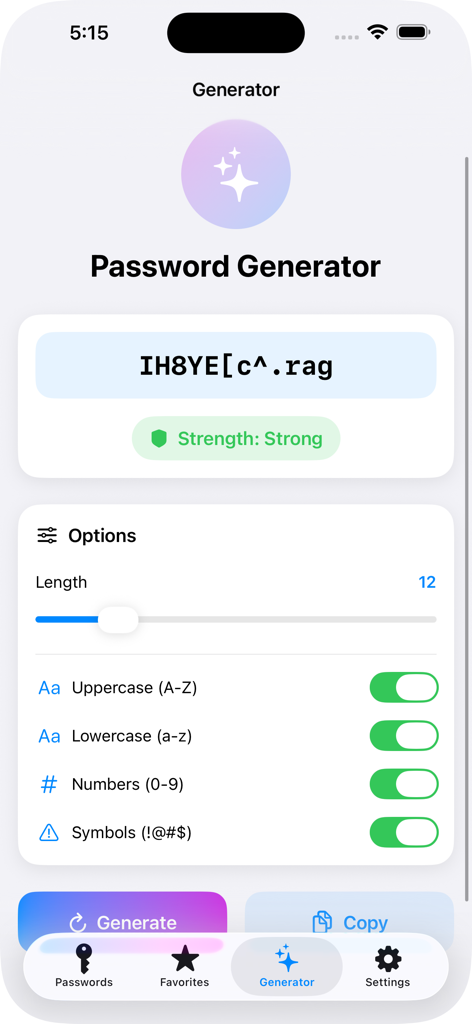
Interface of the PassVault password generator showing a strong password and customization options like length and character types.

Interface of the PassVault password generator showing a strong password and customization options like length and character types.

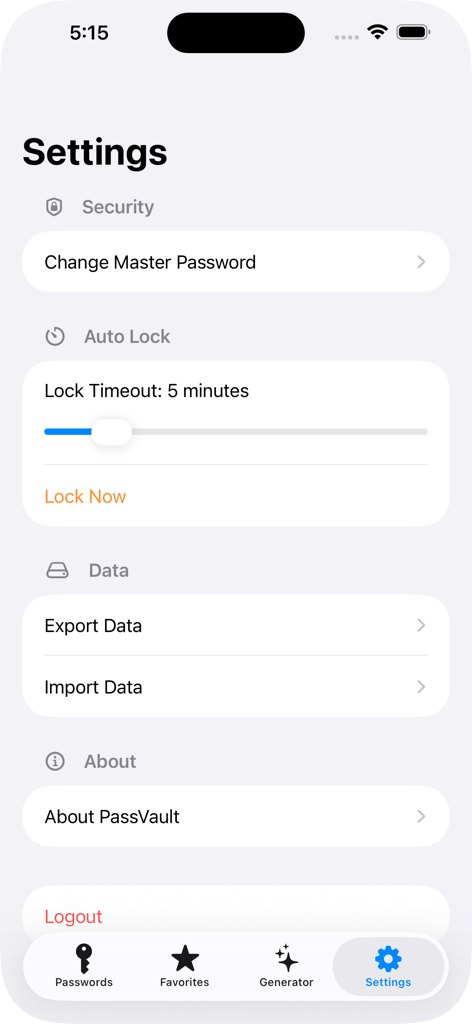
Settings screen of the PassVault app showing security options like master password change and auto lock settings

Settings screen of the PassVault app showing security options like master password change and auto lock settings

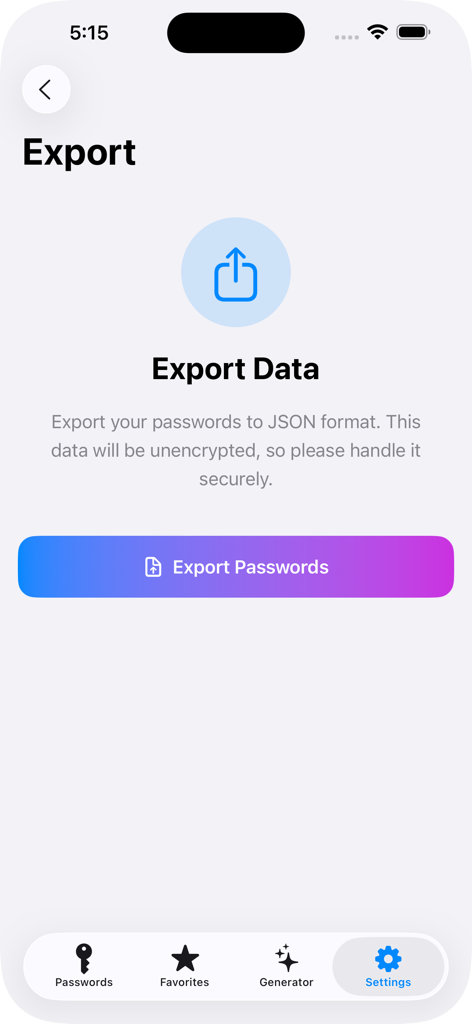
PassVault app export screen for passwords in JSON format

PassVault app export screen for passwords in JSON format

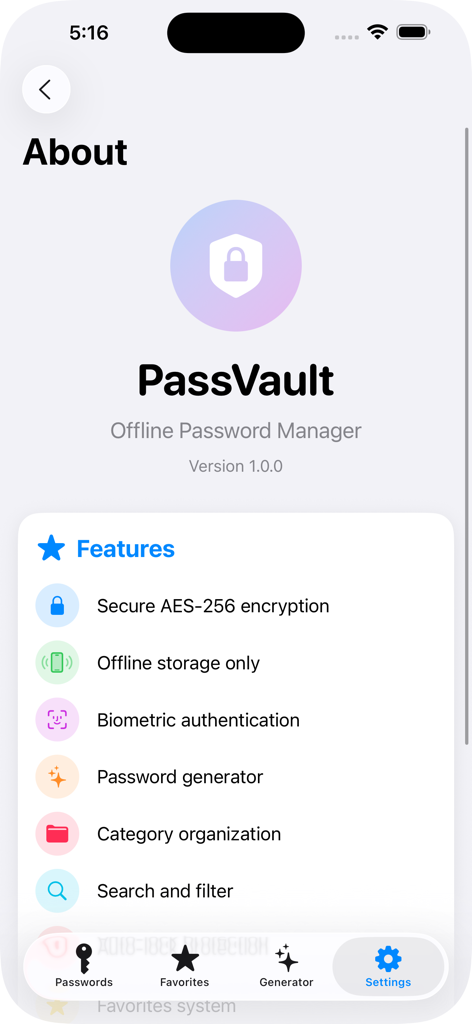
PassVault app About screen displaying a list of features including AES-256 encryption and offline storage

PassVault app About screen displaying a list of features including AES-256 encryption and offline storage

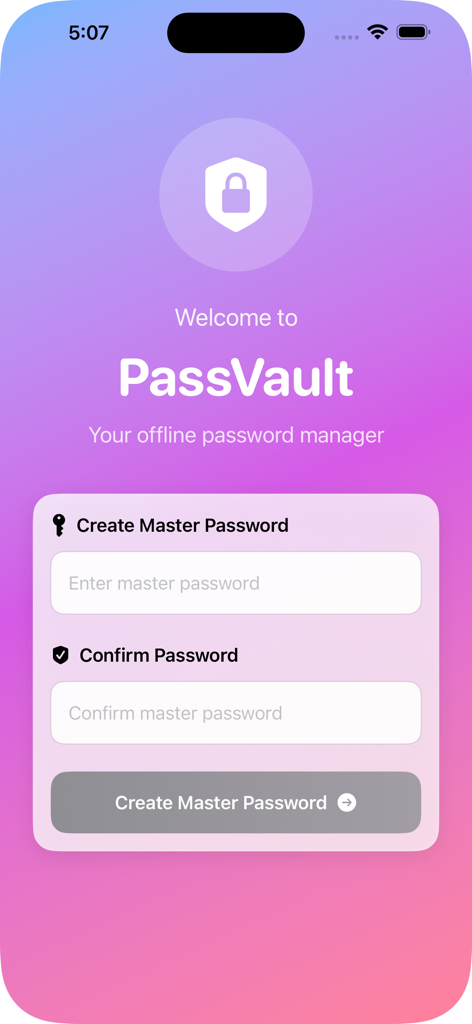
Welcome screen for PassVault offline password manager showing master password creation fields

Welcome screen for PassVault offline password manager showing master password creation fields

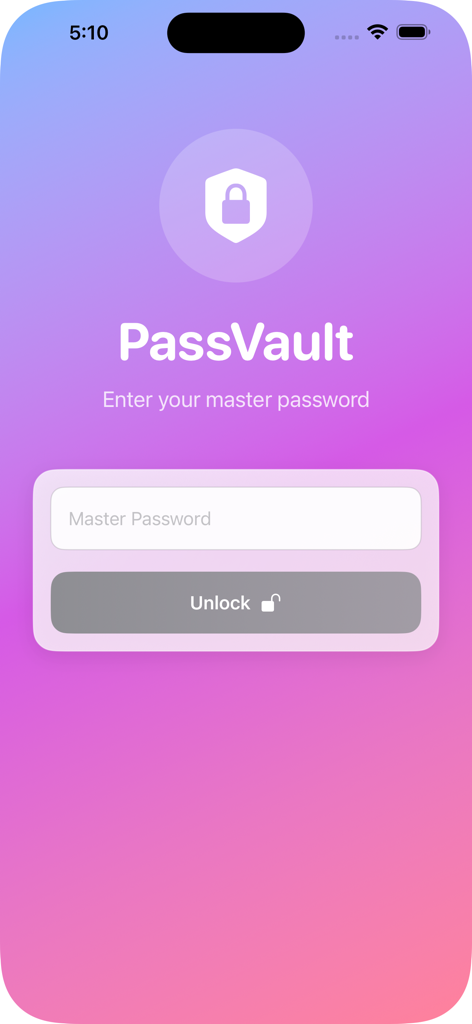
PassVault master password login screen with unlock button

PassVault master password login screen with unlock button

Secure Your World Without the Cloud

The tools that make this app stand out, trusted by 100 users.

🛡️

Absolute Local Privacy

Your data never leaves your device. 100% offline storage means no cloud hacks, no remote server leaks, and total peace of mind.

🚫

Zero Subscription Fees

Break free from recurring costs. Enjoy lifetime access to military-grade AES-256 encryption with a simple, one-time purchase.

🆔

Frictionless Biometric Access

Access your vault instantly using Face ID or Touch ID, perfectly balancing high-level security with seamless daily convenience.

About the app

Everything you need to know about PassVault: Passwords Manager.

Description

PassVault - Your Ultimate Offline Password Manager Keep your digital life secure with PassVault, the privacy-focused password manager that stores everything locally on your device. No cloud storage, no subscriptions, no internet required - complete control over your sensitive data. UNCOMPROMISING SECURITY • Military-grade AES-256 encryption protects all your passwords • Master password with biometric authentication (Face ID/Touch ID) • Complete offline storage - your data never leaves your device • Auto-lock feature for added security when inactive SMART ORGANIZATION • Categorize passwords by type: Social, Banking, Work, Personal, Shopping & more • Favorite important passwords for quick access • Powerful search to find any password instantly • Beautiful, intuitive interface optimized for iPhone and iPad POWERFUL FEATURES • Strong Password Generator: Create secure passwords with customizable rules • Password Strength Analyzer: Check how strong your passwords are • Biometric Unlock: Quick access with Face ID or Touch ID • Auto-Lock Protection: Automatic security after periods of inactivity • Export/Import: Backup and restore your data securely PERFECT FOR ALL YOUR NEEDS Store and manage: • Website & app passwords • Banking and financial accounts • Social media credentials • Work and email accounts • Wi-Fi passwords • Membership accounts • And much more! WHY CHOOSE PASSVAULT? 100% Offline: No internet connection required No Subscriptions: One-time purchase, lifetime access Privacy First: We don't collect your data - period iCloud Sync Optional: Choose whether to sync across devices Regular Updates: Continuous improvements and new features YOUR DATA, YOUR CONTROL Unlike cloud-based password managers, PassVault gives you complete ownership of your data. Everything is encrypted and stored locally on your device. No one else can access your passwords - not even us! PERFECT FOR • Individuals wanting privacy-focused password management • Professionals needing secure work credential storage • Families sharing devices but keeping passwords separate • Anyone tired of subscription-based password managers • Privacy-conscious users avoiding cloud storage Download PassVault today and take control of your digital security with the password manager that puts your privacy first!

Latest Version

1.0

Size

0.7 MB

First Released

Nov 6, 2025

Your Passwords. Your Device. Your Control.

Break free from cloud risks and monthly subscriptions. Download PassVault today for the military-grade, offline security your data deserves.

Download on App Store

App information, icons, screenshots, and descriptions displayed on this page are sourced from the Apple App Store and are the property of their respective developers. Download estimates and rankings are based on MWM's proprietary models and may not reflect actual figures. This page is provided for informational and analytical purposes only.

Believe this page infringes your intellectual property? File a dispute