
The privacy-first keyboard for busy professionals. Save templates, signatures, and links to paste in any app—no internet or accounts required.
Publisher
Category
ProductivityDownloads
0User Rating
Total Ratings
0Locales
1Discover the interface used by 0 users.
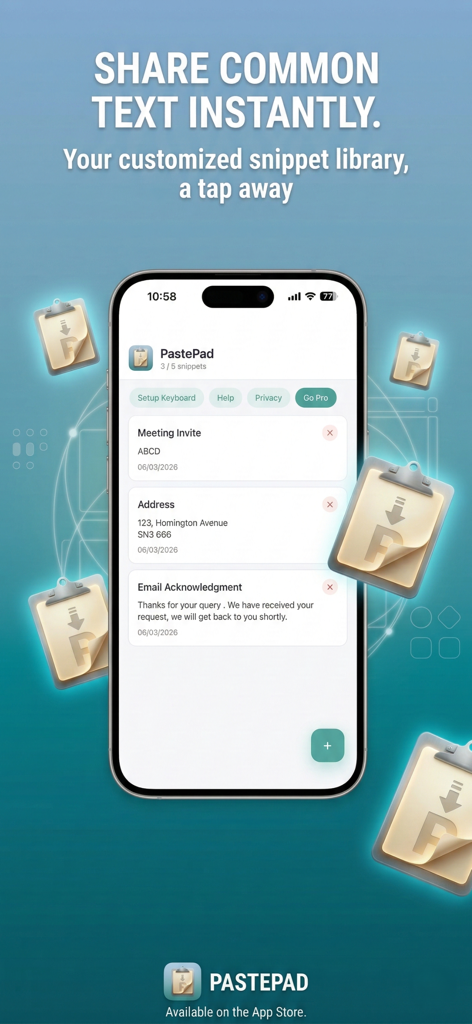
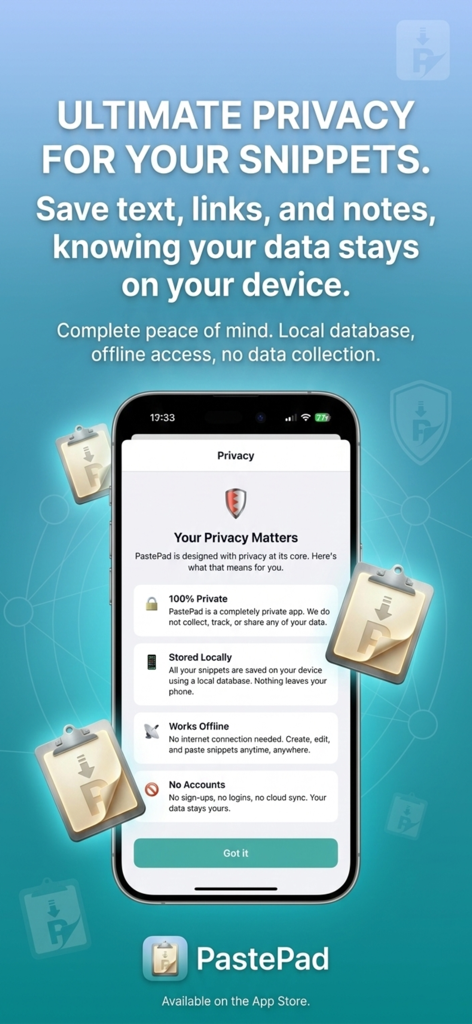
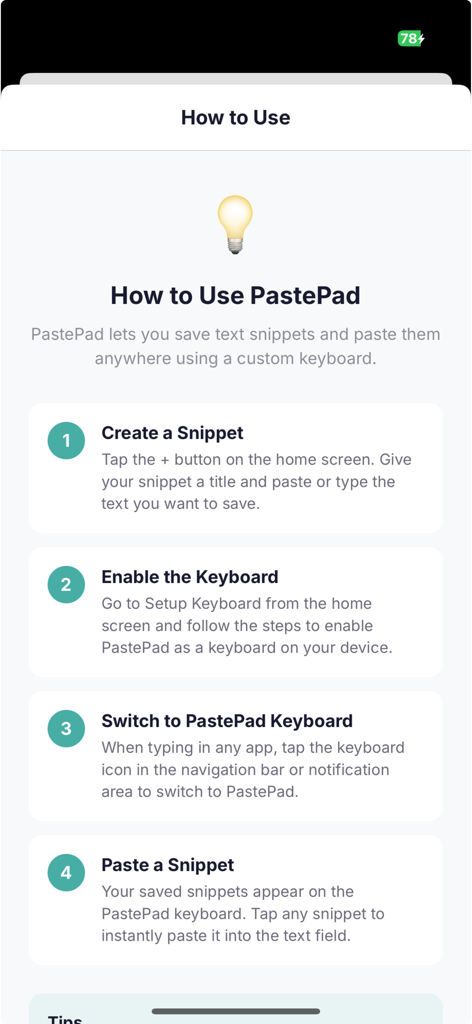
The tools that make this app stand out, trusted by 0 users.
Store signatures, addresses, and FAQs. Paste them instantly into any app without the hassle of manual typing or copy-pasting from notes.
Your data is yours alone. With 100% local storage and zero internet requirements, your sensitive snippets never leave your device.
Switch to PastePad directly inside Slack, Gmail, or WhatsApp. Reduce app-switching and keep your focus where it belongs: on your work.
Everything you need to know about PastePad Keyboard.
Description
Latest Version
1.0
Size
55.0 MB
First Released
Mar 12, 2026
The zero-friction, private keyboard built for your busiest days. No accounts needed—just download and reclaim your time.
Top-ranked apps in the same category
Google LLC
OpenAI OpCo, LLC

Anthropic PBC

Google LLC

Shanghai Zhixin Puhui Technology Co., Ltd.

X.AI Corporation
Google LLC

Microsoft Corporation
Google LLC
App information, icons, screenshots, and descriptions displayed on this page are sourced from the Apple App Store and are the property of their respective developers. Download estimates and rankings are based on MWM's proprietary models and may not reflect actual figures. This page is provided for informational and analytical purposes only.
Believe this page infringes your intellectual property? File a dispute