PDF Compressor: Shrink files

PDF Compressor: Shrink files

Logo of PDF Compressor: Shrink files

PDF Compressor: Shrink files — The Private Way to Beat Every Upload Limit

Instantly reduce PDF sizes on your iPhone or iPad with secure, on-device processing. Hit exact 2MB, 5MB, or 10MB targets to ensure your documents always send and upload without friction.

Publisher

华清 沈

Category

Productivity

Downloads

0

User Rating

1.0/5

Total Ratings

0

Locales

1

Powerfully Simple

Discover the interface used by 0 users.
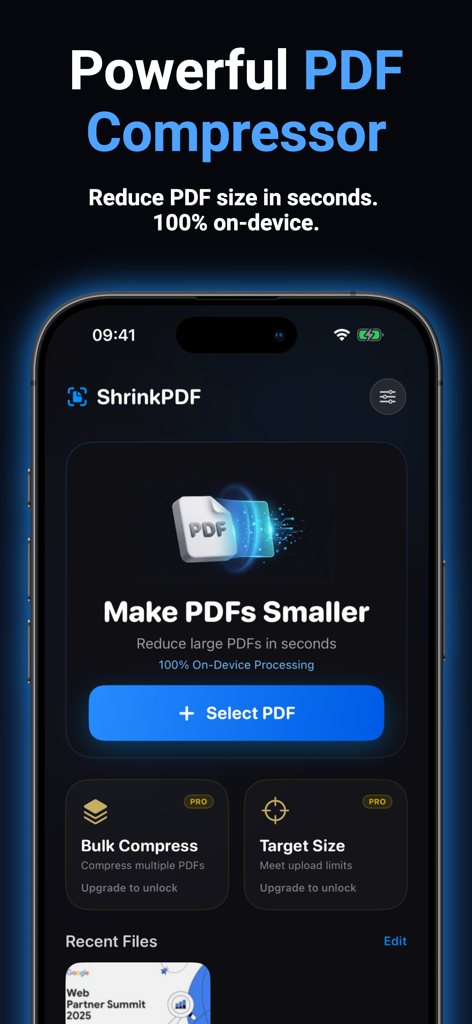
ShrinkPDF app main screen showing tools to reduce PDF file size and Select PDF button

ShrinkPDF app main screen showing tools to reduce PDF file size and Select PDF button

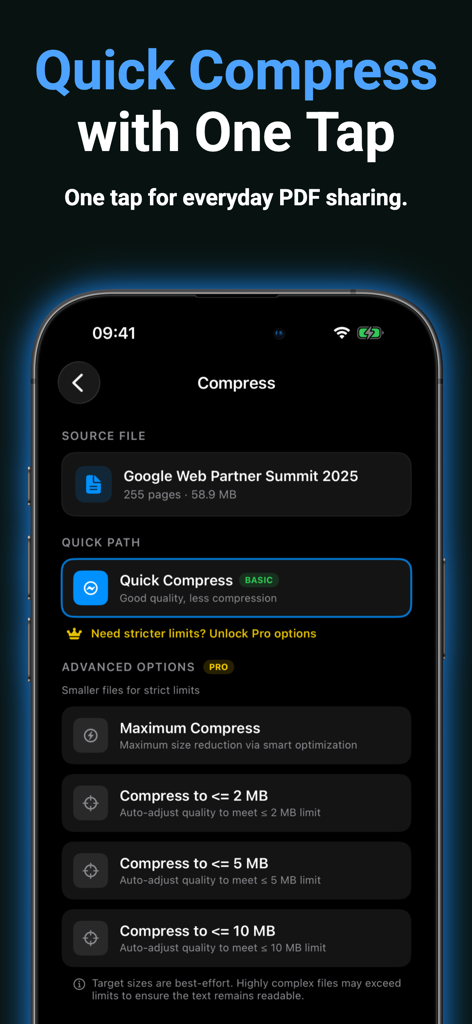
Interface of the ShrinkPDF app showing quick compression and advanced target file size options like 2MB 5MB and 10MB

Interface of the ShrinkPDF app showing quick compression and advanced target file size options like 2MB 5MB and 10MB

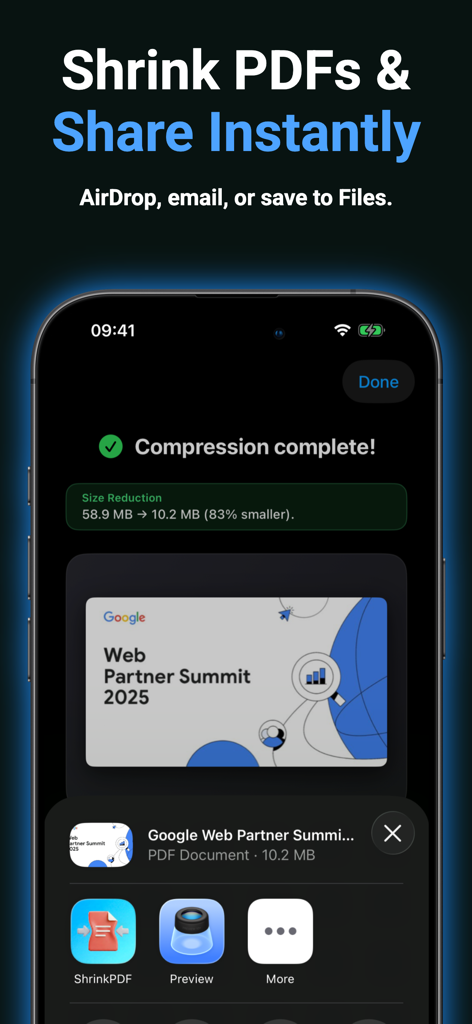
Smartphone screen showing a successful PDF compression and sharing options via AirDrop and email

Smartphone screen showing a successful PDF compression and sharing options via AirDrop and email

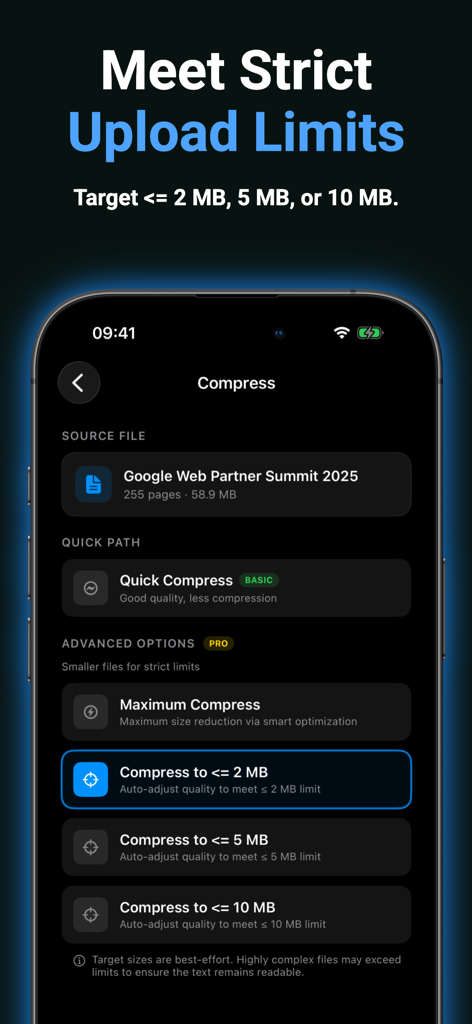
A mobile app interface displaying options to compress a PDF to specific file size limits like 2MB 5MB or 10MB

A mobile app interface displaying options to compress a PDF to specific file size limits like 2MB 5MB or 10MB

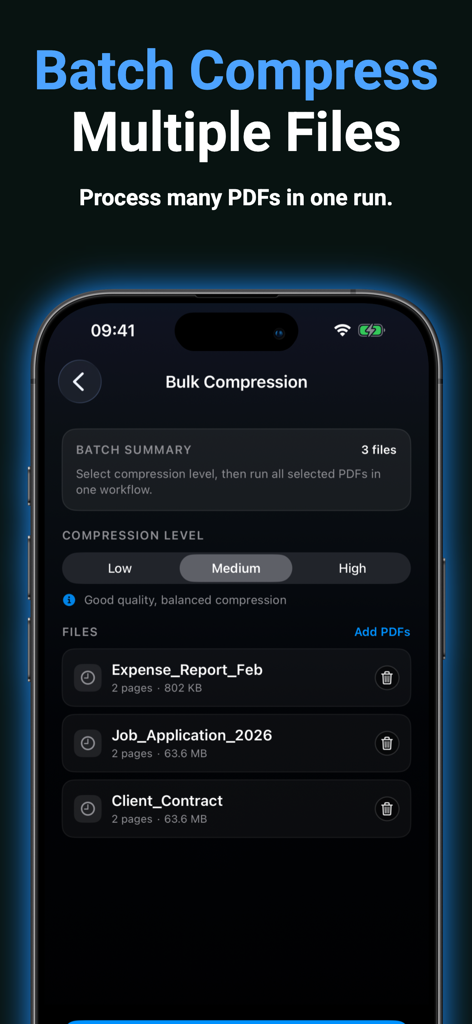
Screenshot of the ShrinkPDF app showing the bulk compression feature to process multiple PDF files at once

Screenshot of the ShrinkPDF app showing the bulk compression feature to process multiple PDF files at once

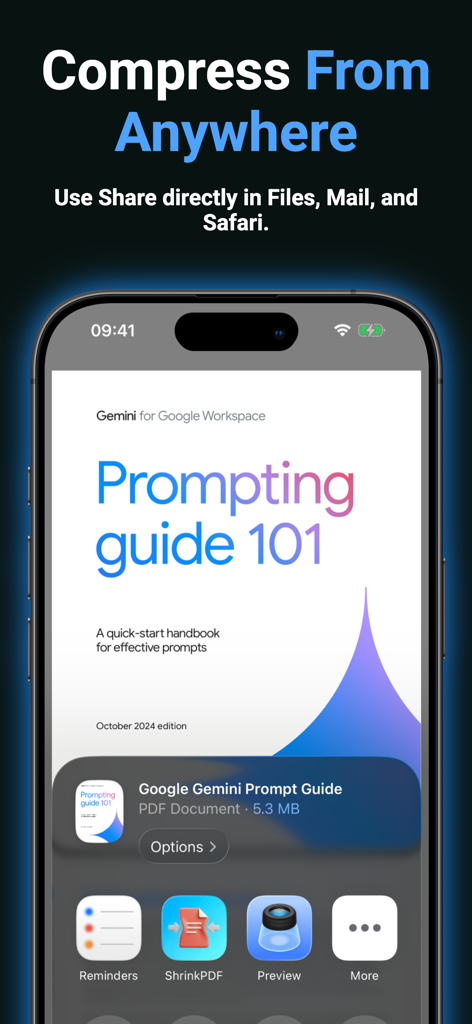
iPhone interface showing the ShrinkPDF app extension in the share menu for quick file compression from other apps.

iPhone interface showing the ShrinkPDF app extension in the share menu for quick file compression from other apps.

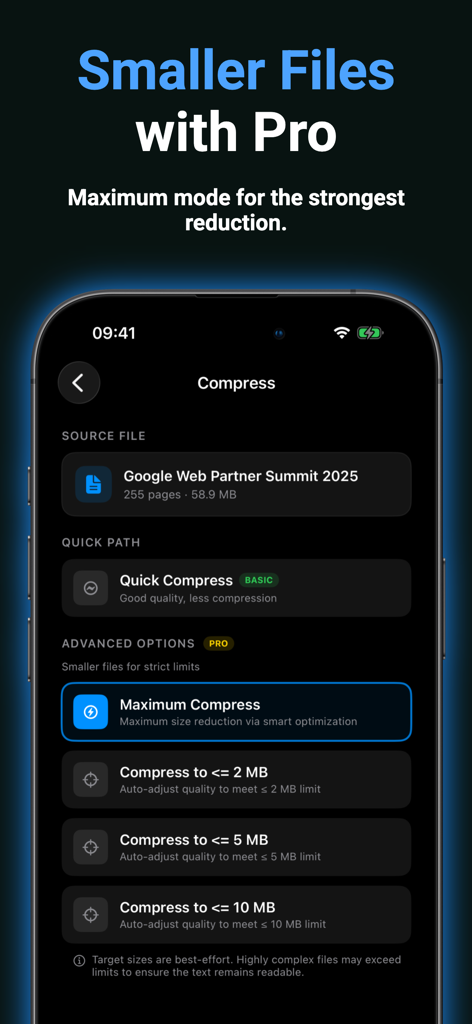
The ShrinkPDF app interface showing pro features for maximum file reduction and target size limits like 2MB and 5MB.

The ShrinkPDF app interface showing pro features for maximum file reduction and target size limits like 2MB and 5MB.

Work Faster, Send Easier

The tools that make this app stand out, trusted by 0 users.

🔒

100% Private & Secure

Your sensitive documents never leave your device. All processing happens locally, ensuring your data stays private and secure from cloud breaches.

🎯

Hit Every Upload Limit

Stop guessing and start sending. Target specific sizes like 2MB, 5MB, or 10MB to meet the exact requirements of any email or government portal.

Batch Mobile Workflow

Compress multiple PDFs simultaneously with Pro tools. Perfect for professionals who need to manage high-volume paperwork on the go.

About the app

Everything you need to know about PDF Compressor: Shrink files.

Description

Compress PDF files quickly and privately with ShrinkPDF. ShrinkPDF helps you reduce PDF file size in seconds on iPhone and iPad. All processing happens directly on your device — no cloud uploads, so your documents stay private. Use Quick Compress to instantly shrink large PDFs for everyday sharing. Upgrade to Pro to unlock advanced features: • Maximum compression for the smallest files • Target file size (2 / 5 / 10 MB) for upload limits • Batch compression for multiple PDFs • Faster workflow for email attachments and sharing Perfect for reducing PDF size for: • Email attachments • Upload limits • File sharing • Mobile document workflows ShrinkPDF is fast, simple, and built for privacy. Privacy Policy: https://aipromptant.com/shrinkpdf/privacy-policy Terms of Use: https://www.apple.com/legal/internet-services/itunes/dev/stdeula

Latest Version

1.0.0

Size

8.5 MB

First Released

Mar 19, 2026

Ready to Bypass Those File Size Limits?

Download ShrinkPDF now to compress documents to 2, 5, or 10MB instantly. Secure, on-device processing for professionals who value speed and privacy.

App information, icons, screenshots, and descriptions displayed on this page are sourced from the Apple App Store and are the property of their respective developers. Download estimates and rankings are based on MWM's proprietary models and may not reflect actual figures. This page is provided for informational and analytical purposes only.

Believe this page infringes your intellectual property? File a dispute