PDF Converter ℗

PDF Converter ℗

Logo of PDF Converter ℗

PDF Converter ℗: The All-in-One Professional PDF Expert

Convert, compress, and merge documents with lightning speed. Designed for professionals and students, our 100% local processing ensures your sensitive files stay private and never leave your iPhone.

Publisher

Kirti Arya

Category

Productivity

Downloads

0

User Rating

1.0/5

Total Ratings

0

Locales

1

Efficiency at a Glance

Discover the interface used by 0 users.
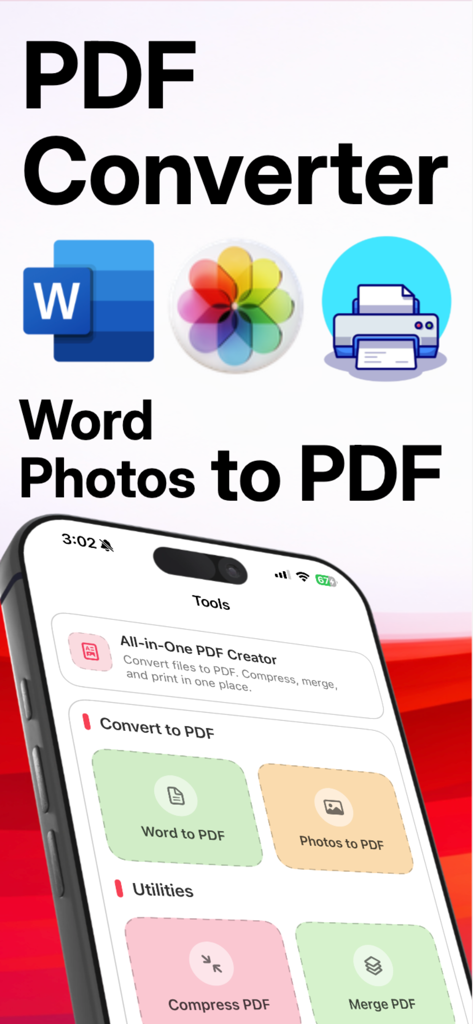
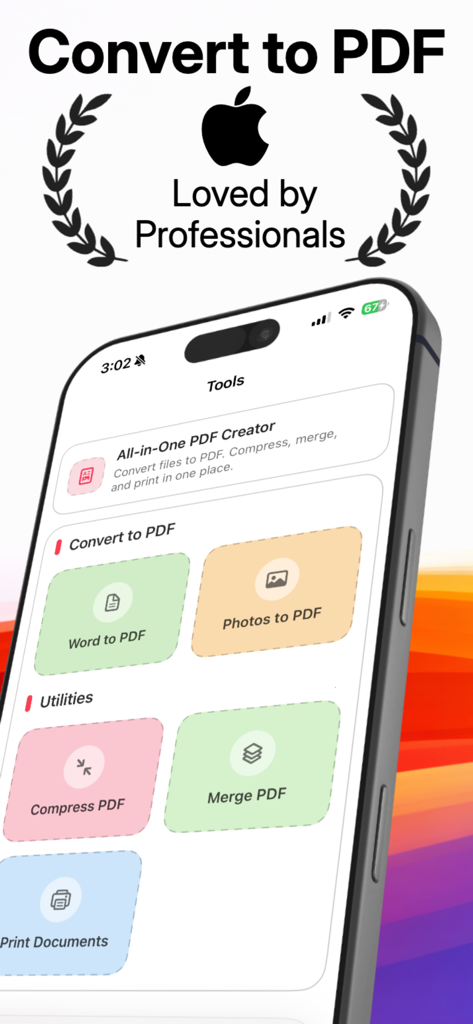
The main dashboard of the PDF Converter app featuring tools for Word to PDF and Photos to PDF conversion.

The main dashboard of the PDF Converter app featuring tools for Word to PDF and Photos to PDF conversion.

PDF Converter Pro app interface showing tools to convert word and photos to pdf

PDF Converter Pro app interface showing tools to convert word and photos to pdf

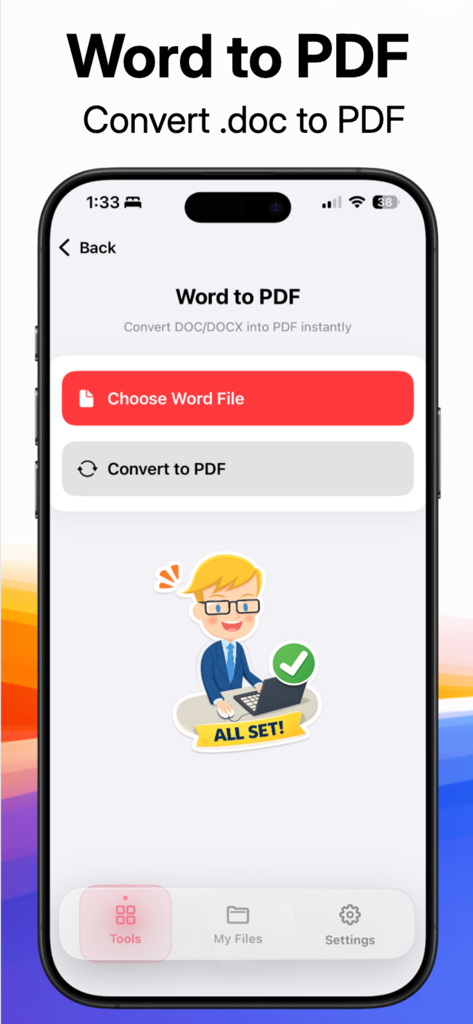
Mobile app screen for converting Word documents to PDF files

Mobile app screen for converting Word documents to PDF files

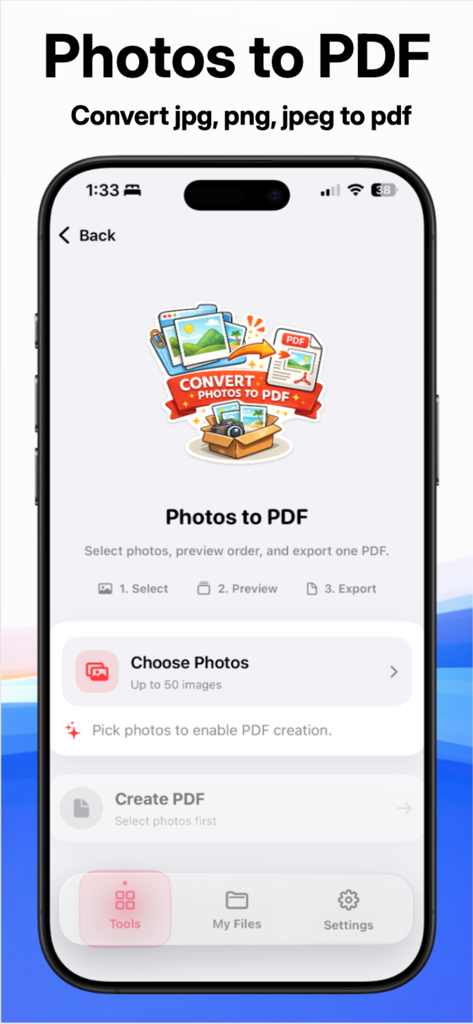
The Photos to PDF conversion screen of the PDF Converter app for iPhone

The Photos to PDF conversion screen of the PDF Converter app for iPhone

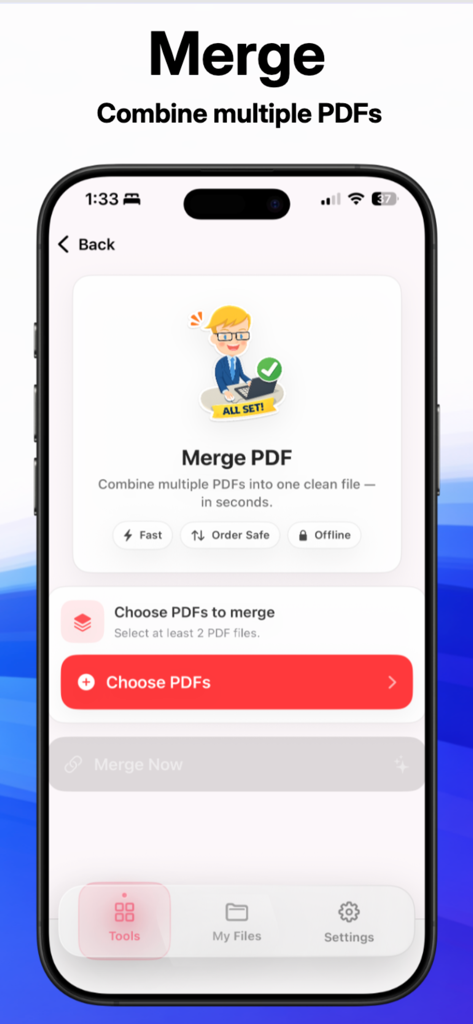
Mobile app screen for merging multiple PDF files into one document showing a red button to choose files

Mobile app screen for merging multiple PDF files into one document showing a red button to choose files

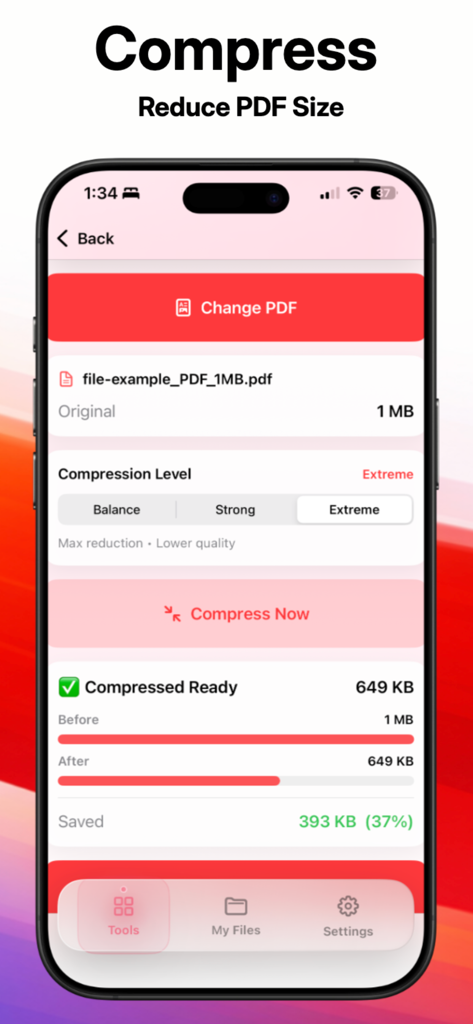
PDF Converter app screen showing the feature to reduce PDF file size with compression statistics

PDF Converter app screen showing the feature to reduce PDF file size with compression statistics

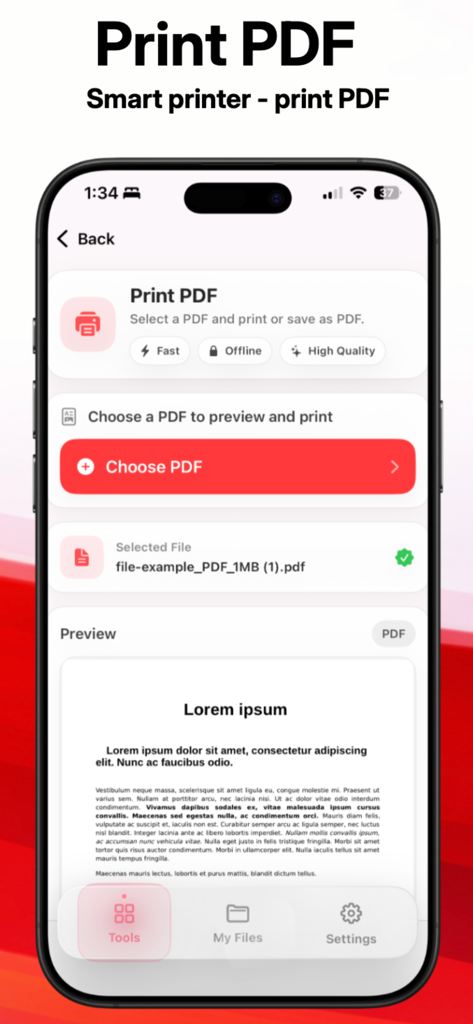
The Print PDF screen of the PDF Converter app showing a document preview and file selection options.

The Print PDF screen of the PDF Converter app showing a document preview and file selection options.

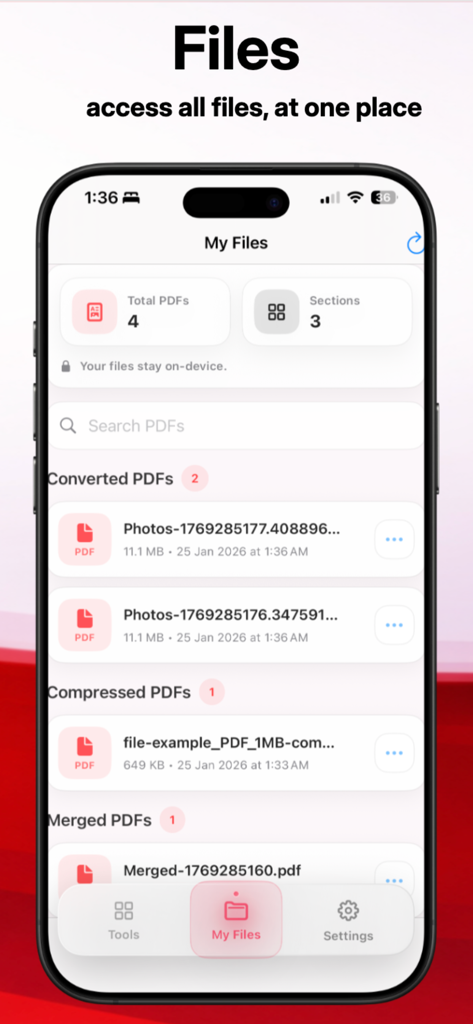
Organized list of converted and compressed documents in the PDF Converter app

Organized list of converted and compressed documents in the PDF Converter app

The All-in-One PDF Powerhouse for Your iPhone

The tools that make this app stand out, trusted by 0 users.

🔒

Privacy-First Processing

Your sensitive files stay on your device. Unlike online tools, we never upload your documents to a server, keeping your data 100% secure.

📉

Smart PDF Compressor

Shrink large files instantly to meet strict email or government portal limits without losing a pixel of quality or professional formatting.

📸

Instant Photo to PDF

Transform receipts, signed contracts, or notes into high-quality PDFs using just your camera. Ditch the bulky scanner for good.

About the app

Everything you need to know about PDF Converter ℗.

Description

PDF Document Converter Pro: The All-in-One PDF Expert Convert, Compress, and Merge documents in seconds with the ultimate PDF toolkit. Are you looking for a fast, secure, and modern way to handle your documents? PDF Document Converter Pro is the professional-grade solution designed to convert Word to PDF, Images to PDF with a single tap. Whether you need to compress PDF files for email or merge PDF documents into a single report, our app provides a clean, lightning-fast experience. Key Features at a Glance: - Photo to PDF & Image Converter: Turn any photo into a high-quality document. We support all formats: .jpg, .png, .jpeg, .webp, .heic, and more. - Office to PDF Converter: Seamlessly convert Word (.docx)files while preserving original formatting and layouts. - PDF Compressor: Reduce file size without losing quality. Perfect for meeting upload limits on government sites or email attachments. - PDF Merger: Combine multiple PDF files into one organized document in seconds. - Integrated File Manager: All your converted files are automatically saved in the "My Files" section. View, rename, or share your documents from one central location. - One-Tap Printing: Connect to any wireless printer and print PDF documents directly from the app. Why Choose PDF Document Converter Pro? Modern & Easy Design: Forget cluttered menus. Our "Design-First" approach ensures a smooth, intuitive user interface that anyone can master instantly. Privacy Focused: Your files are processed locally. Your sensitive data stays on your device—never on a server. High-Speed Processing: Powered by our 2026 optimized conversion engine, even FAQ – How to use PDF Document Converter Pro? How do I convert photos to PDF? Simply select the "Images to PDF" tool, choose your pictures from your gallery (JPG, PNG, JPEG), and hit convert. Your new PDF will be ready in the file section instantly. Where are my converted files saved? All files are stored in the built-in File Section. This allows you to check all converted, compressed, and merged files in one place without searching through your phone's storage. Technical Specifications: - Supported Input: DOC, DOCX, JPG, PNG, JPEG, TIFF - Output: High-Resolution PDF, Compressed PDF. - Tools: PDF Scanner, PDF Merger, PDF Compressor, PDF Printer. Download PDF Document Converter Pro today and transform your mobile device into a powerful office workstation! Privacy Policiy - https://pdfmakerconvert.blogspot.com/2026/02/privacy-policy.html Terms of use - https://pdfmakerconvert.blogspot.com/2026/02/terms-conditions.html

Latest Version

1.0.1

Size

8.1 MB

First Released

Feb 28, 2026

Ready to Upgrade Your Mobile Workstation?

Join thousands of professionals who trust PDF Converter ℗ for secure, lightning-fast document management. Get the all-in-one toolkit that keeps your data private and your workflow seamless.

App information, icons, screenshots, and descriptions displayed on this page are sourced from the Apple App Store and are the property of their respective developers. Download estimates and rankings are based on MWM's proprietary models and may not reflect actual figures. This page is provided for informational and analytical purposes only.

Believe this page infringes your intellectual property? File a dispute