PDF Converter ~ Photos to PDF

PDF Converter ~ Photos to PDF

Download on App Store
Logo of PDF Converter ~ Photos to PDF

PDF Converter ~ Photos to PDF: Professional Documents in 3 Simple Steps

Stop sending unprofessional photos. Effortlessly convert images, Word docs, and spreadsheets into high-quality PDFs. The fast, no-nonsense mobile scanner built for busy professionals and students.

Download on App Store

Publisher

Fahid Zahoor

Category

Productivity

Downloads

0

User Rating

1.0/5

Total Ratings

0

Locales

1

Simplicity in Action

Discover the interface used by 0 users.
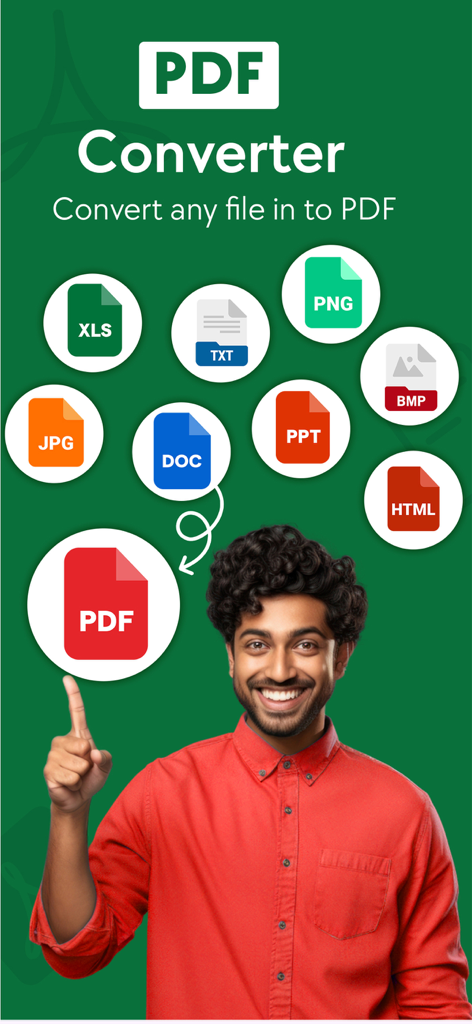
A smiling man pointing to various file icons like DOC and JPG being converted into a PDF

A smiling man pointing to various file icons like DOC and JPG being converted into a PDF

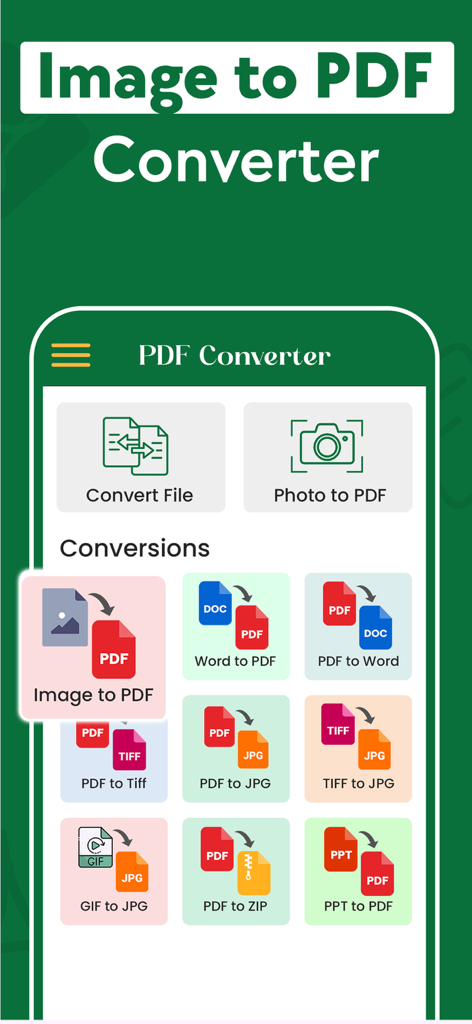
Mobile app interface of PDF Converter showing various document conversion options like Image to PDF and Word to PDF

Mobile app interface of PDF Converter showing various document conversion options like Image to PDF and Word to PDF

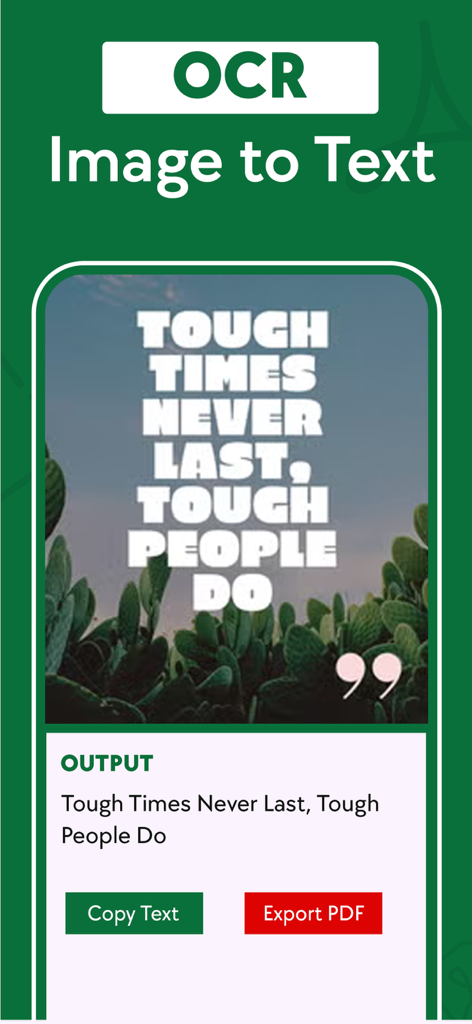
Interface of the PDF Converter app showing the OCR tool extracting text from a motivational quote image.

Interface of the PDF Converter app showing the OCR tool extracting text from a motivational quote image.

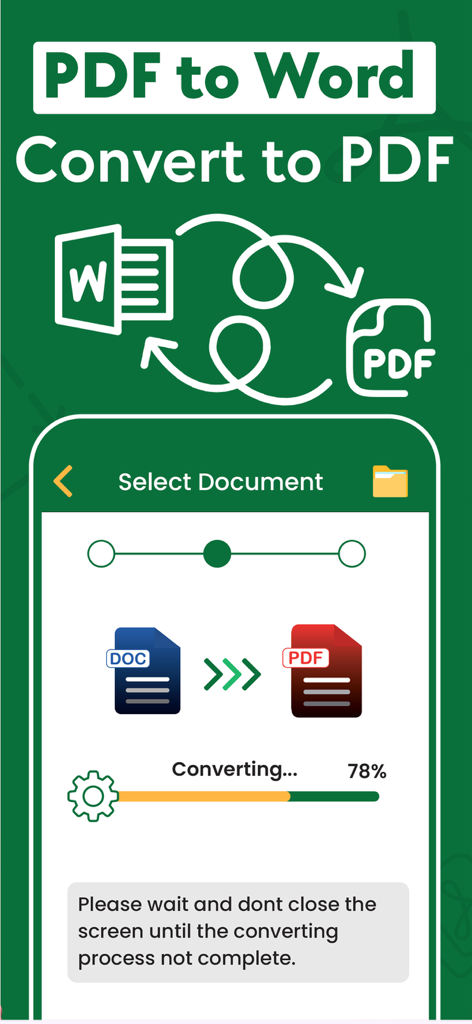
Mobile app interface showing the progress of converting a Word document to a PDF file

Mobile app interface showing the progress of converting a Word document to a PDF file

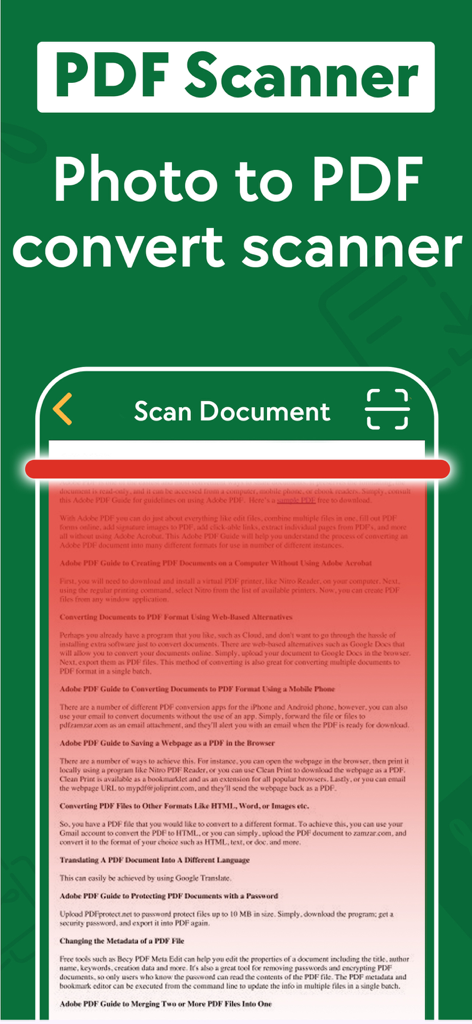
A mobile app interface showing a document being scanned for photo to PDF conversion.

A mobile app interface showing a document being scanned for photo to PDF conversion.

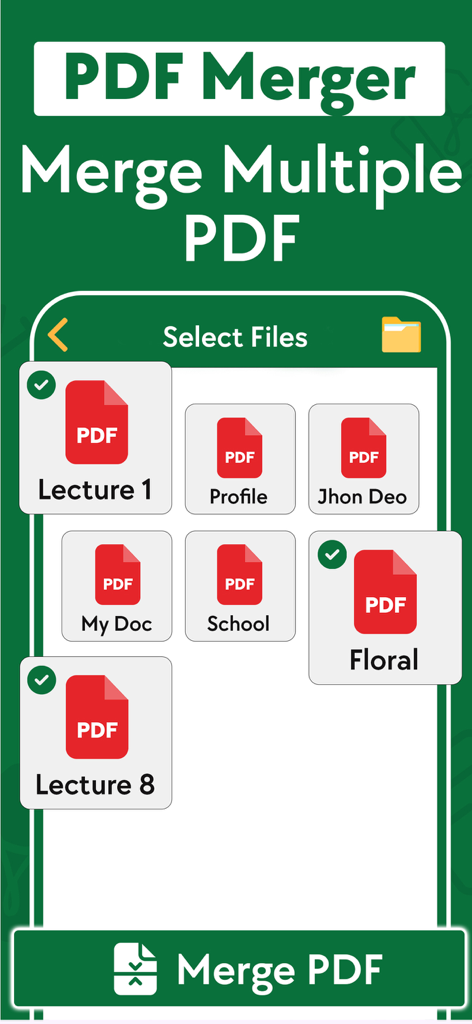
A mobile interface for the PDF Converter app showing the selection of multiple PDF documents to be merged into one file

A mobile interface for the PDF Converter app showing the selection of multiple PDF documents to be merged into one file

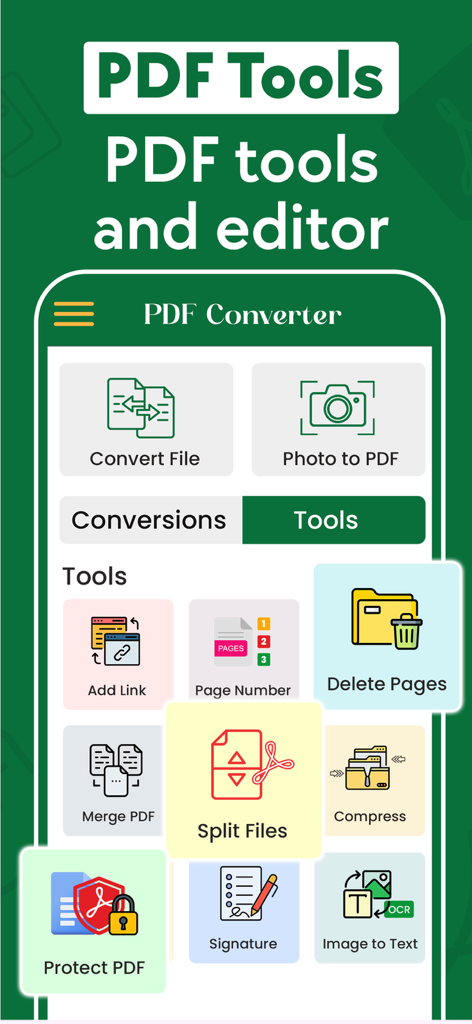
Interface of the PDF Converter mobile app showing tools for photo to pdf conversion merge split and digital signature

Interface of the PDF Converter mobile app showing tools for photo to pdf conversion merge split and digital signature

The Only Document Tool You’ll Ever Need

The tools that make this app stand out, trusted by 0 users.

Lightning-Fast 3-Step Conversion

Skip the bloat of desktop software. Select your file, choose your format, and convert instantly—perfect for busy professionals on the move.

📑

Unmatched Format Versatility

From JPG and PNG to Word, Excel, and even legacy Publisher files, we support over 50+ formats to ensure you never hit a 'file not supported' error again.

💼

Professional Workflow Integration

Import directly from iCloud or your Gallery, then instantly share high-quality PDFs via iMessage, Email, or Print to keep your business running smoothly.

About the app

Everything you need to know about PDF Converter ~ Photos to PDF.

Description

With the Photo to PDF Converter Scanner App, you can effortlessly convert files from popular formats like JPG, WORD, PHOTO, XLS, PNG, TXT, and more to PDF, and vice versa, all in just a few taps. Photo to PDF Converter Scanner app is designed to provide a seamless document transformation experience, empowering you to work with documents like never before. Experience the ultimate PDF conversion tool , designed for users who need a quick and seamless way to convert various file types into PDF format. Whether you're dealing with images, text, zip files, Word documents, or Excel sheets. PDF Converter App for iPhone is the perfect tool to handle all your document conversion needs with speed and simplicity. You can convert to pdf from various file types, use the image to pdf feature, or the jpg to pdf converter for quick image transformations. As a versatile pdf converter and pdf maker, it lets you create professional-quality PDFs in seconds. Easily turn any photo to pdf with the photo to pdf converter or photo to pdf converter free, and even batch convert photos to pdf for maximum efficiency—all directly from your iPhone Supported File Formats Photo to PDF Converter Scanner app accommodates a wide range of popular formats, making it versatile and efficient: - Microsoft Word documents (.doc, .docx). - Microsoft Excel spreadsheets (.xls, .xlsx). - Text files (.txt). - Rich Text Format files (.rtf). - Image files (.jpg, .jpeg, .png, .bmp, .tif, .tiff, .gif). - Existing PDF files (.pdf). - Compressed archives (.zip). The conversion process is simple and straightforward - select your input file, choose the output format, and convert! It takes only seconds, saving you time and effort. Convert your documents from and to PDF in a 3 steps! 1. Select your input file 2. Choose output format from available ones 3. Convert! It will take only a few seconds It's just as easy as it sounds! No need for overcomplicated apps with dozens of nonsense features. With PDF Converter app you can convert your documents to pdf or create pdf files from images in a matter of seconds. -- ADD -- You may chose between different sources like iCloud, gallery or just capture a new photo. You may also share file from other apps. -- SHARE -- Share all your converted files right from the app. Send via iMessage, Open in other apps, Print or save it to Files app on iPhone. -- RETURN -- Access your conversion history - there is a related tab in the app. There you may also repeat sharing of converted files or delete those you don't need anymore. -- FORMATS -- Supported file formats: pdf, jpg, png, doc, docx, txt, rtf, svg, xls, xlsm, xlsx, xps, epub, fb2 csv, djvu, docm, eml, eps, msg, odp, ods, odt, pps, ppsx, ppt, pptm, pptx, ps, heic, ai, cdr, emf, odg, pcx, psd, tga, wbmp, webp, wmf, bmp, gif, tiff, pub, wpd, wps, lit, mobi and more to come! Note: We offer Subscription Plans(Weekly, monthly and yearly) for Premium Content at reasonable price. Information about the auto-renewal of subscription: - Payment will be charged to iTunes Account at confirmation of purchase; - Subscription automatically renews unless auto-renew is turned off at least 24-hours before the end of the current period; - The account will be charged for renewal within 24-hours before the end of the current period. The cost depends on the selected plan; - Subscriptions may be managed by the user and auto-renewal may be turned off by going to the user’s Account Settings after purchase; Privacy Policy: https://vitalappstudio.blogspot.com/2025/02/privacy-policy.html Terms of Use: https://vitalappstudio.blogspot.com/2024/04/terms%20of%20use.html

Latest Version

1.21

Size

82.3 MB

First Released

Feb 24, 2025

Ready to Professionalize Your Documents?

Join thousands of US freelancers and students using our 3-step converter to turn photos and files into high-quality PDFs instantly. Download now and experience the no-nonsense way to manage your paperwork on the go.

Download on App Store

App information, icons, screenshots, and descriptions displayed on this page are sourced from the Apple App Store and are the property of their respective developers. Download estimates and rankings are based on MWM's proprietary models and may not reflect actual figures. This page is provided for informational and analytical purposes only.

Believe this page infringes your intellectual property? File a dispute