PDF Editor - Convert File

PDF Editor - Convert File

Logo of PDF Editor - Convert File

PDF Editor - Convert File: Your Professional All-in-One Mobile Office

Empower your workflow with smart OCR, batch conversion, and expert editing tools. Turn physical documents into organized, digital files in seconds—anytime, anywhere.

Publisher

Wellresion Limited

Category

Productivity

Downloads

1K+

User Rating

4.8/5

Total Ratings

0

Locales

11

Your Mobile Office at a Glance

Discover the interface used by 1K+ users.
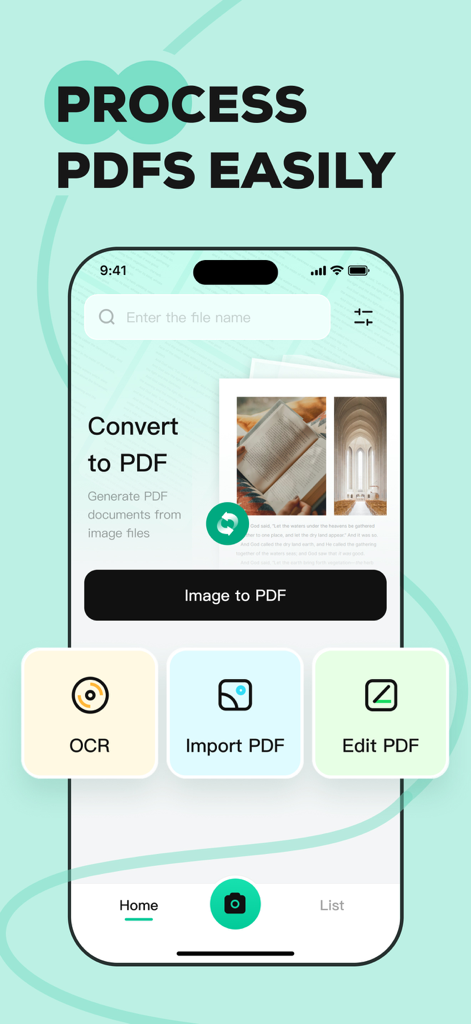
Interface of the PDF Editor app featuring image to PDF and OCR tools

Interface of the PDF Editor app featuring image to PDF and OCR tools

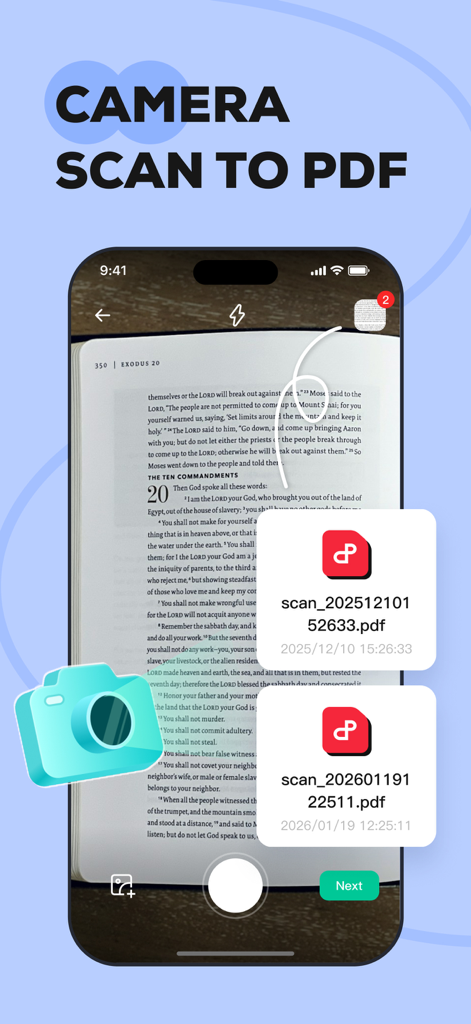
A smartphone scanning a book page using the camera to generate PDF documents

A smartphone scanning a book page using the camera to generate PDF documents

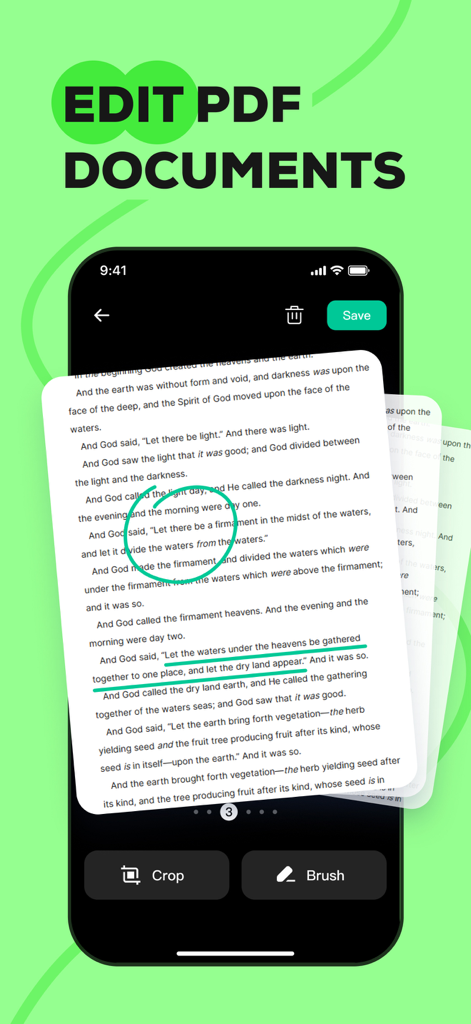
Mobile app interface showing a PDF document with green highlights and brush annotations on an iPhone

Mobile app interface showing a PDF document with green highlights and brush annotations on an iPhone

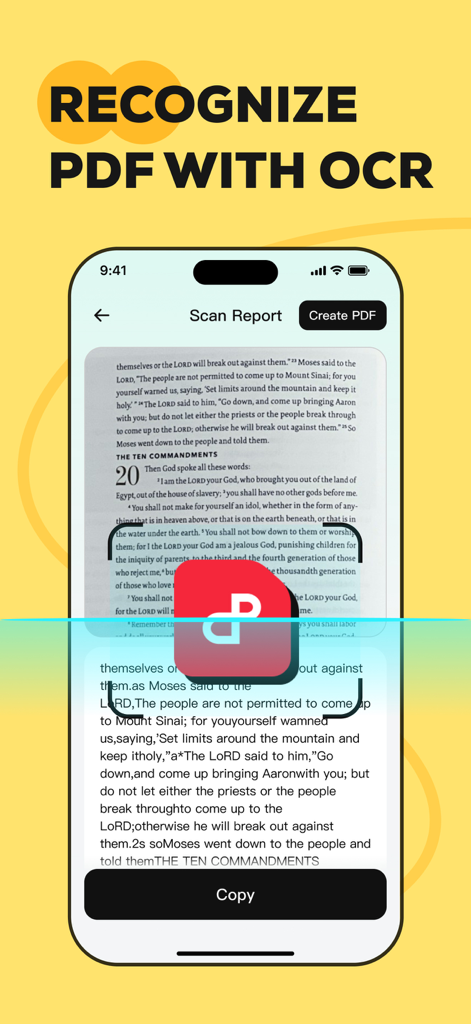
A mobile app screen demonstrating OCR technology to extract text from a scanned document.

A mobile app screen demonstrating OCR technology to extract text from a scanned document.

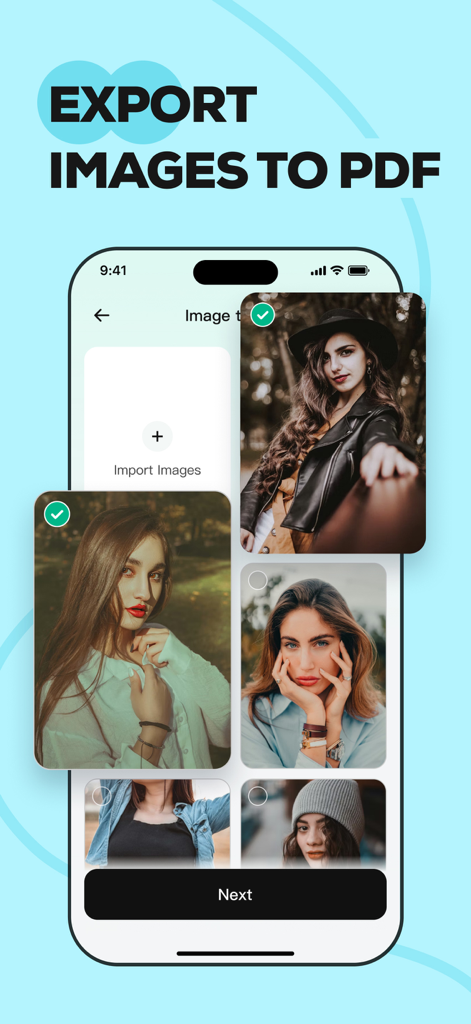
iPhone screen showing the feature to export multiple images into a single PDF document within the app

iPhone screen showing the feature to export multiple images into a single PDF document within the app

Your Complete Mobile Office in One App

The tools that make this app stand out, trusted by 1K+ users.

Smart OCR Text Extraction

Stop re-typing notes. Instantly turn photos of books, receipts, or whiteboards into editable digital text with industry-leading precision.

📸

Instant Image-to-PDF

Combine multiple snapshots into a single, professional PDF. Perfect for sending high-quality ID copies and contracts while on the move.

✍️

Pro Editing & Markup

Rearrange, annotate, and mark up documents on the fly. Create polished, organized files for clients or school without ever needing a desktop.

About the app

Everything you need to know about PDF Editor - Convert File.

Description

Transform your iPhone into a powerful mobile office with PDF Editor - Convert File. Whether you are a student, a business professional, or just organizing personal documents, our app provides you need to manage PDFs efficiently. KEY FEATURES Smart OCR & Text Recognition • Extract Text: Instantly recognize and extract text from images or scanned documents. • Digitize Docs: Convert paper notes, book pages, or receipts into editable digital text files. • High Accuracy: Powered by advanced scanning technology to ensure precise recognition. Professional PDF Editor • Page Management: Easily add, delete, or rearrange pages to organize your document exactly how you want it. • Annotate & Mark Up: Highlight key information, add text notes to improve readability. • Personalize: Make your documents stand out with custom editing tools. Image to PDF Converter • Batch Conversion: Import multiple images at once and merge them into a single, high-quality PDF file. • Clean Layout: Automatically align and format images for a polished look. Perfect for creating portfolios, photo albums, or ID copies. Easy File Management • Quick Import: Seamlessly import PDFs from your system files or other apps. • Open & Read: A smooth, fast viewing experience for all your PDF documents. • Share Anywhere: Export and share your finished documents via email or social media with just a tap. Why Choose PDF Editor? • User-Friendly Interface: Designed for simplicity and speed. • Privacy Focused: We respect your data; files are processed securely. • All-in-One Utility: No need to switch between a scanner app, an editor app, and a converter app. Contact Us Have questions or suggestions? We'd love to hear from you. Email: contactus@wellresion.com

Latest Version

1.1.0

Size

67.9 MB

First Released

Feb 4, 2026

Stop Juggling Apps. Start Getting Things Done.

Transform your iPhone into the ultimate mobile office. Download PDF Editor today and experience the speed of smart OCR and professional document management on the go.

App information, icons, screenshots, and descriptions displayed on this page are sourced from the Apple App Store and are the property of their respective developers. Download estimates and rankings are based on MWM's proprietary models and may not reflect actual figures. This page is provided for informational and analytical purposes only.

Believe this page infringes your intellectual property? File a dispute