PDF Reader Pro - Edit & Sign

PDF Reader Pro - Edit & Sign

Logo of PDF Reader Pro - Edit & Sign

PDF Reader Pro - Edit & Sign: The All-In-One Power Toolkit for Your Mobile Workflow

Securely scan, edit, sign, and compress documents with professional-grade tools designed for 100% offline privacy. Experience the ultimate desktop-class PDF experience on your iPhone and iPad.

Publisher

Amar Singh Ahirwar

Category

Utilities

Downloads

0

User Rating

1.0/5

Total Ratings

0

Locales

1

Efficiency in Action

Discover the interface used by 0 users.
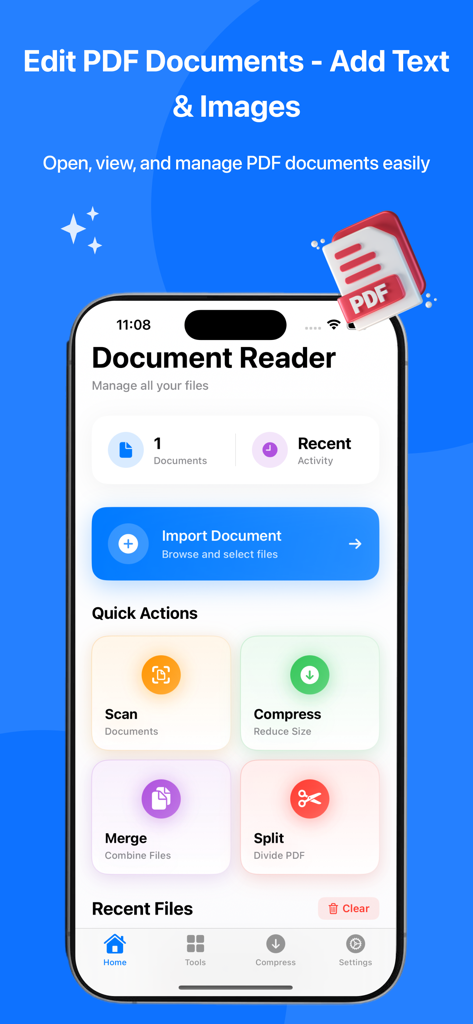
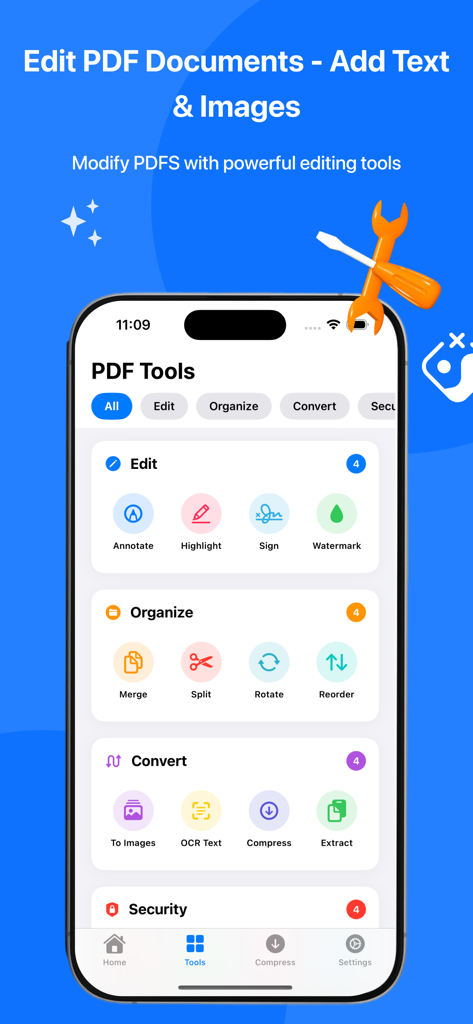
PDF Reader Pro app main dashboard featuring document tools for scanning, compressing, merging, and splitting files on an iPhone interface.

PDF Reader Pro app main dashboard featuring document tools for scanning, compressing, merging, and splitting files on an iPhone interface.

An iPhone displaying the PDF Reader Pro tools menu with editing organizing and conversion options

An iPhone displaying the PDF Reader Pro tools menu with editing organizing and conversion options

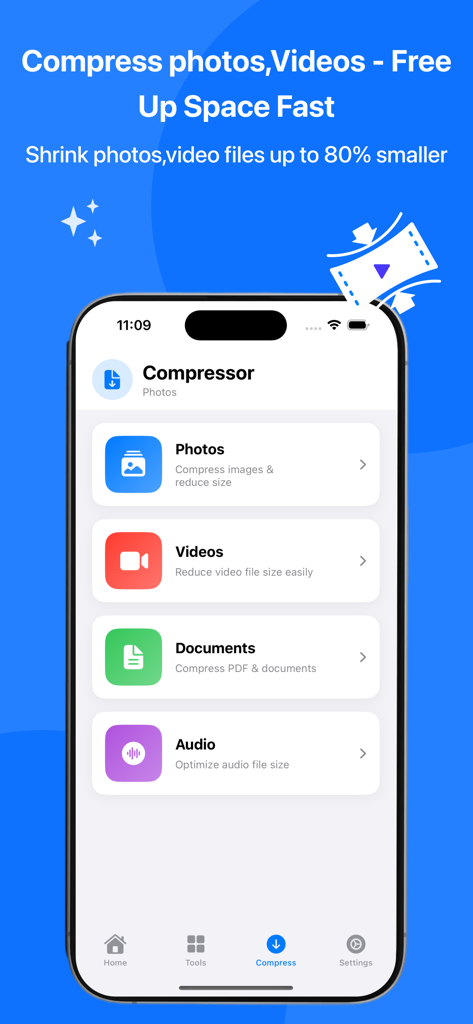
Interface showing file compression options for photos videos documents and audio within the PDF Reader Pro app

Interface showing file compression options for photos videos documents and audio within the PDF Reader Pro app

Power Through Your Paperwork

The tools that make this app stand out, trusted by 0 users.

🖋️

Professional Signing & Editing

Sign contracts instantly with your finger or Apple Pencil and annotate PDFs with desktop-class precision directly from your iPhone or iPad.

🛡️

Secure Offline Processing

Maintain 100% privacy with local file handling. Your sensitive documents never leave your device, protected by Face ID and zero data tracking.

📦

Smart Scanning & Compression

Digitize documents with auto-edge detection and shrink massive files by up to 90% to bypass email size limits without losing quality.

About the app

Everything you need to know about PDF Reader Pro - Edit & Sign.

Description

The most powerful and complete PDF toolkit for iPhone and iPad! PDF Editor Pro is your all-in-one solution for viewing, editing, compressing, scanning, signing, and managing documents on the go. WHY PDF EDITOR PRO? 20+ Professional PDF Tools in One App Lightning-fast performance and smooth interface Industry-leading compression algorithms Professional-grade document scanner Secure offline processing - 100% privacy guaranteed Cloud sync across all your Apple devices No subscriptions required for basic features COMPLETE PDF TOOLKIT EDIT AND ANNOTATE Add text, shapes, and drawings to PDFs Highlight, underline, and strikethrough text Insert images, stamps, and stickers Add custom watermarks to protect documents Delete, rotate, and rearrange pages Professional PDF editing made simple DIGITAL SIGNATURES Create and save custom signatures Sign documents with finger or stylus Fill out and sign forms electronically Add date stamps and text fields Perfect for contracts, agreements, and forms DOCUMENT SCANNER Scan documents with your camera Auto edge detection and perspective correction Multi-page document scanning High-quality image processing Convert scans to searchable PDFs with OCR ORGANIZE PDFs Merge multiple PDFs into one document Split PDFs into separate files Reorder pages with drag and drop Rotate pages individually or in batches Extract specific pages from PDFs Delete unwanted pages CONVERT AND EXTRACT Convert PDFs to images (JPG, PNG) Extract images from PDF documents OCR text recognition for scanned documents Convert images to PDF format Export to Word, Excel formats (Premium) SMART COMPRESSION Reduce file sizes dramatically while maintaining quality PDF Compression - Up to 90% size reduction Photo Compression - Smart quality optimization Video Compression - HD quality preservation Audio Compression - Optimize sound files Batch processing for multiple files Before/after preview for comparison SECURITY AND PRIVACY Password protect sensitive documents Biometric authentication (Face ID/Touch ID) Private folder for confidential files Offline processing - your files never leave device No data collection or tracking End-to-end encryption for cloud sync Upgrade to Premium and unlock: Unlimited PDF operations (no daily limits) OCR text recognition for all languages Advanced watermarking tools Batch conversion and processing Priority cloud sync Export to Word, Excel, PowerPoint Remove all advertisements Premium customer support Access to beta features Lifetime updates PERFECT FOR EVERYONE STUDENTS - Scan lecture notes and textbooks, annotate study materials, sign and submit assignments, compress files for email submission PROFESSIONALS - Sign contracts on the go, edit and review documents, compress presentations for sharing, merge reports into single PDFs BUSINESSES - Process invoices and receipts, manage legal documents, create professional proposals, secure sensitive information HOME USERS - Organize household documents, scan bills and receipts, fill out forms digitally, archive important papers KEY FEATURES AT A GLANCE Open PDF, Word, Excel, PowerPoint files Annotate with text, shapes, drawings Highlight and mark up documents Digital signature creation and signing Custom watermarks and stamps Document scanner with OCR Merge and split PDFs Rotate and reorder pages Extract images and text Convert PDFs to images Advanced file compression (PDF, photo, video, audio) Password protection Cloud synchronization Dark mode support iPad Pro and Apple Pencil support Offline functionality No registration required for basic features DOWNLOAD NOW FREE Start managing your documents like a pro! Download PDF Editor Pro today and experience the most complete PDF toolkit for iOS. Made for iOS users worldwide Copyright 2025 PDF Editor Pro

Latest Version

1.1.1

Size

13.6 MB

First Released

Oct 21, 2025

Take Control of Your Documents Today

Join thousands of professionals using the most complete, privacy-focused PDF toolkit on iOS. No subscriptions required for basic features—download now.

App information, icons, screenshots, and descriptions displayed on this page are sourced from the Apple App Store and are the property of their respective developers. Download estimates and rankings are based on MWM's proprietary models and may not reflect actual figures. This page is provided for informational and analytical purposes only.

Believe this page infringes your intellectual property? File a dispute