PDF to Pages by PDF2Office

PDF to Pages by PDF2Office

Download on App Store
Logo of PDF to Pages by PDF2Office

PDF to Pages by PDF2Office: Turn Static PDFs into Fully Editable Pages Documents

Stop re-typing and start editing. Preserve layouts, styles, and tables with professional precision directly on your iPhone. Convert entire files or specific areas and sync seamlessly with iCloud, Dropbox, and Google Drive.

Publisher

Recosoft Corporation

Category

Productivity

Downloads

32K+

User Rating

1.0/5

Total Ratings

0

Locales

5

Precision in Action

Discover the interface used by 32K+ users.
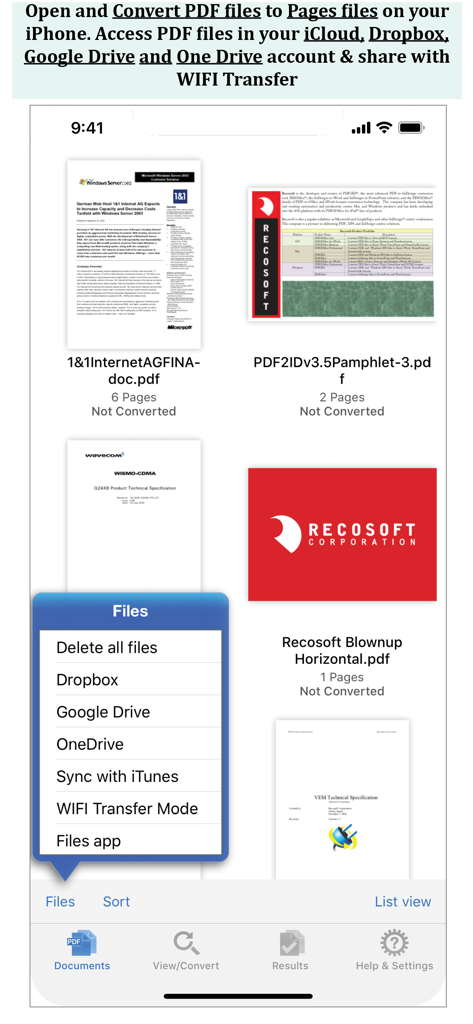
iPhone app screen showing a list of PDF files and a menu with options for Dropbox, Google Drive, and OneDrive.

iPhone app screen showing a list of PDF files and a menu with options for Dropbox, Google Drive, and OneDrive.

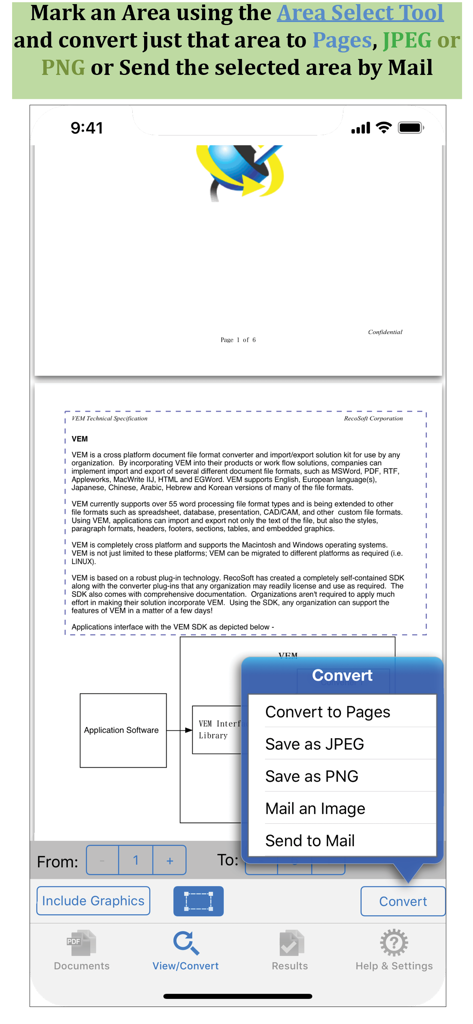
PDF to Pages app screenshot showing the area selection tool for converting specific document sections

PDF to Pages app screenshot showing the area selection tool for converting specific document sections

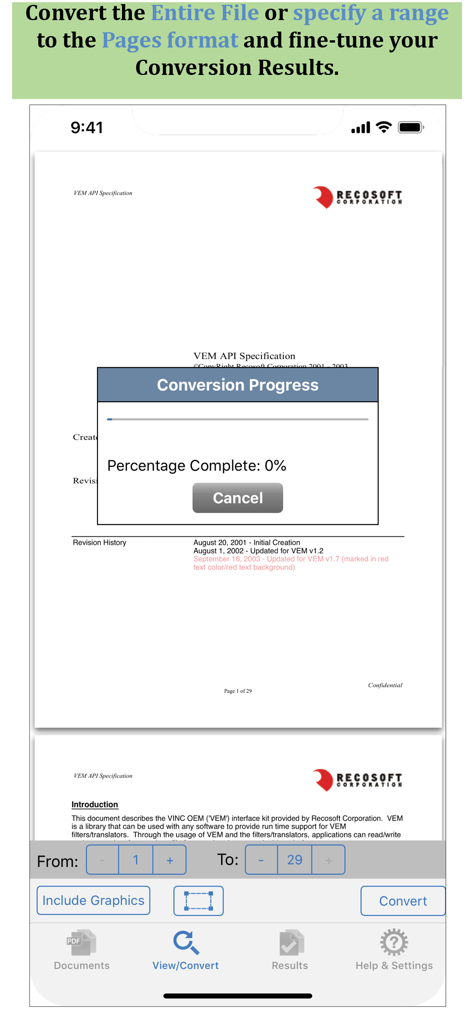
Interface of PDF to Pages app showing a conversion progress window and page range selection options

Interface of PDF to Pages app showing a conversion progress window and page range selection options

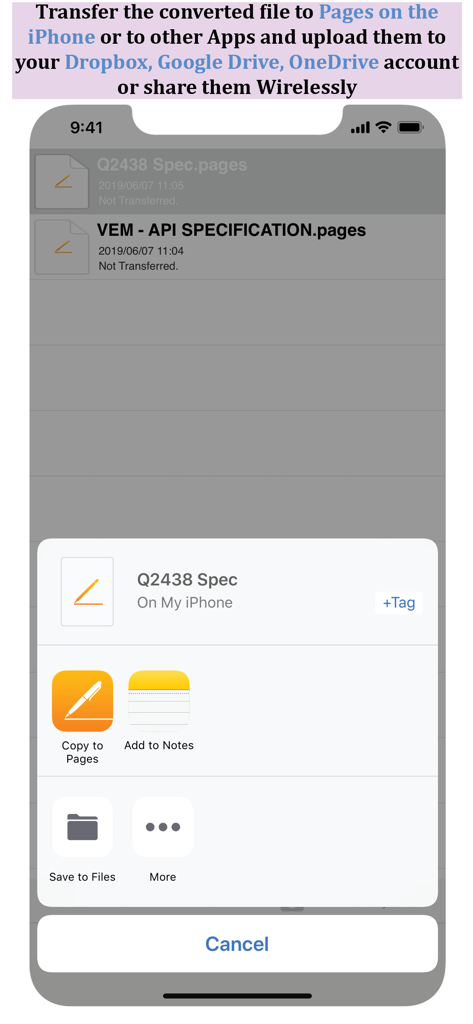
Share sheet showing options to copy converted files to Pages or save to cloud storage on iPhone

Share sheet showing options to copy converted files to Pages or save to cloud storage on iPhone

Transform Static PDFs into Dynamic Pages Documents

The tools that make this app stand out, trusted by 32K+ users.

📄

High-Fidelity Layout Retention

Keep your paragraphs, tables, and styles perfectly intact. Skip the reformatting and start editing in Pages immediately.

🎯

Precision Area Selection

Convert only what you need. Select specific sections to extract as editable text or images for quick sharing and reuse.

☁️

Seamless Workflow Integration

Connect to Dropbox, Google Drive, or use WiFi transfer to sync your documents across your Apple ecosystem effortlessly.

About the app

Everything you need to know about PDF to Pages by PDF2Office.

Description

PDF to Pages by PDF2Office converts your PDF to editable Pages files on your iPhone. Convert PDF to Pages documents instantly with a simple tap. Convert the entire document, range of pages or select and mark specific areas in a page to convert using the Area Select tool and have it editable on your iPhone! PDF to Pages converts PDF files to fully editable Pages files by recreating the intended construction and layout of the document. PDF to Pages forms paragraphs; applies styles; re-groups independent graphic elements; extracts images and creates tables automatically. PDF to Pages also provides detailed options for fine-tuning the conversion process. Every page in a PDF file is converted to an equivalent page in the resulting Pages document. PDF to Pages comes with a fully integrated PDF viewer allowing you to view the file you want to convert. Features * Convert PDFs to editable Pages files * Read PDF Files using the integrated PDF viewer. * Mark just the area within a page to convert. You can convert just the marked area to Pages, JPEG or PNG types * Select an area and have the contents embedded into a new Mail automatically. * Cloud services integration allows you to transfer files between your Dropbox/OneDrive/GoogleDrive account * Use WIFI transfer mode to transfer files between your computer and iPhone * Use standard Pinch in/Pinch Out to change the viewing magnification * Use the all in 1 interface to Convert and View PDF files. * The converted result is easily editable in Pages * Transfer your converted files to any other software on the iPhone that can accept Pages files. * Convert the entire file or a range of pages only Recosoft is the developer of PDF2Office the de-facto PDF conversion software for the Mac and iPad; PDF2ID the PDF-to-InDesign converter and ID2Office, the InDesign to Word/PowerPoint tool. Refer to our web site to view the entire desktop line of products that we are now bringing to the iOS. Note: PDF to Pages by PDF2Office does not perform Optical Character Recognition. An image in a PDF file is treated as an image.

Latest Version

1.7.5

Size

57.8 MB

First Released

Dec 13, 2013

Transform Your PDFs into Editable Pages Documents

Stop re-typing and start editing. Join over 32,000 professionals who use PDF2Office to keep their mobile workflow moving with precision and ease.

Download on App Store

App information, icons, screenshots, and descriptions displayed on this page are sourced from the Apple App Store and are the property of their respective developers. Download estimates and rankings are based on MWM's proprietary models and may not reflect actual figures. This page is provided for informational and analytical purposes only.

Believe this page infringes your intellectual property? File a dispute