PDFOptim

PDFOptim

Download on App Store
Logo of PDFOptim

PDFOptim: Professional-Grade PDF Compression for Your Mobile Workflow

Shrink large documents for email and portals without sacrificing quality. Experience desktop-class optimization and 100% private, local processing on your iPhone and iPad.

Download on App Store

Publisher

RootRise Technologies Private Limited

Category

Productivity

Downloads

140K+

User Rating

5.0/5

Total Ratings

0

Locales

1

Efficiency at a Glance

Discover the interface used by 140K+ users.
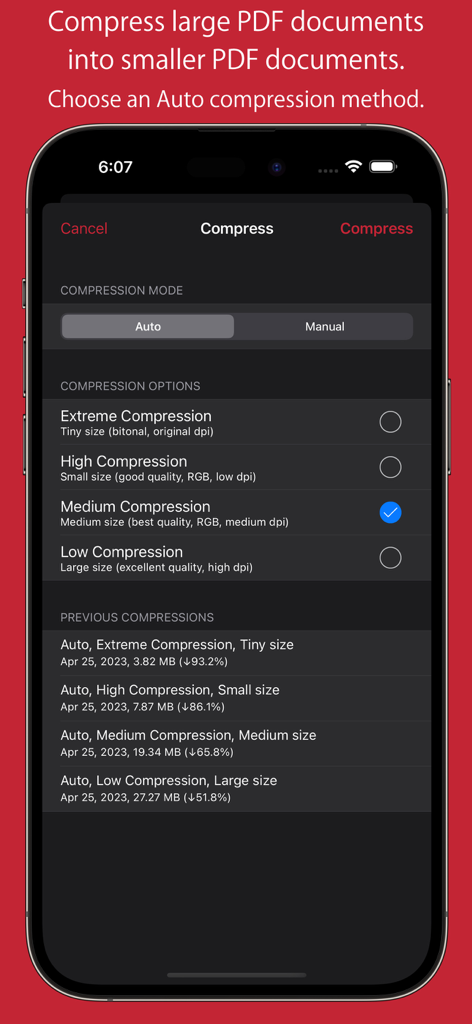
PDFOptim app interface showing auto compression options and previous compression results on an iPhone.

PDFOptim app interface showing auto compression options and previous compression results on an iPhone.

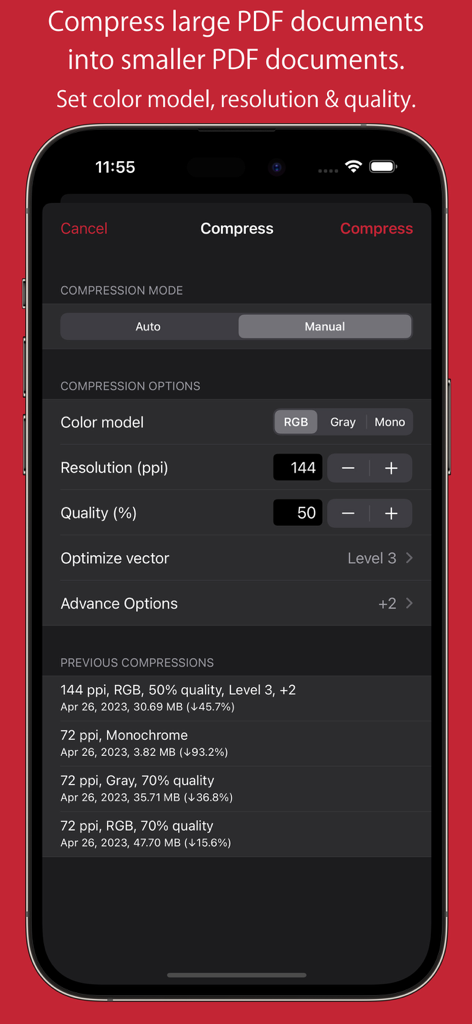
Manual compression settings in PDFOptim showing controls for resolution, quality, and color model on an iPhone screen.

Manual compression settings in PDFOptim showing controls for resolution, quality, and color model on an iPhone screen.

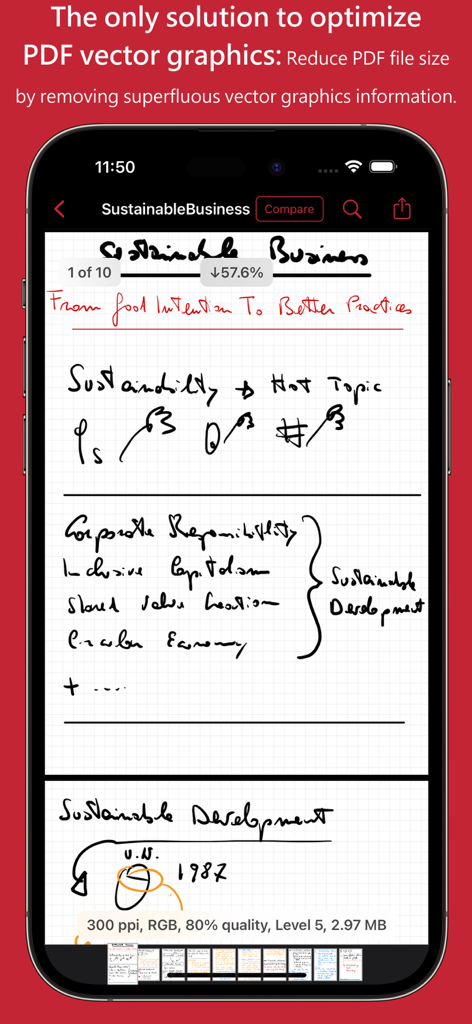
PDFOptim app interface demonstrating reduction of PDF file size through vector graphics optimization.

PDFOptim app interface demonstrating reduction of PDF file size through vector graphics optimization.

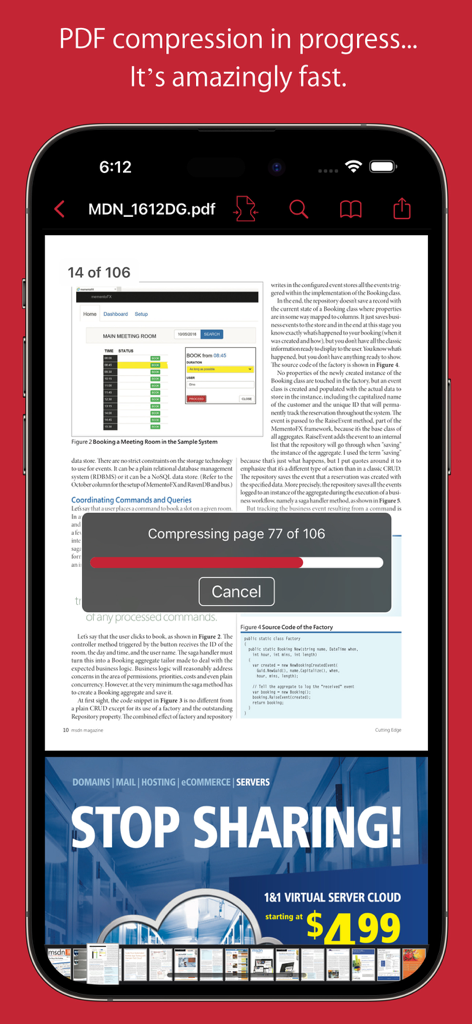
PDFOptim app showing a real-time compression progress bar for a multi-page document on iPhone

PDFOptim app showing a real-time compression progress bar for a multi-page document on iPhone

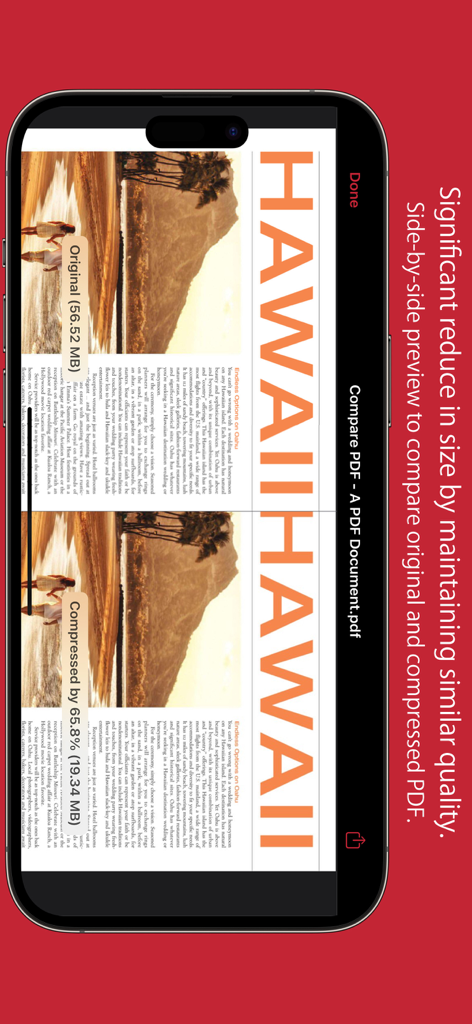
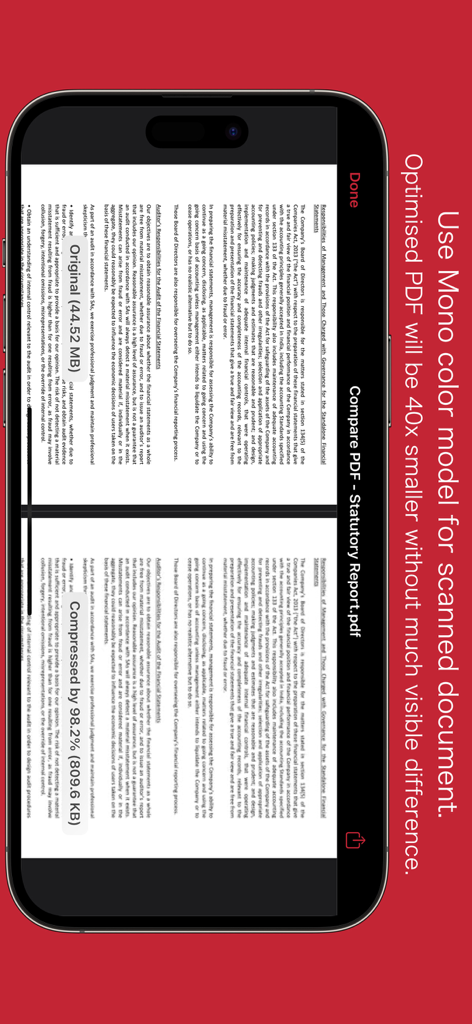
Side-by-side preview comparing original and compressed PDF document quality and size

Side-by-side preview comparing original and compressed PDF document quality and size

Side by side comparison of a PDF document before and after compression using the mono color model

Side by side comparison of a PDF document before and after compression using the mono color model

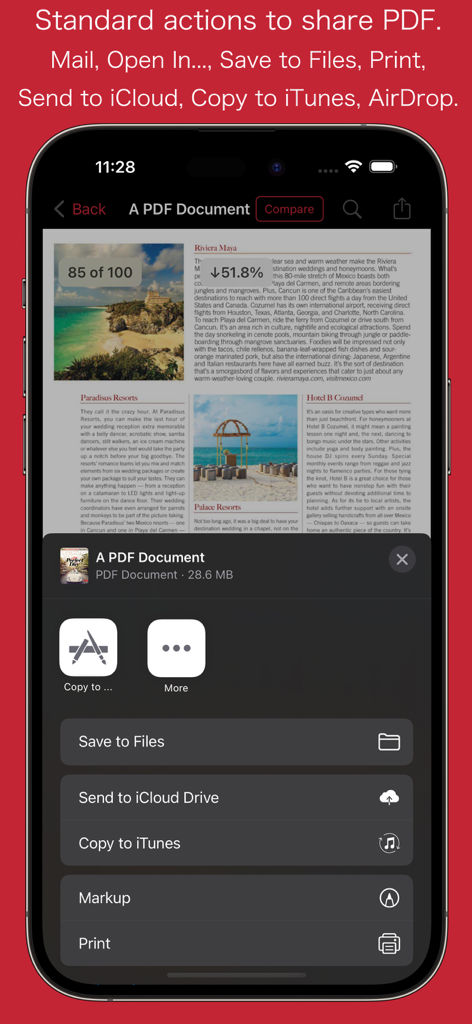
PDFOptim mobile app sharing menu with options for saving and printing documents

PDFOptim mobile app sharing menu with options for saving and printing documents

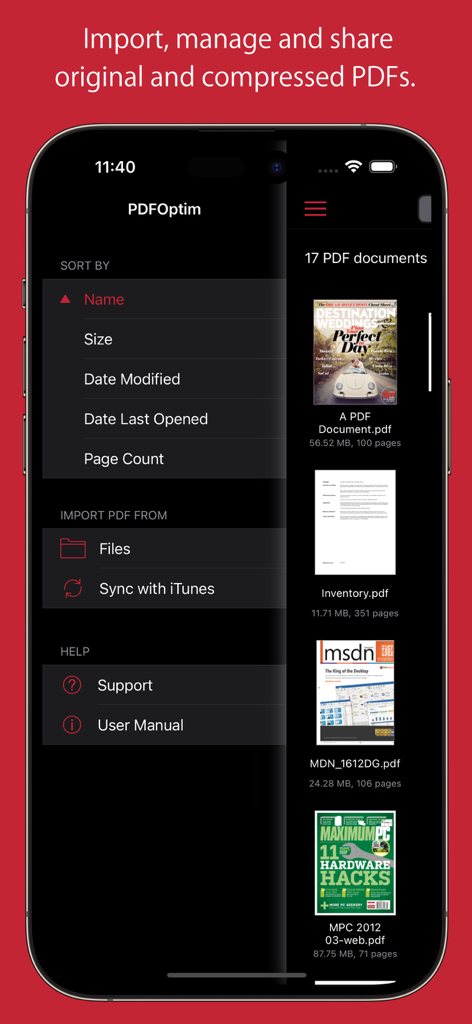
The document management screen of the PDFOptim app showing a list of PDF files and sorting options.

The document management screen of the PDFOptim app showing a list of PDF files and sorting options.

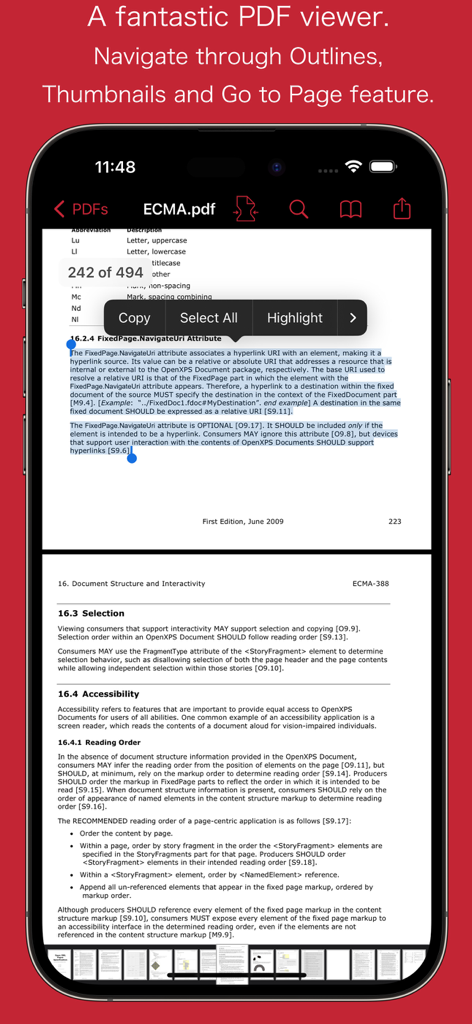
PDFOptim app showing a PDF document with text selection options like copy and highlight on an iPhone

PDFOptim app showing a PDF document with text selection options like copy and highlight on an iPhone

Master Your Mobile Workflow

The tools that make this app stand out, trusted by 140K+ users.

🔍

Side-by-Side Comparison

Compare original and compressed versions in real-time to ensure perfect legibility and professional standards before you hit send.

📐

Precision Manual Mode

Fine-tune image resolution, color models, and vector graphics to meet strict portal upload limits while preserving your handwritten iPad notes.

🛡️

100% Private & Secure

Process sensitive contracts and academic research locally on your iPhone or iPad with zero cloud uploads and total data privacy.

About the app

Everything you need to know about PDFOptim.

Description

PDFOptim is a simple and intuitive way to compress, optimize and reduce PDF documents on iPhones and iPads. PDFOptim provides easy and effective ways to compress large image and graphics heavy PDF files. Inbuilt side-by-side preview to compare original and compressed PDF. * * * PDFOptim for Mac is also available on the Mac App Store. * * * Compressed PDF documents requires less disk space for storage and faster uploads and downloads saves transmission time and cost. PDFOptim rewrites the entire PDF documents using selected compression options as efficiently as possible without compromising the document's integrity. If your PDF documents are in another app (For Example Mail, DropBox or SkyDrive etc.) that uses the Open In… button, tap the button to open the PDF document in PDFOptim. You can also transfer PDF documents from your desktop computer via iTunes into PDFOptim application on your iPhone or iPad. KEY FEATURES: AUTO COMPRESSION MODE - PDFOptim analyze document’s contents and apply algorithm to generate a smallest possible PDF by maintaining the document’s visual quality. Choose one of the four predefined Auto compression methods and let the app do the hard work for you. No further user interaction required to provide technical compression options. MANUAL COMPRESSION MODE - Change compression options manually to generate optimum sized PDF of your need. You can choose compression options to set from Image Color Model, Image Resolution, JPEG Image Quality, Optimise vector graphics level and Advance option. - Image color model to choose from RGB, Gray and Mono. Selecting Monochrome color model option converts raster PDF contents into black and white which helps reduces PDF file size to greater extent. It is very helpful when compressing scanned books mainly containing text. - Image resolution ppi (pixels/inch) control to resize raster image contents. Downsampling at lower resolution decrease the file size dramatically. - Quality control. Set quality from lossless to least for resampling all raster images into PDF. It allows you to control compressed PDF size and viewing quality. -Advance options to remove PDF content properties like alternate images, page thumbnails, documents structure hierarchy and output intent. - Optimize vector graphics option removes superfluous information to reduce vector graphics heavy PDF. Increase in optimize vector from 'Level 1' to 'Level 5' reduces output PDF file size less to more respectively. This option is very useful when PDF content mainly consist of high precision vector graphics, Usually PDF drawing, note-taking and PDF markup apps creates large vector graphics heavy PDF files which can be compressed by this option efficiently. - Password protected PDF documents supported for compression using correct password. - Single or multiple compressed PDFs can be shared as single ZIP (*.zip) file. - Allows Compressed PDFs to Open In… another application, Mail, Message, Print, share PDFs to nearby iOS devices via AirDrop. - Use Copy to iTunes to save and share compressed PDFs on your desktop computer. PDF VIEWER: - Inbuilt PDF viewer with fully selectable and searchable text contents. Select and copy text to clipboard for further use. - Pinch out and Pinch in to ZoomIn and ZoomOut view and search feature to find a character, word and sentence. - Scroll through your document by thumbnail view or Go to page feature. Note: PDFOptim is standalone application running natively to compress PDF documents securely on your iOS device. You can refer User Manual for any assistance Or Contact Support. *The free version has limitation to export one compressed PDF per week. Get Premium to remove all restrictions and start exporting an unlimited number of compressed PDFs. Privacy Policy: http://rootrisetech.com/pdfoptim-privacy-policy Terms of Use(EULA): https://www.apple.com/legal/internet-services/itunes/dev/stdeula/

Latest Version

6.0

Size

7.7 MB

First Released

Aug 18, 2014

Shrink Your PDFs, Not Your Standards

Join 140,000+ mobile professionals who trust PDFOptim for secure, high-quality document compression. Stop fighting file size limits and start sharing with confidence.

Download on App Store

App information, icons, screenshots, and descriptions displayed on this page are sourced from the Apple App Store and are the property of their respective developers. Download estimates and rankings are based on MWM's proprietary models and may not reflect actual figures. This page is provided for informational and analytical purposes only.

Believe this page infringes your intellectual property? File a dispute