Pencil for Notion

Pencil for Notion

Logo of Pencil for Notion

Pencil for Notion: The missing handwriting bridge for your digital workspace

Capture your ideas naturally with the full power of Apple Pencil. Sketch, write, and export clean, dark-mode-ready notes to Notion in seconds—no accounts or complicated setup required.

Publisher

DANIEL TOBIAS MEININGER

Category

Productivity

Downloads

0

User Rating

1.0/5

Total Ratings

0

Locales

1

The Missing Link for Notion

Discover the interface used by 0 users.
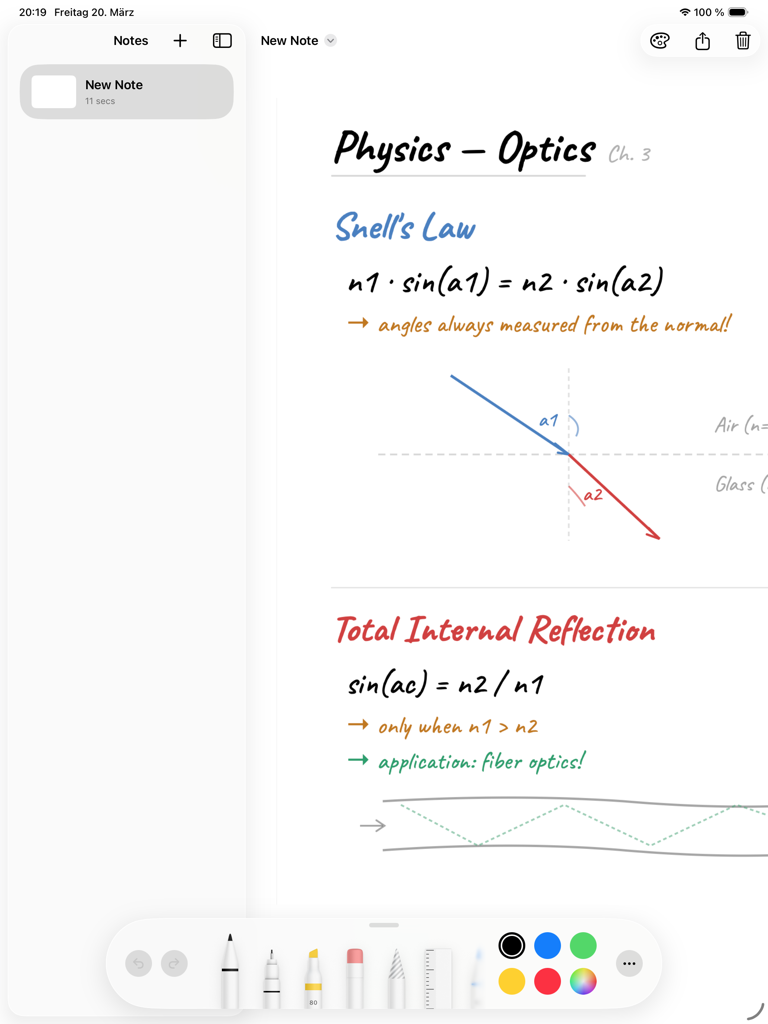
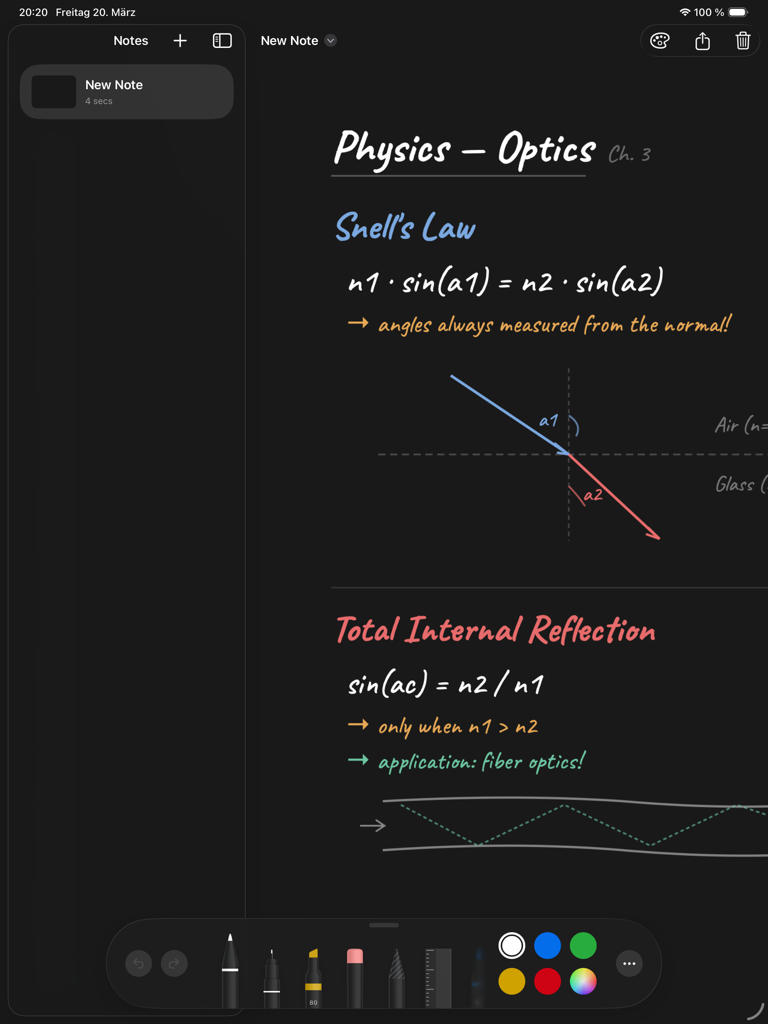
Handwritten physics notes with formulas and diagrams on an iPad using Pencil for Notion

Handwritten physics notes with formulas and diagrams on an iPad using Pencil for Notion

Handwritten physics notes with diagrams on a dark background using Pencil for Notion on iPad

Handwritten physics notes with diagrams on a dark background using Pencil for Notion on iPad

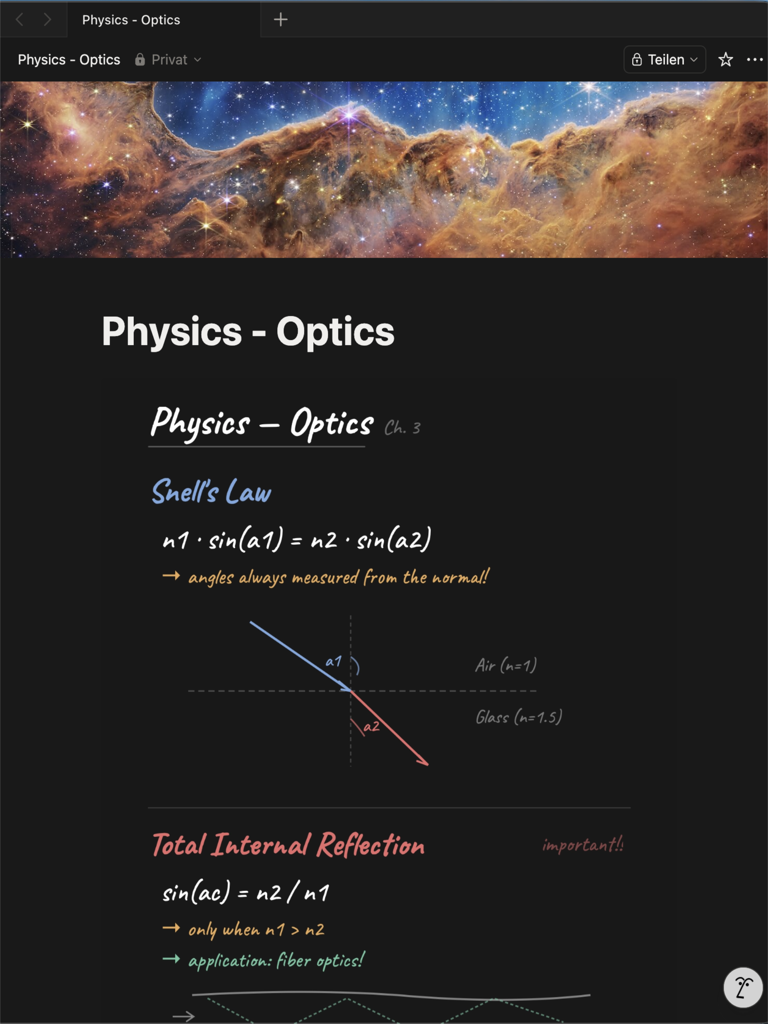
A dark mode Notion page displaying integrated handwritten physics notes and diagrams created with Pencil for Notion

A dark mode Notion page displaying integrated handwritten physics notes and diagrams created with Pencil for Notion

Handwriting, Finally Integrated

The tools that make this app stand out, trusted by 0 users.

✍️

Native PencilKit Precision

Leverage the full power of Apple's native toolset—pen, marker, ruler, and lasso—for a zero-latency writing experience that feels exactly like paper.

🌗

Seamless Visual Synergy

Export notes as clean PNGs with backgrounds that perfectly match Notion's light or dark mode, ensuring your sketches look like native parts of your page.

🛡️

Privacy-First Workflow

Eliminate 'SaaS creep' with a tool that requires no account, no subscription, and no cloud syncing. Everything stays local on your iPad, just the way you want it.

About the app

Everything you need to know about Pencil for Notion.

Description

Notion is incredible for organizing your life — but it has never felt right with Apple Pencil. If you've ever wanted to jot down a quick handwritten note and have it show up in your Notion workspace, you know the struggle. Pencil for Notion bridges that gap. Write, sketch, or doodle with Apple Pencil using the full PencilKit toolset — pen, pencil, marker, eraser, ruler, and lasso. When you're done, tap Share and send your note as a clean PNG image directly to Notion (or any other app). KEY FEATURES • Full Apple Pencil support — all PencilKit tools including pen, pencil, marker, highlighter, eraser, ruler, and lasso selection • Infinite vertical scrolling — write as much as you need, the canvas grows with you • Background colors — match Notion's light and dark mode, or pick any custom color • One-tap export — share as PNG via the iOS Share Sheet to Notion, Files, Mail, or any app • Auto-save — your notes are saved automatically as you write • Thumbnail previews — quickly find your notes in the list view • No account required — everything stays on your iPad, no cloud, no login • Clean, minimal design — built to stay out of your way HOW IT WORKS 1. Create a new note 2. Write or sketch with Apple Pencil 3. Tap the Share button to export as PNG 4. Choose Notion (or any other app) as the destination That's it. No complicated setup, no API keys, no subscriptions. PRIVACY FIRST Pencil for Notion stores all data locally on your device. No analytics, no tracking, no data collection. Your notes are yours. Built by a Notion user who got tired of switching back to Apple Notes just for handwriting.

Latest Version

1.0

Size

0.6 MB

First Released

Mar 24, 2026

Complete Your Notion Workspace

Join thousands of digital gardeners bridging the gap between Apple Pencil and Notion. No accounts, no subscriptions—just seamless handwriting for your second brain.

App information, icons, screenshots, and descriptions displayed on this page are sourced from the Apple App Store and are the property of their respective developers. Download estimates and rankings are based on MWM's proprietary models and may not reflect actual figures. This page is provided for informational and analytical purposes only.

Believe this page infringes your intellectual property? File a dispute