
This page is not an official page of the app or its developer, but an independent editorial publication created for informational and commentary purposes. Unless expressly stated otherwise, neither the app nor its developer is affiliated with, endorsed by, sponsored by, authorized by, or otherwise officially connected with MWM, Apple, Google Play, the app publisher, or the app's developer, and nothing on this page implies that the app was developed using MWM's services. Any trademarks, logos, screenshots, and other content remain the property of their respective owners.
Photo Collage Maker: Collagic
Go beyond basic grids with minimalist layouts and seamless carousels. Transform your photos into professional-grade magazine spreads and digital zines in just a few taps.
Downloads
1K+User Rating
Total Ratings
0Publisher
Category
Graphics & DesignLocales
21Latest Version
1.0.2Size
233.3 MBFirst Released
Mar 27, 2026Elevate Your Aesthetic Narrative
Go beyond basic grids with professional-grade tools designed for the modern creator. Transform your camera roll into high-end editorial spreads and seamless visual stories.
Master the Seamless Carousel
Create panoramic, flowing stories that keep your followers swiping. Layer your photos across multiple frames for a continuous and professional social media presence.
Magazine-Ready Layouts
Ditch the basic squares for curated, minimal, and retro templates. Every design is built with white space in mind to give your photos an expensive, editorial edge.
The following screenshots and description are sourced directly from the app's official store listing and are the property of the app developer.
App Store
Screenshots
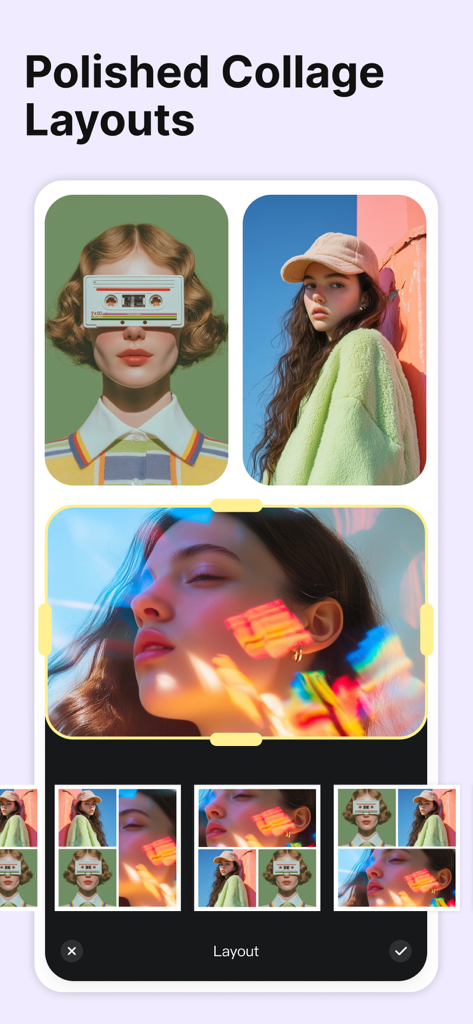
A mobile app interface showing a polished editorial photo collage layout with a selection of minimalist magazine-style templates
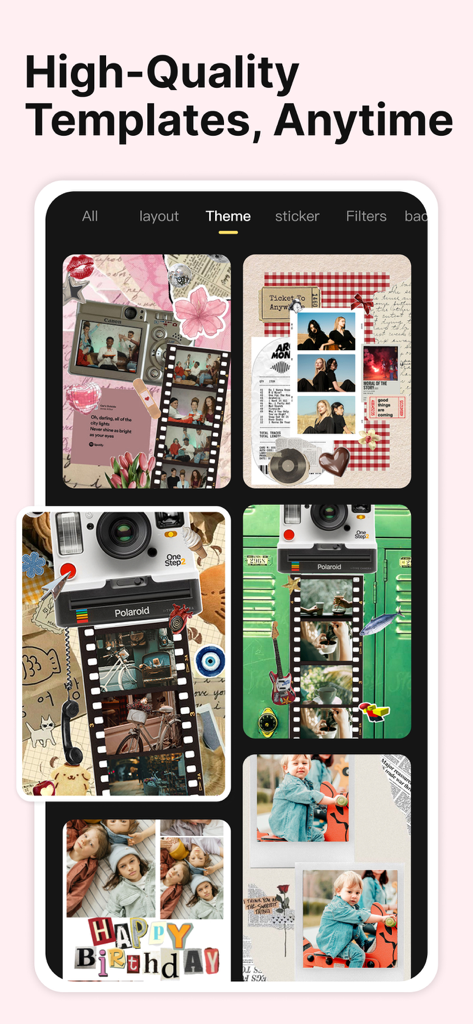
A collection of editorial and retro digital scrapbook templates in the Collagic photo editor app.
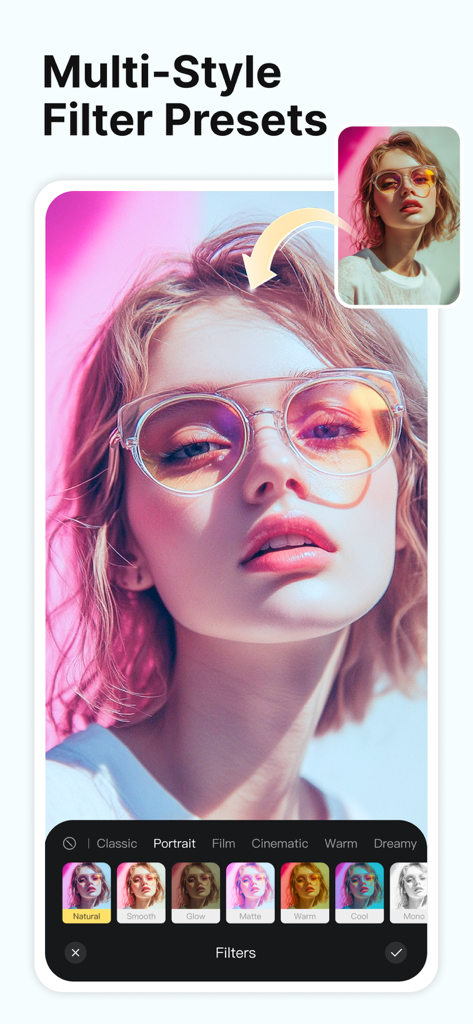
A mobile interface of the Collagic app showing various aesthetic filter presets applied to a portrait photo
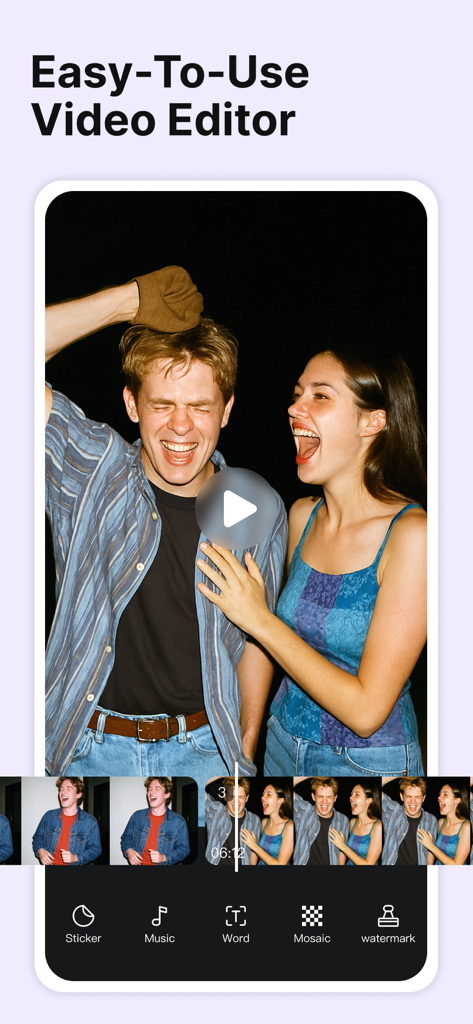
Mobile interface showing video editing tools in the Collagic app
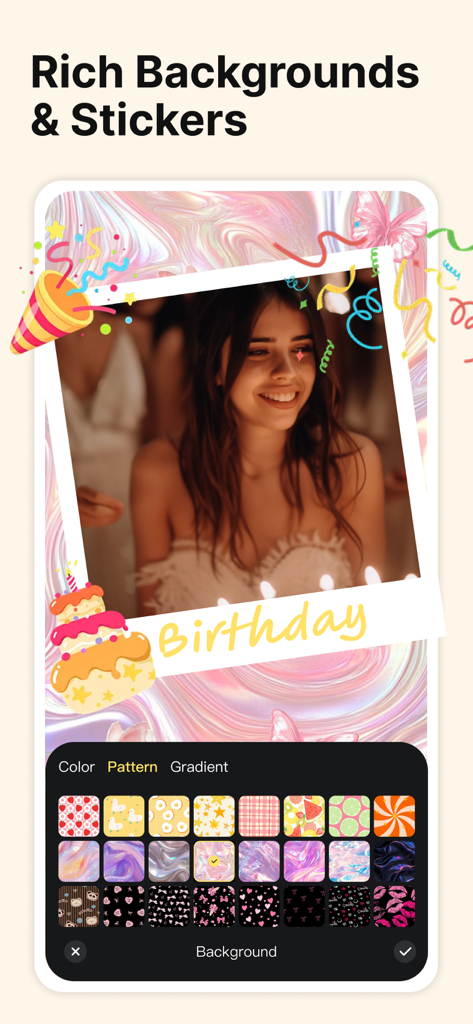
A birthday photo collage with decorative stickers and a variety of background pattern options.
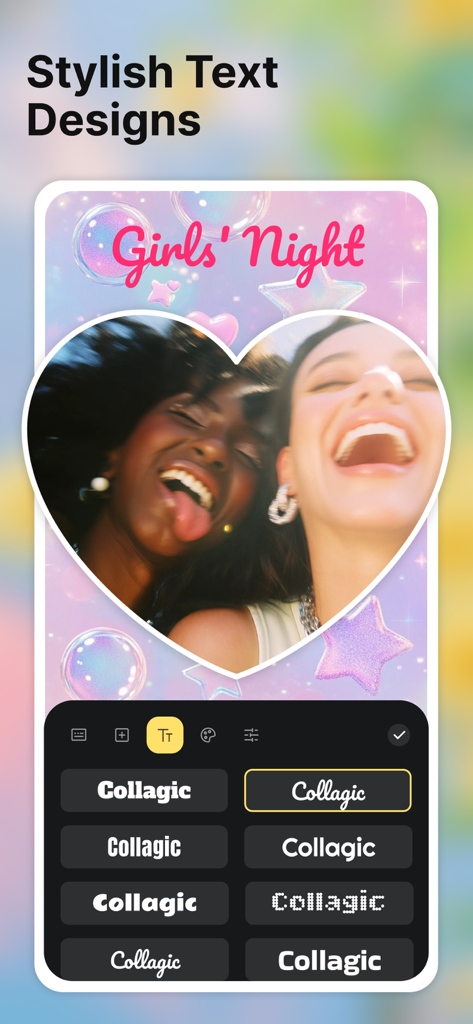
A screen showing stylish text designs and font options in the Collagic photo editor
Description
Download
More Like This
Top-ranked apps in the same category

iScreen - Widgets & Wallpaper
Xiamen ShenZhuo Information Technology Co., Ltd.

Kling AI: AI Image&Video Maker
LOHAS GAMES PTE. LTD.

ibis Paint X
ibis inc.

Home AI - AI Interior Design
HUBX YAZILIM HIZMETLERI ANONIM SIRKETI

Layout - Photo Collage Maker
Fitness Labs SRL
ThemeKit: Widget & Icon Themes
Woohoo Tech. Ltd.
Themie: Wallpapers & Theme
BEE LAB JOINT STOCK COMPANY

Adobe Express: Create Anything
Adobe Inc.
Sketchbook®
Sketchbook, Inc.
This page is not an official page of the app or its developer, but an independent editorial publication created for informational and commentary purposes. Unless expressly stated otherwise, neither the app nor its developer is affiliated with, endorsed by, sponsored by, authorized by, or otherwise officially connected with MWM, Apple, Google Play, the app publisher, or the app's developer, and nothing on this page implies that the app was developed using MWM's services. Any trademarks, logos, screenshots, and other content remain the property of their respective owners.