Photo Purge: Swipe & Delete
Download on App Store

This page is not an official page of the app or its developer, but an independent editorial publication created for informational and commentary purposes. Unless expressly stated otherwise, neither the app nor its developer is affiliated with, endorsed by, sponsored by, authorized by, or otherwise officially connected with MWM, Apple, Google Play, the app publisher, or the app's developer, and nothing on this page implies that the app was developed using MWM's services. Any trademarks, logos, screenshots, and other content remain the property of their respective owners.


Logo of Photo Purge: Swipe & Delete
Download on App Store

Photo Purge: Swipe & Delete

Stop dreading the "Storage Full" notification. Reclaim your iPhone space and organize thousands of photos with the fun, gamified app that turns gallery cleanup into a breeze.

Key Figures

Downloads

13K+

User Rating

4.2/5

Total Ratings

0

Publisher

MW Lifestyle GmbH

Category

Utilities

Locales

6

Latest Version

6.25.0

Size

141.6 MB

First Released

Nov 6, 2023
Features

Finally, a Gallery You Actually Love

Stop drowning in thousands of screenshots and blurry bursts. Photo Purge turns your messy camera roll into a curated collection with a simple, addictive swipe.

The Power of the Swipe

Transform photo cleaning from a chore into a game. Swipe left to ditch the digital clutter and right to keep the moments that matter.

Beat the 'Storage Full' Panic

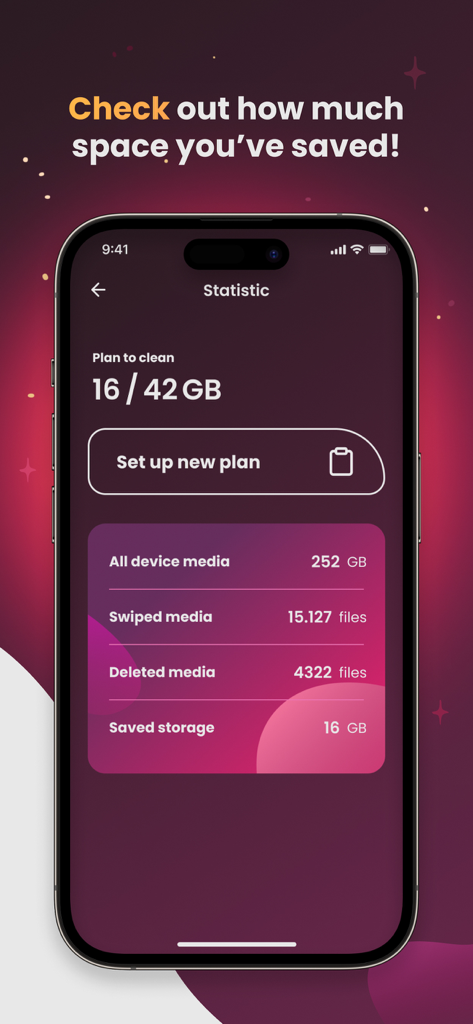
Reclaim gigabytes in minutes. Set personal storage goals and watch your progress bar climb as you check off months of clutter.

The following screenshots and description are sourced directly from the app's official store listing and are the property of the app developer.

App Store

Screenshots
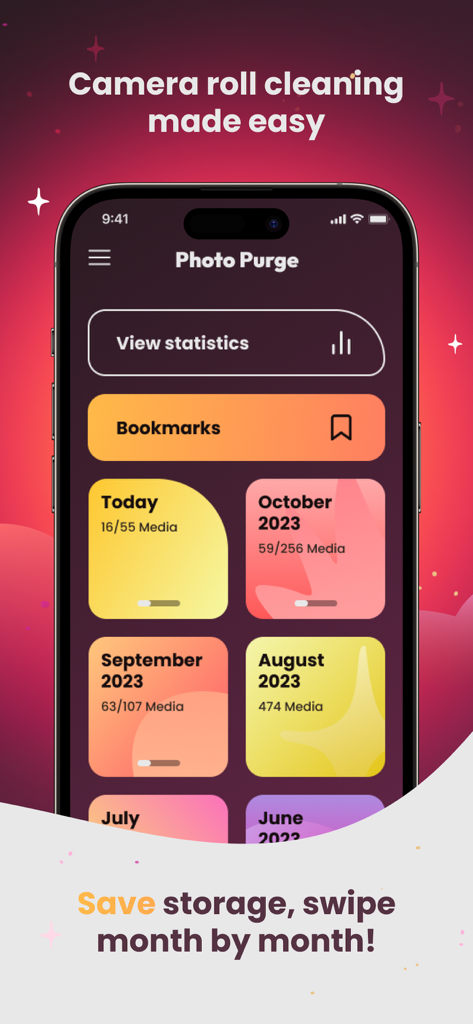
Photo Purge: Swipe & Delete - Photo Purge app dashboard displaying photo collections organized by month for storage cleaning
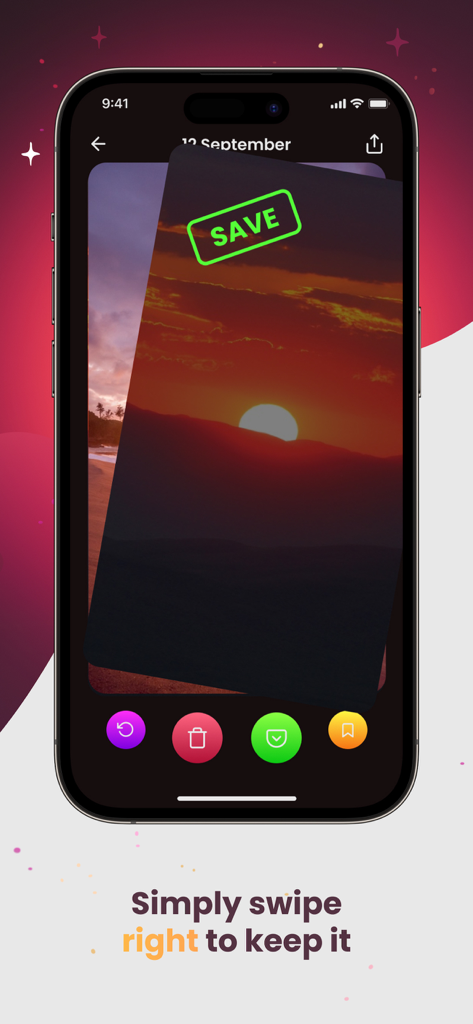
Photo Purge app dashboard displaying photo collections organized by month for storage cleaning

Photo Purge: Swipe & Delete - Photo Purge app showing a sunset photo being swiped right to save it
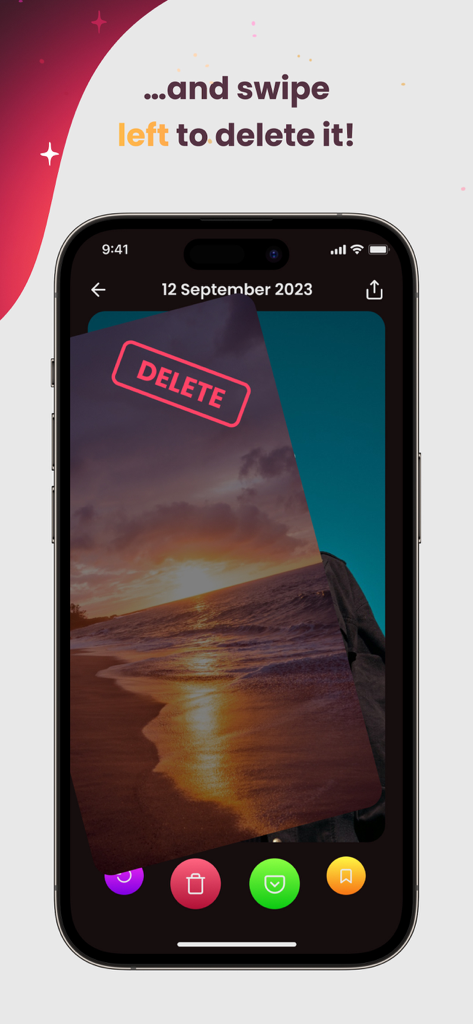
Photo Purge app showing a sunset photo being swiped right to save it

Photo Purge: Swipe & Delete - Mobile app interface showing a sunset photo being swiped left with a red delete stamp.
Mobile app interface showing a sunset photo being swiped left with a red delete stamp.

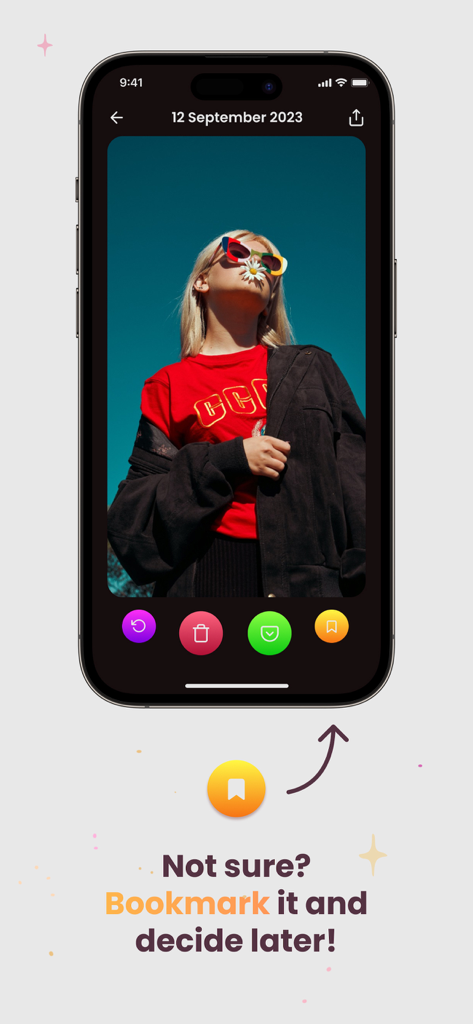
Photo Purge: Swipe & Delete - iPhone screen showing the Photo Purge app bookmarking feature with a yellow icon for undecided photos.
iPhone screen showing the Photo Purge app bookmarking feature with a yellow icon for undecided photos.

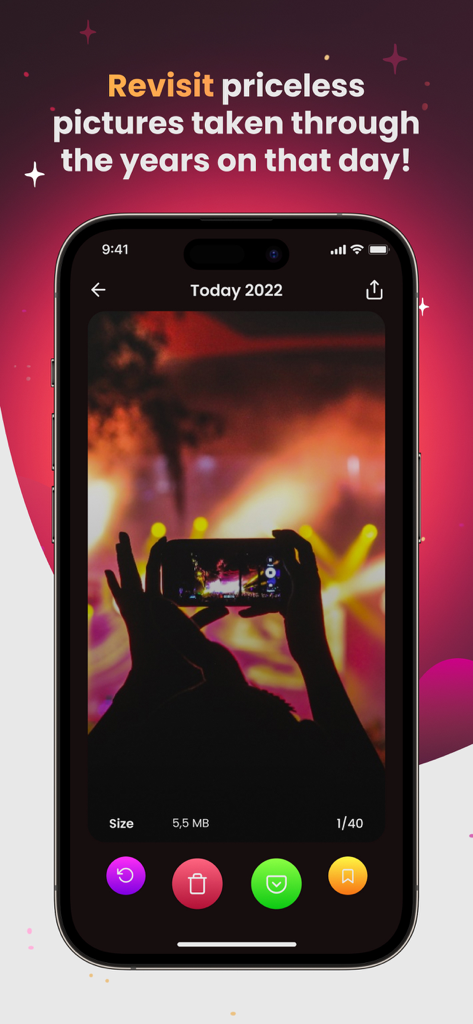
Photo Purge: Swipe & Delete - Photo Purge app interface displaying the On This Day feature for revisiting and sorting historical photos.
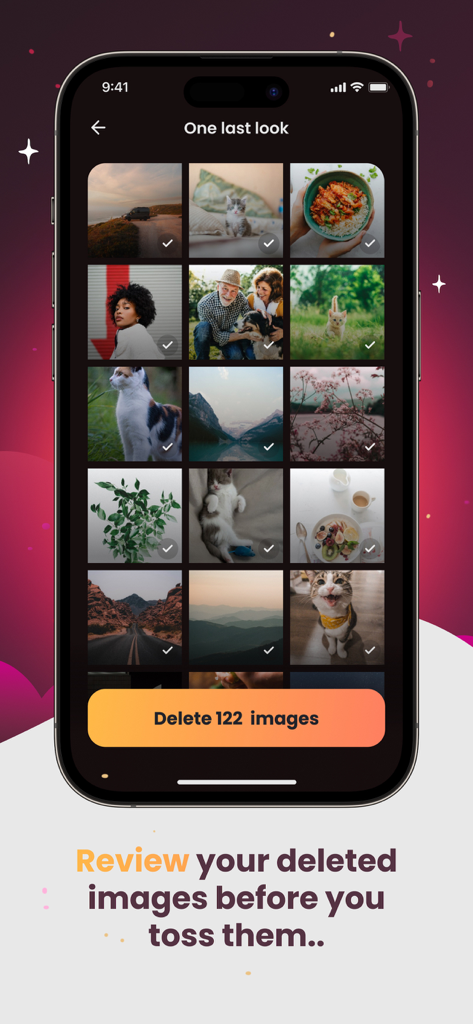
Photo Purge app interface displaying the On This Day feature for revisiting and sorting historical photos.

Photo Purge: Swipe & Delete - Mobile app screen showing a grid of photos selected for deletion with a button labeled Delete 122 images
Mobile app screen showing a grid of photos selected for deletion with a button labeled Delete 122 images

Photo Purge: Swipe & Delete - Statistics screen in the Photo Purge app showing saved storage space and media cleaning progress.

Statistics screen in the Photo Purge app showing saved storage space and media cleaning progress.
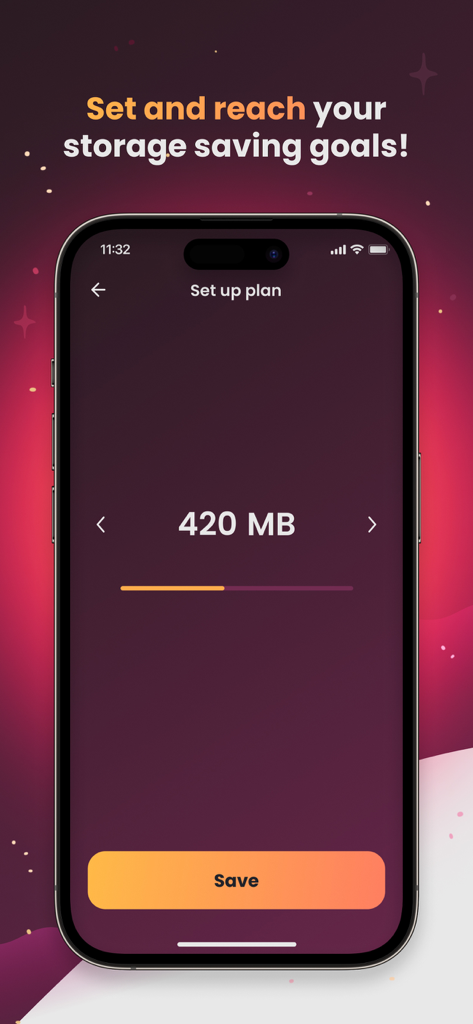
Photo Purge: Swipe & Delete - A mobile interface for the Photo Purge app showing a screen to set a storage saving goal of 420 megabytes with a save button.

A mobile interface for the Photo Purge app showing a screen to set a storage saving goal of 420 megabytes with a save button.

Description

The day you’ve been dreading has finally come. A notification pops up on your screen and reads ‘iPhone Storage Full’. You attempt to make sense of the boundless sea of screenshots from your motivational quote phase. You come across an absurd number of pictures of a spider that was in your apartment that one time, which in retrospect, wasn’t that big. Priceless memories are scattered throughout your gallery, but you’re bored and losing interest fast. Before you give up, you start selecting pictures by the dozen to delete. Only to realise days later that you actually needed that screenshot deleted in the masses and you actually didn’t mind how you looked in that group photo, the sun was just in your eyes. Organizing your picture gallery can be a daunting task and you’re not alone. Did you know the average iOS user has about 2400 pictures in their gallery? With all of those images to sort through, you can’t help but wonder if there is a better way. Well, get ready, the answer is here! Say hello to PhotoPurge, a photo cleaner app designed to make organizing your gallery fun and simple! Our swiping feature takes you on a stroll down memory lane picture by picture, all you have to do is swipe right to keep and swipe left to delete. Cleaning up your gallery has never been easier or more engaging! Key Features: - Swipe right! Keep a Picture - Swipe left! Delete a Picture - Revert: Revert pictures If you accidentally delete or keep an image, you can easily bring it back with the revert button. - Bookmark: Save your favorite pictures and view them in an automatically generated file. You’ll never have to search for another picture again! - Review: You can review deleted and kept pictures once you’re done swiping, just to make sure you’re happy with your swipes. - Progress Bar: Perhaps you had to cut your storage clearance a little short, not to worry! When you come back, there will be a progress bar on the incomplete month, so you know where you’re at and how much is left to go. - Reach your storage goals: You can set storage goals you would like to accomplish on your storage saving venture, letting you achieve your goals effectively! - Categorized by Month: You can work through your gallery by month, once you’ve completed it, the month will be checked off making it a breeze to see how much you’ve done already. - On This Day: Allowing you to sort through pictures taken on that date in the past, transporting you back in time! Premium Features: Unlimited Swipes & Bookmarks Subscription options: 1-week & 1-year subscriptions Subscriptions will be charged to your credit card through your iTunes account. Your subscriptions will automatically renew unless auto-renew is turned off at least 24 hours before the end of current period. Your account will be charged according to your plan for renewal within 24 hours prior to the end of the current period. You can manage or turn off auto-renew in your Apple ID account settings at any time after purchase. Disclaimer: PhotoPurge allows you to manage images based on your preferences, but we do not take responsibility for any unintended loss or deletion of photos and videos. PhotoPurge allows you to review all photos and videos before they are deleted and we advise to review them carefully to prevent any unintended data loss. PhotoPurge presents its app through official profiles on Reddit, Snapchat, X, Twitter, Tellonym, Instagram, Threads, Facebook, Telegram, Discord, WhatsApp, Messenger and TikTok solely for promotional purposes. It's important for our users to recognize that we do not own, nor are we associated with, the brand names or trademarks of these platforms. Our presence on these sites is independent and does not imply any endorsement or affiliation. Terms of Use: https://www.apple.com/legal/internet-services/itunes/dev/stdeula/ Privacy Policy: https://www.photopurge.com/app-privacy-policy

Download

Download on App Store

This page is not an official page of the app or its developer, but an independent editorial publication created for informational and commentary purposes. Unless expressly stated otherwise, neither the app nor its developer is affiliated with, endorsed by, sponsored by, authorized by, or otherwise officially connected with MWM, Apple, Google Play, the app publisher, or the app's developer, and nothing on this page implies that the app was developed using MWM's services. Any trademarks, logos, screenshots, and other content remain the property of their respective owners.








