
This page is not an official page of the app or its developer, but an independent editorial publication created for informational and commentary purposes. Unless expressly stated otherwise, neither the app nor its developer is affiliated with, endorsed by, sponsored by, authorized by, or otherwise officially connected with MWM, Apple, Google Play, the app publisher, or the app's developer, and nothing on this page implies that the app was developed using MWM's services. Any trademarks, logos, screenshots, and other content remain the property of their respective owners.


Photo Recovery: phone cleanup
Storage nightmares? This app hands users back control, turning digital chaos into order and lost memories into found treasures.
Downloads
75k+User Rating
Total Ratings
729Publisher
Category
UtilitiesLocales
29Latest Version
1.4.7Size
33.3 MBFirst Released
Mar 28, 2025An Analytical Overview for iPhone Users
Key Features of Photo Recovery: phone cleanup
One-Click Photo & Video Recovery
The app provides a straightforward solution to restore accidentally deleted photos and videos with just one tap, ensuring precious memories are not lost.
Duplicate & Similar Photo Cleanup
This tool automatically identifies and removes duplicate or similar photos, videos, screenshots, and burst shots, effectively freeing up significant storage space on the device and iCloud.
Private Photo Vault for Security
It allows users to protect sensitive photos and videos by securing them in an encrypted private vault, accessible only via password or fingerprint, ensuring privacy and data protection.
AI Photo Enhancement Tools
The app features AI-powered tools that can colorize black-and-white photos, repair damage in old photographs, sharpen blurry images, and enhance overall image quality.
Smart Video Compression
This tool intelligently compresses video sizes by 50-80% without compromising quality, enabling users to save considerable storage space while preserving their high-definition memories.
Large File Storage Management
It provides functionalities to sort and easily identify large photos and videos, facilitating their deletion to quickly free up substantial amounts of storage space.
Intelligent Photo Selection Recommendations
Among similar photos, the app intelligently suggests the best option based on clarity, expression, and focus, helping users curate their photo library more efficiently.
Duplicate Contact Merging
It automatically identifies and merges duplicate contacts by name, number, or email, and includes a one-click backup feature to prevent data loss.
Frequently Asked Questions
Everything you need to know about Photo Recovery: phone cleanup
Can Photo Recovery: Phone Cleanup restore deleted photos and videos?
Yes, Photo Recovery: Phone Cleanup restores accidentally deleted photos and videos using a one-click recovery feature. It also includes smart search for buried media, ensuring precious memories are retrieved.
How does Photo Recovery: Phone Cleanup identify and remove duplicate photos?
Photo Recovery: Phone Cleanup intelligently finds and removes duplicate/similar photos, videos, screenshots, and burst shots. It uses AI to suggest the best image among similar ones, optimizing storage efficiently.
What artificial intelligence (AI) photo enhancement tools are available in Photo Recovery: Phone Cleanup?
Photo Recovery: Phone Cleanup's AI Photo Toolbox includes features to colorize B&W photos, restore old damaged photos, sharpen blurry images, and enhance overall photo quality automatically for better clarity and details.
How does Photo Recovery: Phone Cleanup protect my private photos and videos?
Photo Recovery: Phone Cleanup offers a Private Photo Vault that protects sensitive media. It locks photos and videos with a password or fingerprint, encrypting all stored files to ensure data security even if the phone is lost.
Can Photo Recovery: Phone Cleanup reduce the size of large videos?
Yes, Photo Recovery: Phone Cleanup includes Smart Video Compression. This feature can shrink video sizes by 50-80% without quality loss, helping users save significant storage space while retaining HD memories.
Does Photo Recovery: Phone Cleanup help manage duplicate contacts?
Yes, Photo Recovery: Phone Cleanup automatically identifies and merges duplicate contacts by name, number, or email. It also provides a one-click backup function, ensuring contacts are never lost.
What methods does Photo Recovery: Phone Cleanup use to free up iPhone storage?
Photo Recovery: Phone Cleanup frees up storage by cleaning duplicate/similar media, compressing large videos, merging duplicate contacts, and managing large files. Its AI intelligently identifies and optimizes space usage.
Is Photo Recovery: Phone Cleanup user-friendly for non-technical users?
Yes, Photo Recovery: Phone Cleanup is user-friendly. It features a simple, intuitive interface that requires no technical skills. Users can recover, clean, and protect their photos and videos in just a few easy steps.
The following screenshots and description are sourced directly from the app's official store listing and are the property of the app developer.
App Store
Screenshots

See how the app presents clear categories for photo and video recovery and features an intuitive 'Recover' button for quick restoration.
Instant Recovery Solutions
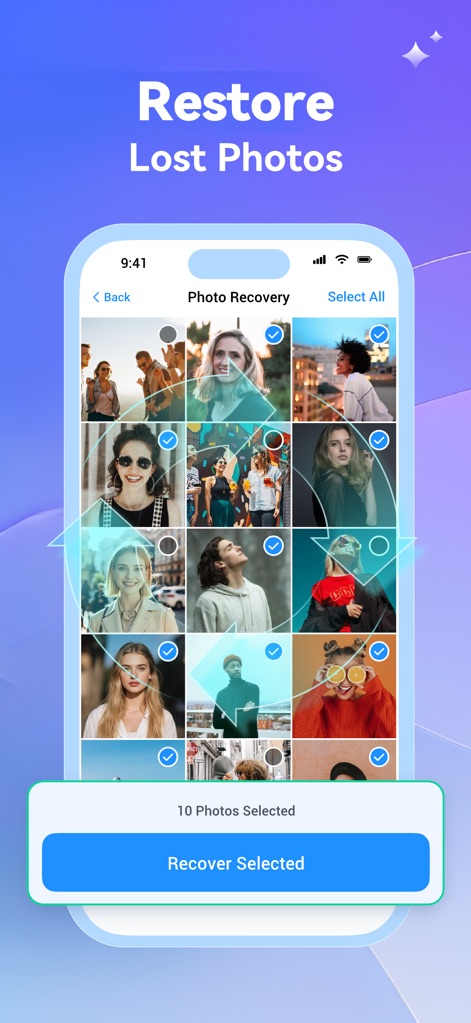
The app simplifies photo restoration by allowing users to select multiple photos from a grid view and initiate recovery with a prominent 'Recover Selected' button.
Effortless Photo Restoration

Discover the app's powerful deep scan feature, visually represented by a magnifying glass icon, which meticulously searches and displays the number of photos found during the scanning process.
Comprehensive Device Scan

This tool helps users easily bring back missing videos, allowing selection from a grid of video thumbnails and indicating restoration with a dynamic green arrow.
Retrieve Video Memories
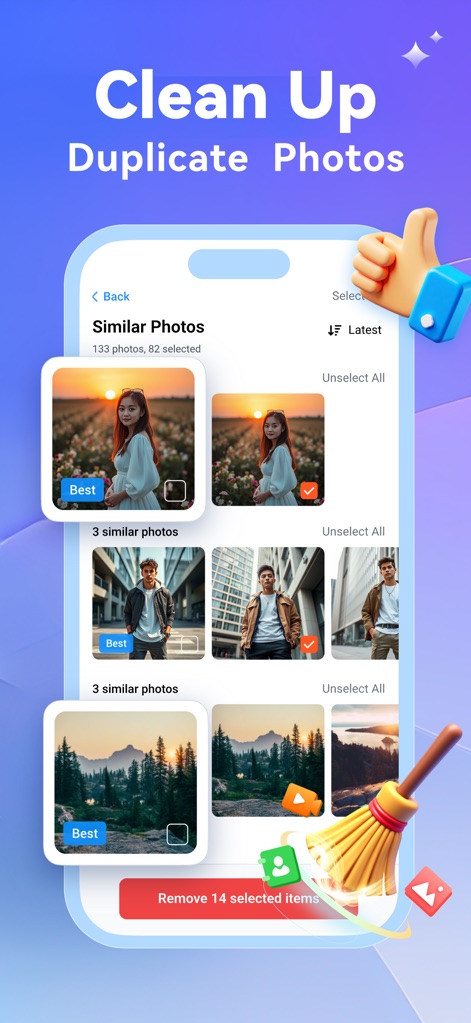
The app intelligently identifies similar photos, highlighting the 'Best' option among them, and provides a clear 'Remove selected items' button for efficient decluttering.
Smart Duplicate Cleanup
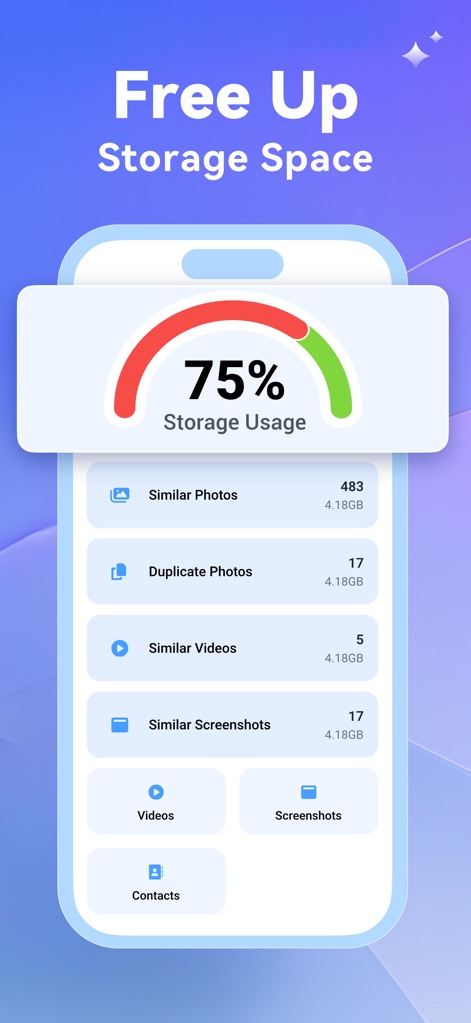
Users can quickly assess their storage usage through a prominent meter and review categorized breakdowns of files like similar photos and duplicate videos that consume space.
Optimize Storage Instantly
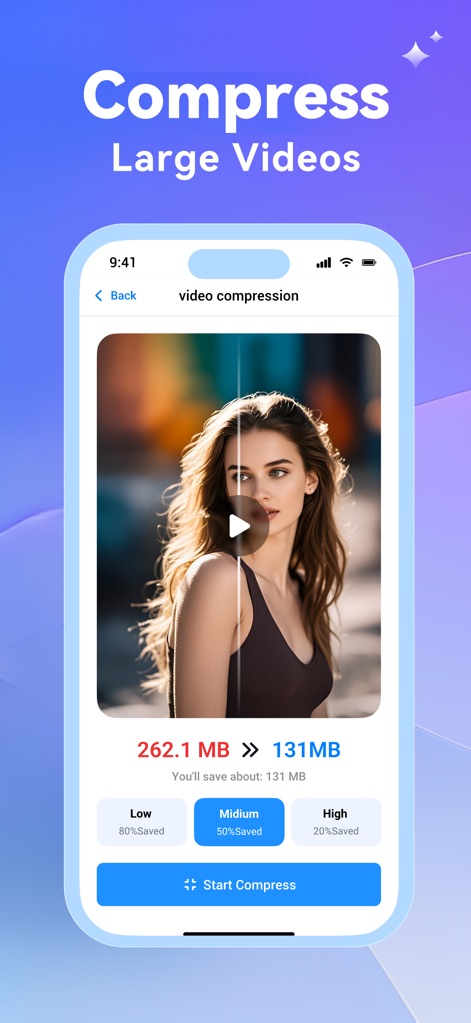
This feature allows users to compress large videos, displaying both original and reduced file sizes, and offering distinct compression quality options like 'Medium' for balanced saving.
Efficient Video Compression

The app simplifies contact management by automatically identifying duplicate contacts and providing a 'Review Merge Preview' option before consolidating them into a single entry.
Streamline Contacts

This tool safeguards sensitive content within a secure private vault, visually represented by a prominent shield icon, and allows users to categorize protected media into 'Photos' and 'Videos' tabs.
Secure Private Vault
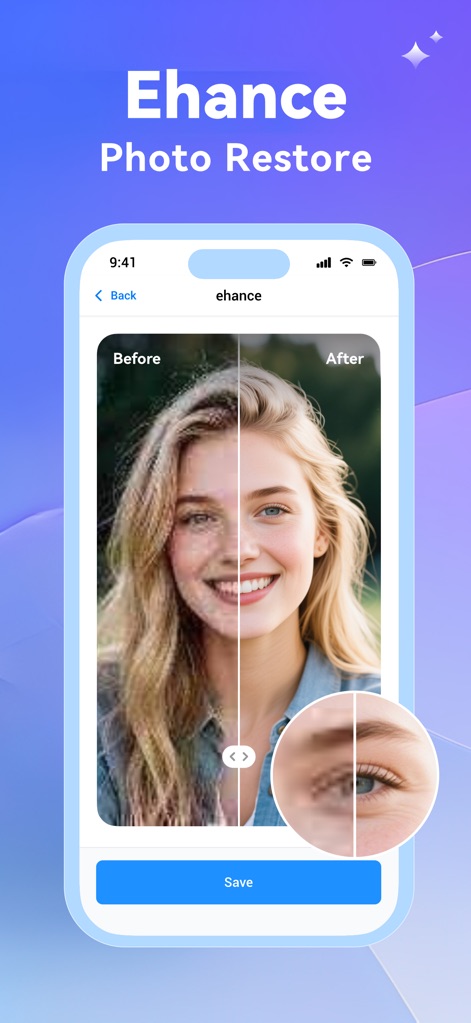
The app's AI photo toolbox enhances image quality, demonstrated by a 'Before/After' slider on a photo and detailed in a magnified section showcasing improved clarity.
AI Photo Enhancement
Description
Download
More Like This
Apps with similar features and user experience

True Cleaner - Cleanup Storage
Alpha Zeta Co., Limited

CleanEasy: Memory Manage
奇川 熊

手机助手-功能强大方便实用
波 张

Memorra Cleaner
DAYS GONE LAND SERVICE ,LLC.

CleanMate - cleaner app
MASSEY BBQ BAR NON PROFIT CORP

Clean Master: AI Clean Storage
Beijing Xingxi Network Technology Co., Ltd

Secure Cleaner: Clean & Safe
Hunan Jukan Culture Media Co., Ltd.

AI Cleaner - Free up Storage
Hunan Kuangshen Network Technology Co., Ltd.

iCleanUp: Clean Duplicates
Netastica Limited
This page is not an official page of the app or its developer, but an independent editorial publication created for informational and commentary purposes. Unless expressly stated otherwise, neither the app nor its developer is affiliated with, endorsed by, sponsored by, authorized by, or otherwise officially connected with MWM, Apple, Google Play, the app publisher, or the app's developer, and nothing on this page implies that the app was developed using MWM's services. Any trademarks, logos, screenshots, and other content remain the property of their respective owners.