
This page is not an official page of the app or its developer, but an independent editorial publication created for informational and commentary purposes. Unless expressly stated otherwise, neither the app nor its developer is affiliated with, endorsed by, sponsored by, authorized by, or otherwise officially connected with MWM, Apple, Google Play, the app publisher, or the app's developer, and nothing on this page implies that the app was developed using MWM's services. Any trademarks, logos, screenshots, and other content remain the property of their respective owners.


Secure Cleaner: Clean & Safe
Instantly free up storage by removing duplicates, secure your WiFi connection, and protect your private files with a smart, on-device toolkit designed for your peace of mind.
Downloads
241K+User Rating
Total Ratings
1K+Publisher
Category
ProductivityLocales
8Latest Version
1.1.1Size
58.5 MBFirst Released
Sep 7, 2025Optimize Your Digital Life
Take control of your iPhone with a comprehensive suite of tools designed to protect your privacy, reclaim storage, and simplify your daily routine.
Smart Storage Recovery
Instantly identify and remove duplicate photos or large videos to reclaim gigabytes of space for new memories.
Fortified Personal Privacy
Secure your sensitive files in an encrypted vault and browse confidently with real-time WiFi security scanning.
Frequently Asked Questions
Everything you need to know about Secure Cleaner: Clean & Safe
What is Secure Cleaner: Clean & Safe?
Secure Cleaner: Clean & Safe is an all-in-one utility app designed for iPhone. It keeps your device organized, secure, and efficient by freeing up space, ensuring safe connections, and providing essential tools.
Can Secure Cleaner: Clean & Safe remove duplicate photos and videos?
Yes, Secure Cleaner: Clean & Safe includes Smart Management. It detects and removes duplicate photos and videos, helping to free up valuable storage space on your iPhone.
Does Secure Cleaner: Clean & Safe check Wi-Fi network safety?
Yes, Secure Cleaner: Clean & Safe features a WiFi Safety Check. It scans your network to ensure a safe and stable connection, identifying potential threats like phishing or fake public Wi-Fi.
How does Secure Cleaner: Clean & Safe protect sensitive files?
Secure Cleaner: Clean & Safe protects sensitive files using its Private Space feature. This functionality provides enhanced security, keeping your files truly yours and stored on your device.
Can Secure Cleaner: Clean & Safe simulate a fake incoming call?
Yes, Secure Cleaner: Clean & Safe offers a Virtual Phone feature. It allows you to fake an incoming call, providing a convenient way to discreetly exit awkward social situations.
Does Secure Cleaner: Clean & Safe have a flashlight function?
Yes, Secure Cleaner: Clean & Safe includes a Flashlight Function. It provides a concise flashlight page with options for normal light, SOS signaling, and a flicker mode for versatile use.
Does Secure Cleaner: Clean & Safe provide battery information?
Yes, Secure Cleaner: Clean & Safe provides Battery Information. Users can view their battery charging status and monitor the remaining power directly within the application.
Does Secure Cleaner: Clean & Safe collect personal information?
No, Secure Cleaner: Clean & Safe does not collect or upload personal information. All actions are processed exclusively on your device, ensuring your privacy and data security.
How does auto-renewal work for Secure Cleaner: Clean & Safe subscriptions?
Secure Cleaner: Clean & Safe subscriptions automatically renew. To prevent renewal, you must turn off auto-renew at least 24 hours before the current subscription period concludes.
How do I manage or cancel my Secure Cleaner: Clean & Safe subscription?
You can manage or cancel your Secure Cleaner: Clean & Safe subscription and turn off auto-renewal within your Account Settings after the initial purchase.
What happens to a free trial if I purchase a Secure Cleaner: Clean & Safe subscription?
Any unused portion of a free trial for Secure Cleaner: Clean & Safe is forfeited upon the purchase of a subscription. The paid subscription immediately commences.
Does Secure Cleaner: Clean & Safe include a password saver?
Yes, Secure Cleaner: Clean & Safe includes a Password Saver. This utility allows users to securely store and manage their important passwords directly within the application.
The following screenshots and description are sourced directly from the app's official store listing and are the property of the app developer.
App Store
Screenshots
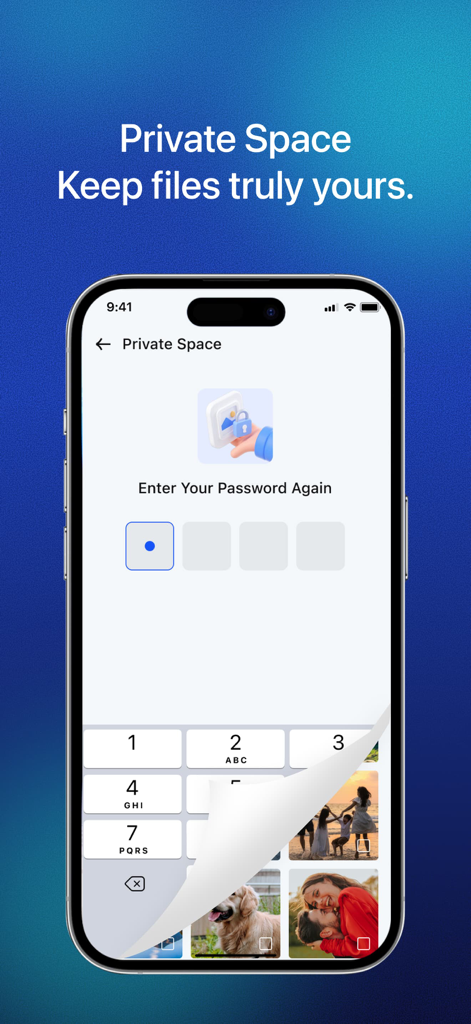
Secure Cleaner app Private Space password entry screen for protecting private photos
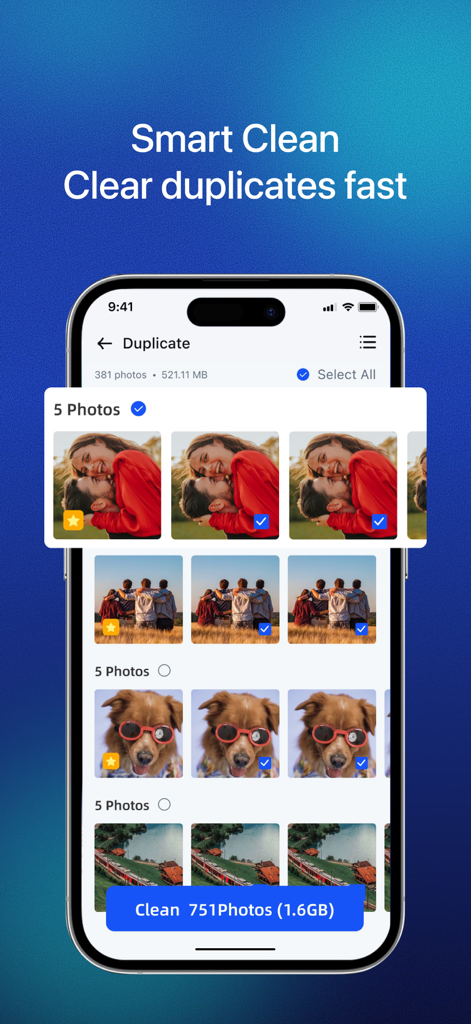
Secure Cleaner app interface showing duplicate photo detection and storage cleaning feature
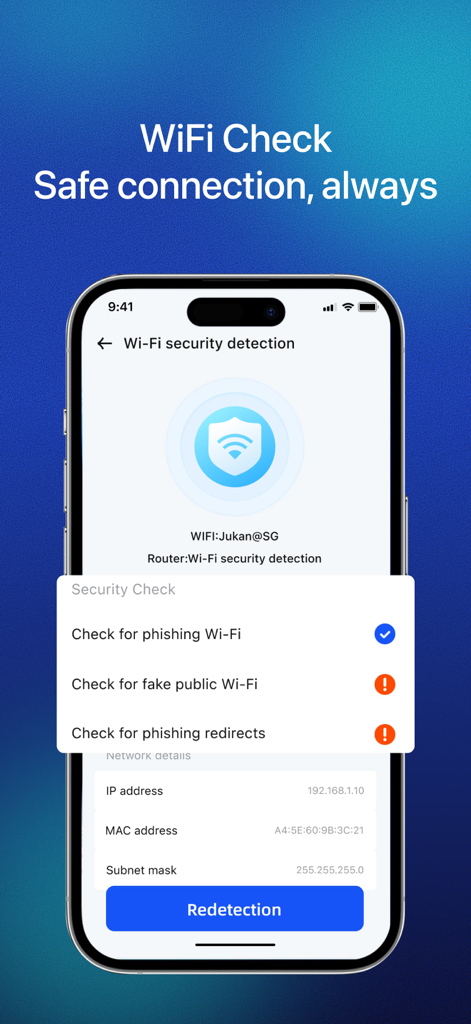
Smartphone screen showing the WiFi safety check feature of the Secure Cleaner app.
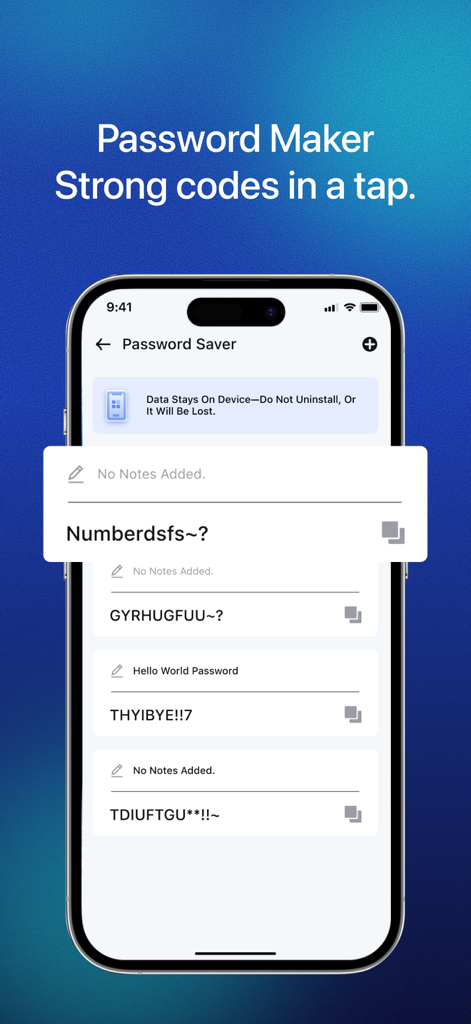
iPhone screen showing the Password Maker feature in the Secure Cleaner app with strong generated codes.
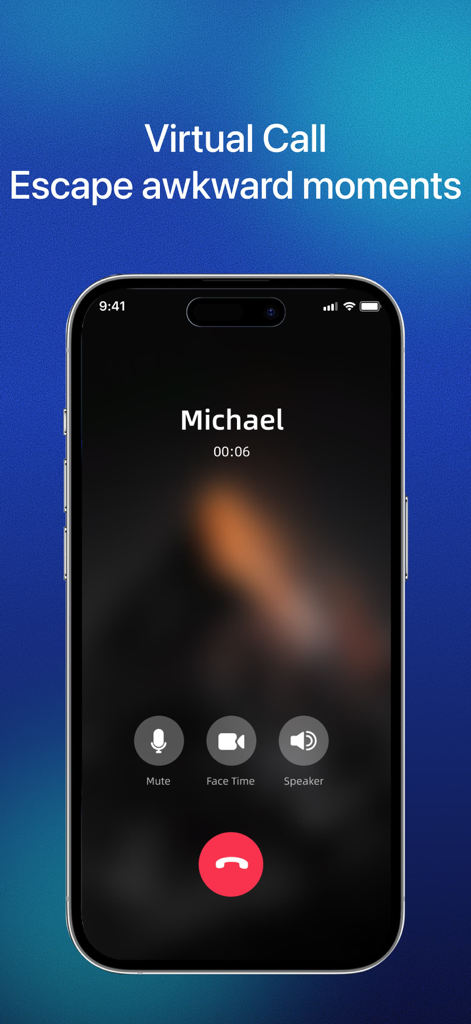
A smartphone showing a virtual call interface with the text escape awkward moments
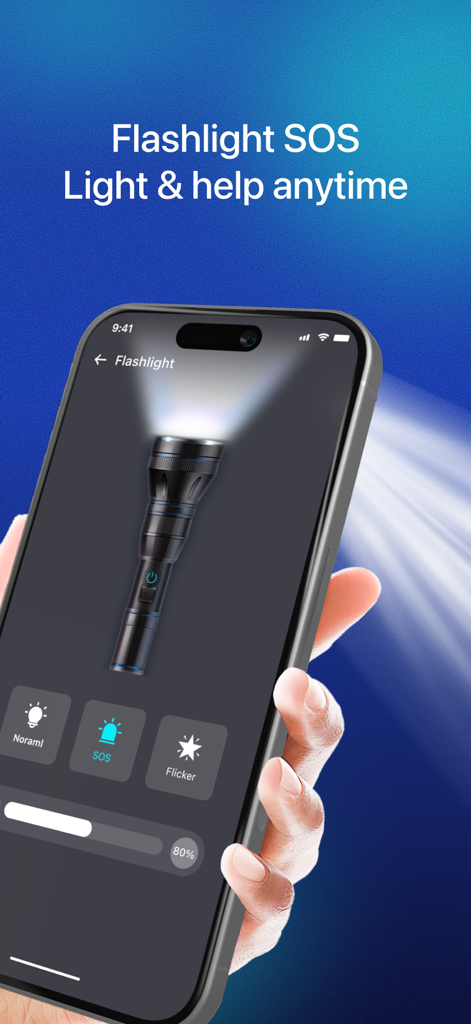
Secure Cleaner app interface showing the flashlight feature with SOS and flicker modes.
Description
Download
More Like This
Apps with similar features and user experience

True Cleaner - Cleanup Storage
Alpha Zeta Co., Limited

CleanEasy: Memory Manage
奇川 熊

手机助手-功能强大方便实用
波 张

Memorra Cleaner
DAYS GONE LAND SERVICE ,LLC.

CleanMate - cleaner app
MASSEY BBQ BAR NON PROFIT CORP

Clean Master: AI Clean Storage
Beijing Xingxi Network Technology Co., Ltd

AI Cleaner - Free up Storage
Hunan Kuangshen Network Technology Co., Ltd.

Photo Recovery: phone cleanup
Shanghai Yixuan Network Technology Co., Ltd.

iCleanUp: Clean Duplicates
Netastica Limited
This page is not an official page of the app or its developer, but an independent editorial publication created for informational and commentary purposes. Unless expressly stated otherwise, neither the app nor its developer is affiliated with, endorsed by, sponsored by, authorized by, or otherwise officially connected with MWM, Apple, Google Play, the app publisher, or the app's developer, and nothing on this page implies that the app was developed using MWM's services. Any trademarks, logos, screenshots, and other content remain the property of their respective owners.