
This page is not an official page of the app or its developer, but an independent editorial publication created for informational and commentary purposes. Unless expressly stated otherwise, neither the app nor its developer is affiliated with, endorsed by, sponsored by, authorized by, or otherwise officially connected with MWM, Apple, Google Play, the app publisher, or the app's developer, and nothing on this page implies that the app was developed using MWM's services. Any trademarks, logos, screenshots, and other content remain the property of their respective owners.


Photo Recovery: Restore Pics
No more digital graveyard. This app brings your lost memories back from the brink.
Downloads
75k+User Rating
Total Ratings
2.0KPublisher
Category
Photo & VideoLocales
17Latest Version
2.4Size
65.9 MBFirst Released
Jul 10, 2025An in-depth evaluation of key functionalities designed for reliable media restoration and data security on iOS devices.
Core Features Analysis: Photo Recovery: Restore Pics
Photo Recovery
The app provides the ability to instantly restore deleted or lost photos from an iPhone or iPad storage.
Video Recovery
This tool allows users to bring back accidentally deleted or missing videos in just seconds.
Deep Scan Recovery
It features a deep scan capability to thoroughly search the entire device for hidden or previously deleted media files, enhancing recovery success.
Preview Before Restore
The app enables users to view all recoverable photos and videos before initiating the restoration process, ensuring they select the correct files.
Secure Vault
This tool includes a secure vault feature to protect recovered photos and videos within a private, password-protected folder.
Photo Backup & Restore
It allows users to create an extra copy of their important images and videos, offering peace of mind against future data loss.
Smart Sorting & Filtering
The app features smart sorting and filtering options to help users find specific files faster within organized folders.
Quick & Lightweight Performance
This tool is designed for fast scanning and recovery operations, ensuring efficient performance without slowing down the device.
Frequently Asked Questions
Everything you need to know about Photo Recovery: Restore Pics
What is Photo Recovery: Restore Pics?
Photo Recovery: Restore Pics is an app for iPhone and iPad that recovers deleted photos and lost videos. It helps users restore memories quickly, safely, and accurately.
How does Photo Recovery: Restore Pics help recover deleted photos?
Photo Recovery: Restore Pics instantly restores deleted or lost photos from an iPhone or iPad's storage. It performs a deep scan to find hidden or previously deleted media files.
Can Photo Recovery: Restore Pics recover videos?
Yes, Photo Recovery: Restore Pics can bring back accidentally deleted or missing videos in seconds. The app offers a dedicated Video Recovery feature for this purpose.
Does Photo Recovery: Restore Pics offer a secure vault?
Yes, Photo Recovery: Restore Pics includes a Secure Vault feature. Users can protect recovered photos and videos within a private, password-protected folder.
Can I preview files before restoring them with Photo Recovery: Restore Pics?
Yes, Photo Recovery: Restore Pics allows users to preview all recoverable photos and videos before initiating the restoration process, ensuring desired files are selected.
What subscription options are available for Photo Recovery: Restore Pics?
Photo Recovery: Restore Pics offers monthly, yearly, and limited-time yearly subscription plans. Subscriptions renew automatically unless canceled at least 24 hours prior to the current period ending.
Does Photo Recovery: Restore Pics include photo editing tools?
Yes, Photo Recovery: Restore Pics provides photo editing tools, including cropping, adding filters, adding text, color grading, resizing, and converting images.
Can Photo Recovery: Restore Pics convert image formats?
Yes, Photo Recovery: Restore Pics includes an Image Converter tool. It supports converting images to formats like JPG, PNG, HEIC, GIF, PDF, TIFF, JPEG2000, and BMP.
Can Photo Recovery: Restore Pics backup other file types besides photos and videos?
Yes, the Secure Vault in Photo Recovery: Restore Pics supports backing up photos, videos, documents, audios, and contacts, offering comprehensive data protection.
Does Photo Recovery: Restore Pics have a QR Code Generator?
Yes, Photo Recovery: Restore Pics features a QR Code Generator. Users can create QR codes for text, links, emails, and phone numbers directly within the app.
How do I access the privacy policy for Photo Recovery: Restore Pics?
The privacy policy for Photo Recovery: Restore Pics is accessible via a direct link provided in the app description. This ensures users understand data handling practices.
The following screenshots and description are sourced directly from the app's official store listing and are the property of the app developer.
App Store
Screenshots

This tool demonstrates how users can effortlessly retrieve deleted memories, highlighted by the prominent trash can icon and the '#1 Recovery App' banner.
Trusted Photo Recovery
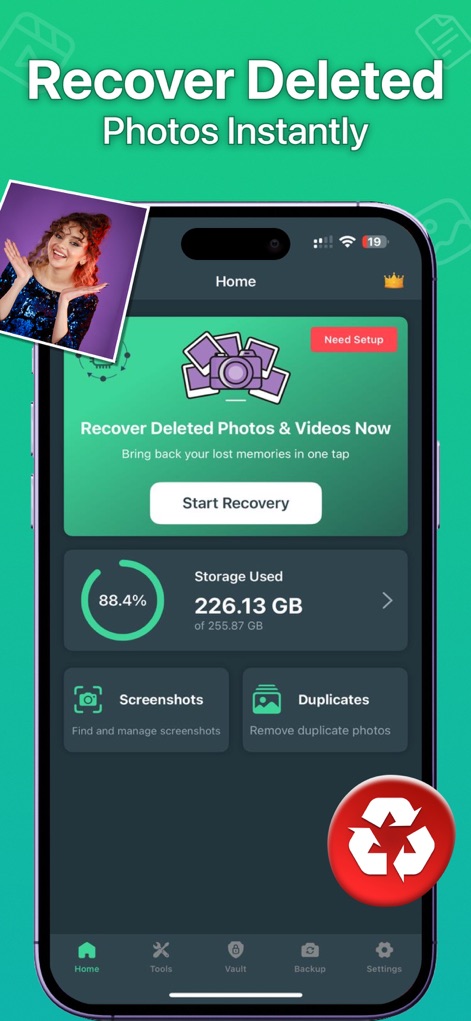
The app's intuitive home screen provides quick access to recovery, featuring a prominent 'Recover Deleted Photos & Videos Now' button and a clear display of 'Storage Used' percentage.
Instant Recovery Dashboard

Users can easily review scanned results, displayed in organized categories like 'People' and 'Documents', with a clear 'Scan Finished Successfully' notification to confirm completion.
Organized Scan Results
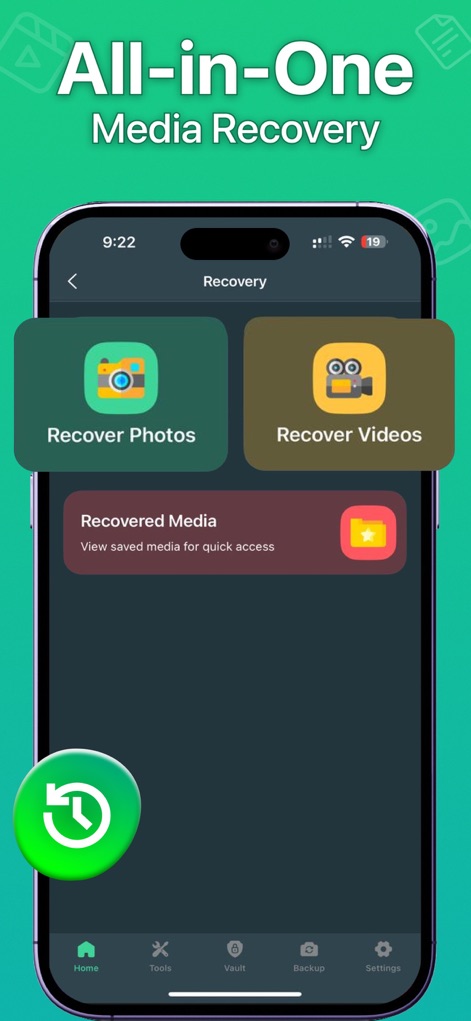
This interface simplifies media recovery, offering distinct options with dedicated 'Recover Photos' and 'Recover Videos' buttons for streamlined restoration.
Versatile Media Recovery
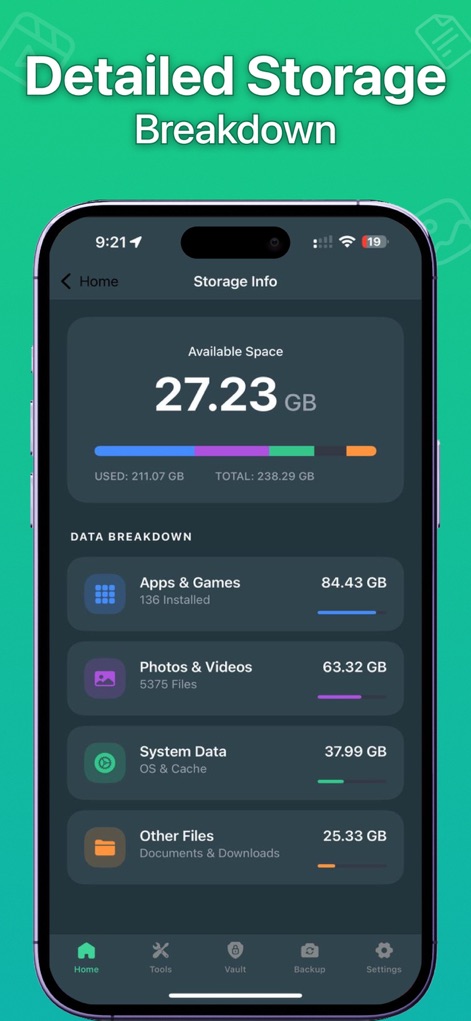
The app provides a comprehensive overview of device storage, showcasing the 'Available Space' meter and a detailed 'Data Breakdown' into categories like 'Photos & Videos' and 'Apps & Games'.
Detailed Storage Insights
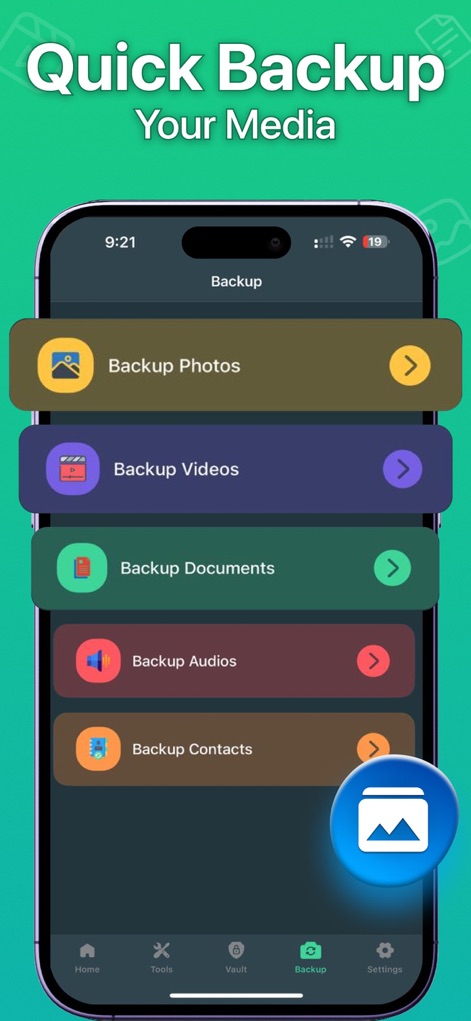
Users can proactively safeguard their data through various backup options, including dedicated selections for 'Backup Photos' and 'Backup Videos' to ensure digital memories are preserved.
Comprehensive Backup Options
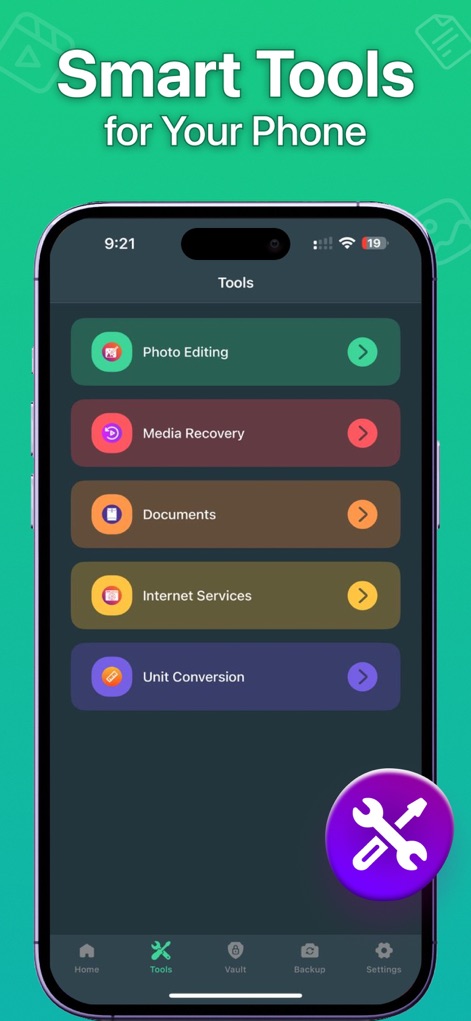
Beyond core recovery, the app offers an array of smart utilities, such as the 'Photo Editing' tool and a dedicated 'Media Recovery' section, enhancing overall device management.
Integrated Smart Tools
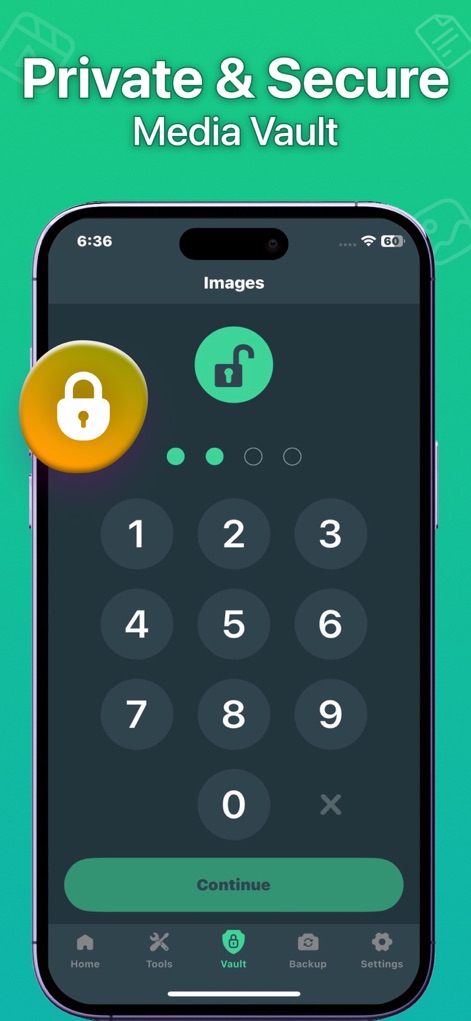
The app ensures data privacy with its secure vault feature, allowing users to protect sensitive media using a numeric keypad for entry and a prominent lock icon indicating security.
Secure Private Vault
Description
Download
More Like This
Apps with similar features and user experience

微工具 - 工作分开效率助手
欢 舒

Photo Recovery: Pic Restore
Island Palm Mobile LLC

聊天记录恢复 - 专业数据恢复&照片恢复&恢复大师
鹏 杨

Video Recovery: Restore Files
Kyle Allen

Transfer My Data&Data Recovery
Shenzhen Leyuan ShentuTechnology Co.,Ltd

Photo Recovery : Deleted Photo
Goyani Bharatbhai

Quick extreme recovery
永涛 杨

Tiger Data Recovery:Rescue
Shanghai Yixuan Network Technology Co., Ltd.

Video Recovery, Recover Photos
Ravibhai Ramani
This page is not an official page of the app or its developer, but an independent editorial publication created for informational and commentary purposes. Unless expressly stated otherwise, neither the app nor its developer is affiliated with, endorsed by, sponsored by, authorized by, or otherwise officially connected with MWM, Apple, Google Play, the app publisher, or the app's developer, and nothing on this page implies that the app was developed using MWM's services. Any trademarks, logos, screenshots, and other content remain the property of their respective owners.