
This page is not an official page of the app or its developer, but an independent editorial publication created for informational and commentary purposes. Unless expressly stated otherwise, neither the app nor its developer is affiliated with, endorsed by, sponsored by, authorized by, or otherwise officially connected with MWM, Apple, Google Play, the app publisher, or the app's developer, and nothing on this page implies that the app was developed using MWM's services. Any trademarks, logos, screenshots, and other content remain the property of their respective owners.


Video Recovery: Restore Files
Don't let precious memories fade away. Instantly recover lost files, optimize your storage with AI-powered compression, and keep your camera roll clutter-free with simple swipe technology.
Downloads
134K+User Rating
Total Ratings
3K+Publisher
Category
Photo & VideoLocales
1Latest Version
1.06Size
60.4 MBFirst Released
Oct 24, 2024Your All-in-One Digital Safety Net
From instant recovery to AI-powered organization, VidRecover gives you the tools to rescue lost files and optimize your iPhone storage in seconds.
Instant One-Tap Recovery
Rescue lost photos and videos from your camera roll instantly, ensuring your most important life moments are never gone for good.
Swipe to Declutter
Make room for what matters. Our swipe technology lets you clean up digital clutter in minutes, making storage management effortless.
Frequently Asked Questions
Everything you need to know about Video Recovery: Restore Files
What is the Video Recovery: Restore Files app?
Video Recovery: Restore Files, also known as VidRecover, is an app designed to recover lost or deleted videos and photos. It also offers built-in tools for video editing, media compression, and camera roll organization.
How does VidRecover restore deleted media?
VidRecover scans your entire camera roll to identify previously deleted videos and photos. Users can then restore these items with a single tap directly within the app's interface.
Does VidRecover include video editing capabilities?
Yes, VidRecover integrates built-in AI video editing tools. These features allow users to directly edit videos, offering options like trimming, splitting, and other adjustments within the application.
Can VidRecover help me free up storage space?
Yes, VidRecover assists with device storage management. It provides tools to compress large photos and videos, and features a clean-up function with swipe technology to organize your camera roll.
What is the cost of a VidRecover Premium subscription?
A VidRecover Premium subscription costs $3.99 per week. This weekly billing provides full access to all of VidRecover's features, including recovery, editing, compression, and storage management tools.
How can I cancel my VidRecover Premium auto-renewal?
You can cancel your VidRecover Premium subscription by turning off auto-renewal. Navigate to your iPhone Settings, then Apple ID, and finally Subscriptions to manage and cancel your subscription.
Does VidRecover offer a privacy policy?
Yes, VidRecover provides a privacy policy. It details how user data is handled and processed. The full privacy policy is accessible via the link provided in the app description.
Can VidRecover locate hidden photos on my device?
Yes, VidRecover includes a "Hidden Photos" feature. This functionality is designed to help users discover and potentially recover photos that may not be immediately visible within their standard photo galleries.
What features are included with VidRecover Premium?
VidRecover Premium grants access to all features, including photo and video recovery, built-in video editor, compression tools, storage management, and all future app updates.
The following screenshots and description are sourced directly from the app's official store listing and are the property of the app developer.
App Store
Screenshots

VidRecover mobile app interface showing a grid of recovered photos selected for restoration
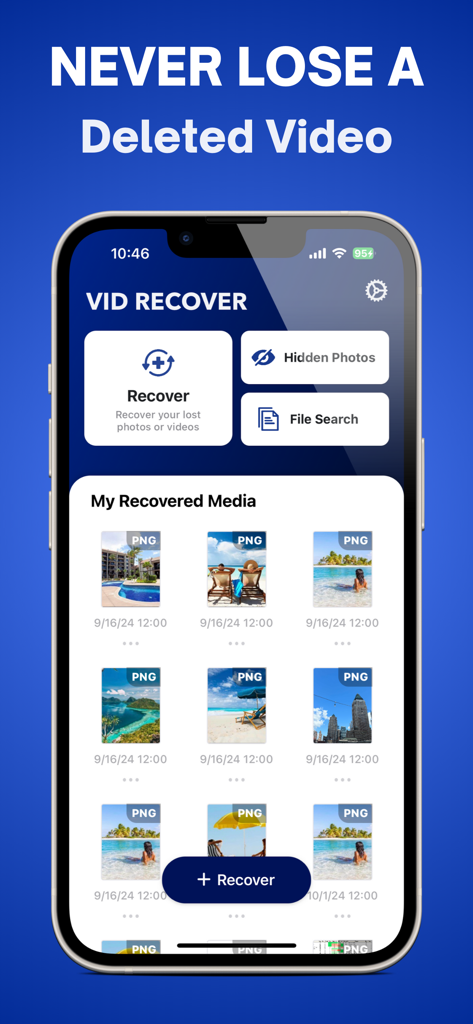
VidRecover mobile app dashboard showing features for recovering lost videos and a gallery of restored photos
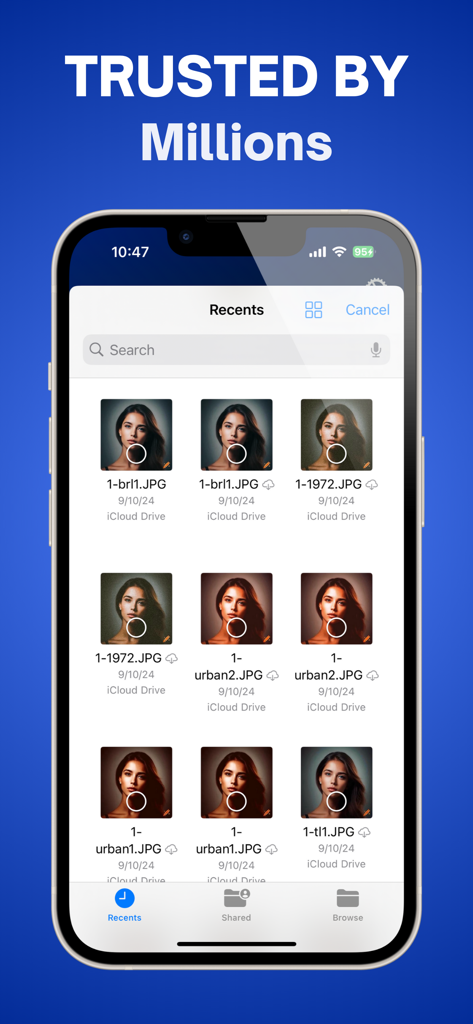
VidRecover mobile app showing a gallery of recovered photos from iCloud Drive
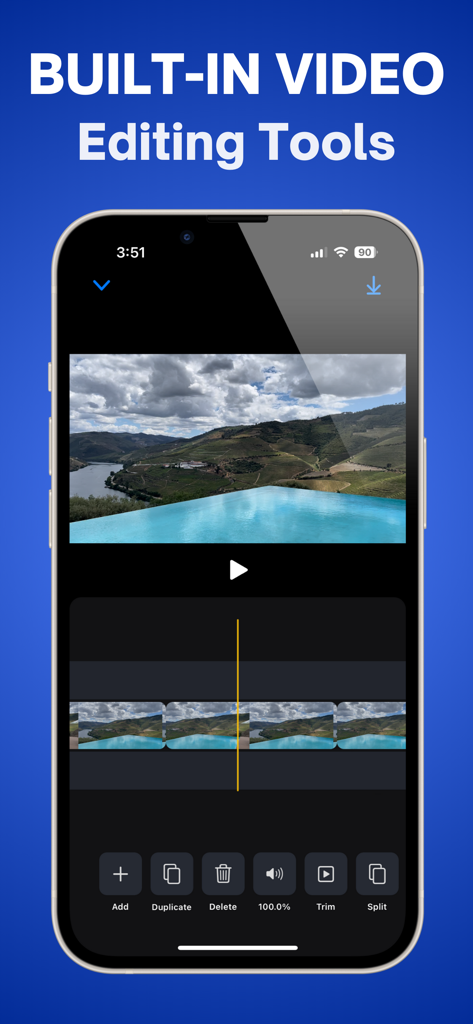
Interface of the built-in video editing tools in the VidRecover app on an iPhone
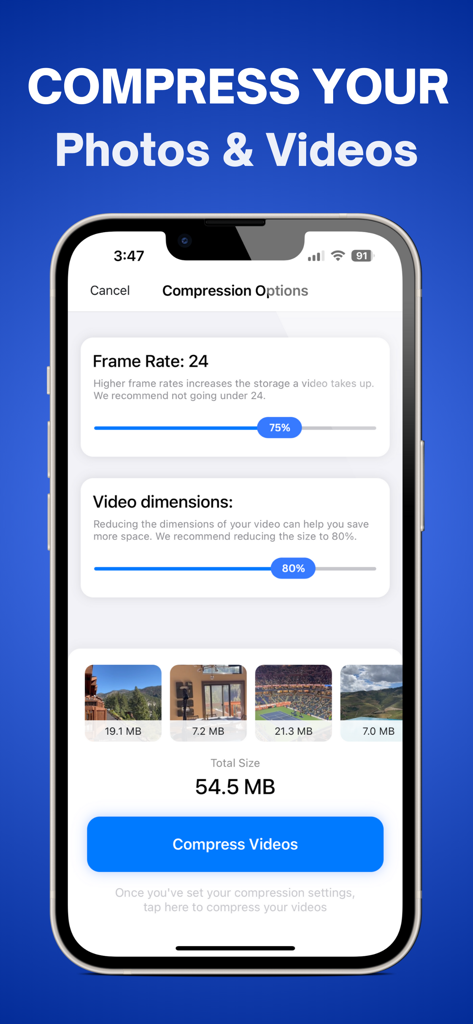
VidRecover app screenshot showing settings to compress photos and videos for saving storage space.

VidRecover app screen showing storage cleanup options for photos and videos

VidRecover app screen demonstrating the swipe left to delete feature for easy camera roll cleanup

VidRecover mobile app showing the swipe right to keep photos feature
Description
Download
More Like This
Apps with similar features and user experience

Photo Recovery: Restore Pics
Umair Afzal

微工具 - 工作分开效率助手
欢 舒

Photo Recovery: Pic Restore
Island Palm Mobile LLC

聊天记录恢复 - 专业数据恢复&照片恢复&恢复大师
鹏 杨

Transfer My Data&Data Recovery
Shenzhen Leyuan ShentuTechnology Co.,Ltd

Photo Recovery : Deleted Photo
Goyani Bharatbhai

Quick extreme recovery
永涛 杨

Tiger Data Recovery:Rescue
Shanghai Yixuan Network Technology Co., Ltd.

Video Recovery, Recover Photos
Ravibhai Ramani
This page is not an official page of the app or its developer, but an independent editorial publication created for informational and commentary purposes. Unless expressly stated otherwise, neither the app nor its developer is affiliated with, endorsed by, sponsored by, authorized by, or otherwise officially connected with MWM, Apple, Google Play, the app publisher, or the app's developer, and nothing on this page implies that the app was developed using MWM's services. Any trademarks, logos, screenshots, and other content remain the property of their respective owners.