
This page is not an official page of the app or its developer, but an independent editorial publication created for informational and commentary purposes. Unless expressly stated otherwise, neither the app nor its developer is affiliated with, endorsed by, sponsored by, authorized by, or otherwise officially connected with MWM, Apple, Google Play, the app publisher, or the app's developer, and nothing on this page implies that the app was developed using MWM's services. Any trademarks, logos, screenshots, and other content remain the property of their respective owners.


Photo Retouch - Remove object
Reality bending. This app grants users the power to eradicate digital clutter, transforming ordinary captures into pristine visuals.
Downloads
2.5M+User Rating
Total Ratings
29.6KPublisher
Category
Photo & VideoLocales
33Latest Version
2.6Size
71.6 MBFirst Released
Jul 29, 2018An analytical overview for enhancing visual content.
Key Features of Photo Retouch - Remove object
Object & Imperfection Removal
The app provides advanced object removal capabilities, allowing users to effortlessly erase unwanted elements, people, or imperfections like pimples from photos and videos. It features multiple removal algorithms tailored for various background complexities.
Video Cropping & Trimming
This tool features video editing options, enabling users to precisely crop and trim video clips to desired lengths and aspect ratios for perfect framing.
Video Speed Adjustment
The app provides options to adjust the playback speed of videos, allowing for creative slow-motion or fast-motion effects to highlight moments or condense footage.
Watermark & Content Personalization
It allows users to personalize their photos and videos by adding emojis, stickers, or custom text as watermarks, perfect for branding or adding a personal touch.
Video Rotation Correction
It allows users to easily correct the orientation of videos by rotating them, ensuring proper viewing of captured content.
Video Cover Customization
The app provides the ability to change the cover image of videos, offering more control over how videos are presented and previewed.
Frequently Asked Questions
Everything you need to know about Photo Retouch - Remove object
What is Photo Retouch - Remove object app used for?
Photo Retouch - Remove object edits photos and videos. It removes unwanted items, adds watermarks, and includes video tools like trimming, cropping, rotating, reversing, and changing playback rate and covers.
How does Photo Retouch - Remove object remove unwanted items from photos?
Photo Retouch - Remove object uses three algorithms: Complex, Simple, or Single color background. Users select the appropriate mode and smear the item. This removes objects like unwanted people or unsightly pimples.
Can Photo Retouch - Remove object edit videos?
Yes, Photo Retouch - Remove object provides extensive video editing. Users can crop, trim, rotate, reverse, and change a video's cover and playback rate. It enhances video content.
Does Photo Retouch - Remove object allow adding watermarks?
Yes, Photo Retouch - Remove object enables users to add watermarks. This feature supports adding Emojis, Stickers, or Text to both photos and videos for personalization or branding purposes.
How can I get the professional version of Photo Retouch - Remove object?
Users can purchase the professional version of Photo Retouch - Remove object through a one-time payment. This provides permanent access to all professional features, valid forever.
Is there an annual subscription for Photo Retouch - Remove object?
Yes, Photo Retouch - Remove object offers an Annual professional version. This is an auto-renewable subscription that automatically renews upon expiration unless manually turned off.
How do I manage or cancel the auto-renewal for Photo Retouch - Remove object's subscription?
Users manage subscriptions and turn off auto-renewal in their iTunes Account Settings. This must occur at least 24 hours before the current period ends to avoid being charged for the next renewal.
Where is the Privacy Policy for Photo Retouch - Remove object located?
The Privacy Policy for Photo Retouch - Remove object is available on the official website. The direct link is: https://huameivideoretouch.web.app/privacypolicy.html.
The following screenshots and description are sourced directly from the app's official store listing and are the property of the app developer.
App Store
Screenshots

This tool demonstrates seamless object removal, utilizing advanced algorithms and offering distinct background mode selections for precision.
Instant Object Removal
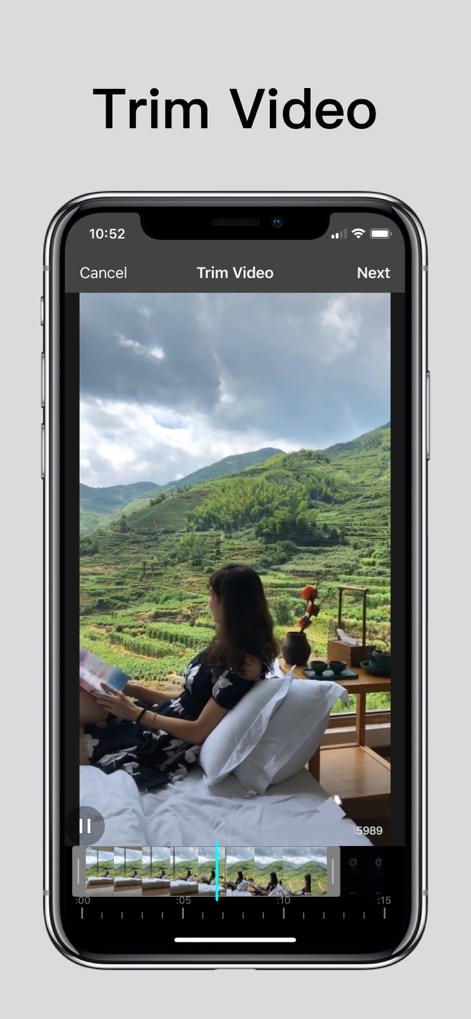
Users can precisely trim videos using the intuitive timeline interface, adjusting the duration with visual markers.
Precise Video Trimming
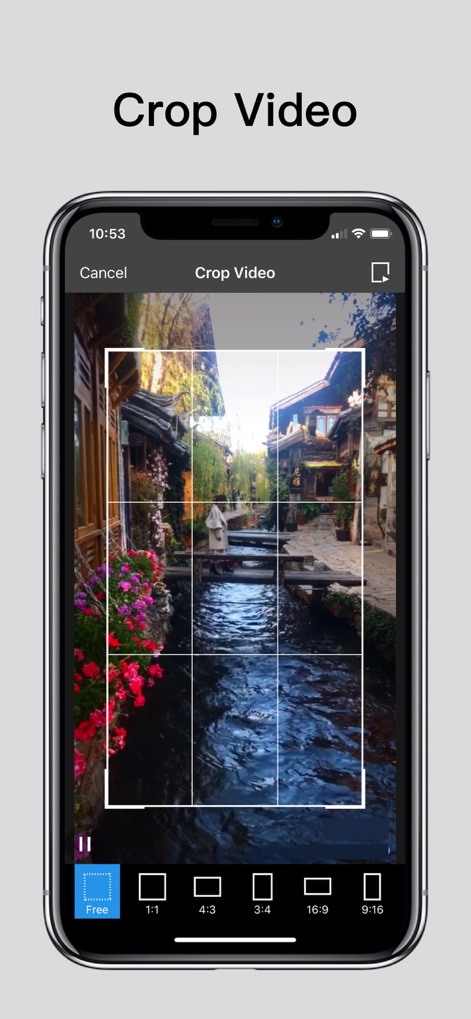
The app provides flexible video cropping, featuring a clear grid overlay and convenient aspect ratio presets for perfect framing.
Custom Video Cropping
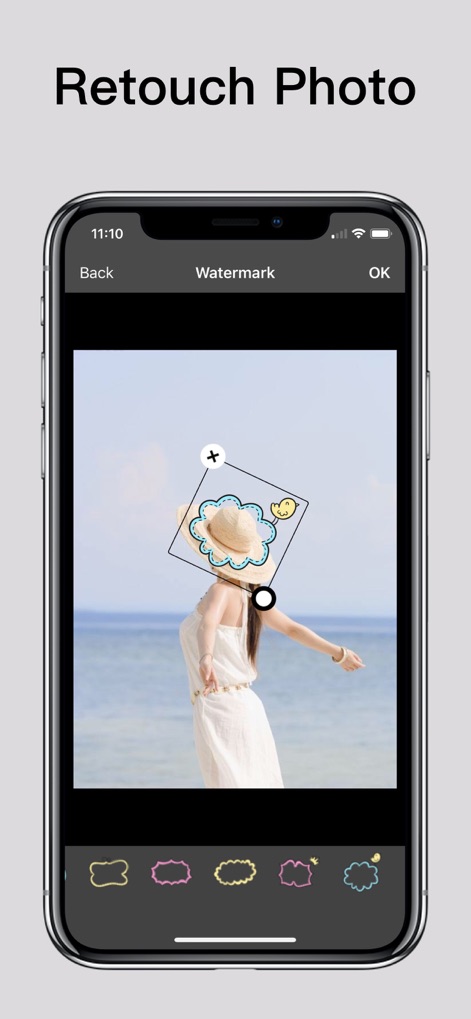
Personalize photos by adding custom watermarks, selecting from a rich collection of emoji and sticker options.
Creative Photo Watermarks
Description
Download
More Like This
Apps with similar features and user experience

CocoAI - BG Remover
Beijing Jianchang Technology Co., Ltd.

水印宝-视频水印助手软件
Beijing Pengtuzhumeng Technology Co., Ltd.

PhotoBy-Batch adding borders
岳森 刘

Watermarkly ― Watermark Maker
Julia Nikitina

去水印大师-短视频编辑助手
志阳 郭

大神水印-照片图像制作修图神器
伟 黄

Add Watermark -Batch Process
Saraswati Javalkar

Background Eraser: AI Remove
SUNWOONG JANG

AnyEraser: Remove Objects AI
Zankhana Pte Ltd
This page is not an official page of the app or its developer, but an independent editorial publication created for informational and commentary purposes. Unless expressly stated otherwise, neither the app nor its developer is affiliated with, endorsed by, sponsored by, authorized by, or otherwise officially connected with MWM, Apple, Google Play, the app publisher, or the app's developer, and nothing on this page implies that the app was developed using MWM's services. Any trademarks, logos, screenshots, and other content remain the property of their respective owners.