
This page is not an official page of the app or its developer, but an independent editorial publication created for informational and commentary purposes. Unless expressly stated otherwise, neither the app nor its developer is affiliated with, endorsed by, sponsored by, authorized by, or otherwise officially connected with MWM, Apple, Google Play, the app publisher, or the app's developer, and nothing on this page implies that the app was developed using MWM's services. Any trademarks, logos, screenshots, and other content remain the property of their respective owners.


Pikaffects by Pika
Reality bending. This app hands users the power to warp their visuals into something entirely new.
Downloads
500k+User Rating
Total Ratings
3.8KPublisher
Category
Graphics & DesignLocales
1Latest Version
1.11.11Size
134.1 MBFirst Released
Dec 16, 2024An analytical overview of the application's key features for digital content creation.
Pikaffects by Pika: Core Creative Capabilities
Pikamemes
The app enables users to generate custom GIFs from a single selfie, allowing them to react to posts, threads, and comments with personalized, humorous content.
Text-to-Video
This feature allows users to transform their imagination into dynamic videos using only simple text prompts, providing an accessible way to create new realities.
Pikaswaps
It allows users to replace any element within their videos with hyper-real results, utilizing either their own photos or text prompts to achieve endless creative possibilities.
Pikascenes
The app provides options to select from various pre-designed scenes or build entirely new videos from photos and text prompts, enabling users to customize characters, backgrounds, and wardrobe.
Pikadditions
This tool facilitates the seamless integration of surprising objects, people, and fantastical elements into users' videos, all while maintaining the original video and audio integrity.
Image-to-Video
The app empowers users to convert any static photo into an engaging and dynamic video with just a photo and a creative concept.
Frequently Asked Questions
Everything you need to know about Pikaffects by Pika
What is the Pika app and its primary function?
Pika is an AI video maker that transforms creative ideas into videos. It allows users to manipulate videos and images with features like Pikaswaps, Pikamemes, and Pikadditions, turning imagination into a new reality.
What types of photo transformations are available with Pikaffects by Pika?
Pikaffects by Pika allows users to transform photos using various effects such as Cakeify, Melt, Explode, Squish, and Levitate. The app regularly releases new Pikaffects, giving users first access to them.
Can users customize elements within Pikascenes in the Pika app?
Yes, users can customize Pikascenes by swapping out characters, backgrounds, and wardrobe. They can also build new videos from scratch using their photos and a text prompt of their own creation.
Does the Pika app offer an Image-to-Video conversion feature?
Yes, the Pika app includes an Image-to-Video feature. Users can turn any photo into a dynamic video by providing a picture and an idea for the desired motion or transformation.
How does Pikamemes by Pika allow users to create custom GIFs?
Pikamemes by Pika enables users to generate custom GIFs from a single selfie. Users can transform themselves into emojis or perform actions like blowing an air kiss to react to posts.
What is the functionality of Pikaswaps in the Pika app?
Pikaswaps allows users to replace any element within a video using their photos or text prompts. This feature delivers hyper-real results, such as changing a river into lava.
How do Pikadditions enhance videos within the Pika app?
Pikadditions allows users to insert surprising objects, people, or fantastical elements directly into their videos. This feature preserves the original video and sound while adding new content.
Does the Pikaffects by Pika app offer a free basic version?
Yes, the Pika app provides a "BASIC" version for users. There is also an option to "Upgrade," indicating a premium tier or subscription model is available.
Where can users find the Terms of Service and Privacy Policy for the Pika app?
The Terms of Service and Privacy Policy for the Pika app are accessible online. Users can find the Terms of Service at pika.art/terms-of-service and the Privacy Policy at pika.art/privacy-policy.
The following screenshots and description are sourced directly from the app's official store listing and are the property of the app developer.
App Store
Screenshots
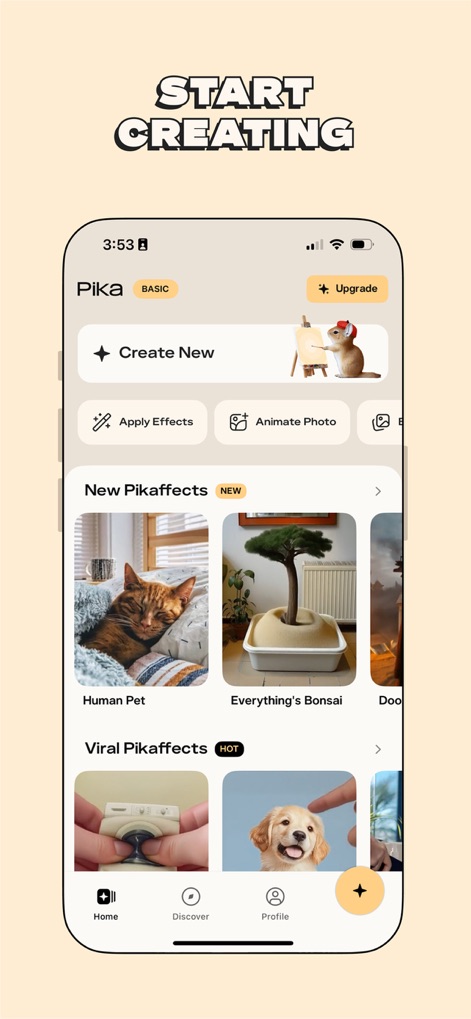
The app provides a clear "Create New" entry point and showcases a variety of "New Pikaffects" and "Viral Pikaffects" categories to inspire users.
Your Creative Canvas

Users can explore a wide array of effects, categorized under "Trending", "Visual Effect", and "Body Transform" tabs, to apply diverse transformations like "Peel it" or "Poke it" to their images.
Dynamic Effect Selection
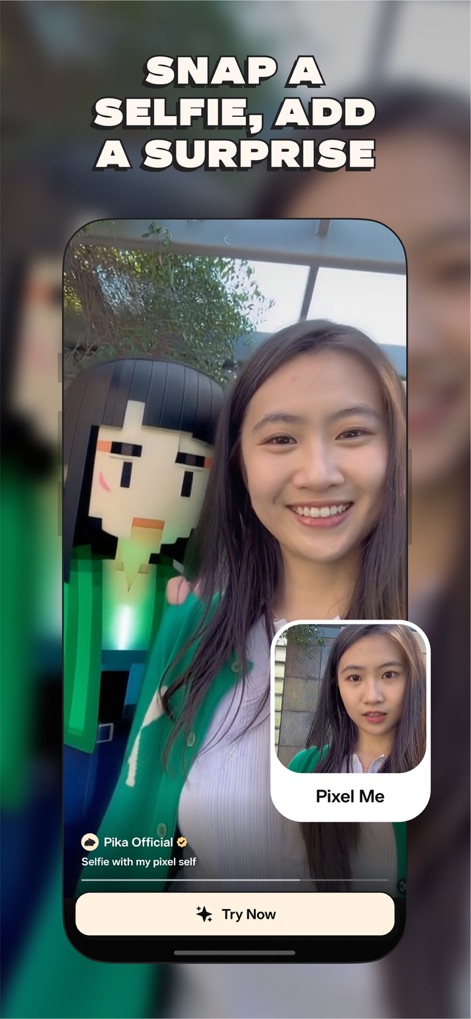
The app allows users to seamlessly integrate creative elements, such as the "Pixel Me" effect, directly into their selfies, transforming ordinary photos into playful and unique content.
Personalized Selfie Twists
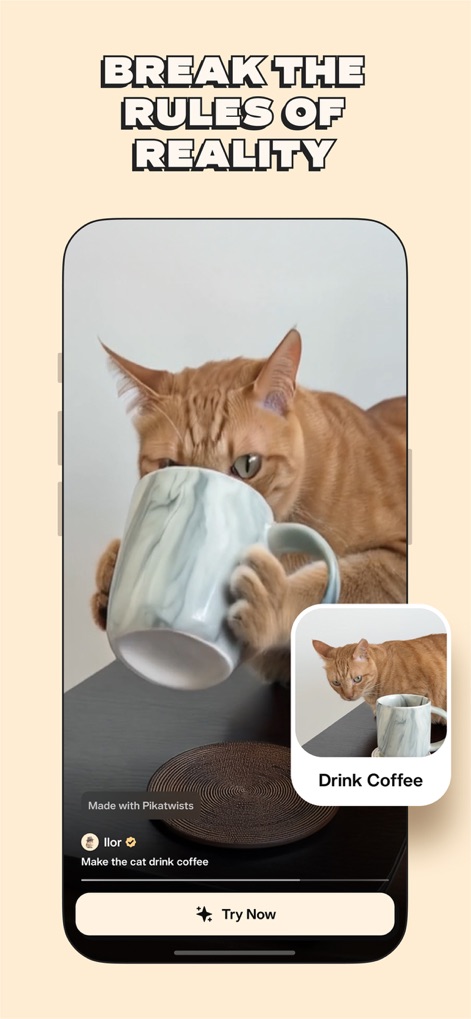
This tool enables users to redefine reality by adding fantastical elements, like a cat drinking coffee, easily prompted by text with the "Drink Coffee" feature.
Magical Everyday Moments
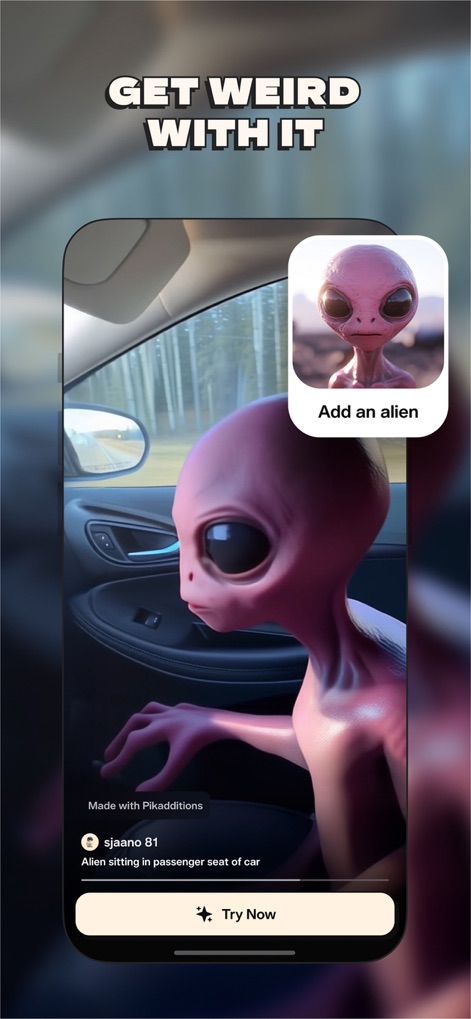
Users can easily "Add an alien" or other imaginative elements to their videos, integrating surprising and fantastical characters into everyday scenes with seamless ease.
Unleash Wild Imagination
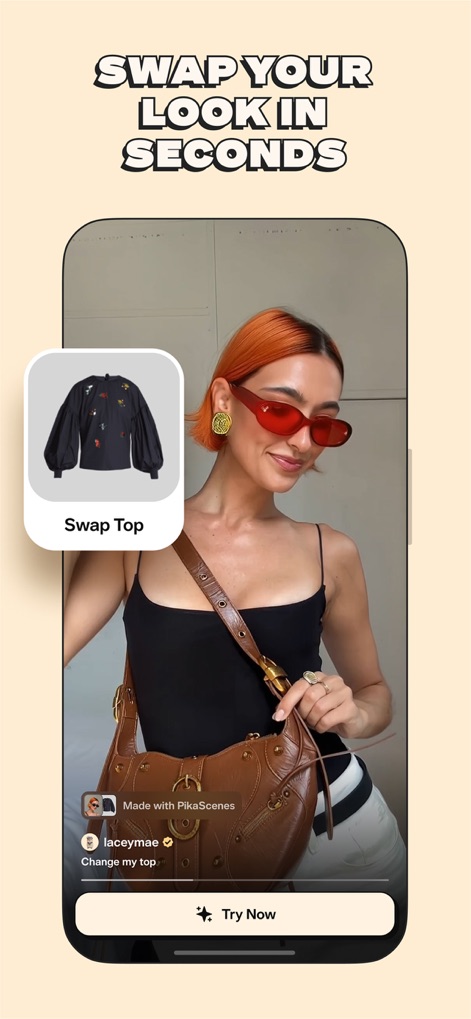
The app provides instant fashion transformations, allowing users to "Swap Top" and experiment with different clothing styles effortlessly to refresh their look in videos.
Instant Style Makeovers
Description
Download
More Like This
Apps with similar features and user experience

Sora by OpenAI
OpenAI OpCo, LLC

DreamFace: AI Video Generator
New Port LLC
AI Video Generator - Viddo AI
li lin

MiniMax AI - Video Generator
Noam Barzik

WOMBO Dream - AI Art Generator
Wombo Studios, Inc.

AI Canvas - AI Image Generator
Engcraft, LLC

Cat Language Keyboard DIY
HUYNH DUONG VAN

AI Art Generator Image
琴慧 冯

Loopsie: AI Image Effects
KRNL SRL
This page is not an official page of the app or its developer, but an independent editorial publication created for informational and commentary purposes. Unless expressly stated otherwise, neither the app nor its developer is affiliated with, endorsed by, sponsored by, authorized by, or otherwise officially connected with MWM, Apple, Google Play, the app publisher, or the app's developer, and nothing on this page implies that the app was developed using MWM's services. Any trademarks, logos, screenshots, and other content remain the property of their respective owners.