PinyinRead

PinyinRead

Download on App Store
Logo of PinyinRead

PinyinRead: Unlock Effortless Chinese Reading for Learners and Parents

Transform complex characters into clear Pinyin with a single tap. Paste any text to see tone marks, listen to native pronunciation, and bridge the gap between speaking and reading with ease.

Download on App Store

Publisher

伟平 李

Category

Utilities

Downloads

0

User Rating

1.0/5

Total Ratings

0

Locales

2

A Glimpse Inside

Discover the interface used by 0 users.
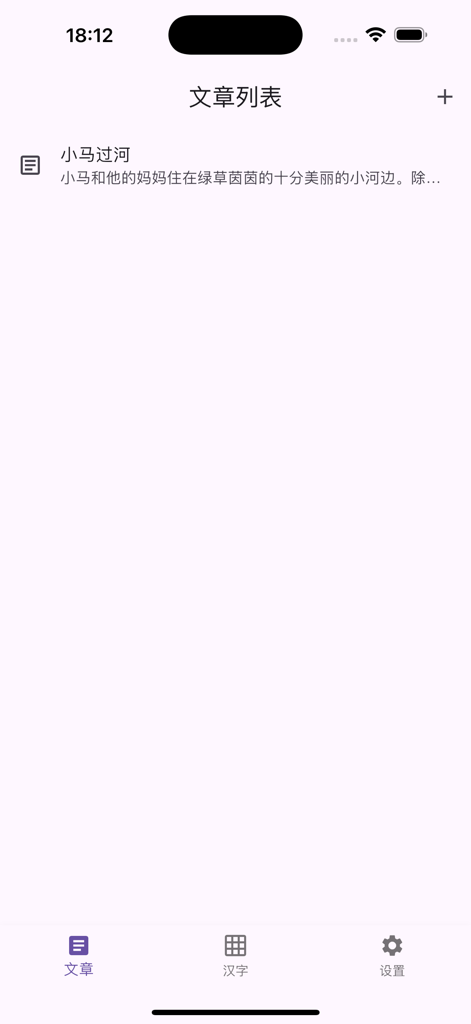
Interface of the PinyinRead app showing a list of Chinese articles for reading and pinyin practice

Interface of the PinyinRead app showing a list of Chinese articles for reading and pinyin practice

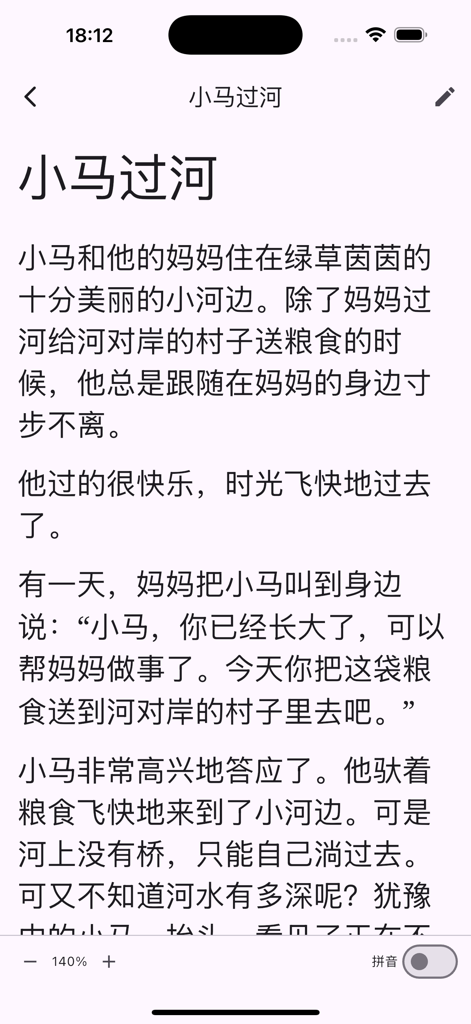
PinyinRead app interface displaying a Chinese story in Hanzi characters with font size and pinyin toggle controls

PinyinRead app interface displaying a Chinese story in Hanzi characters with font size and pinyin toggle controls

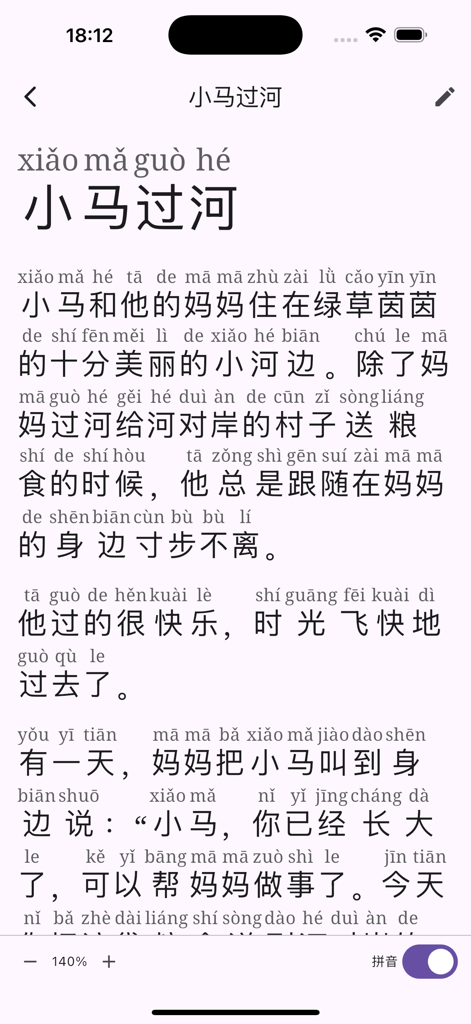
Interface of the PinyinRead app showing Chinese characters with pinyin annotations above each character and font size controls at the bottom.

Interface of the PinyinRead app showing Chinese characters with pinyin annotations above each character and font size controls at the bottom.

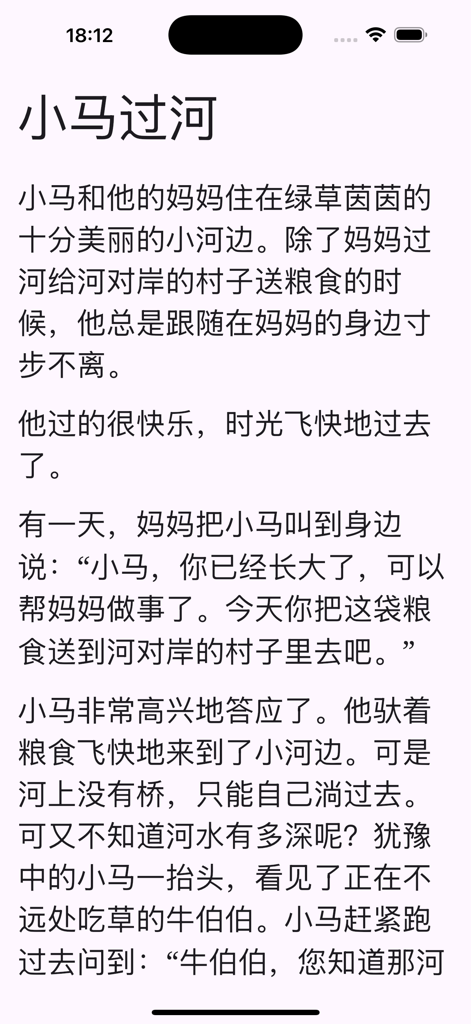
Screenshot of PinyinRead app displaying a Chinese story in simplified characters without Pinyin annotations

Screenshot of PinyinRead app displaying a Chinese story in simplified characters without Pinyin annotations

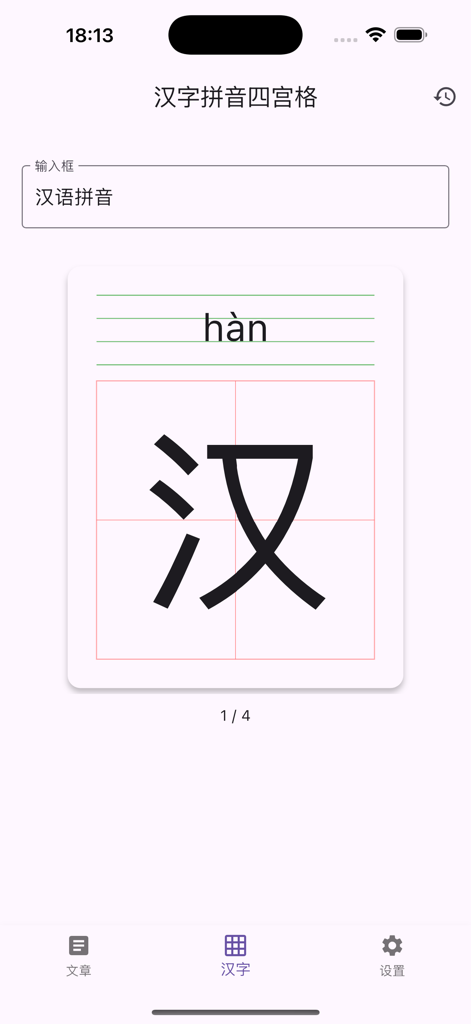
PinyinRead app screen showing a Chinese character with pinyin in a writing practice grid

PinyinRead app screen showing a Chinese character with pinyin in a writing practice grid

Read Chinese with Absolute Confidence

The tools that make this app stand out, trusted by 0 users.

🎯

Smart Pinyin Toggle

Instantly display tone marks above characters. Toggle visibility with one tap to practice active recall and build long-term character recognition.

🔊

Perfect Your Pronunciation

Use the Text-to-Speech feature to hear any sentence read aloud. It is the perfect tool for mastering tones and building auditory confidence.

📖

Immersive Co-Reading

Adjust font sizes for comfortable viewing on any device. Hide controls for a distraction-free experience that is ideal for reading stories with your children.

About the app

Everything you need to know about PinyinRead.

Description

Unlock Effortless Chinese Reading with PinyinRead! Struggling with Chinese characters? Wish you had an easy way to see the Pinyin? PinyinRead is the simple, intuitive tool you need to read Chinese text with instant Pinyin support. Perfect for Learners and Parents: Instant Pinyin: Just paste or type your Chinese text, and PinyinRead automatically displays clear, accurate Pinyin with tone marks above each character. Toggle Visibility: Need to test your knowledge or prefer a cleaner view? Easily switch the Pinyin display on or off with a single tap. Customizable Comfort: Adjust the font size to find the perfect setting for comfortable reading on your device. Listen and Learn (New!): Added Text-to-Speech (TTS) feature. Hear articles read aloud to practice standard pronunciation and deepen your understanding. Secure Backup & Restore (New!): Easily create backups (Export) and restore (Import) your articles. Never lose your learning progress! Bilingual Interface (New!): The app interface is now available in both English and Simplified Chinese for your convenience. Ideal for Parents Teaching Kids: Make learning Chinese fun and accessible! PinyinReader is a fantastic companion for parents helping their children recognize characters, practice pronunciation, and build reading confidence together. Turn reading time into quality bonding time. Learner's Best Friend: Improve your reading speed, master pronunciation, and tackle challenging texts with greater ease. Simple & Focused: A clean, distraction-free interface keeps the focus on reading and understanding the content. How it Works: 1. Add your article or text (the first line automatically becomes the title). 2. Switch to view mode. 3. Tap the Pinyin toggle to show/hide annotations. 4. Use the font controls to adjust size. 5. Long-press a sentence to start TTS playback (Pinyin display must be enabled). 6. Tap the screen to hide/show the controls for an immersive reading experience. 7. Find the Backup and Restore options in the Settings page. Stop letting unfamiliar characters slow you down. Download PinyinReader today and make reading Chinese simple and enjoyable for learners of all ages!

Latest Version

1.0.1

Size

32.7 MB

First Released

Apr 28, 2025

Unlock Effortless Chinese Reading Today

Empower your journey from characters to comprehension. Whether you are a heritage parent reading with your child or a student mastering new texts, get the ultimate Pinyin companion for iOS and Mac.

Download on App Store

App information, icons, screenshots, and descriptions displayed on this page are sourced from the Apple App Store and are the property of their respective developers. Download estimates and rankings are based on MWM's proprietary models and may not reflect actual figures. This page is provided for informational and analytical purposes only.

Believe this page infringes your intellectual property? File a dispute