PlanMaker

PlanMaker

Download on App Store
Logo of PlanMaker

PlanMaker: Desktop-Power Spreadsheets for Your iPhone and iPad

Stop compromising with limited mobile apps. Experience 100% lossless Excel compatibility, 430+ calculation functions, and professional data analysis tools anywhere you work.

Publisher

SoftMaker Software GmbH

Category

Productivity

Downloads

15K+

User Rating

4.7/5

Total Ratings

900

Locales

28

Desktop Power, Pocket Portability

Discover the interface used by 15K+ users.
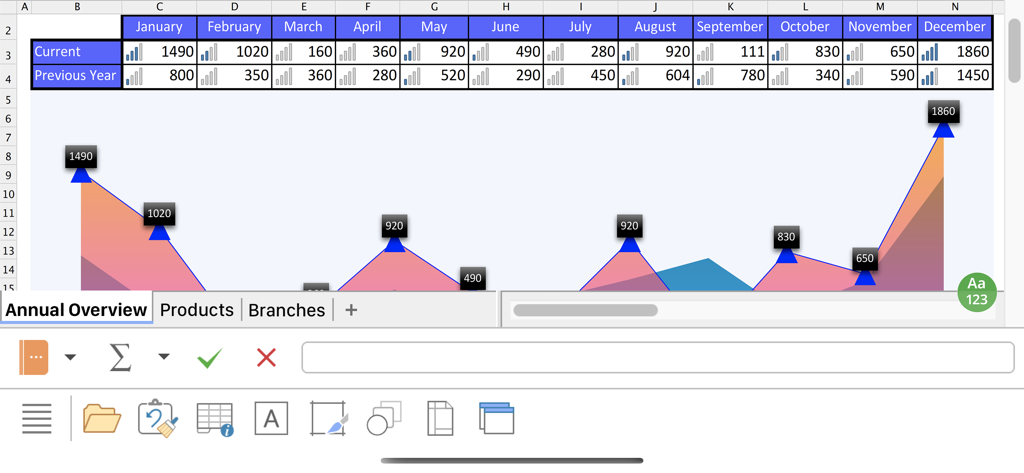
PlanMaker mobile app interface showing a data table and an area chart for an annual overview

PlanMaker mobile app interface showing a data table and an area chart for an annual overview

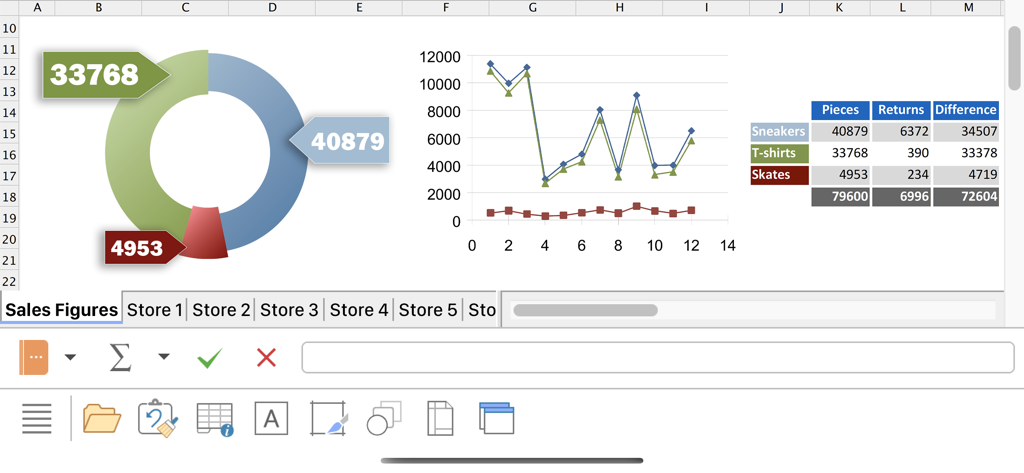
PlanMaker mobile app interface displaying sales data with a donut chart, line graph, and a table on an iPhone.

PlanMaker mobile app interface displaying sales data with a donut chart, line graph, and a table on an iPhone.

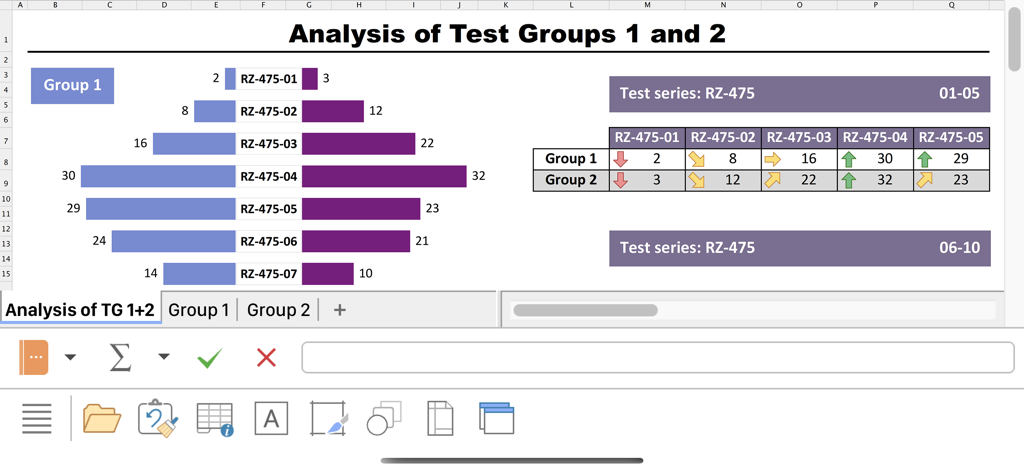
PlanMaker mobile app interface displaying a data analysis report with a comparative bar chart and formatted data table.

PlanMaker mobile app interface displaying a data analysis report with a comparative bar chart and formatted data table.

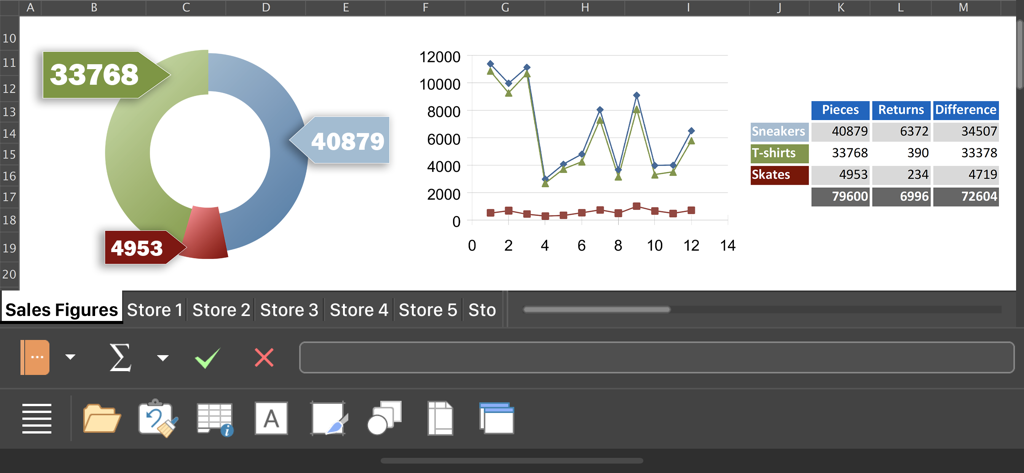
PlanMaker mobile spreadsheet interface displaying professional charts and sales data tables

PlanMaker mobile spreadsheet interface displaying professional charts and sales data tables

Desktop-Class Power for Your Mobile Workflow

The tools that make this app stand out, trusted by 15K+ users.

🔄

100% Lossless Excel Compatibility

Open and save XLSX files with total fidelity. No broken formulas or lost formatting when switching between your mobile device and desktop.

📈

Desktop-Grade Calculation Muscle

Tackle complex projects with over 430 functions, array formulas, and support for up to 1 million rows—power that basic mobile apps can't match.

📱

Tailored for iPad and iPhone

Work efficiently with desktop-style ribbons on iPad or smart, one-finger toolbars on iPhone, designed for maximum productivity on the move.

About the app

Everything you need to know about PlanMaker.

Description

■ PlanMaker ► The only complete Office spreadsheet program for your Excel files ► Work on your Excel spreadsheets wherever and whenever you want. ► When working on the go, take advantage of a feature set that you would otherwise only know from your PC or Mac. ► Almost all features can be used permanently free of charge. The complete set of features that you know from Microsoft Excel or PlanMaker on your Mac or PC is now offered by PlanMaker on your iPhone and iPad. Compatibility without compromise: PlanMaker uses the Microsoft Office XLSX format as its native format. This guarantees seamless data exchange. You can open your spreadsheets directly in Microsoft Excel without having to convert them. Intuitive operation on iPhone and iPad: PlanMaker always provides an ideal user experience, regardless of whether you're using it on your iPhone or an iPad. On an iPhone, you can use the practical toolbars with just one finger. On an iPad, you work with ribbons similar to those on your Mac or PC. Save locally or in the cloud: PlanMaker not only enables you to open and save documents stored on your device, but it also allows you to access your files in iCloud, Dropbox, OneDrive and all other cloud storage services. The PlanMaker user interface is available in English, German, French, Spanish, Italian and more than 20 other languages. PlanMaker brings the features of a desktop spreadsheet program to your iPhone and iPad. You shouldn't settle for less. ■ Working with files ► Worksheets can be losslessly exchanged with PlanMaker for Windows, Mac and Linux. ► Open and save XLSX and XLS files with full fidelity from Microsoft Excel 5.0 to 2021 and Excel 365, also with password protection ► Import and export assistant for text files ■ Extensive calculation capabilities ► More than 430 calculation functions ► 1 million rows and 16384 columns ► Complex numbers and array functions ► AutoSum, AutoProduct, AutoFill, etc. ► External references ■ Editing and formatting ► Conditional formatting ► Format painter for the rapid transfer of formatting ► Borders, shading, fill patterns ► Cell styles ► Forms with input fields, checkboxes, dropdown lists, etc. ► Syntax highlighting ► Input validation (data validation) ► Sheet, workbook and document protection with encryption ■ Analyzing data ► AutoFilter ► Data grouping (outliner) ► Detective ("formula auditing") for troubleshooting worksheets ■ Comprehensive graphics functions ► Draw and design directly in the worksheet ► Excel-compatible AutoShapes ► Insert images ► Crop pictures, change brightness, contrast and gamma ► TextArt function for striking font effects ■ Presenting and visualizing data ► More than 80 types of 2D and 3D charts, for example, column and pie charts ► Impressive effects on charts: soft shadows, rounded edges, etc. ■ Other features Almost all features of PlanMaker for iOS can be used free of charge. The following additional features are available to you via an inexpensive subscription: ► Printing ► Export to PDF and PDF/A ► Pivot tables ► Distributing text to cells ► Scenarios ► Data consolidation ► Sharing documents directly from PlanMaker ► Free customer support A single subscription unlocks these features simultaneously in PlanMaker, TextMaker and Presentations for iOS. License agreement: https://www.apple.com/legal/internet-services/itunes/dev/stdeula/

Latest Version

1229.0909

Size

66.5 MB

First Released

Jun 7, 2022

Desktop-Class Power in the Palm of Your Hand

Experience seamless Excel compatibility with 430+ functions and 1 million rows. Join thousands of professionals working without compromise on iPhone and iPad.

Download on App Store

App information, icons, screenshots, and descriptions displayed on this page are sourced from the Apple App Store and are the property of their respective developers. Download estimates and rankings are based on MWM's proprietary models and may not reflect actual figures. This page is provided for informational and analytical purposes only.

Believe this page infringes your intellectual property? File a dispute