Private Photo Vault: iLockBox
Download on App Store

This page is not an official page of the app or its developer, but an independent editorial publication created for informational and commentary purposes. Unless expressly stated otherwise, neither the app nor its developer is affiliated with, endorsed by, sponsored by, authorized by, or otherwise officially connected with MWM, Apple, Google Play, the app publisher, or the app's developer, and nothing on this page implies that the app was developed using MWM's services. Any trademarks, logos, screenshots, and other content remain the property of their respective owners.

Logo of Private Photo Vault: iLockBox
Download on App Store

Private Photo Vault: iLockBox

Take total control of your digital privacy. Hide sensitive media behind Face ID, decoy vaults, and disguised icons. No cloud, no tracking—just 100% offline protection for what matters most.

Key Figures

Downloads

0

User Rating

1.0/5

Total Ratings

0

Publisher

Nitin Gohel

Category

Photo & Video

Locales

1

Latest Version

3.2

Size

70.4 MB

First Released

Dec 11, 2015
Features

Uncompromising Privacy for Your Personal Life

Stop worrying about snooping eyes or cloud leaks. iLockBox provides military-grade encryption and stealth features to keep your private photos and videos truly invisible.

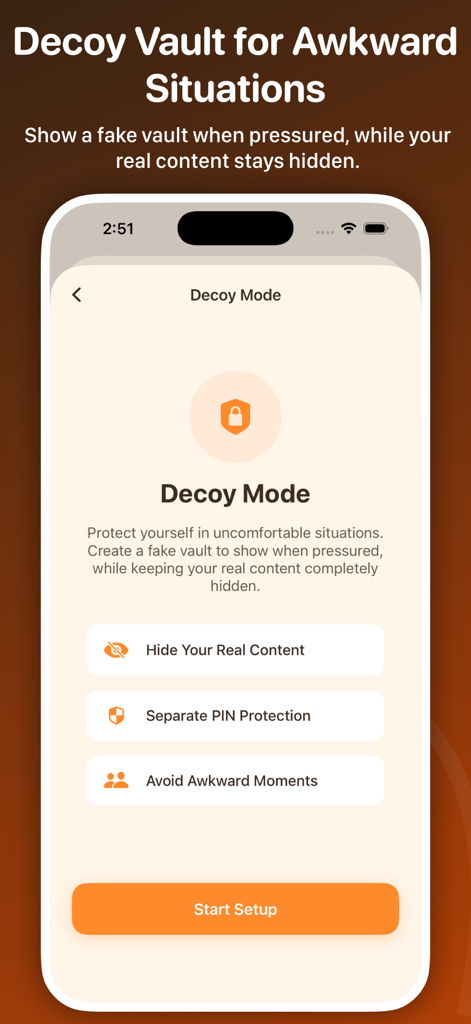
Dual-Layer Decoy Vault

Stay protected even if pressured to unlock your phone. Set a secondary PIN that opens a fake vault with harmless content, keeping your real files hidden.

Stealth Mode Disguise

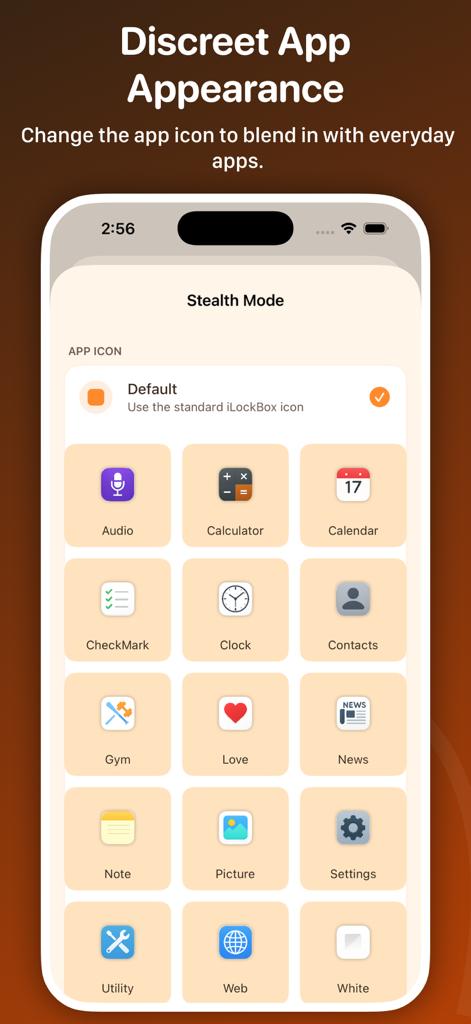
Hide in plain sight by changing the app icon to a Calculator or Calendar. Keep your private life private without drawing unwanted questions from others.

The following screenshots and description are sourced directly from the app's official store listing and are the property of the app developer.

App Store

Screenshots
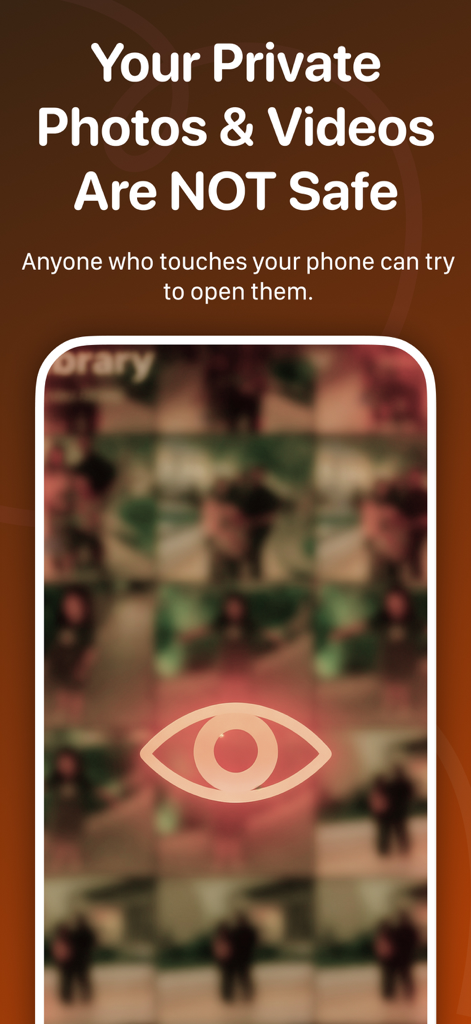
Private Photo Vault: iLockBox - A phone screen showing a blurry photo gallery and an eye icon with a warning message that private photos and videos are not safe from others.
A phone screen showing a blurry photo gallery and an eye icon with a warning message that private photos and videos are not safe from others.

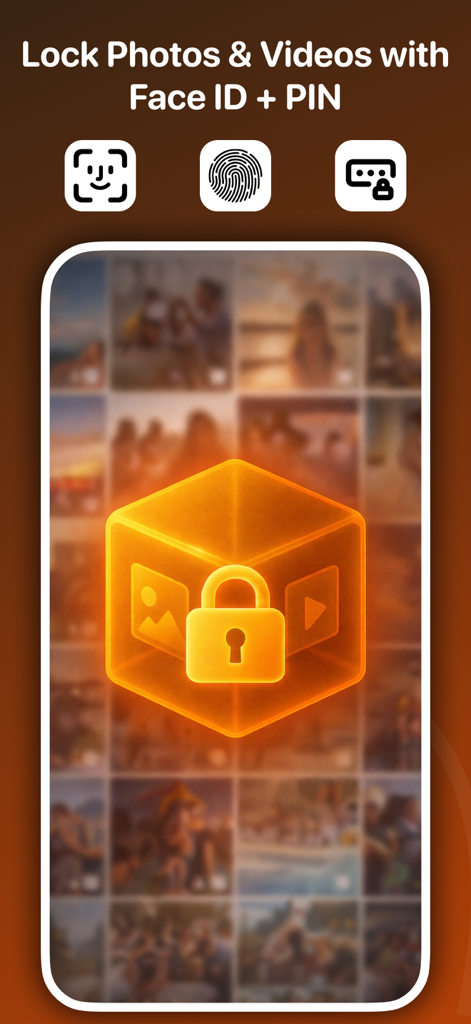
Private Photo Vault: iLockBox - Interface of iLockBox showing options to lock photos and videos using Face ID or PIN code
Interface of iLockBox showing options to lock photos and videos using Face ID or PIN code

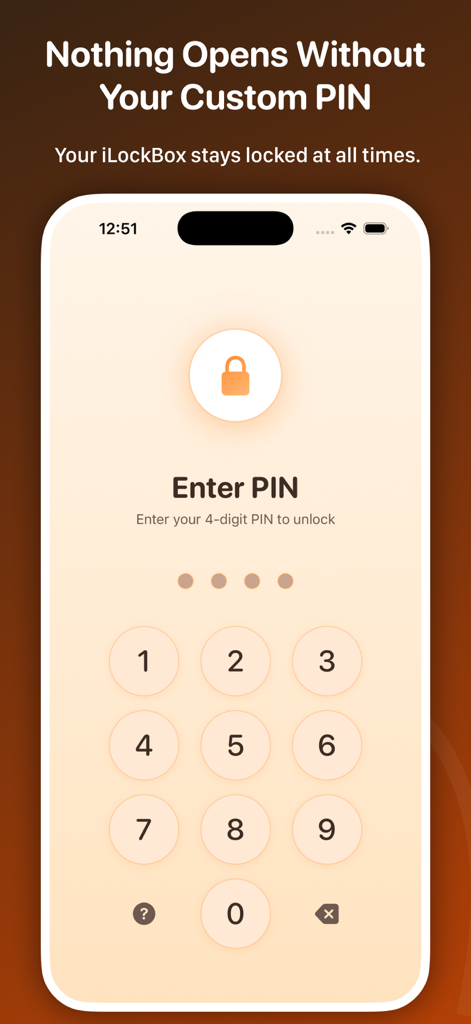
Private Photo Vault: iLockBox - Secure PIN entry interface for Private Photo Vault iLockBox app
Secure PIN entry interface for Private Photo Vault iLockBox app

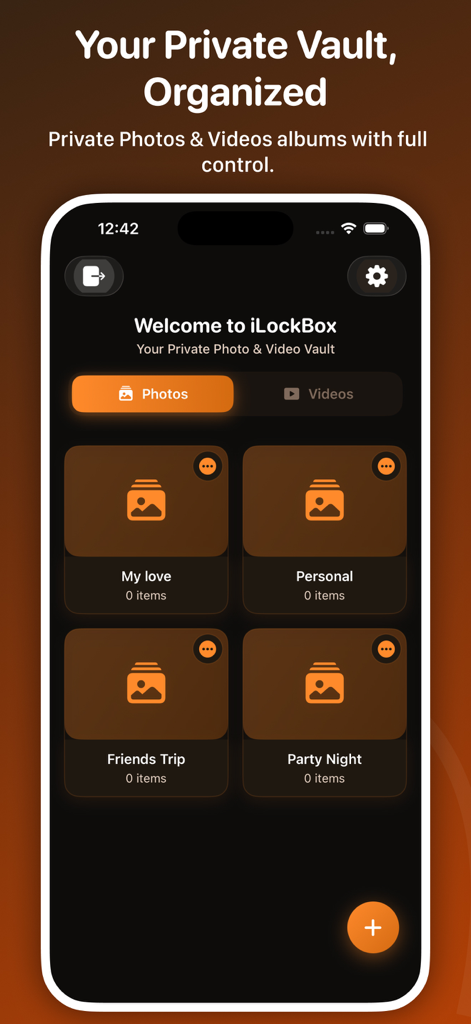
Private Photo Vault: iLockBox - The iLockBox app interface showing organized private photo albums like Personal and Friends Trip in a secure vault
The iLockBox app interface showing organized private photo albums like Personal and Friends Trip in a secure vault

Private Photo Vault: iLockBox - iLockBox Decoy Mode setup screen for creating a fake photo vault to protect real content
iLockBox Decoy Mode setup screen for creating a fake photo vault to protect real content

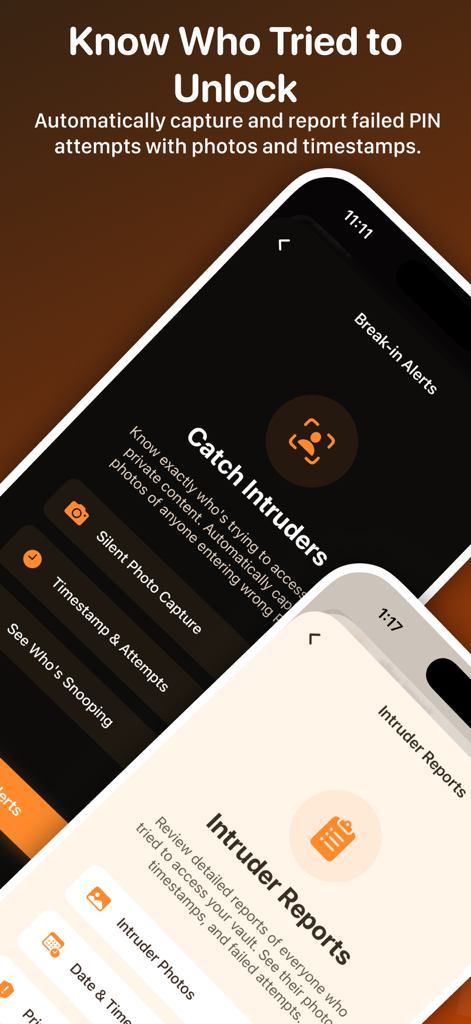
Private Photo Vault: iLockBox - iLockBox app interface showing intruder selfie capture and break in reporting features
iLockBox app interface showing intruder selfie capture and break in reporting features

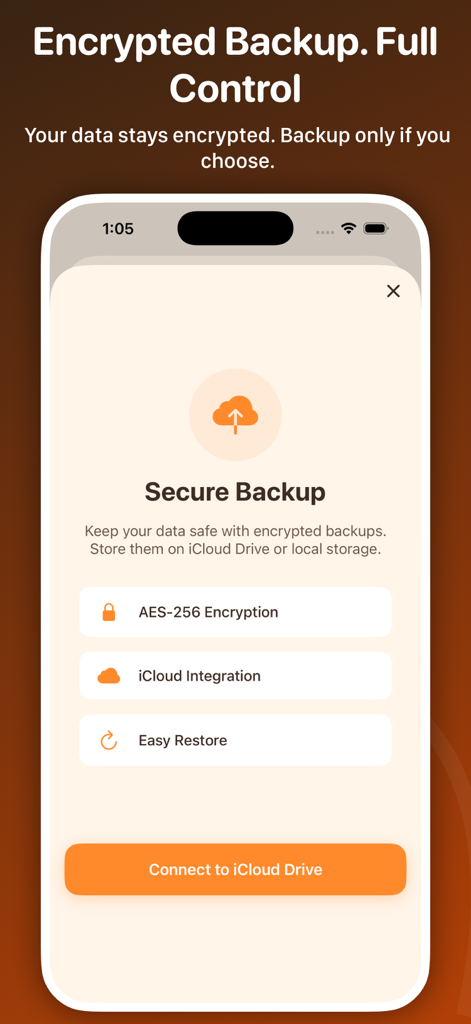
Private Photo Vault: iLockBox - iLockBox app screen showing secure encrypted backup options with AES-256 encryption and iCloud integration
iLockBox app screen showing secure encrypted backup options with AES-256 encryption and iCloud integration

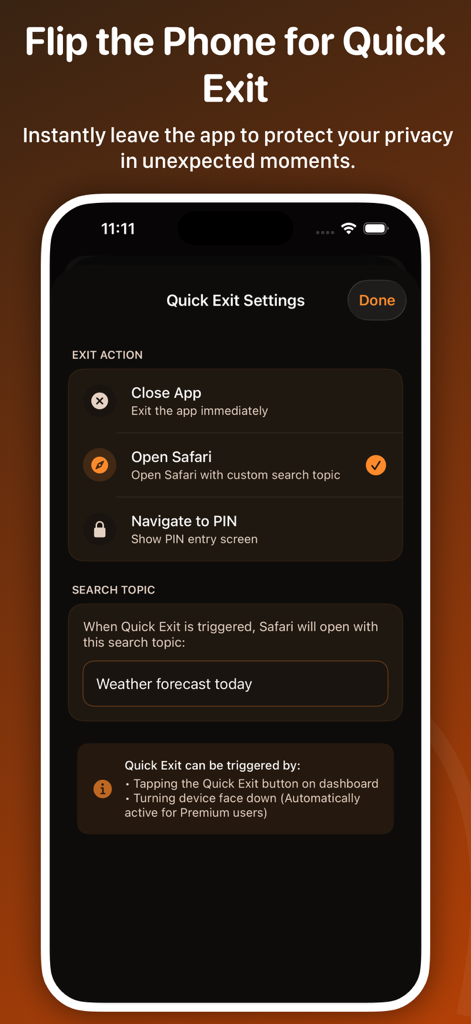
Private Photo Vault: iLockBox - Settings screen for the Quick Exit feature in the iLockBox private photo vault app showing options to close the app or open a web browser.
Settings screen for the Quick Exit feature in the iLockBox private photo vault app showing options to close the app or open a web browser.

Private Photo Vault: iLockBox - Mobile app interface showing stealth mode options to disguise iLockBox with icons like a calculator or calendar

Mobile app interface showing stealth mode options to disguise iLockBox with icons like a calculator or calendar

Description

Photo vault to hide photos & videos with Face ID, decoy vault, and stealth mode. Lock private albums with PIN or Touch ID. AES-256 encryption keeps pics safe offline. Your iPhone photos AREN'T private. Anyone who unlocks your phone can see them. iLockBox is the private photo vault trusted by 100,000+ users to protect sensitive photos and videos with military-grade security. Whether you need to hide private photos, secure personal videos, or create a secret photo gallery, iLockBox gives you complete control - all stored offline, encrypted, and discreet. PRIVACY & SECURITY FEATURES - Hide photos and videos from your camera roll inside a password-protected vault - Face ID, Touch ID, or custom PIN — dual-layer security - Decoy vault: Enter an alternate PIN to show fake safe content when under threat - Break-in alerts: Get notified when someone tries to access your vault - Intruder selfie: Automatically capture a photo + GPS location of anyone entering wrong PIN - AES-256 military-grade encryption — same standard used by government agencies STEALTH & PRIVACY CONTROLS - App disguise: Change iLockBox icon to Calculator, Calendar, or Utility app - Quick exit: Flip your phone face-down to instantly close the app - No account required: Zero sign-up, zero tracking, zero data collection - 100% offline: Your photos NEVER touch the cloud unless you enable encrypted backup ORGANIZE YOUR PRIVATE PHOTOS - Create unlimited custom albums and folders - Move photos between albums with multi-select (drag-and-drop) - Rename, sort, or delete files inside the vault - Built-in private camera: Take photos directly into the vault (never saves to camera roll) IMPORT & SHARE SECURELY - Import photos/videos from your camera roll with one tap - After import, iLockBox offers to delete from camera roll automatically - Share photos securely from the vault — originals stay protected WHY ILOCKBOX BEATS COMPETITORS Unlike other vault apps that charge more but offer fewer security features:: - We have a DECOY VAULT (they don't) - We have STEALTH MODE (they don't) - We have INTRUDER SELFIE (they don't) - We're 100% offline by default (they push cloud storage) QUICK SETUP (60 SECONDS) 1. Download iLockBox (it's free) 2. Set your PIN and enable Face ID 3. Import photos or use the private camera 4. Your photos are now locked and hidden PREMIUM FEATURES (OPTIONAL) Upgrade to Premium for: - Unlimited photo storage (free version: 50 photos) - Encrypted cloud backup with iCloud sync - Decoy vault with unlimited fake albums - Priority support via email - Remove all limitations PREMIUM ACCESS iLockBox offers optional premium access to unlock advanced security and privacy features, including biometric protection, decoy vault access, and break-in alerts. • Subscription plans with automatic renewal • One-time lifetime purchase option available Subscriptions automatically renew unless canceled at least 24 hours before the end of the current billing period. Manage subscriptions through your iTunes account settings. COMMITMENT TO PRIVACY iLockBox is designed for users who prioritize privacy and data security. • No cloud storage • No data collection • Offline-only media storage Your private photos and videos remain under your control at all times. Privacy Policy: https://appreator.com/privacy-policy/ Terms of Use: https://appreator.com/terms-of-use/ Your photos stay on YOUR device, under YOUR control, at all times. CUSTOMER REVIEWS Star Best vault app I've tried. Decoy mode saved me twice. - Sarah M. Face ID works flawlessly. Love the stealth calculator icon. - David R. Finally, a vault that doesn't force cloud backup. - Maria L. DOWNLOAD FREE TODAY Join 100,000+ users protecting their private photos with iLockBox. Zero risk. No credit card. Start hiding photos in 60 seconds. Questions? Contact us: admin@appreator.com

Download

Download on App Store

This page is not an official page of the app or its developer, but an independent editorial publication created for informational and commentary purposes. Unless expressly stated otherwise, neither the app nor its developer is affiliated with, endorsed by, sponsored by, authorized by, or otherwise officially connected with MWM, Apple, Google Play, the app publisher, or the app's developer, and nothing on this page implies that the app was developed using MWM's services. Any trademarks, logos, screenshots, and other content remain the property of their respective owners.