
This page is not an official page of the app or its developer, but an independent editorial publication created for informational and commentary purposes. Unless expressly stated otherwise, neither the app nor its developer is affiliated with, endorsed by, sponsored by, authorized by, or otherwise officially connected with MWM, Apple, Google Play, the app publisher, or the app's developer, and nothing on this page implies that the app was developed using MWM's services. Any trademarks, logos, screenshots, and other content remain the property of their respective owners.

ProctorExam
Turn your mobile device into a secure secondary camera to complete your assessments from home with ease and confidence.
Downloads
769K+User Rating
Total Ratings
300Publisher
Category
EducationLocales
6Latest Version
9.1.0Size
68.4 MBFirst Released
Jul 30, 2014Your Certified Exam Room, Anywhere.
ProctorExam turns your iPhone into a high-integrity proctoring tool, allowing you to meet university requirements and take high-stakes assessments from the comfort of home.
Zero-Commute Testing
Skip the stress and expense of traveling to physical testing centers. Turn your familiar, quiet workspace into a certified exam environment on your own schedule.
360° Security Shield
Use your phone as a secondary camera angle to provide the full workspace visibility required by institutions, ensuring your hard-earned results are fully verified.
Frequently Asked Questions
Everything you need to know about ProctorExam
What is the ProctorExam app used for?
The ProctorExam app enables safe and secure remote assessment. It connects your phone to a remote exam room, allowing you to take assessments as required by your institution.
How does ProctorExam connect my phone for an exam?
ProctorExam connects your phone to the remote exam room by requiring you to scan a QR code. This process completes your system check or exam setup for secure desktop-to-mobile pairing.
Does the ProctorExam app use my phone's camera?
Yes, the ProctorExam app uses your phone's camera. It connects your camera for system checks, exam setup, and broadcasting video to the remote exam room during assessment.
Should I mute notifications while using ProctorExam?
Yes, you must mute notifications when using the ProctorExam app. Notifications may affect your video feed during broadcasting, ensuring the integrity of your remote assessment.
Does ProctorExam conserve my phone's battery during assessments?
Yes, ProctorExam preserves battery life while streaming video during assessments. This feature helps ensure your phone remains operational throughout the entire remote exam period.
Can I lock my phone during a ProctorExam assessment?
No, you cannot lock your phone during a ProctorExam assessment. The app explicitly instructs users not to lock their phone while broadcasting video from the camera to maintain exam integrity.
Is there a privacy policy for the ProctorExam app?
Yes, the ProctorExam app has a Privacy Policy. You can find access to this policy directly on the 'Let's get started' screen within the application interface.
The following screenshots and description are sourced directly from the app's official store listing and are the property of the app developer.
App Store
Screenshots
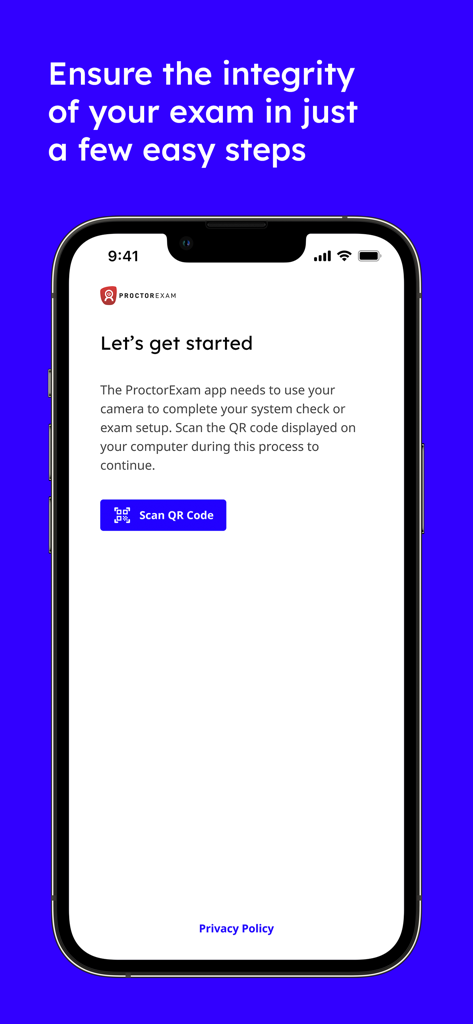
ProctorExam mobile app onboarding screen with a Scan QR Code button for remote assessment setup.
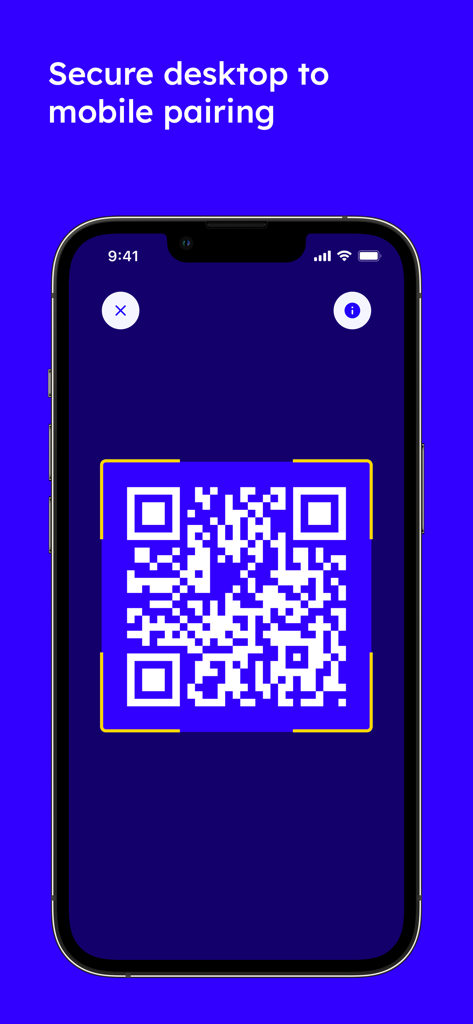
A QR code displayed on a smartphone screen for secure desktop to mobile pairing in the ProctorExam app
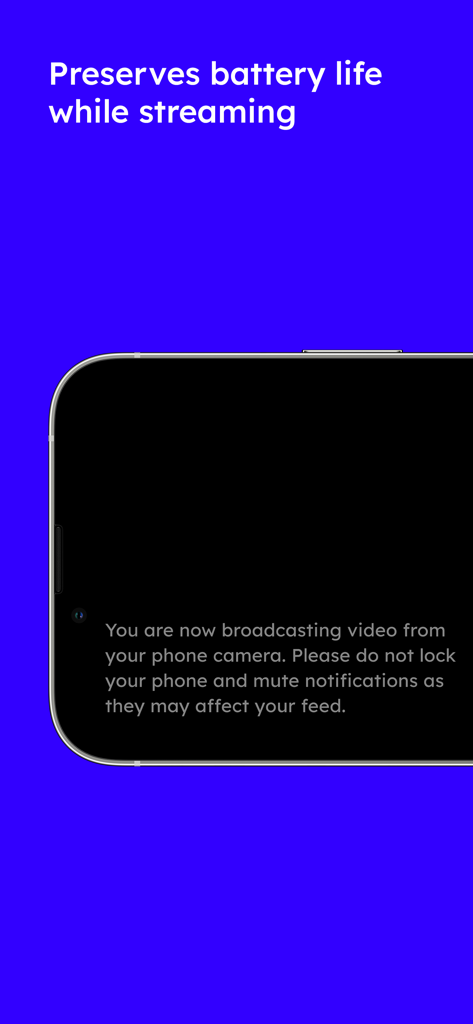
ProctorExam mobile app screen showing a message about video broadcasting and battery life preservation during an online exam

ProctorExam mobile app interface for secure remote exam proctoring
Description
Download
More Like This
Apps with similar features and user experience




This page is not an official page of the app or its developer, but an independent editorial publication created for informational and commentary purposes. Unless expressly stated otherwise, neither the app nor its developer is affiliated with, endorsed by, sponsored by, authorized by, or otherwise officially connected with MWM, Apple, Google Play, the app publisher, or the app's developer, and nothing on this page implies that the app was developed using MWM's services. Any trademarks, logos, screenshots, and other content remain the property of their respective owners.