Proxygen

Proxygen

Download on App Store
Logo of Proxygen

Proxygen: Professional HTTP Debugging for iOS and Mac

Streamline your API testing with server-grade performance. Intercept, modify, and analyze network traffic effortlessly—no complex Wi-Fi proxy setups or manual certificates required.

Publisher

Pasi Salenius

Category

Developer Tools

Downloads

44K+

User Rating

4.4/5

Total Ratings

0

Locales

1

Inspect with Precision

Discover the interface used by 44K+ users.
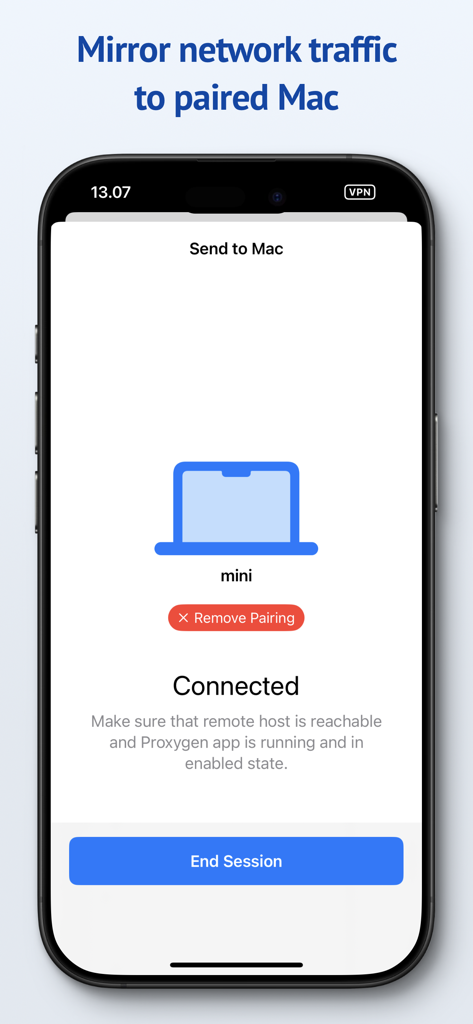
Proxygen app interface on iPhone showing a connected session to mirror network traffic to a paired Mac for debugging.

Proxygen app interface on iPhone showing a connected session to mirror network traffic to a paired Mac for debugging.

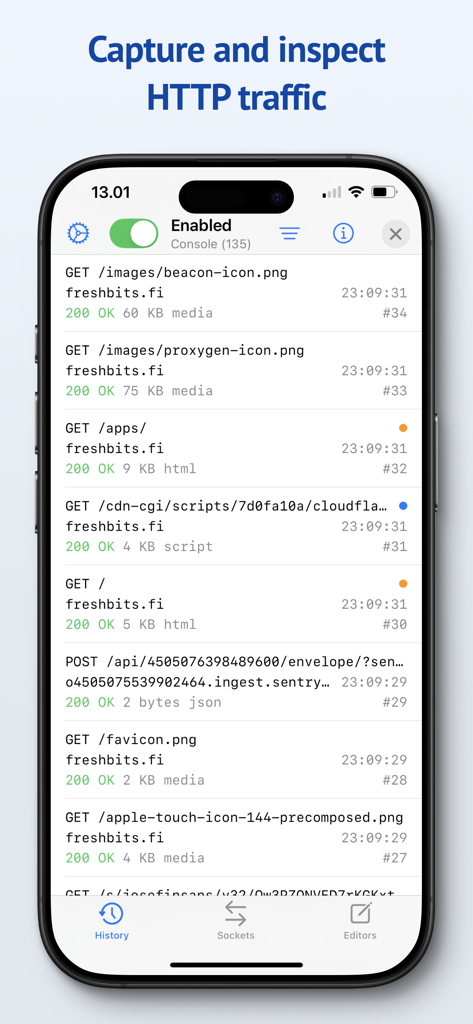
The Proxygen app interface on an iPhone displaying a list of captured HTTP network requests and API traffic

The Proxygen app interface on an iPhone displaying a list of captured HTTP network requests and API traffic

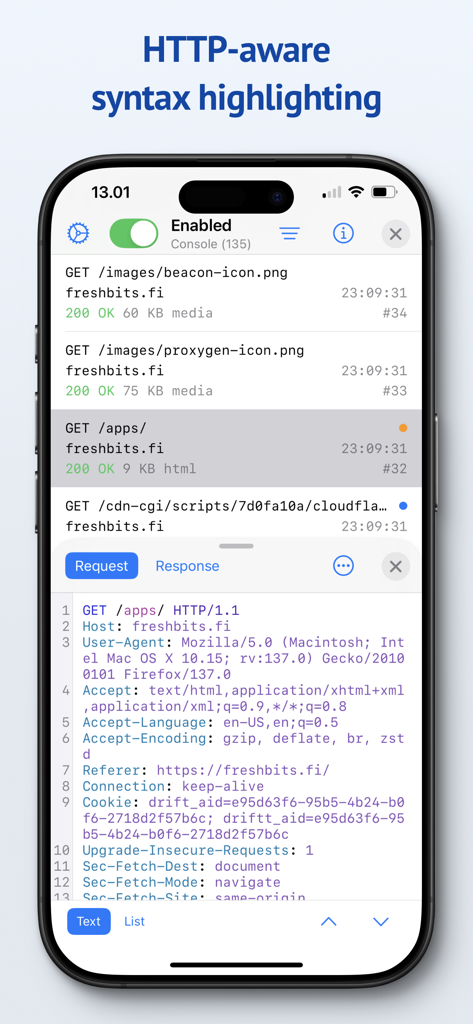
Proxygen app interface showing HTTP request headers with syntax highlighting on an iPhone

Proxygen app interface showing HTTP request headers with syntax highlighting on an iPhone

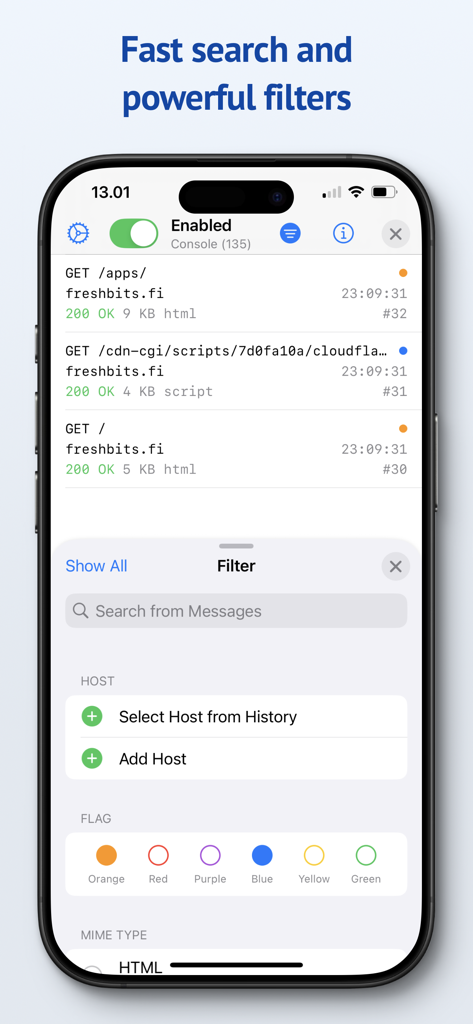
Proxygen app screenshot showing search and filter options for network traffic messages

Proxygen app screenshot showing search and filter options for network traffic messages

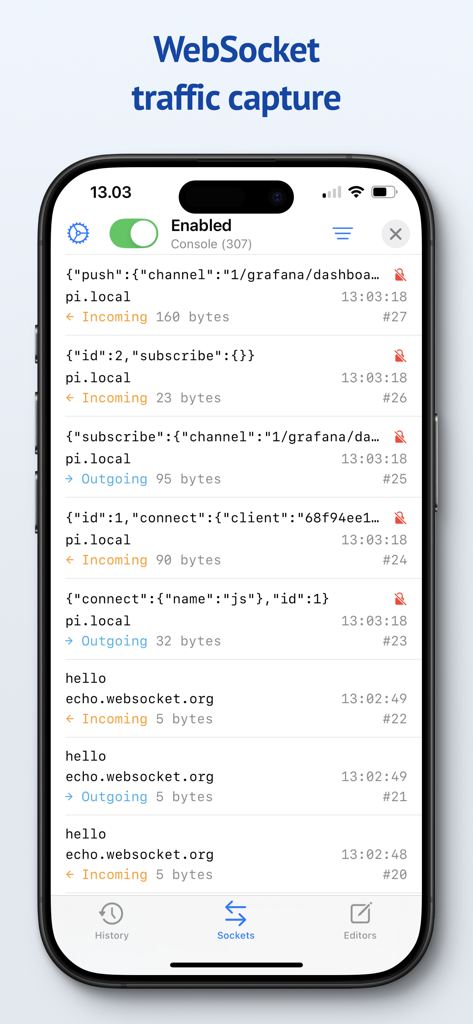
Proxygen mobile app interface showing a list of captured incoming and outgoing WebSocket messages with JSON data and byte sizes.

Proxygen mobile app interface showing a list of captured incoming and outgoing WebSocket messages with JSON data and byte sizes.

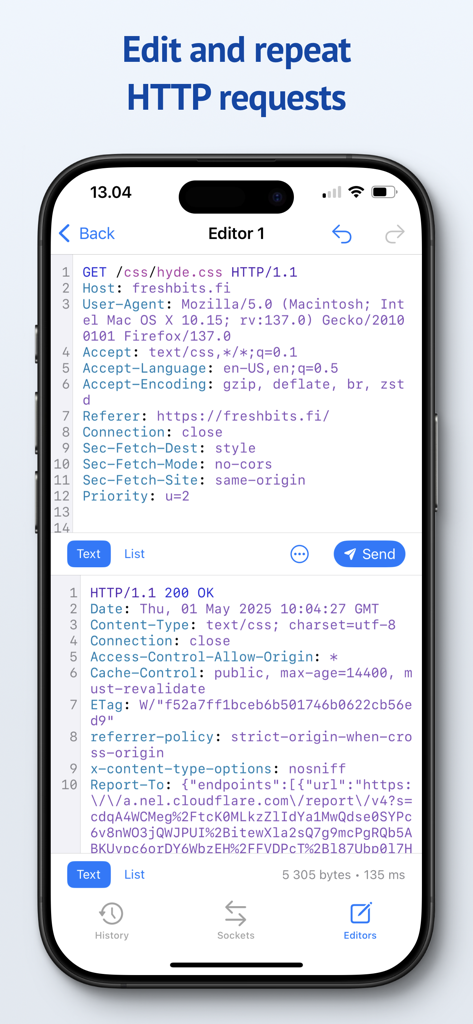
Proxygen mobile app interface showing the editor for modifying and repeating HTTP requests with syntax highlighting

Proxygen mobile app interface showing the editor for modifying and repeating HTTP requests with syntax highlighting

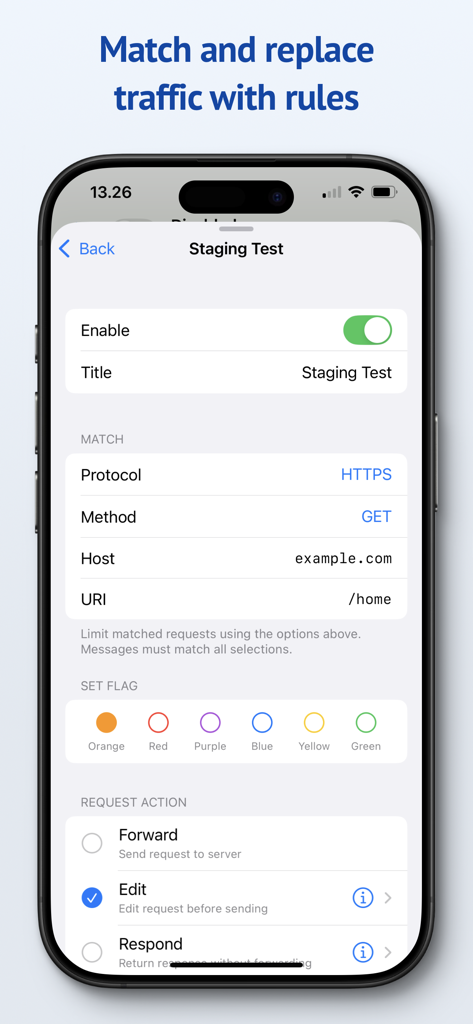
Proxygen mobile interface for configuring HTTP traffic match and replace rules

Proxygen mobile interface for configuring HTTP traffic match and replace rules

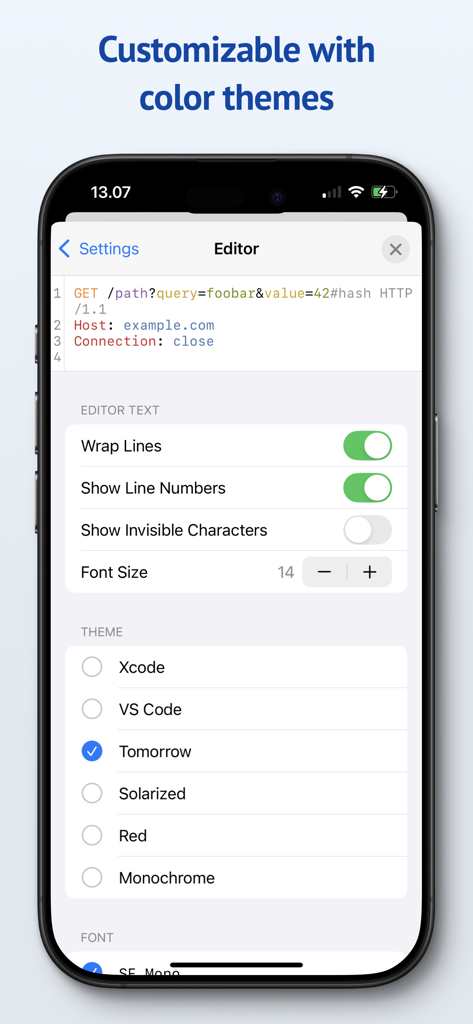
Proxygen app settings screen showing editor customization options and available color themes like Xcode and VS Code

Proxygen app settings screen showing editor customization options and available color themes like Xcode and VS Code

Debug Faster with Professional-Grade Tools

The tools that make this app stand out, trusted by 44K+ users.

đź’»

Seamless Traffic Mirroring

Stop wasting time with complex Wi-Fi proxy settings. Mirror iOS traffic to your Mac instantly over the local network with zero configuration friction.

🚀

Server-Grade Performance

Powered by SwiftNIO for blazing-fast asynchronous networking. Inspect HTTPS traffic in real-time without ever noticing a dip in your connection speed.

🛠️

Dynamic Match & Replace

Take full control of your API responses. Create rules to modify headers or body data on the fly to simulate edge cases and automate testing scenarios.

About the app

Everything you need to know about Proxygen.

Description

Proxygen is a professional HTTP proxy tool for testing apps and debugging remote API endpoints right on your iPhone, iPad and Mac. And it’s built to delight you while doing it. Features • Send iOS device traffic to remote Mac • Message history with powerful filtering • WebSocket message capture • Syntax highlighting HTTP message editor • Match and replace headers and body data • Store all data in documents SEND TO MAC Easily capture HTTP messages from an iPhone or iPad on your Mac. Traffic is mirrored to the paired Mac over local network even when the iOS app is not active. The Mac app can intercept and edit data of requests and responses before they are forwarded. No more futzing around with Wi-Fi proxy settings and trusted certificates. SYNTAX AWARE EDITOR Edit requests from the message history or create new to any target. All previously sent requests are kept in the project file so you can return to your work later. The editor uses Tree-sitter for fast language parsing and syntax highlighting. It handles decoding of HTTP content automatically, letting you focus on testing the remote API. MATCH AND REPLACE Proxygen can modify requests and responses, on the fly, according to your custom rules. Multiple rules can be combined to create powerful automations that drop traffic to certain destinations, add or remove HTTP headers and respond locally with custom data, bypassing the remote server. SERVER GRADE PERFORMANCE The magic lies in a little custom HTTP proxy that the iOS app runs in a local VPN extension. This proxy was developed using SwiftNIO, a framework for bizarrely fast asynchronous network applications. The proxy can perform TLS Manipulator in the Middle (MitM) to see inside HTTPS connections and apply custom logic to each message. To put it bluntly, you’ve probably never seen a HTTP proxy this fast before. And you likely won’t notice that your web browsing is even proxied at all. PRIVACY Proxygen contains no third party frameworks for crash reporting or analytics. Note that Proxygen is a TLS MitM proxy, which means that it sees HTTPS network traffic in plain text. This data is transferred from the proxy to the Proxygen app and stored as part of the project document. Make sure you handle the documents accordingly, as they may contain sensitive data such as session tokens and login credentials. Privacy policy https://proxygen.app/docs/privacy Terms of Use https://proxygen.app/docs/terms Device Mockup created from https://deviceframes.com/templates/iphone-13

Latest Version

4.2.0

Size

26.7 MB

First Released

Mar 19, 2022

Ready to Debug Without the Friction?

Join thousands of professional developers and streamline your API testing. Experience server-grade performance and a privacy-first workflow on your iPhone, iPad, and Mac.

Download on App Store

App information, icons, screenshots, and descriptions displayed on this page are sourced from the Apple App Store and are the property of their respective developers. Download estimates and rankings are based on MWM's proprietary models and may not reflect actual figures. This page is provided for informational and analytical purposes only.

Believe this page infringes your intellectual property? File a dispute