Pulse – Network Logger

Pulse – Network Logger

Download on App Store
Logo of Pulse – Network Logger

Pulse – Network Logging & Debugging for Apple Platforms

The modern developer tool to inspect traffic, catch Swift decoding errors, and analyze performance natively—no custom root certificates or proxy setups required.

Download on App Store

Publisher

Kean Studio LLC

Category

Developer Tools

Downloads

1K+

User Rating

1.0/5

Total Ratings

0

Locales

1

Pulse in Action

Discover the interface used by 1K+ users.
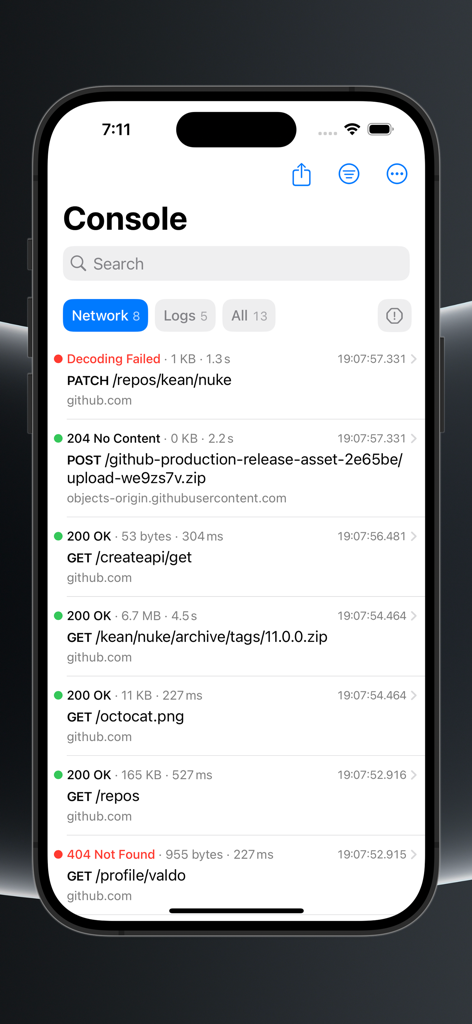
Pulse app console view displaying a list of network requests, status codes, and decoding errors.

Pulse app console view displaying a list of network requests, status codes, and decoding errors.

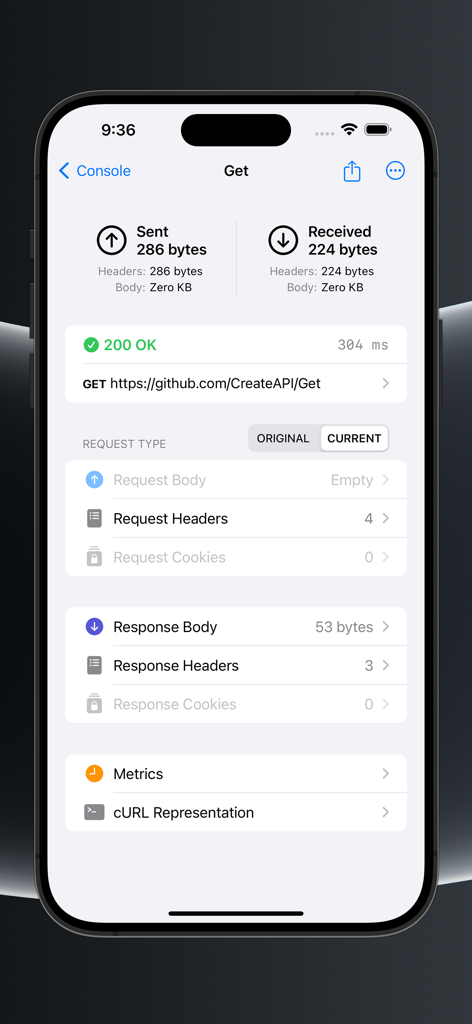
Detailed view of an HTTP GET request in the Pulse app showing status code response metrics and header information

Detailed view of an HTTP GET request in the Pulse app showing status code response metrics and header information

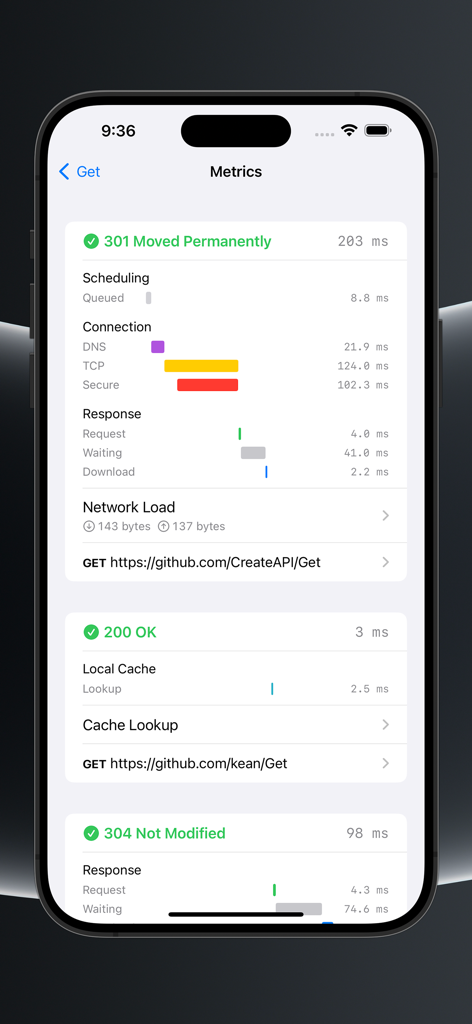
Detailed breakdown of network request metrics and performance timings in the Pulse app for iOS

Detailed breakdown of network request metrics and performance timings in the Pulse app for iOS

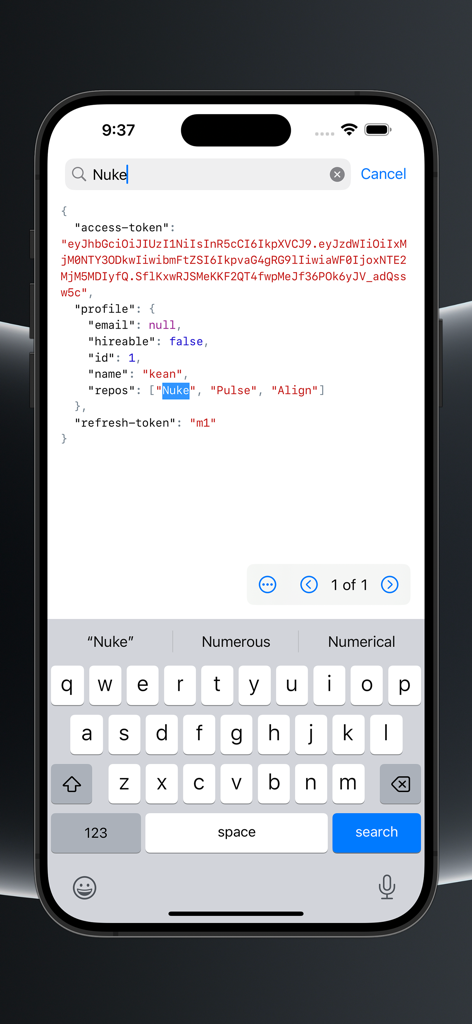
Searching through a JSON network response body in the Pulse Network Logger app on iPhone.

Searching through a JSON network response body in the Pulse Network Logger app on iPhone.

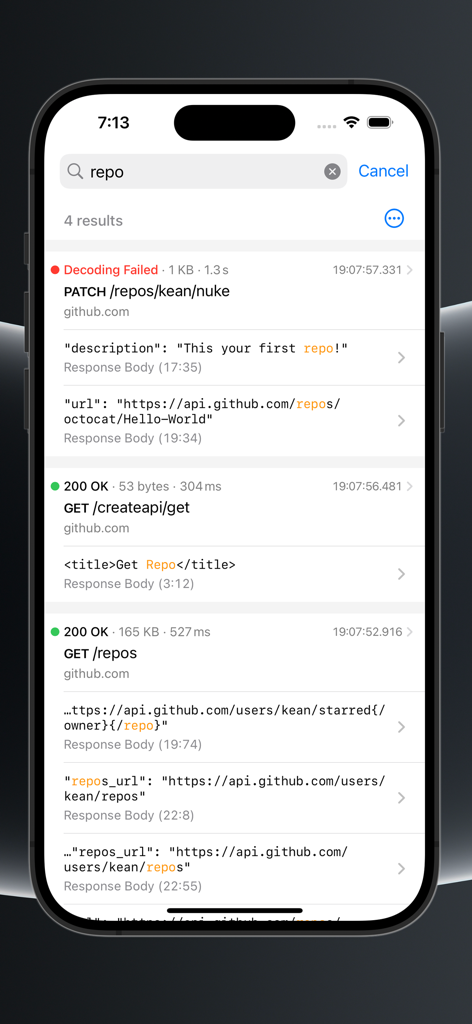
Search results in Pulse Network Logger app showing network logs with status codes and decoding errors on an iPhone

Search results in Pulse Network Logger app showing network logs with status codes and decoding errors on an iPhone

Debug Network Traffic with Precision

The tools that make this app stand out, trusted by 1K+ users.

🔌

Zero-Config Integration

No root certificates or proxy setups required. Pulse works at the URLSession level, ensuring seamless debugging even behind VPNs and complex corporate networks.

🧩

Solve Decoding Nightmares

Instantly pinpoint Swift Codable mismatches. Pulse highlights decoding errors directly, saving you hours of hunting through raw JSON responses.

📱

On-Device Inspection

Take your debugging into the wild. View live logs and performance metrics directly on your device, making it the perfect tool for field testing and mobile QA.

About the app

Everything you need to know about Pulse – Network Logger.

Description

Pulse is a developer tool for logging and debugging network requests in apps developed for Apple platforms. This companion app allows you to view the logs collected by Pulse. The app requires a subscription to access its features, including: - View logs collected on your test devices - Debug network errors, including the decoding errors - Analyze the performance of the app using network metrics You can start using Pulse by integrating its free and open-source SDK that allows you to collect and view logs on your test devices. Unlike traditional network proxies, Pulse integrates into your app at the URLSession level, requiring no custom network root certificates. It also unlocks new powerful features, such as viewing the decoding errors and mocking the URLSession APIs. Privacy Policy: https://pulselogger.com/pulse-privacy-policy/ Terms of Use: https://www.apple.com/legal/internet-services/itunes/dev/stdeula/

Latest Version

1.1

Size

6.2 MB

First Released

Aug 28, 2024

Streamline your network debugging workflow

Download the Pulse companion app to inspect logs, analyze performance, and catch decoding errors directly on your Apple devices.

Download on App Store

App information, icons, screenshots, and descriptions displayed on this page are sourced from the Apple App Store and are the property of their respective developers. Download estimates and rankings are based on MWM's proprietary models and may not reflect actual figures. This page is provided for informational and analytical purposes only.

Believe this page infringes your intellectual property? File a dispute