
This page is not an official page of the app or its developer, but an independent editorial publication created for informational and commentary purposes. Unless expressly stated otherwise, neither the app nor its developer is affiliated with, endorsed by, sponsored by, authorized by, or otherwise officially connected with MWM, Apple, Google Play, the app publisher, or the app's developer, and nothing on this page implies that the app was developed using MWM's services. Any trademarks, logos, screenshots, and other content remain the property of their respective owners.


PXPlay: Remote Play
Your console, untethered. PXPlay gives gamers the superpower to dominate their favorite titles, anywhere, anytime, without compromise.
Downloads
250k+User Rating
Total Ratings
1.5KPublisher
Category
EntertainmentLocales
8Latest Version
3.0.0Size
27.2 MBFirst Released
Mar 14, 2023An evaluation of key capabilities for performance-oriented console gamers on Apple devices.
PXPlay: Remote Play - Core Feature Analysis
Optimized Remote Play Performance
The app provides a fluid, responsive gaming experience with minimal delay, crucial for competitive play and immersion.
Enhanced Visual Fidelity
This tool delivers crisp, vibrant graphics with advanced upscaling, ensuring an uncompromised visual experience on mobile devices.
Universal Connectivity
It allows users to game from virtually any location, leveraging both local Wi-Fi and mobile data networks.
Advanced Streaming Customization
The app offers granular control over bitrate and frame pacing, empowering users to fine-tune performance based on their network and preferences.
Extensive Game and Device Support
This tool enables streaming of any console game to iPhone, iPad, or Apple TV, making the entire game library accessible on preferred devices.
Robust Controller Compatibility
It facilitates the use of preferred physical game controllers, maintaining an authentic and comfortable console gaming feel.
Personalized Control Schemes
The app allows users to remap buttons and create hotkeys, optimizing the control layout for individual comfort and specific games.
Spatial Audio Support
This tool enhances the audio experience with 3D sound, increasing immersion and providing competitive advantages in games.
Frequently Asked Questions
Everything you need to know about PXPlay: Remote Play
What is PXPlay?
PXPlay is an application that enables users to remotely control and stream their console games to Apple devices like iPhone, iPad, or Apple TV. It ensures smooth, low-latency streaming with high-quality visuals and full controller support.
Does PXPlay support 4K or 2K upscaling for game streaming?
Yes, PXPlay supports 4K and 2K "Super Resolution" upscaling. This feature, alongside HDR visuals, optimizes the visual quality for console game streaming on compatible devices.
Which devices are compatible with PXPlay for game streaming?
PXPlay allows users to stream and play their console games directly on iPhone, iPad, or Apple TV. This provides flexibility to enjoy games on various Apple devices remotely.
Can I use third-party controllers with PXPlay?
Yes, PXPlay offers support for third-party controllers. It also includes features for button mapping, hotkeys, and touchpad gesture emulation to enhance the remote play experience.
Does PXPlay work with mobile data for remote play?
Yes, PXPlay operates over both Wi-Fi and mobile data networks. Specific setup instructions are available for playing games over the internet using mobile data.
Can I register more than one console with PXPlay?
Yes, PXPlay enables users to register and switch between multiple consoles. This functionality provides seamless access to different gaming systems from the application.
Does PXPlay offer Spatial Audio?
Yes, PXPlay integrates Spatial Audio (3D Audio) as a main feature. This provides an immersive audio experience during remote gameplay, enhancing sound depth and direction.
How can I customize the streaming quality in PXPlay?
PXPlay provides customizable quality settings including resolution (1080p, 720p), upscaling options (1440p, 2160p), FPS (30, 60), and custom bitrate. These are accessible in the Streaming settings.
Does PXPlay include virtual gamepad controls?
Yes, PXPlay functions as a virtual gamepad. It offers advanced touch controls and gesture support directly on your iPhone, iPad, or Apple TV for playing console games.
The following screenshots and description are sourced directly from the app's official store listing and are the property of the app developer.
App Store
Screenshots
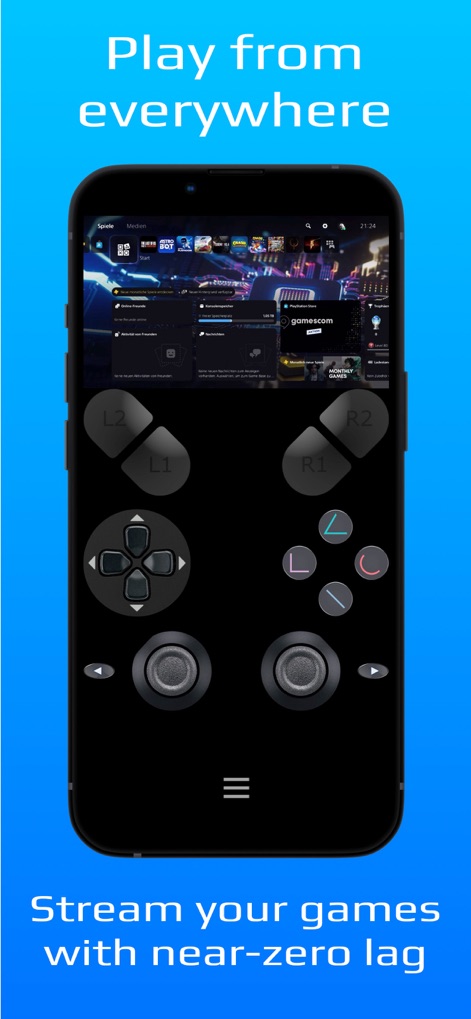
Users can navigate their console dashboard and activate games using the app's intuitive virtual gamepad controls for seamless play.
Remote Control Mastery
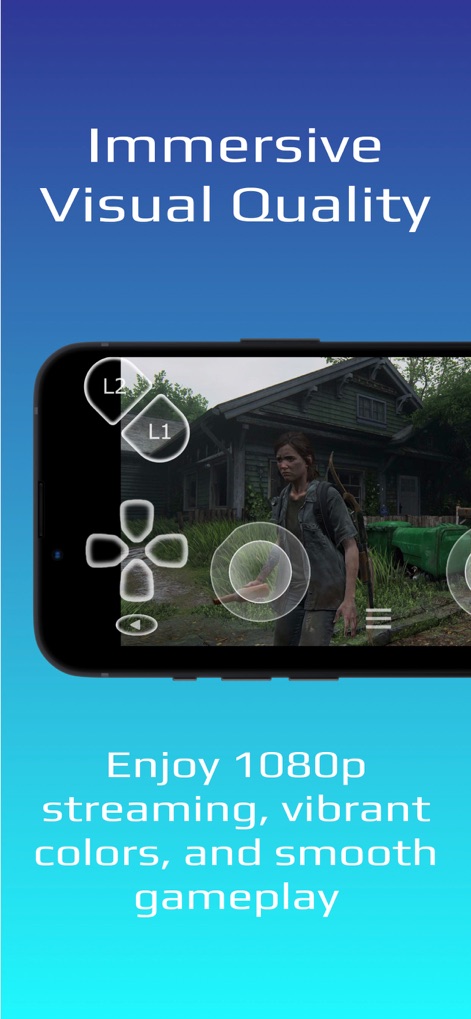
Experience stunning high-fidelity game streaming and responsive in-game virtual controls, bringing console titles to life on mobile devices.
Immersive Gameplay Quality

This tool showcases real-time 4K/2K "Super Resolution" upscaling and vibrant HDR visuals, providing a superior gaming experience.
Enhanced Visuals
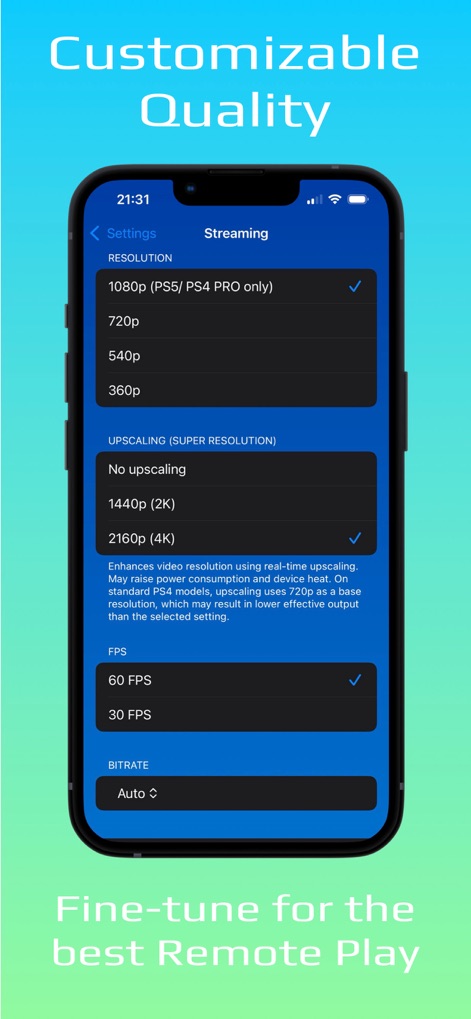
Users can fine-tune their remote play experience by adjusting resolution and upscaling options, alongside granular FPS and bitrate adjustments.
Performance Optimization
Description
Download
More Like This
Apps with similar features and user experience



This page is not an official page of the app or its developer, but an independent editorial publication created for informational and commentary purposes. Unless expressly stated otherwise, neither the app nor its developer is affiliated with, endorsed by, sponsored by, authorized by, or otherwise officially connected with MWM, Apple, Google Play, the app publisher, or the app's developer, and nothing on this page implies that the app was developed using MWM's services. Any trademarks, logos, screenshots, and other content remain the property of their respective owners.