
This page is not an official page of the app or its developer, but an independent editorial publication created for informational and commentary purposes. Unless expressly stated otherwise, neither the app nor its developer is affiliated with, endorsed by, sponsored by, authorized by, or otherwise officially connected with MWM, Apple, Google Play, the app publisher, or the app's developer, and nothing on this page implies that the app was developed using MWM's services. Any trademarks, logos, screenshots, and other content remain the property of their respective owners.


AI Expense Tracker - Qalta
Eliminate the chore of manual entry. Log transactions instantly with AI voice tracking, scan receipts in a snap, and master your subscriptions without lifting a finger. Built for the modern professional who demands efficiency.
Downloads
4K+User Rating
Total Ratings
0Publisher
Category
FinanceLocales
6Latest Version
1.5.0Size
44.4 MBFirst Released
Dec 15, 2025Financial Control at the Speed of Thought
Stop wasting time on manual entries. Qalta leverages AI to turn your voice, receipts, and subscriptions into effortless financial clarity.
Frictionless Voice Tracking
Log expenses in three seconds while on the move. Just speak naturally, and our AI instantly categorizes every transaction for you.
Master the Subscription Economy
Eliminate subscription creep. Automatically track recurring bills and set reminders so you never pay for a forgotten trial again.
Frequently Asked Questions
Everything you need to know about AI Expense Tracker - Qalta
How does Qalta – AI Expense Tracker use AI for tracking money?
Yes, Qalta utilizes AI Voice Tracking. Users speak transactions like "Spent 15 dollars on coffee," and Qalta instantly categorizes and records them. This provides the fastest way to log expenses without typing.
Can Qalta scan receipts and bills for expense tracking?
Yes, Qalta offers Smart Receipt Scanning. Users snap a photo of their receipt, invoice, or bill. AI automatically extracts the date, amount, and merchant details, eliminating manual entry.
Does Qalta – AI Expense Tracker support multiple currencies for travelers?
Yes, Qalta offers True Multi-Currency Freedom. It supports unlimited accounts in different currencies, handling conversions automatically. This feature is ideal for travelers and digital nomads.
How does Qalta manage recurring payments and subscriptions?
Qalta provides Smart Subscriptions management. Users manage recurring payments and subscriptions by setting them up manually or by using AI, for instance, "remind me of Netflix $10 every month."
Can users export their financial data from the Qalta app?
Yes, Qalta ensures Data Privacy & Export. Users can export all their data to CSV format for analysis in Excel or Google Sheets anytime. The app states, "Your data belongs to you."
What type of visual analytics does Qalta provide for spending habits?
Qalta offers Visual Analytics to understand spending habits. It displays beautiful Pie Charts and Linear Graphs. These visuals help users analyze their expenses and income trends effectively.
Does Qalta allow unlimited customization of accounts and categories?
Yes, Qalta provides Unlimited Customization. Users create as many accounts and custom categories as needed, with no stated limits. This offers flexible financial organization.
Is the Qalta – AI Expense Tracker interface fast for adding transactions?
Yes, Qalta features a Lightning Fast Interface. It is designed to minimize taps, allowing users to add income and expenses instantly, enhancing the speed of money tracking.
What are the pricing details for the Qalta – AI Expense Tracker app?
The provided information does not specify pricing details for the Qalta app. Users should check the app store listing for current purchase or subscription information.
The following screenshots and description are sourced directly from the app's official store listing and are the property of the app developer.
App Store
Screenshots
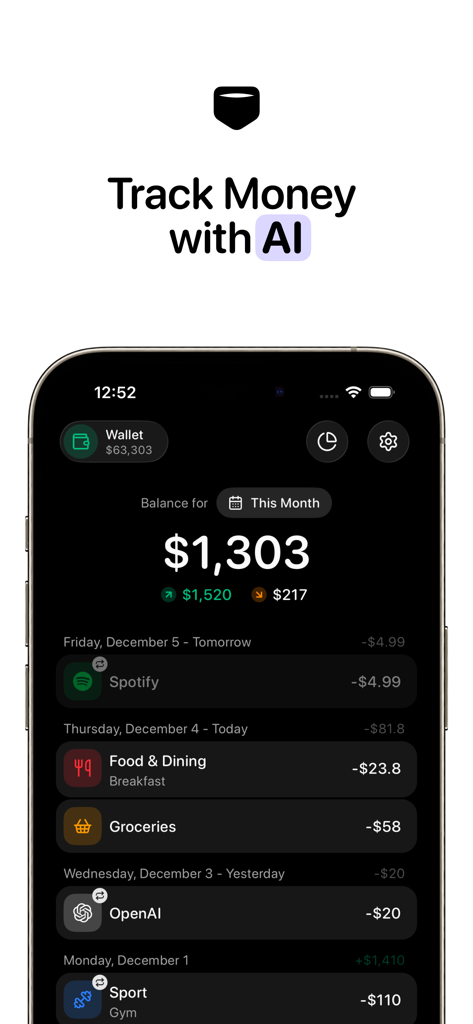
Dashboard of Qalta AI Expense Tracker app showing a monthly balance and recent categorized transactions like dining and subscriptions.
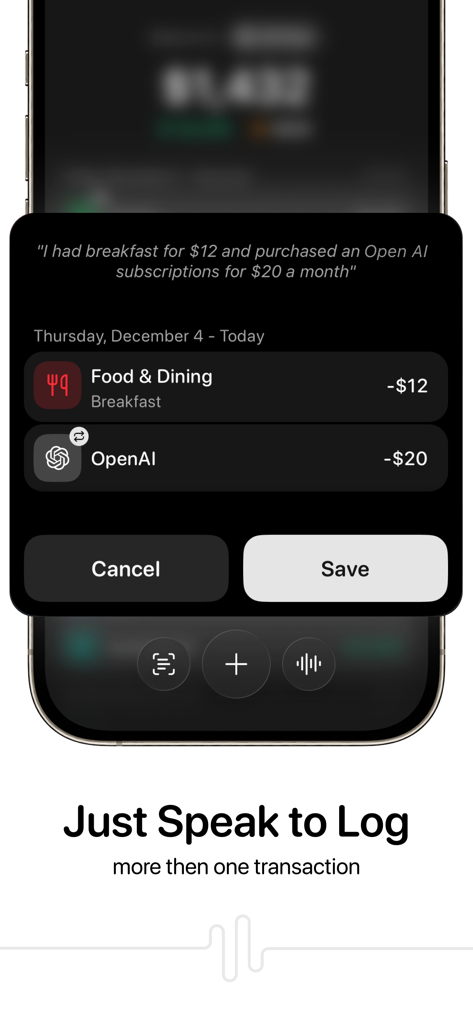
AI voice tracking interface in the Qalta app showing automatic categorization of multiple spoken transactions.
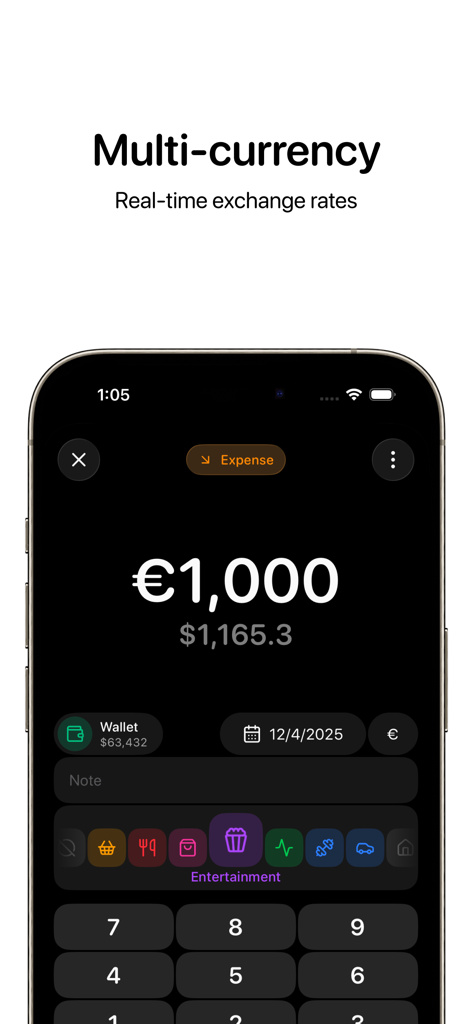
Qalta app interface showing multi-currency expense tracking with real-time exchange rates for digital nomads
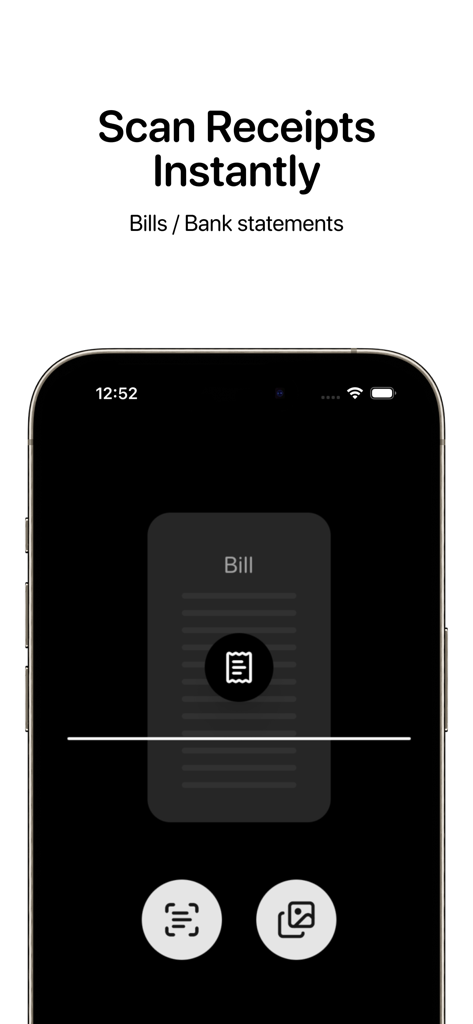
Mobile app interface of Qalta showing the instant receipt and bill scanning feature
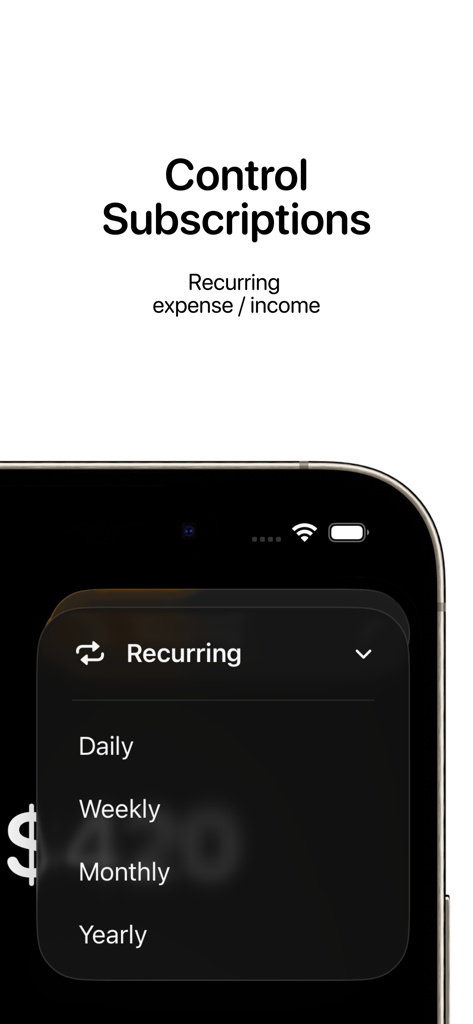
Interface for managing recurring expenses and subscriptions with frequency options in the Qalta app
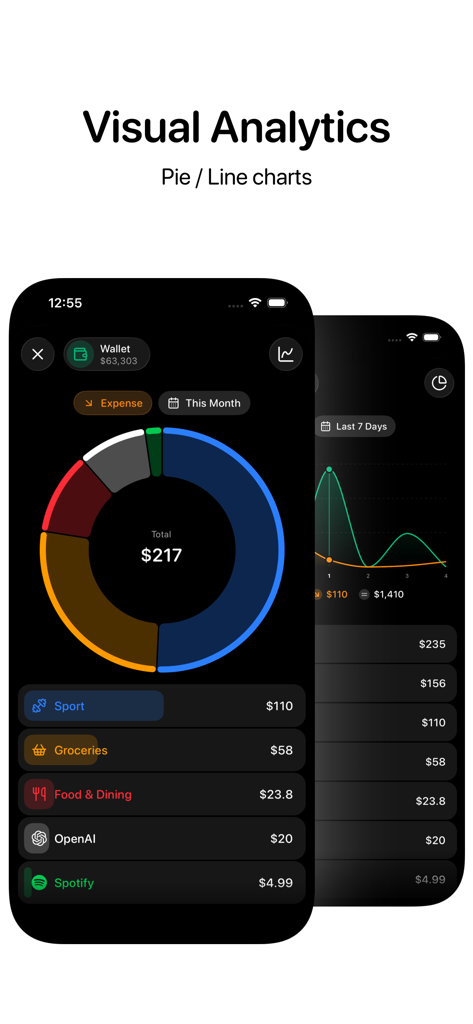
Qalta AI Expense Tracker app interface showing visual analytics with a doughnut chart for expenses and a line graph for seven day trends
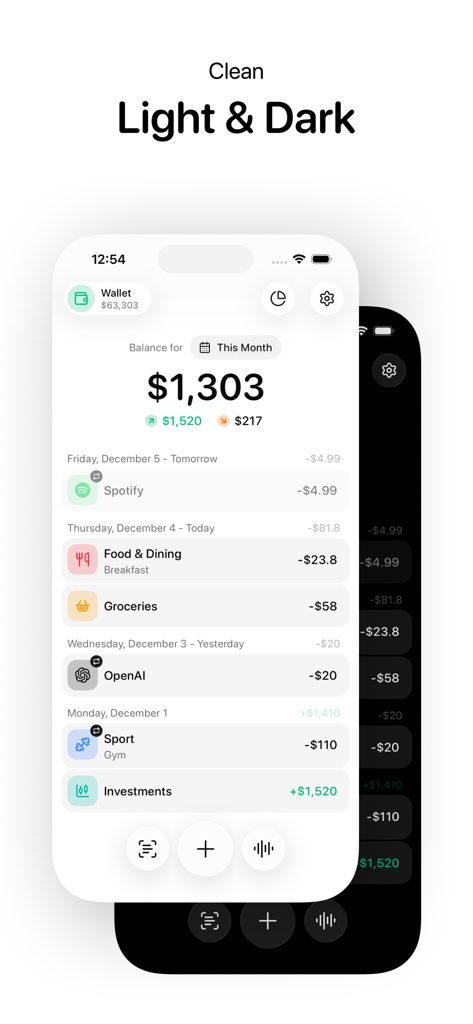
Qalta AI Expense Tracker app interface displaying financial transactions in both light and dark mode themes.
Description
Download
More Like This
Apps with similar features and user experience

하나머니(트래블로그)
Hana Card Co., Ltd.

PassportCard Pay
PASSPORTCARD ISRAEL GENERAL INSURANCE AGENCY (2014) LTD

Niyo: Global cards for travel
Niyo Solutions Inc

Curve - The Global Wallet
CURVE UK LIMITED

Travelex Travel Money
Travelex Central Services Limited

Trabee Pocket - Travel Budget
Trabee

Planet Tax Free ME
PLANET TAX FREE L.L.C
This page is not an official page of the app or its developer, but an independent editorial publication created for informational and commentary purposes. Unless expressly stated otherwise, neither the app nor its developer is affiliated with, endorsed by, sponsored by, authorized by, or otherwise officially connected with MWM, Apple, Google Play, the app publisher, or the app's developer, and nothing on this page implies that the app was developed using MWM's services. Any trademarks, logos, screenshots, and other content remain the property of their respective owners.