
This page is not an official page of the app or its developer, but an independent editorial publication created for informational and commentary purposes. Unless expressly stated otherwise, neither the app nor its developer is affiliated with, endorsed by, sponsored by, authorized by, or otherwise officially connected with MWM, Apple, Google Play, the app publisher, or the app's developer, and nothing on this page implies that the app was developed using MWM's services. Any trademarks, logos, screenshots, and other content remain the property of their respective owners.


Downloads
5M+User Rating
Total Ratings
10K+Publisher
Category
LifestyleLocales
1Latest Version
5.1.8Size
184.6 MBFirst Released
Mar 4, 2020Smart Living, Unlocked
The ultimate smart access solution for urban residents, bringing seamless entry and community management to your pocket.
Instant Keyless Entry
Open your building or unit door with a single tap on your phone or Apple Watch. Say goodbye to physical keys forever.
Remote Guest Management
Buzz in delivery couriers or friends from anywhere. Perfectly suited for your busy, delivery-driven urban lifestyle.
Frequently Asked Questions
Everything you need to know about 亲邻开门
What is 亲邻开门?
亲邻开门 is a smart access control app that provides free services for community residents to open main gates and unit doors using their mobile phones. It offers convenience, security, and various thoughtful community services.
How does 亲邻开门 ensure community security?
亲邻开门 ensures security by requiring property management to review and authorize door opening permissions. This process prevents unauthorized individuals from freely entering the community, enhancing overall safety.
Can 亲邻开门 users open doors remotely for visitors?
Yes, 亲邻开门 users can open doors remotely. The app allows residents to grant access to visitors, delivery personnel, or couriers without physically going to the door or leaving their apartment.
What additional services does the 亲邻开门 app provide?
The 亲邻开门 app provides various additional services. These include property notifications, pet registration, visitor authorization, password entry, and door card management, enhancing overall community living convenience.
How do I cancel my 亲邻开门 app subscription?
To cancel your 亲邻开门 continuous monthly subscription, navigate to iOS Settings, then iTunes & App Store, tap your Apple ID, select View Apple ID, go to Account Settings, tap Subscriptions, and cancel it at least 24 hours before renewal.
Is 亲邻开门 compatible with smartwatches for door opening?
Yes, 亲邻开门 is compatible with smartwatches. The app integrates a "智能手表 开门" (Smartwatch Open Door) feature, allowing users to conveniently open doors directly from their wearable device.
Does 亲邻开门 send property management notifications?
Yes, 亲邻开门 sends property management notifications. Users receive updates like payment reminders, temporary service interruptions, and family invitation statuses directly through the app, ensuring timely information.
Can I invite family members to use 亲邻开门 access control?
Yes, you can invite family members to use 亲邻开门 access control. The app includes an "邀请家人" (Invite Family) feature, but property management must approve their access for security.
The following screenshots and description are sourced directly from the app's official store listing and are the property of the app developer.
App Store
Screenshots
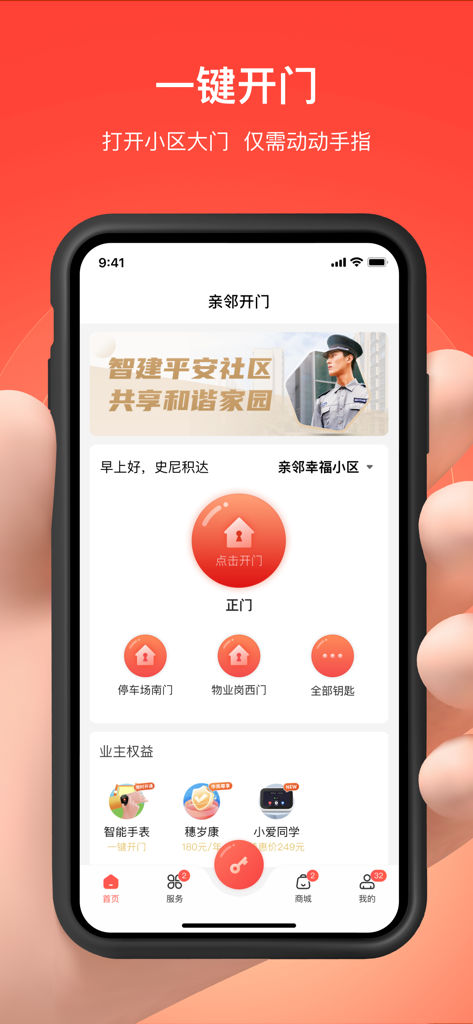
Mobile interface of Qinlin Door Opening app featuring a one-click button to unlock residential community gates
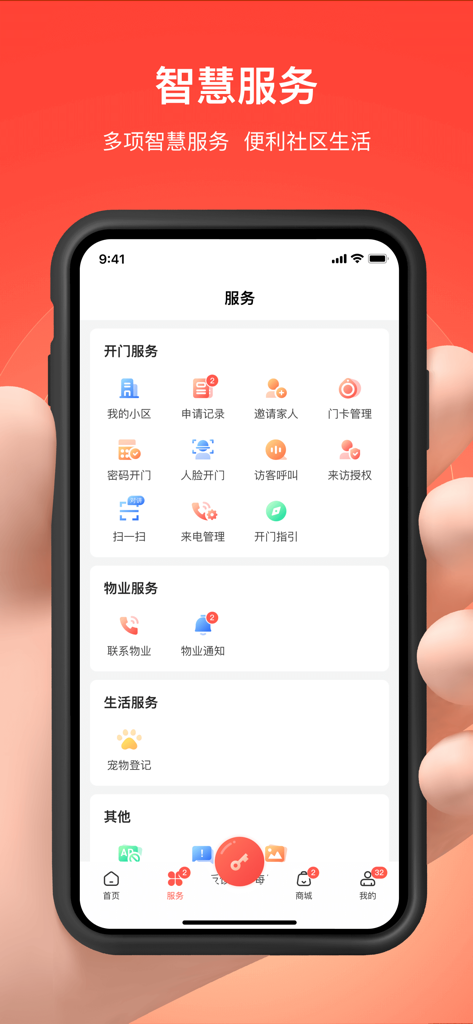
Qinlin Door Opening mobile app dashboard showing various smart community and property management services
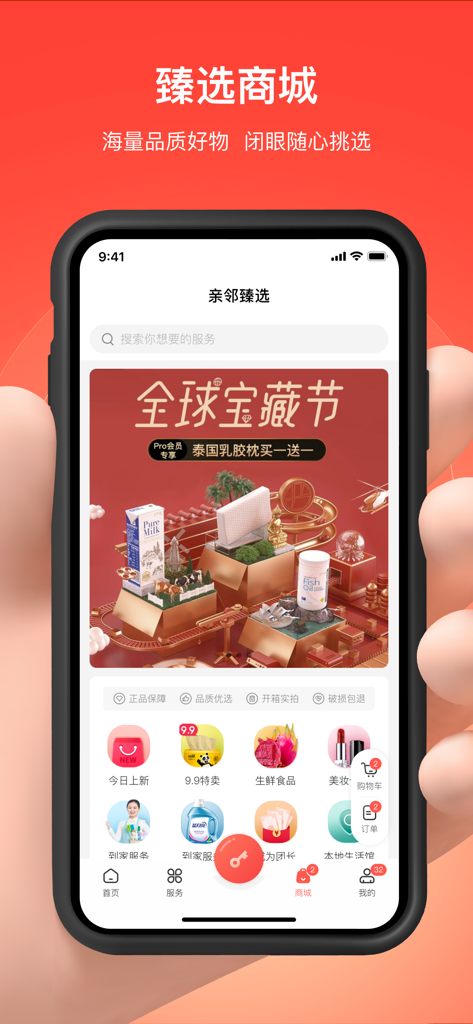
A mobile screen showing the integrated shopping mall section of the Qinlin Door Opening app with various lifestyle product categories
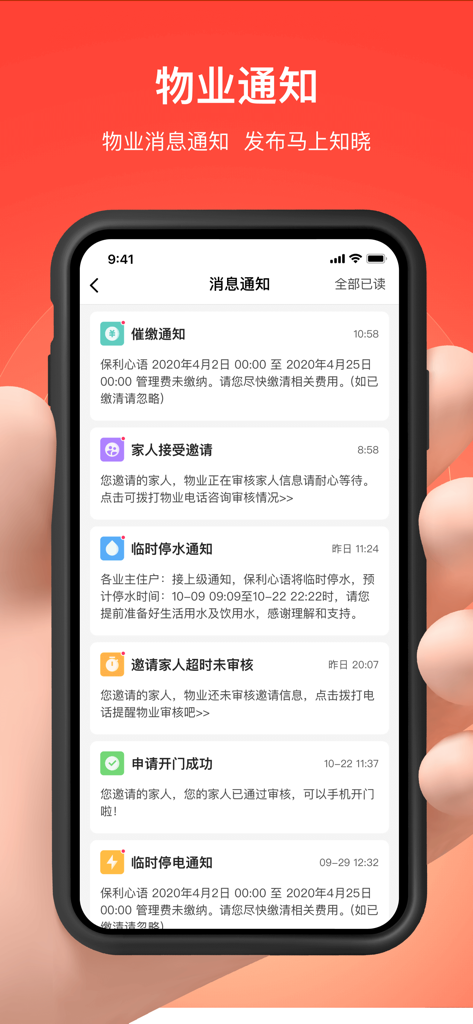
Interface of the Qinlin Door Opening app displaying a list of community property notifications on a smartphone.
Description
Download
More Like This
Apps with similar features and user experience

RentCafe Resident
Yardi Systems, Inc.

ButterflyMX
ButterflyMX, Inc.

Resident Portal Mobile
Entrata, Inc.

Kigo - Parkimovil
Servicios Geo Enlace, S.A. de C.V.

Resident Center
Buildium, LLC

Parcel Pending Mobile
Parcel Pending Inc

TurboTenant for Renters
TurboTenant, Inc.

i-City SuperApp
ICITY PROPERTIES SDN BHD

Nash dom
SPUTNIK, OOO
This page is not an official page of the app or its developer, but an independent editorial publication created for informational and commentary purposes. Unless expressly stated otherwise, neither the app nor its developer is affiliated with, endorsed by, sponsored by, authorized by, or otherwise officially connected with MWM, Apple, Google Play, the app publisher, or the app's developer, and nothing on this page implies that the app was developed using MWM's services. Any trademarks, logos, screenshots, and other content remain the property of their respective owners.