QR Barcode Generator Scanner
Download on App Store

This page is not an official page of the app or its developer, but an independent editorial publication created for informational and commentary purposes. Unless expressly stated otherwise, neither the app nor its developer is affiliated with, endorsed by, sponsored by, authorized by, or otherwise officially connected with MWM, Apple, Google Play, the app publisher, or the app's developer, and nothing on this page implies that the app was developed using MWM's services. Any trademarks, logos, screenshots, and other content remain the property of their respective owners.

Logo of QR Barcode Generator Scanner
Download on App Store

QR Barcode Generator Scanner

Transform your iPhone into a productivity powerhouse. Effortlessly scan over 20 barcode types, generate branded QR codes for your business, and keep every scan organized with an automated history designed for efficiency-seekers.

Key Figures

Downloads

0

User Rating

3.9/5

Total Ratings

0

Publisher

Aaron F Stephenson

Category

Business

Locales

1

Latest Version

3.2.4

Size

13.3 MB

First Released

Aug 1, 2012
Features

Your Ultimate Barcode Command Center

Go beyond basic scanning with a professional-grade toolkit designed to create, customize, and organize every QR and barcode you interact with.

Professional Brand Customization

Stand out by designing custom QR codes with unique colors, borders, and styles that perfectly match your personal or business branding.

Industrial-Grade Scanning

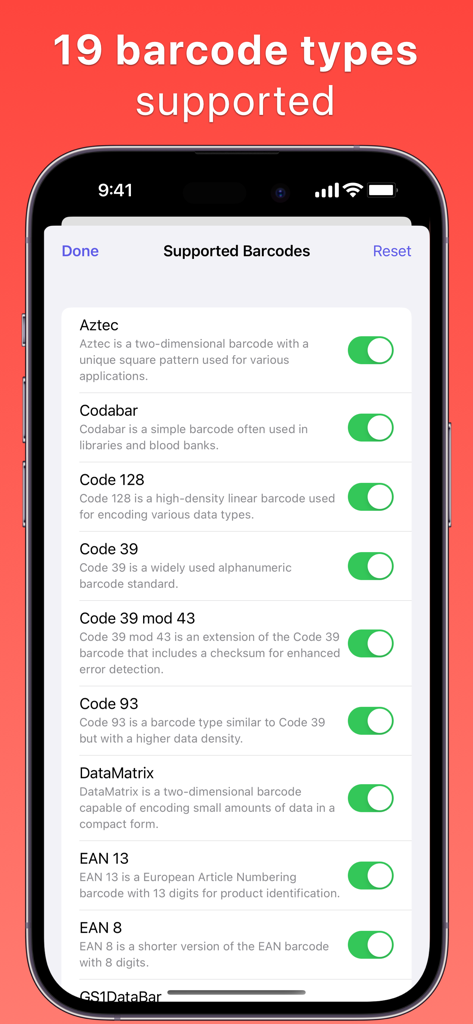
Unlock support for over 18 barcode formats including Aztec, Data Matrix, and EAN-13, ensuring you can read everything from retail tags to shipping labels.

The following screenshots and description are sourced directly from the app's official store listing and are the property of the app developer.

App Store

Screenshots
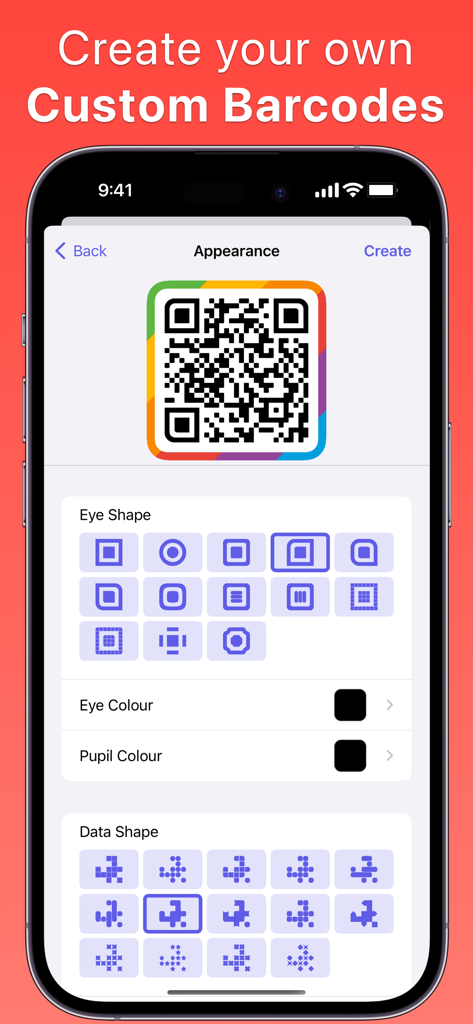
QR Barcode Generator Scanner - Interface for creating custom QR codes with various shapes and colors
Interface for creating custom QR codes with various shapes and colors

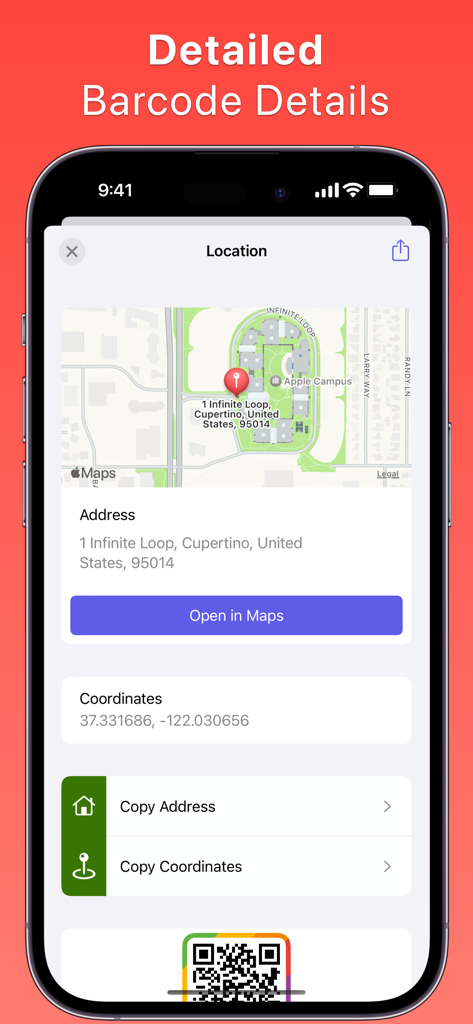
QR Barcode Generator Scanner - A mobile interface displaying location information from a scanned QR code including a map address and geographic coordinates
A mobile interface displaying location information from a scanned QR code including a map address and geographic coordinates

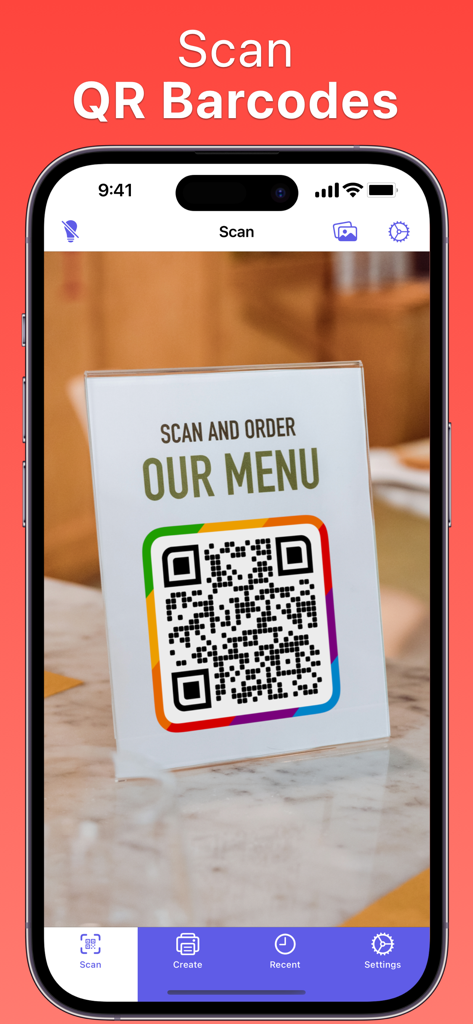
QR Barcode Generator Scanner - iPhone screen showing the QR Barcode Scanner app scanning a restaurant menu QR code.
iPhone screen showing the QR Barcode Scanner app scanning a restaurant menu QR code.

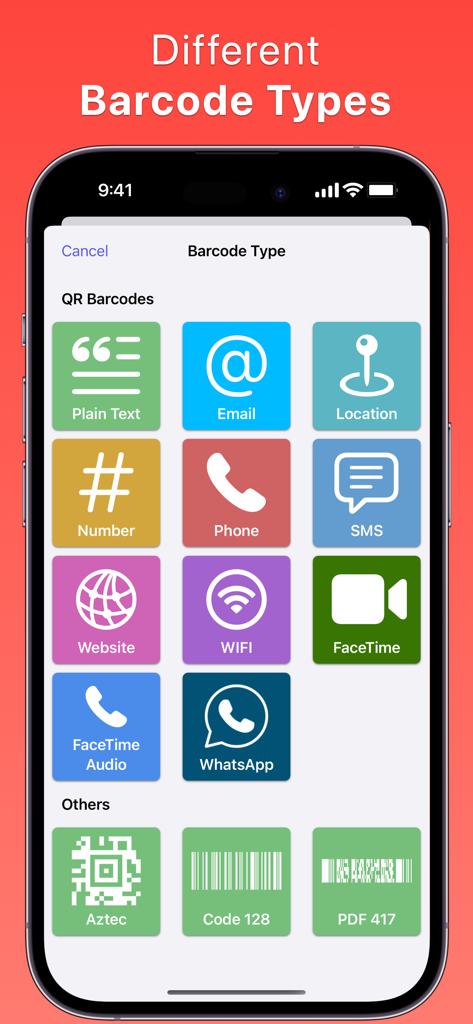
QR Barcode Generator Scanner - A menu in the QR Barcode Generator app showing icons for different QR code types like Email and WiFi alongside industrial barcodes like Aztec and Code 128
A menu in the QR Barcode Generator app showing icons for different QR code types like Email and WiFi alongside industrial barcodes like Aztec and Code 128

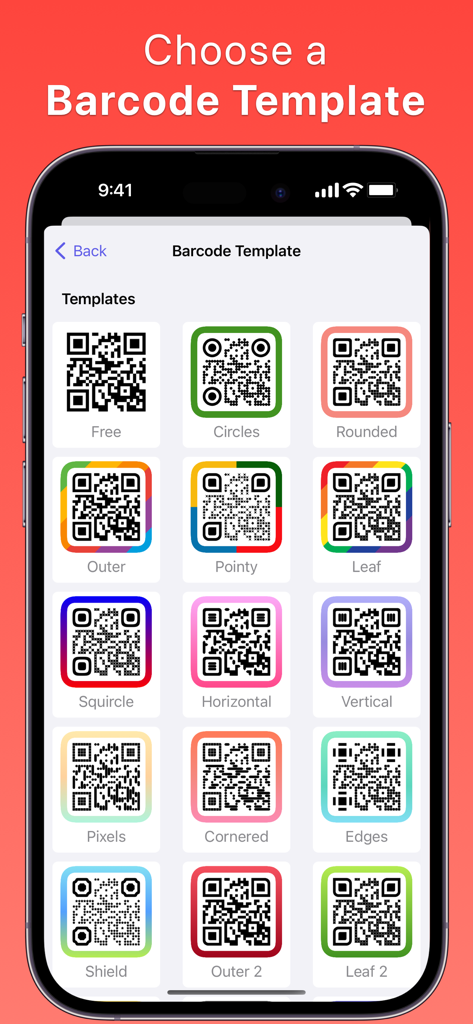
QR Barcode Generator Scanner - A mobile interface displaying various customizable QR code templates with different colors and borders.
A mobile interface displaying various customizable QR code templates with different colors and borders.

QR Barcode Generator Scanner - iPhone screen showing 19 supported barcode types in the QR Barcode Generator Scanner app including Aztec and Code 128
iPhone screen showing 19 supported barcode types in the QR Barcode Generator Scanner app including Aztec and Code 128

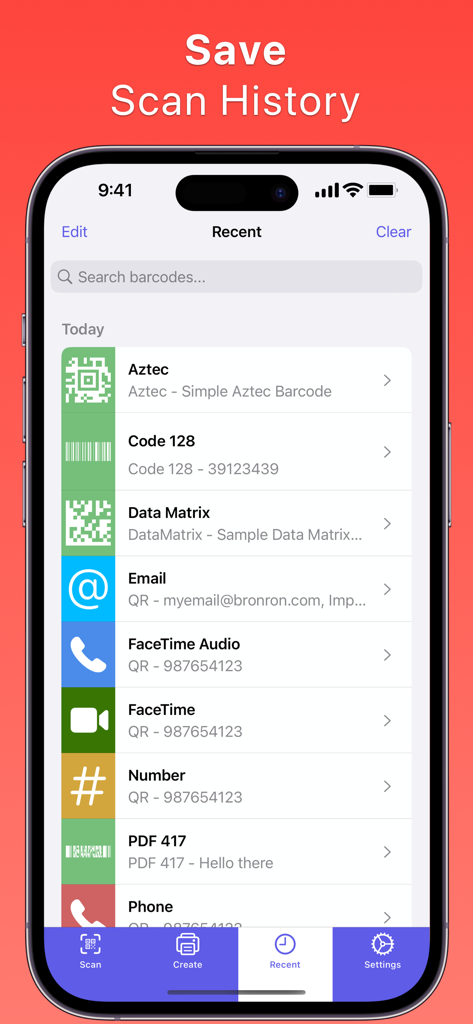
QR Barcode Generator Scanner - The scan history interface of the QR Barcode Generator Scanner app showing a chronological list of scanned codes and contact shortcuts.
The scan history interface of the QR Barcode Generator Scanner app showing a chronological list of scanned codes and contact shortcuts.

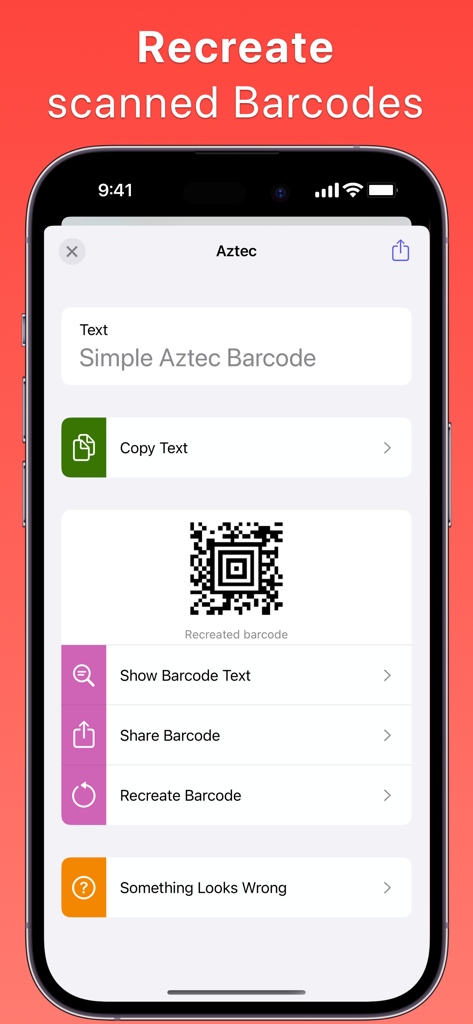
QR Barcode Generator Scanner - Interface of the QR Barcode Generator Scanner app showing a recreated Aztec barcode with options to share and copy text
Interface of the QR Barcode Generator Scanner app showing a recreated Aztec barcode with options to share and copy text

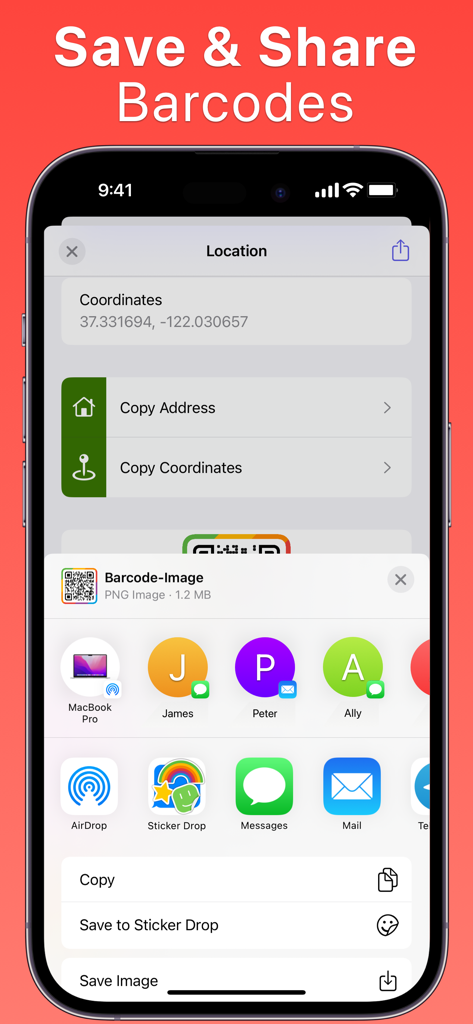
QR Barcode Generator Scanner - Interface for saving and sharing a location-based QR code via the iOS share sheet
Interface for saving and sharing a location-based QR code via the iOS share sheet

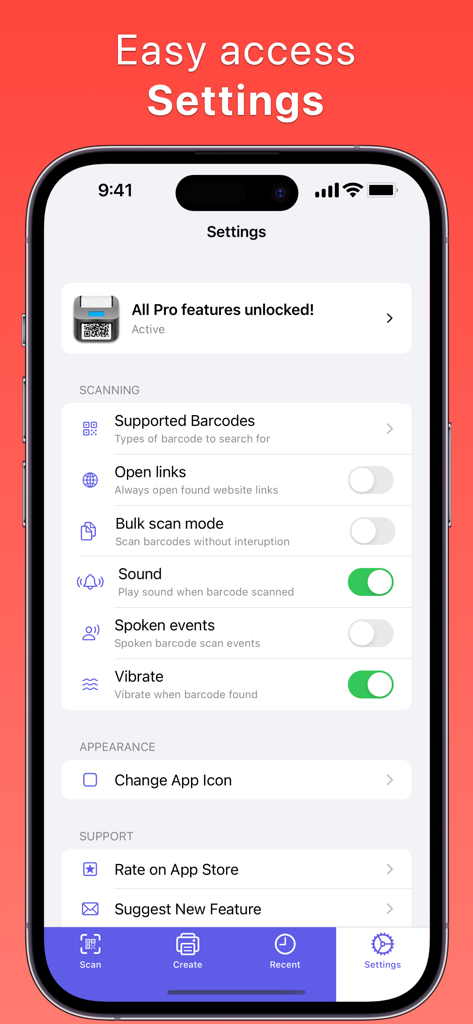
QR Barcode Generator Scanner - Settings screen of the QR Barcode Generator Scanner mobile app showing scanning options and pro features

Settings screen of the QR Barcode Generator Scanner mobile app showing scanning options and pro features

Description

Introducing QR Barcode Scanner Creator, your ultimate tool for managing all things barcode-related. Imagine a world where creating, scanning, and tracking barcodes is as simple as tapping your screen—well, with our mobile app, that world is your reality. Designed for both casual users and businesses alike, this app lets you scan QR codes and normal barcodes in real time using your device's camera. Whether you're checking prices while shopping, joining a Wi-Fi network, or connecting with new contacts, this app streamlines it all, right from the palm of your hand. But QR Barcode Scanner Creator doesn't stop at scanning—oh no, it allows you to become the creator of your own custom QR barcodes. Generate codes for Plain Text, Email, Location, Number, Phone, SMS, Website, WIFI, FaceTime, FaceTime Audio, and even WhatsApp. Want to add a personal touch? You can customize the appearance of your QR barcodes, choosing from different shapes, colours, and borders to create a barcode that’s uniquely yours. Now, sharing your contact details or connecting to your Wi-Fi becomes not just practical, but stylish, too! Features - Scan bar codes - Make bar-codes - Add custom appearance to barcodes, such as colours (colors), borders, backgrounds and styles for the barcode appearance - Share barcodes with anyone Take a look at the extensive range of barcode types supported when scanning with QR Barcode Scanner Creator: - Aztec - Codabar - Code 128 - Code 39 - Code 39 mod 43 - Data Matrix - EAN 13 - EAN 8 - GS1 Data Bar - GS1 Data Bar Expanded - GS1 Data Bar Limited - Interleaved 2 of 5 - ITF14 - MicroPDF417 - MicroQR - PDF 417 - QR (Quick Response) - UPC-E Keep all your scans organized and at your fingertips. QR Barcode Scanner Creator allows you to keep track of all scanned barcodes, providing an easy and efficient way to access and manage your previous scans. Plus, finding QR barcodes from photos in your gallery is a breeze—no more endless scrolling. Even better, if you find a QR barcode that you love, you can recreate it, customize its appearance to your liking, and share it with friends and family. It's social, functional, and downright fun. Ready to transform your mobile device into a powerful QR and barcode command center? Download QR Barcode Scanner Creator today, and step into a new world of convenience, organization, and creativity. It’s time to scan, create, and share like never before. Don't wait—take action now and make life just that much easier! --- QR Barcode Scanner Creator contains an optional yearly and monthly subscription. A subset of features is included without subscribing. Features such as (but not limited to) creating barcodes, customising the barcode appearance is available in a limited capacity without a active subscription. Payment is charged to your Apple ID account. Subscriptions and trials renew automatically unless cancelled at least 24 hours prior to expiry of the current period. To turn off auto-renew, and/or to manage your subscription, visit your iTunes/App Store account settings. Terms of use: https://azzoor.com/barcode-scanner-terms-of-use/ Privacy Policy: https://azzoor.com/barcode-scanner-privacy-policy/ --- If you have any questions, feedback or feature requests please send them to me via support@bronron.com. I’m a lone developer working on this app and all feedback is welcome.

Download

Download on App Store

This page is not an official page of the app or its developer, but an independent editorial publication created for informational and commentary purposes. Unless expressly stated otherwise, neither the app nor its developer is affiliated with, endorsed by, sponsored by, authorized by, or otherwise officially connected with MWM, Apple, Google Play, the app publisher, or the app's developer, and nothing on this page implies that the app was developed using MWM's services. Any trademarks, logos, screenshots, and other content remain the property of their respective owners.